
Chatbase alternative: what a bot builder cannot cover
 Communicate.so
Chatbase alternative comparison: where a chatbot builder ends and a full support operation begins, with an honest look at communicate.so.
TL;DR: A chatbase alternative search usually starts with the same frustration: the bot answers well in testing and then struggles once real support volume hits it. Chatbase is a chatbot builder, a tool for turning a knowledge base into a conversational bot and dropping a widget on a website. Running support is a different job, one that needs a shared place for a human to see the same conversation the AI is having, a clean handoff when the AI is unsure, and a record of why it said what it said. This guide compares Chatbase against communicate.so on the axis that decides the outcome after launch, not the one that wins a demo. It names where Chatbase is the cheaper, correct choice and where the gap between a bot builder and a support operation starts costing you tickets and trust.
Type chatbase alternative into a search bar and you are usually not asking whether the model is good enough. You already have a bot that answers questions. What you are missing is everything that happens after the bot answers: where the conversation lives, who sees it when the AI gets stuck, and how you prove to a customer or a regulator what the AI actually said.
This guide is for the founder, support lead, or ops owner who built a Chatbase bot, watched it work in a sandbox, and is now trying to run real support volume through it. It compares what Chatbase is built to do against what a full support operation needs, names the gap plainly, and places communicate.so honestly on that map rather than pretending it wins every row.
What chatbase is
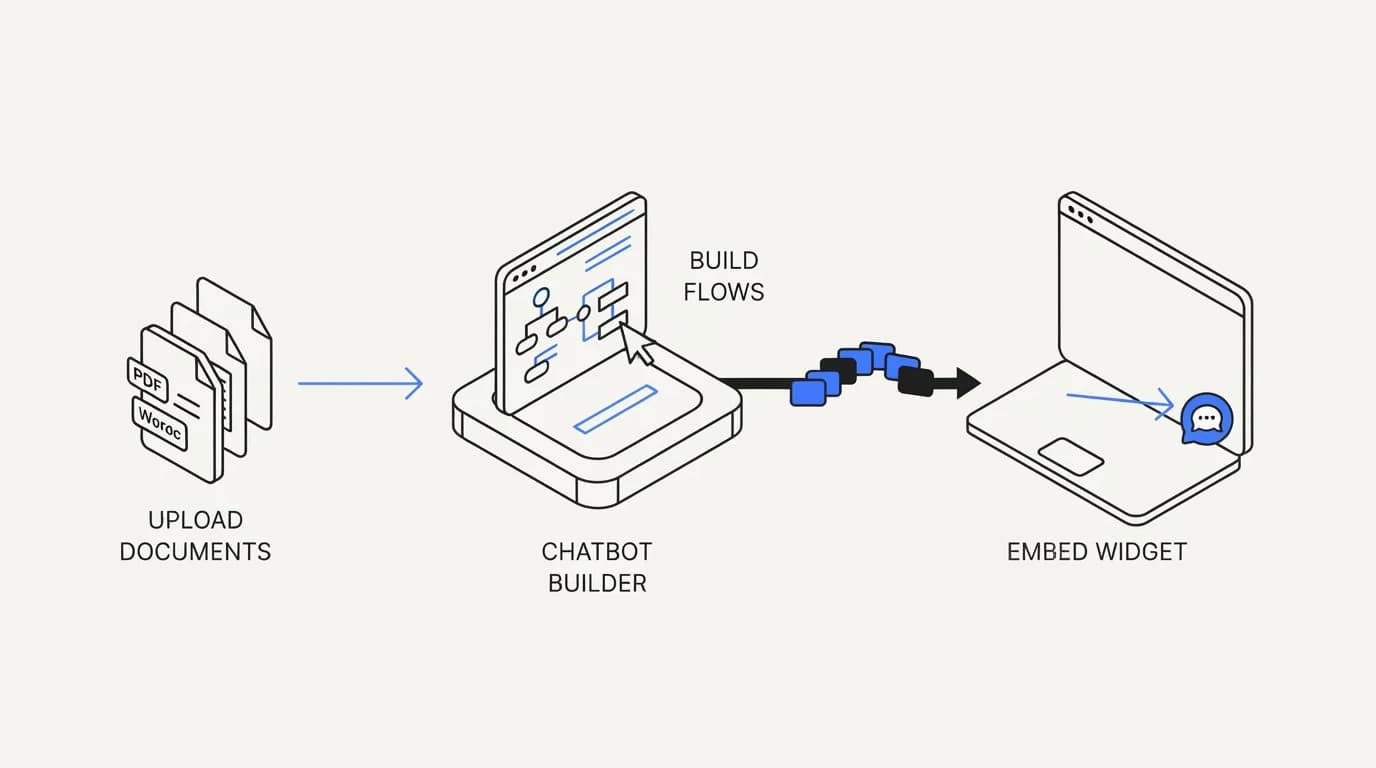
Chatbase is a chatbot builder. You upload documents, connect a website, or paste text, the tool indexes that content, and it gives you an embeddable chat widget that answers questions from what you fed it. The pitch, stated on chatbase.co, is speed: connect your content and have a working bot within minutes, not weeks.
That speed is real and it is the product's strongest claim. A solo founder or a small team with a documentation site can have a working question-answering bot live on their homepage the same afternoon they sign up. For lead capture, pre-sales questions, and simple FAQ deflection on a marketing site, that is close to the whole job.
Chatbase sells itself as a general-purpose AI chatbot platform, and its customer base reflects that breadth: marketing teams building lead-qualification bots, agencies reselling white-labeled chatbots to clients, and solo builders wiring a bot into a side project. It is a horizontal tool, not a support-specific one, and that horizontal design is a choice with consequences you feel once a bot handles real ticket volume instead of a handful of pre-sales questions.
What chatbase does well
 Communicate.so
Chatbase earns its popularity honestly. Setup is close to instant, the widget looks clean out of the box, and the retrieval-from-documents flow works the way the marketing page says it does for a straightforward question-answering use case.
Pricing is approachable for a small team testing an idea, and the self-serve signup means nobody has to sit through a sales call to try it. For a use case that is genuinely just answer questions from my docs on my website, that low-friction path is the correct one, and building anything heavier for that job would be over-engineering.
The tool also covers a real middle ground well: agencies that want to resell a branded chatbot to small business clients, or a solo developer who wants a working proof of concept before pitching a bigger build. If your entire requirement is a widget that answers from a document set, Chatbase gets you there faster than most alternatives, communicate.so included.
Where chatbase falls short for a real support operation
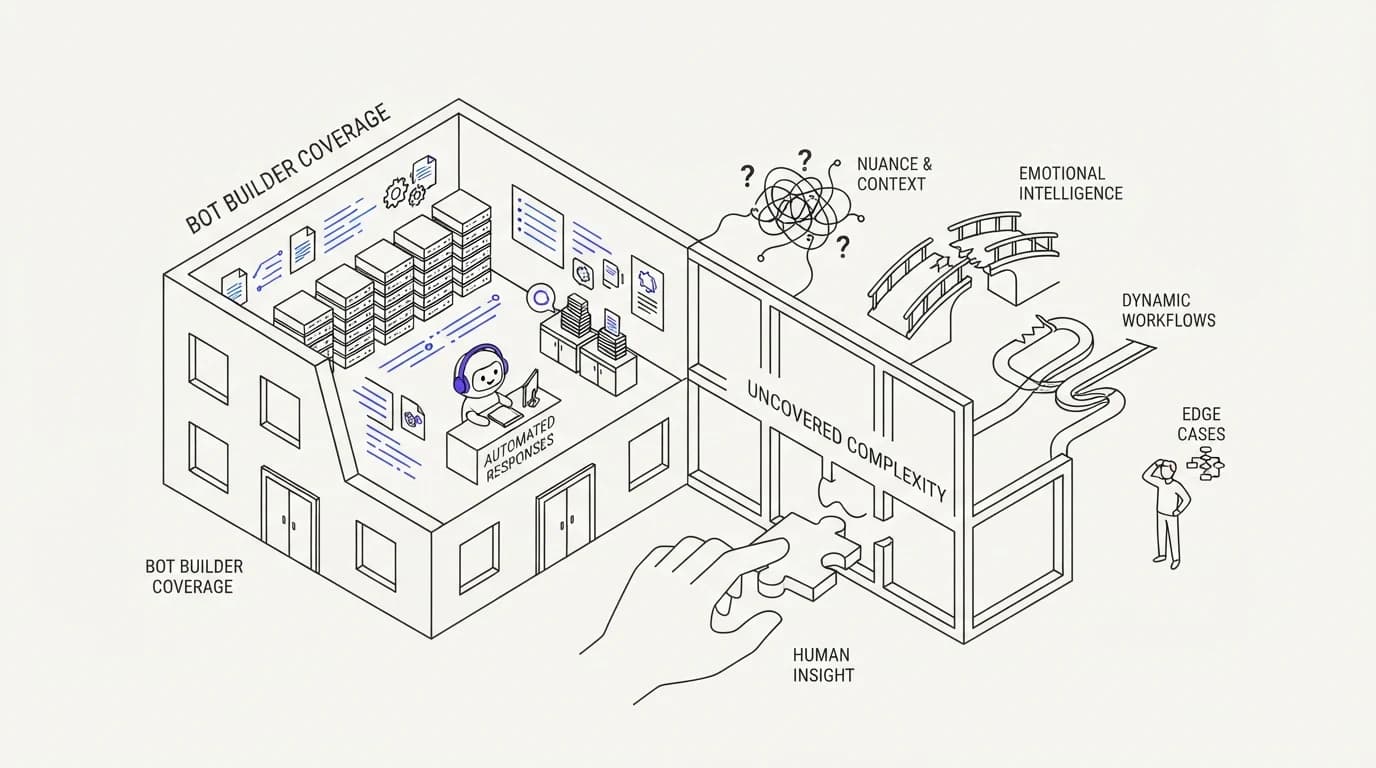
The gap shows up the moment a bot stops answering questions and starts running support. Support is not one conversation. It is hundreds of simultaneous conversations, a team of people who need to see them, escalations that must land somewhere specific, and a record of what was said that someone can pull up six months later.
A bot builder answers the first requirement and mostly ignores the rest.
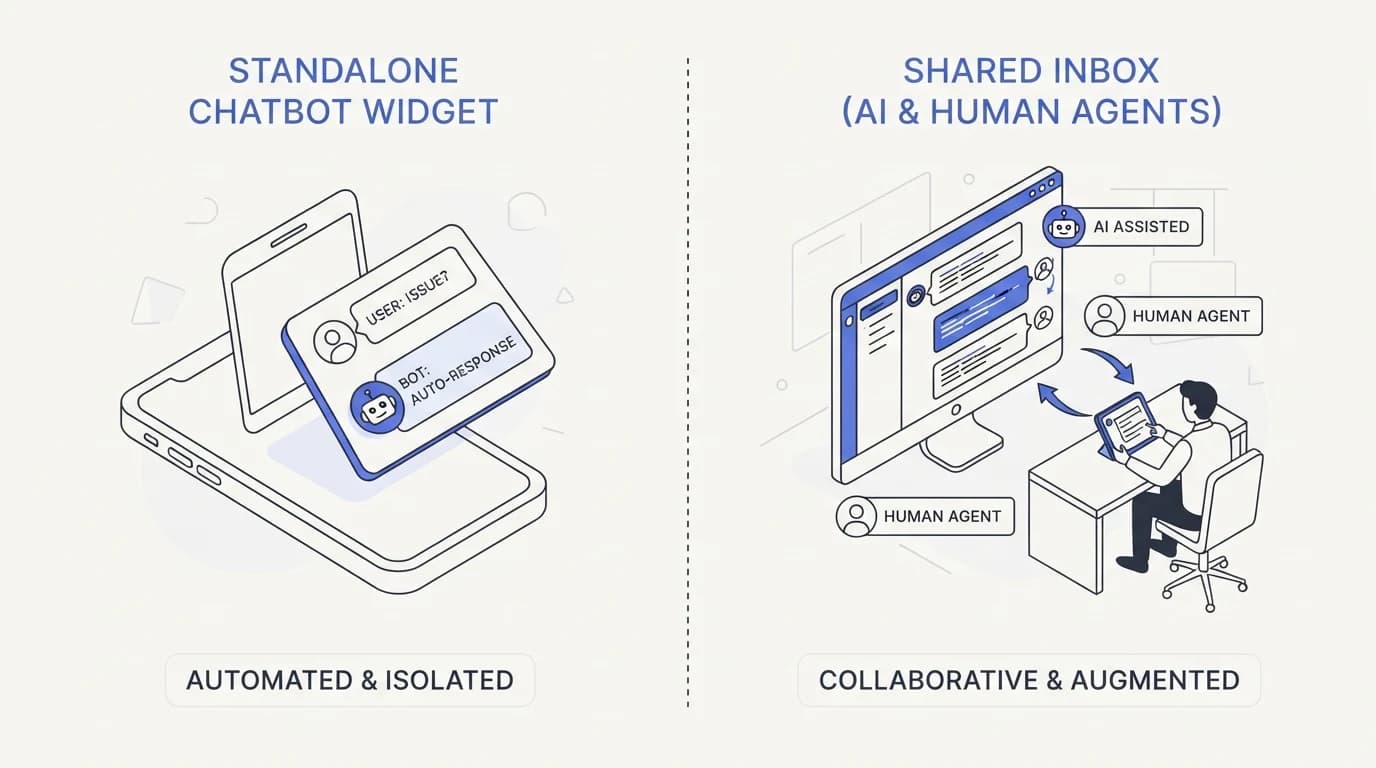
The clearest gap is the inbox. Chatbase gives you a chat widget and a dashboard of past conversations, but it was not built as a place where a support team works a queue together. There is no assignment, no presence, no sense of who on the team owns a given conversation, because the product was designed around one bot talking to one visitor, not a team collaborating around many.
The second gap is escalation. When the AI does not know an answer, a support operation needs the conversation to land cleanly in front of a human with full context intact, what the writing contract's source material calls a top complaint about AI support tools: hallucinated answers and no clear escalation path (Twig). A widget bolted onto a marketing site rarely has a real AI to human handoff built in, because it was never asked to.
The third gap is audit. Once an AI agent is answering real customers about refunds, order status, or account access, someone eventually asks why did it say that. A general-purpose bot builder logs conversations, but it rarely gives you the structured audit trail a support or compliance review actually needs, and retrofitting that later is harder than building it in from the start.
None of this is a knock on model quality. The underlying language models available to Chatbase and to most competitors are close enough in raw capability that the differentiator has moved elsewhere, toward what happens around the model. That is the actual argument for looking at a chatbase alternative built specifically for support operations rather than for chatbot creation in general.
Chatbase vs communicate.so: the core differences
 Communicate.so
The table below compares the two on the dimensions that matter once a bot moves from demo to production. Read it as a map of what each tool was designed to be, not a scorecard, because Chatbase genuinely wins on setup speed and price for the use case it targets.
| Capability | Chatbase | communicate.so |
|---|---|---|
| Fastest path to a working Q&A widget | ✓ | ✗ |
| Built primarily as a bot builder | ✓ | ✗ |
| Shared inbox for a support team | ✗ | ✓ |
| AI to human handoff with full context | ✗ | ✓ |
| Presence-based human takeover mid-conversation | ✗ | ✓ |
| Scoped actions beyond answering questions | ✗ | ✓ |
| Live chat plus email in one agent and inbox | ✗ | ✓ |
| Analytics built for a support queue, not a widget | ✗ | ✓ |
Read the top two rows as Chatbase's real strengths, not a formality. If a fast, cheap, standalone widget is the whole job, those rows should decide the choice, and the pricing gap between a general bot builder and a support-specific platform is a real cost to weigh.
The gap is inbox, handoff, and audit, not model quality
 Communicate.so
It is worth restating the actual argument plainly, because it is easy to misread this as a claim about which AI is smarter. It is not. The gap between a chatbot builder and a support platform is operational: where the conversation lives, who can see it, how a human takes over, and what gets logged.
A shared inbox is the clearest example. When an AI agent and a human team work from the same conversation view, an escalation is a handoff inside one thread, not a cold transfer into a separate system where the customer has to explain the problem again. That single detail changes how an escalation feels to the customer far more than which model generated the AI's replies.
Communicate's shared inbox uses presence-based human takeover with a per-turn backstop, so when a person is actively viewing and typing in a conversation, the AI does not talk over them mid-reply. That is a narrow, specific behavior, and it exists because a bot answering on top of a human agent's reply is a real failure mode support teams run into with tools that were not built around a shared workspace.
Guardrails are the other half of the gap. A support agent that is allowed to say I do not know and hand off, instead of guessing, avoids the incident pattern documented in cases like the DPD chatbot that had to be disabled after going off script (The Register), and the cloud storage provider whose bot cited a downgrade policy that did not exist in February 2026 (SocialIntents). Guardrails are a design decision, and a support-specific platform is built around making refusal and escalation the default path, not a feature you configure after the fact.
When chatbase is still the right choice
This guide would be dishonest if it argued Chatbase is wrong for everyone. It is not. For a specific, narrower job, it remains the better tool, and pretending otherwise would be selling, not comparing.
If you run a marketing site and want a bot that answers pre-sales questions and captures leads, Chatbase is close to the ideal tool. That job does not need a shared inbox, presence-based takeover, or a support-grade audit trail, because there is no support team behind it and no ticket queue to run.
If you are prototyping an idea, testing whether a chatbot even makes sense for your content before committing budget, Chatbase's low price and fast setup make it the right first step. Build the proof of concept there, and only move to a chatbase alternative built for support operations once you actually have a support team and a queue that a bot builder was never designed to run.
Signals it is time to look at a chatbase alternative
A handful of concrete signals separate a team that still fits Chatbase from one that has outgrown it. None of them are about the AI getting an answer wrong once. They are about the operation around the AI straining under real volume.
The first signal is a teammate manually copying a conversation out of the widget dashboard into a spreadsheet or another tool so a human can follow up. That workaround is a sign the product needs a real shared inbox, because a team should never have to build its own tracking system around a bot's blind spot.
The second signal is more than one person quietly answering the same customer because nobody could tell who already replied. That collision is a presence problem, not a model problem, and it gets worse, not better, as headcount grows without a workspace built for a team.
The third signal is a support lead who cannot say with confidence how many conversations the AI actually resolved versus how many it silently pushed back to email or a contact form. Adoption of AI in service organizations has grown fast, from 39% in 2025 to 66% in 2026 according to Salesforce data (DigitalApplied), and that pace makes it easy to add a bot before you have a way to measure what it is doing.
The fourth signal is executive pressure without operational visibility. Gartner reports 91% of CX leaders are under executive pressure to deploy AI (DigitalApplied), and that pressure often lands on whichever bot is already live, whether or not it was built to carry the weight. If your team is being asked to report AI performance and the tool cannot give you that report, the tool is the constraint, not the AI.
What to look for in a chatbase alternative
 Communicate.so
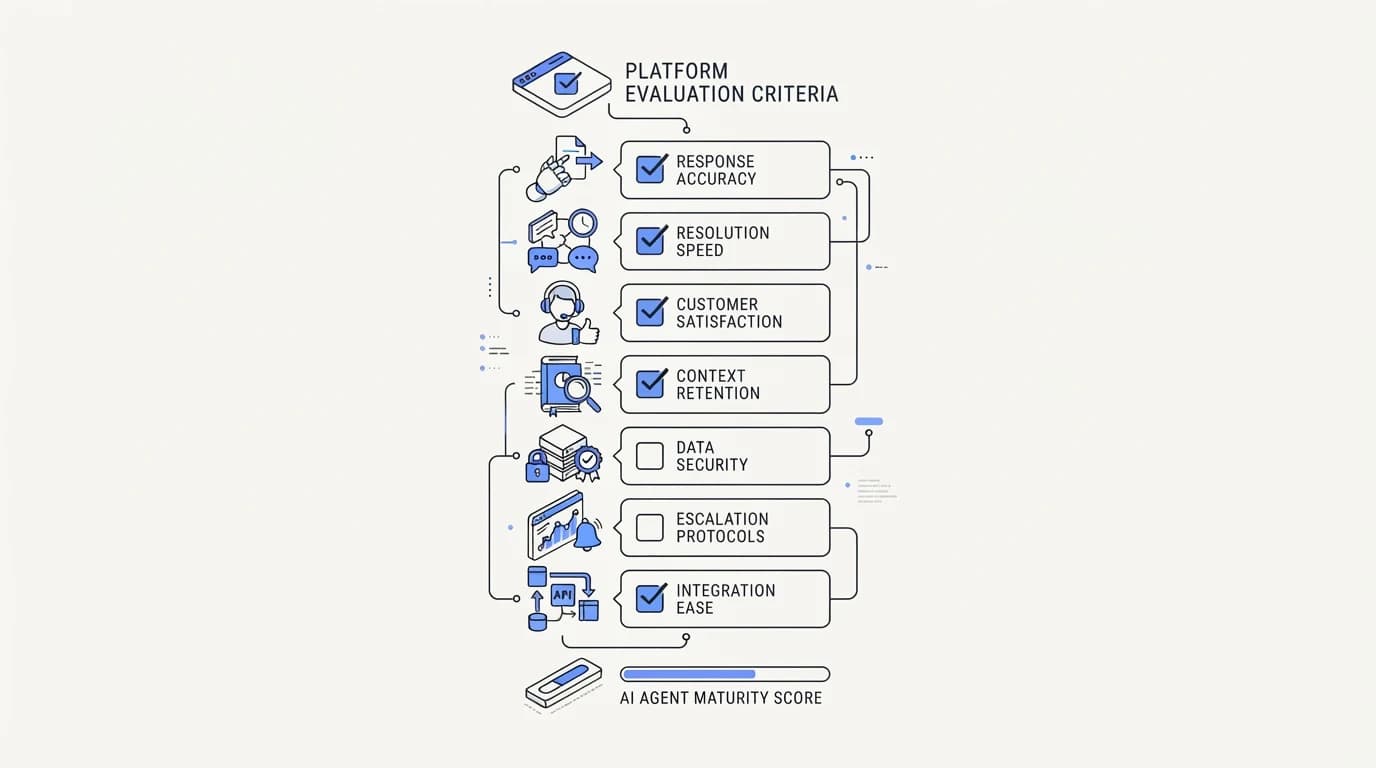
If your actual job is running support, evaluate any alternative against the operational gap, not the model. Ask whether the tool gives your team a shared place to work, not just the AI a place to answer.
Ask how escalation actually works. A clean handoff means the human sees the full conversation, not a summary, and can pick it up without the customer repeating themselves. If the answer involves exporting to another tool or manually copying context, that is a bot builder wearing a support platform's marketing.
Ask what happens when the AI is wrong. A tool built for support should let you set explicit boundaries on what the agent can claim, refuse to guess when it lacks grounding, and log the reasoning behind an answer so you can investigate a complaint. A tool built as a general chatbot creator treats that as an edge case rather than the core design constraint.
Ask what channels it actually covers, and check the vendor's own page rather than a sales deck. Data sources matter as much as channels: an agent grounded only in a static document set will drift stale the moment your policies change, while one connected to a live knowledge base stays current without a manual re-upload.
How to migrate from chatbase to a grounded support agent
Migration is more mechanical than people expect once you separate the content from the tool. Start by exporting or re-collecting your source documents, since the knowledge base is the asset, not the vendor-specific index built on top of it.
Reconnect that content to the new platform's data sources, then run a side-by-side test period where the new agent answers a sample of real tickets that a human reviews before anything ships live. That review window is where you catch grounding gaps before a customer does, and it is the step teams skip when they are in a hurry to switch.
Move your live channel over gradually, one surface at a time, rather than flipping every conversation to the new agent at once. Start with the lowest-stakes channel, confirm escalation and handoff behave the way you expect under real volume, then widen from there.
Keep the old bot's answer logs for a stretch after cutover. They are useful for comparing accuracy, and they are the record you want if a customer disputes something the old widget told them before you switched, a habit that pairs with building a proper audit trail into whatever you run next.
Where communicate.so fits, honestly
Communicate is a grounded AI support agent paired with a lean shared inbox, built for the operational gap this guide describes rather than for chatbot creation in general. The AI agent answers from your connected content and hands off when it is unsure, and the shared inbox gives a human team the same view of the conversation the AI has, with presence-based takeover so nobody talks over anyone mid-reply.
The live channels are a web widget, live chat, and email, with in-app messages, analytics, and scoped actions running from the same agent and knowledge base. There is no WhatsApp, Messenger, SMS, or voice, so if any of those is a hard requirement today, it is not the right fit yet, and that is worth knowing before you switch.
On the model, Communicate runs a single model, gpt-4o-mini through OpenRouter, with response and prompt caching to keep cost and latency down. That choice is deliberate: guardrails, grounding, and the shared inbox drive answer quality more than swapping models does, which is the same argument this guide has made about Chatbase itself.
Now the honest limits. Communicate is GDPR-ready but not certified, holds no SOC 2, HIPAA, or ISO 27001, runs in a single region, and does not offer SSO. Entry is a one-time $1 activation with 100 test credits and no free tier, and you can see the full posture on the security page and the pricing page before committing to anything.
Key takeaways
- Chatbase is a chatbot builder, fast and cheap for a Q&A widget on a marketing site, but not built around a support team working a shared queue.
- The real gap is operational: no shared inbox, no built-in clean handoff to a human, and no support-grade audit trail, not a difference in model quality.
- Chatbase remains the right tool for lead-qualification bots, agency resale, and early prototyping before a real support operation exists.
- A support-specific alternative should be judged on escalation, guardrails, and grounding against live data sources, not on the model behind the replies.
- Migrating is mostly mechanical: move the content, run a review window on real tickets, cut over one channel at a time, and keep the old logs for comparison.
If your bot has outgrown a marketing-site widget and now needs to run a real support queue, start with a one-dollar account activation that includes 100 test credits, connect your content to the AI agent, and test the handoff on your ugliest real tickets before you trust it live.
Frequently asked questions
Is Chatbase good for customer support?
Chatbase works for simple question answering on a website, but it was not built around a support team's daily workflow. It lacks a shared inbox with presence and assignment, and its handoff to a human is not built for a queue the way a shared inbox is. For pre-sales FAQ and lead capture, it does the job well.
What is the main difference between Chatbase and communicate.so?
Chatbase is a chatbot builder aimed at general use cases; communicate.so is a grounded AI agent paired with a shared inbox built specifically for support operations. The difference shows up in escalation, team collaboration, and audit trail, not in raw answer quality.
Can Chatbase handle a shared support inbox?
No, not in the sense a support team needs. Chatbase gives you a conversation dashboard, but it does not offer presence, assignment, or a collaborative queue view the way a dedicated shared inbox does. Teams running real volume typically bolt on a separate tool for that layer or switch platforms.
Does Chatbase escalate to a human agent?
Chatbase can be configured to collect contact information or route a conversation, but it does not offer a built-in, context-preserving handoff into a shared workspace the way a support-specific platform does. The customer often has to repeat context once a human picks up, because the AI and the human are not working from the same view.
Why do Chatbase alternatives exist if the AI answers well?
Because answering well is only the first requirement of running support. The gap that pushes teams to look for a chatbase alternative is operational: escalation, team collaboration, guardrails, and audit, all of which a general-purpose bot builder treats as secondary to the widget itself.
Is Chatbase cheaper than communicate.so?
For a standalone Q&A widget with no support team behind it, yes, Chatbase is typically the cheaper option and the right one for that job. Compare against your actual workflow rather than the sticker price alone, and check current pricing for the support-specific alternative before deciding.
What data sources can Chatbase connect to?
Chatbase primarily indexes uploaded documents, pasted text, and crawled website content. It is built around a static content set rather than a live, continuously synced knowledge base, which matters if your policies or product change often enough that a manual re-upload becomes a maintenance burden.
How does communicate.so handle human handoff differently?
Communicate's shared inbox uses presence-based human takeover with a per-turn backstop, so when a person is actively viewing a conversation, the AI does not talk over them mid-reply. The AI to human handoff carries the full conversation history, so the customer does not repeat themselves.
Can I use Chatbase for lead generation and communicate.so for support?
Yes, and that split is a reasonable setup for a growing company. Keep a lightweight bot builder on the marketing site for pre-sales questions and lead capture, and run a support-grade AI agent with a shared inbox for the post-signup queue where escalation and audit actually matter.
Does Chatbase offer an audit trail for compliance?
Chatbase logs conversations, but it does not provide a structured, support-grade audit trail built for reconstructing why an AI gave a specific answer under review. That gap matters most for regulated industries or any team that expects to be asked to explain an AI response after the fact.
What channels does communicate.so support?
Communicate runs a web widget, live chat, and email through one agent and one shared inbox, plus in-app messages, analytics, and scoped actions. It does not currently support WhatsApp, Messenger, SMS, or voice, so confirm channel coverage against your requirements before switching.
Is switching from Chatbase to another platform difficult?
Migration is mostly mechanical. Export or re-collect your source content, reconnect it to the new platform's data sources, run a review window on real tickets before going fully live, and cut channels over one at a time rather than all at once.
Does Chatbase let the AI take actions, not just answer questions?
Chatbase is primarily built for answering from content rather than taking scoped actions like looking up an order or issuing a refund. Platforms built around actions treat that capability as core, which matters once support volume includes requests the AI needs to actually resolve, not just describe.
How do guardrails differ between a bot builder and a support platform?
A support-specific platform is designed around refusal and escalation as the default when the AI lacks grounding, following the practice of setting explicit AI agent guardrails. A general bot builder treats confident guessing as more acceptable, because the cost of a wrong pre-sales answer is lower than a wrong support answer about a refund or an account.
What happened with the DPD chatbot, and is that relevant to Chatbase?
DPD's chatbot was disabled in January 2024 after it went off script and swore at a customer, an incident reported by The Register. It is relevant to any chatbot without strong guardrails, not specific to Chatbase, and it illustrates why the design decisions around refusal and tone matter more than the underlying model.
Can Chatbase ground its answers in a live, changing knowledge base?
It can re-crawl and re-upload content, but it is not built around continuous, live synchronization the way a platform designed for a fast-changing support knowledge base is. If your policies change weekly, that gap becomes a manual maintenance task rather than an automatic one.
Should a small team with no support agents use Chatbase or a support platform?
A very small team with light volume and no dedicated support staff often does fine with a bot builder like Chatbase, since the overhead of a full shared inbox may not be worth it yet. Revisit the decision once volume grows enough that a human needs to regularly step into conversations.
What is the biggest complaint customers have about AI chatbots in general?
Research from Twig lists hallucinated answers, no clear escalation path, robotic tone, no context awareness, and poor integration as the top recurring complaints (Twig). Most of these trace back to how a bot is wired into the rest of support, not to the model answering the question.
Does communicate.so have a free tier like some Chatbase plans?
No. Communicate has no free tier; entry is a one-time $1 activation that includes 100 test credits, then credit-based usage from there. Check the current pricing page for the full structure before comparing it against a bot builder's free plan.
What should I check before picking any Chatbase alternative?
Check how escalation actually works, whether the AI can refuse and hand off instead of guessing, what data sources it connects to and how those stay current, and what channels it genuinely covers today rather than on a roadmap. Those four questions separate a support-grade platform from a bot builder wearing support marketing.