
AI agent guardrails: a practical guide for support teams
 Communicate.so
AI agent guardrails for support: scope limits, escalation, grounding, safe actions, and testing that keep an AI agent accurate.
TL;DR: AI agent guardrails are the rules that keep a support AI agent inside safe, accurate behavior: scope limits that define what it may answer, grounding that ties every reply to your own data, refusal when it is unsure, escalation triggers that route hard cases to a person, bounded authority over the actions it can take, and audit logging plus testing that prove the guardrails hold. This guide is the practical how-to for support teams: what each guardrail does, how to set it, and how to test that it works before you trust the agent with real customers. Guardrails are not a feature you buy once, they are an operating discipline you tune as your product and your traffic change. Get them right and the agent safely carries the repetitive majority of your queue; skip them and you get a confident agent that fails fast in ways you learn about from angry customers.
Most teams judge an AI support agent on how well it answers. That is the wrong first question. The better one is what it does when it should not answer at all, because that is where a support agent either protects your customers or quietly damages them.
Guardrails are the answer to that question. In a support context, guardrails are the constraints that keep an AI agent inside safe and accurate behavior: the scope it may cover, the data it must ground answers in, the moments it has to refuse or escalate, the actions it is permitted to take, and the logs that let you check all of it afterward. This guide treats them as one system, because a gap in any single guardrail is where trouble gets in.
It is written for the person putting an agent in front of real customers: a founder, a support lead, or an ops owner who has to answer for what the agent says. It walks each guardrail in turn, scope, grounding, refusal, escalation, authority, and audit, then gives you a checklist to run before launch. If you want the full build sequence around this, how to build an AI customer support agent is the companion read, and this post is the deep dive on keeping that agent safe.
What AI agent guardrails actually are
The word guardrails gets used loosely, so it is worth pinning down before anything else. A guardrail is not a single toggle or a content filter bolted on at the end. It is any constraint that narrows what the agent can do, from the scope it answers to the actions it can take, so that the failure modes you care about become impossible or at least visible.
Think of guardrails as the difference between capability and permission. A capable model can write fluent text about almost anything, which is exactly the problem in support, where a confident answer about the wrong refund policy is worse than no answer. Guardrails are how you turn a general capability into a bounded, trustworthy support agent that stays inside what you can stand behind.
The reason guardrails matter more in support than in a casual chat toy is stakes. A support agent speaks for your business, touches customer accounts, and handles people who are often already frustrated. A wrong answer there is not a curiosity, it is a broken promise, a mis-issued credit, or a compliance exposure, so the constraints are the product as much as the answers are.
Industry bodies now treat this as a governance problem, not a nice-to-have. The NIST AI Risk Management Framework frames trustworthy AI around exactly these controls: bounding what a system does, making its behavior measurable, and keeping a human accountable for it. Guardrails are the concrete, support-shaped version of that framework, applied to one agent answering one queue.
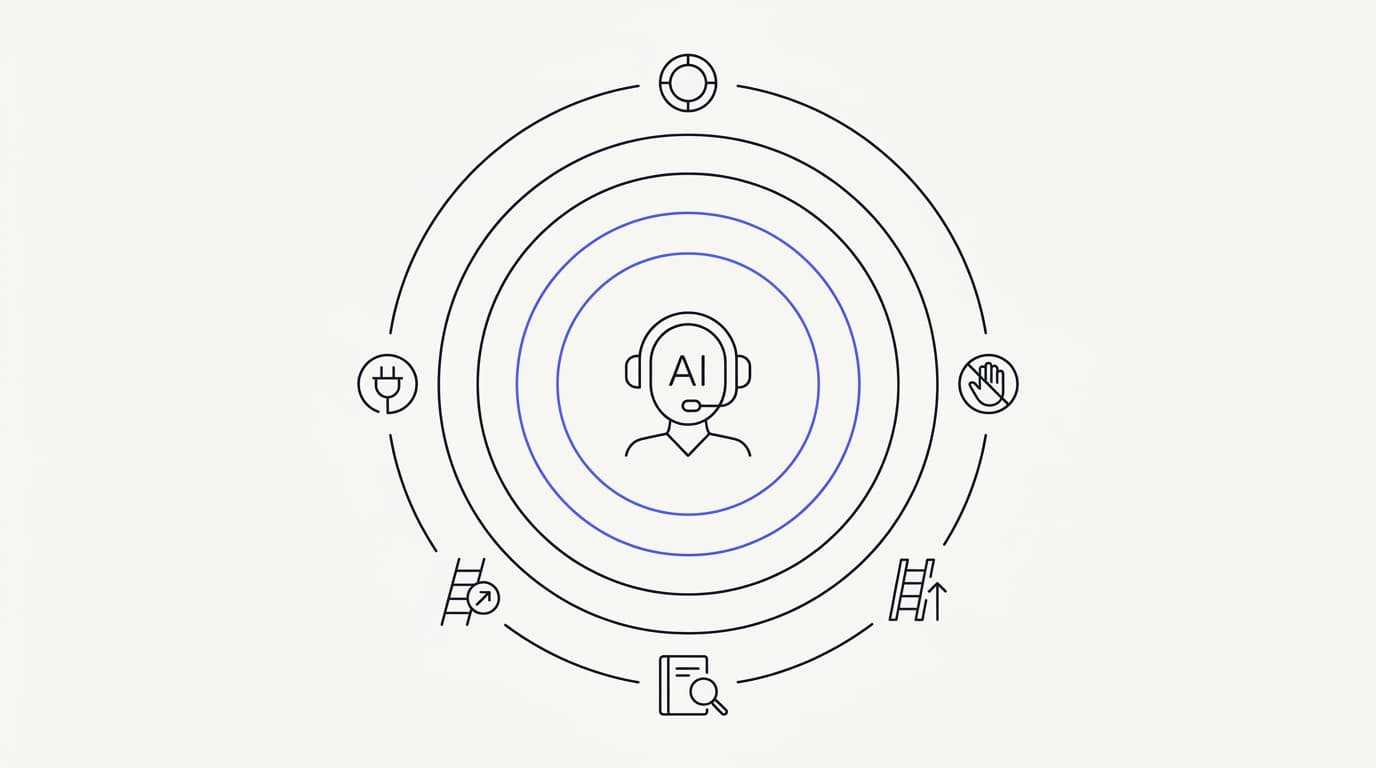
This guide breaks the system into six guardrails you can set and test independently: scope, grounding, refusal, escalation, authority over actions, and audit logging. None of them is optional, and the weakest one sets your real safety level. The sections below take them in the order you should reason about them, starting with the boundary that shapes everything else.
Scope limits: what the agent is allowed to answer
 Communicate.so
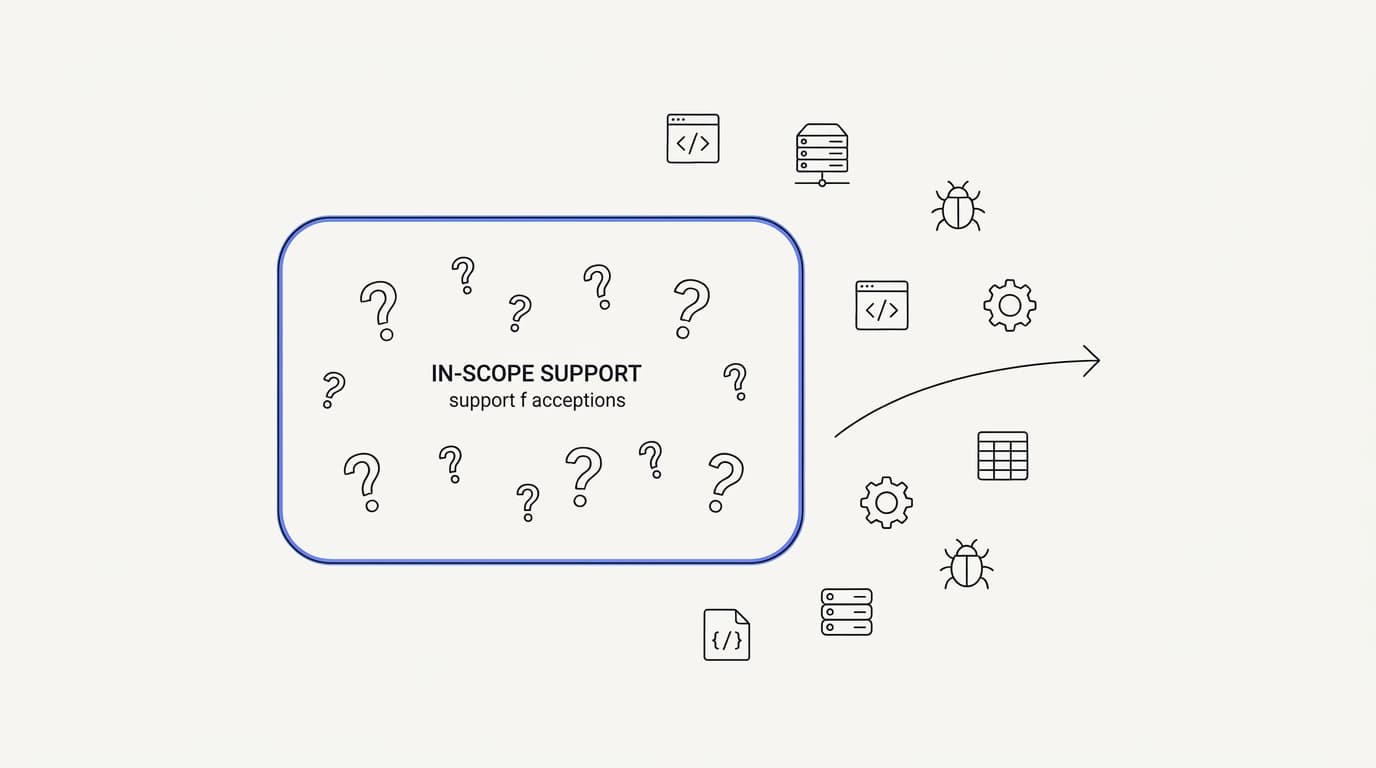
Scope is the first guardrail because it shapes every other one. Scope is the explicit definition of what the agent is there to do, which for a support agent is usually your product, your policies, and your account questions, and nothing else. An agent with no defined scope will cheerfully answer legal questions, medical questions, or a competitor comparison, none of which you want it speaking for.
The failure a scope limit prevents is the agent wandering outside its lane. A customer asks whether your product is safe during pregnancy, or for tax advice about a purchase, and an unbounded agent will produce a fluent, authoritative, and completely unsanctioned answer. Scope is the instruction that turns that into a polite decline and a pointer to the right resource instead.
Setting scope is mostly a writing exercise, not a technical one. You define, in plain language, the topics the agent owns and the topics it must not touch, and you tie its answers to your connected data sources so it has nothing to draw on outside that scope. The tighter the source material, the more naturally the agent stays inside its lane, because it simply has no grounded answer for out-of-scope questions.
Scope also has a business dimension that teams forget. Some in-scope questions are ones you deliberately do not want automated, like a cancellation a human should try to save, or a billing dispute that needs judgment. Marking those as out of scope for the agent, even though it could answer them, is a scope decision as much as blocking legal advice is.
A good scope limit is specific enough to be testable. Vague instructions like be helpful and stay on topic give the agent too much room, while a concrete list of owned topics and forbidden ones can be checked against real questions. This is the same discipline that the AI support agent implementation guide applies to the whole build: write the boundary so precisely that you can prove whether the agent respected it.
Do not aim for a scope that covers everything on day one. Start narrow, with the high-volume topics you are confident about, and widen the scope as your content and testing catch up. A narrow agent that is right beats a broad agent that is sometimes wrong, and widening scope is a decision you make on evidence rather than optimism.
Grounding: the guardrail that stops made-up answers
 Communicate.so
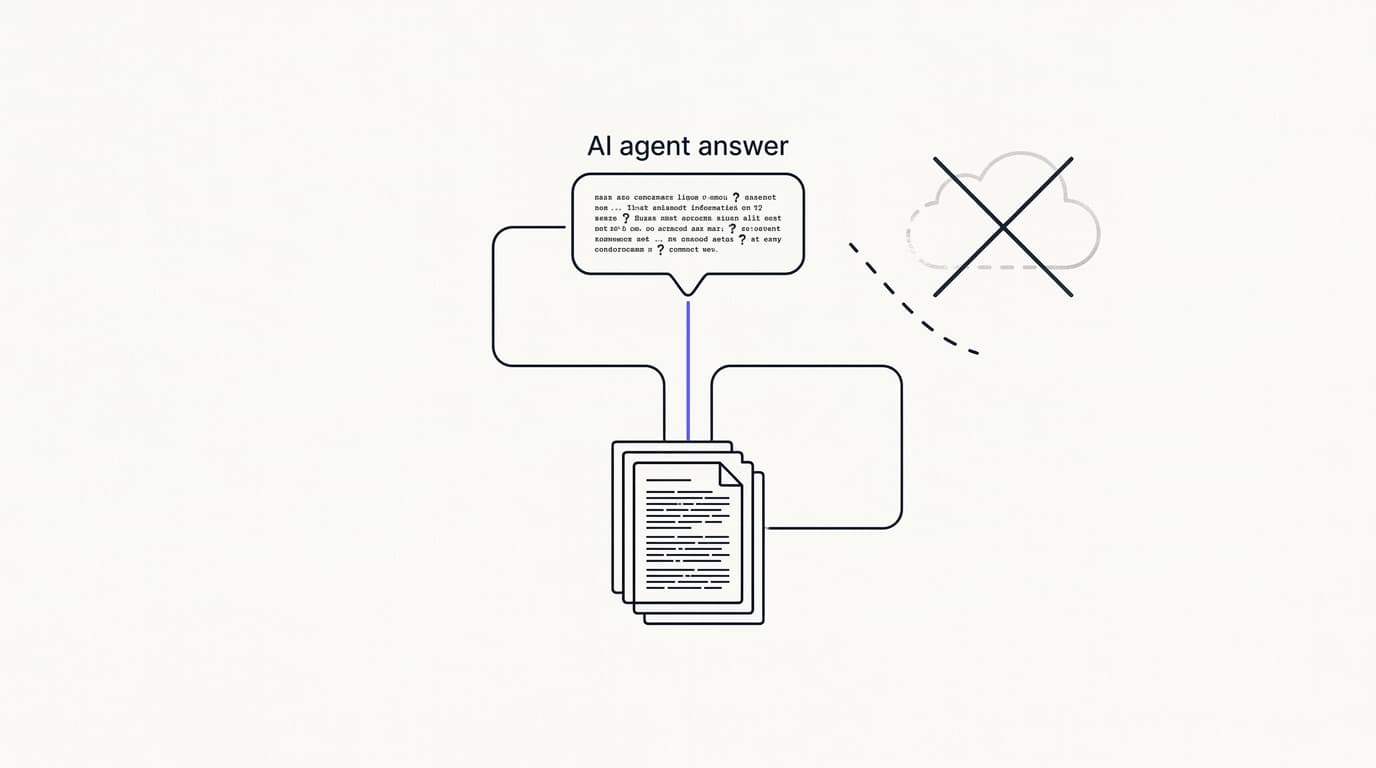
Grounding is the guardrail that decides whether the agent tells the truth. A grounded agent answers only from the documents you connect, retrieving the relevant passage at answer time and writing a reply based on it, rather than generating from the model's general knowledge. When retrieval finds nothing relevant, a grounded agent has nothing to say and should hand off, which is exactly the behavior you want.
The failure grounding prevents is the one everyone fears: the confident hallucination. An ungrounded model fills gaps with plausible invention, so it will state a refund window, a feature, or a price that sounds right and is simply false. On a support channel that invention lands as an official answer, which is why grounding is not a nice feature but the core safety mechanism.
The evidence that this discipline matters is stark. RAND's 2025 review of more than 2,400 enterprise AI initiatives found roughly 80% failed to deliver measurable value, mostly on operational discipline rather than model quality (RAND). In a support setting, operational discipline mostly means grounding and the content behind it, not a cleverer model, and the deeper mechanics are covered in how to reduce AI hallucinations in support.
Grounding is only as strong as the content it draws on, which is the uncomfortable part. If your knowledge base is thin, contradictory, or out of date, a grounded agent will confidently repeat whatever wrong thing it finds. So the grounding guardrail is really two jobs: wire the agent to retrieve from your sources, and keep those sources clean, current, and free of contradictions.
There is a design choice hidden here that most vendors skip. A grounded agent must be allowed to say it does not know, because an agent that always produces an answer is not grounded, it is guessing with citations. The willingness to return nothing and escalate is what separates a safe retrieval agent from a fluent liar, and it is the hinge that the refusal guardrail depends on.
Grounding also gives you something to audit later, which matters for the last guardrail in this guide. Because a grounded answer traces back to specific source passages, you can check after the fact whether the agent answered from the right document or the wrong one. An ungrounded answer has no such trail, so you can never fully explain why it said what it said.
Refusal and escalation: knowing when to stop
 Communicate.so
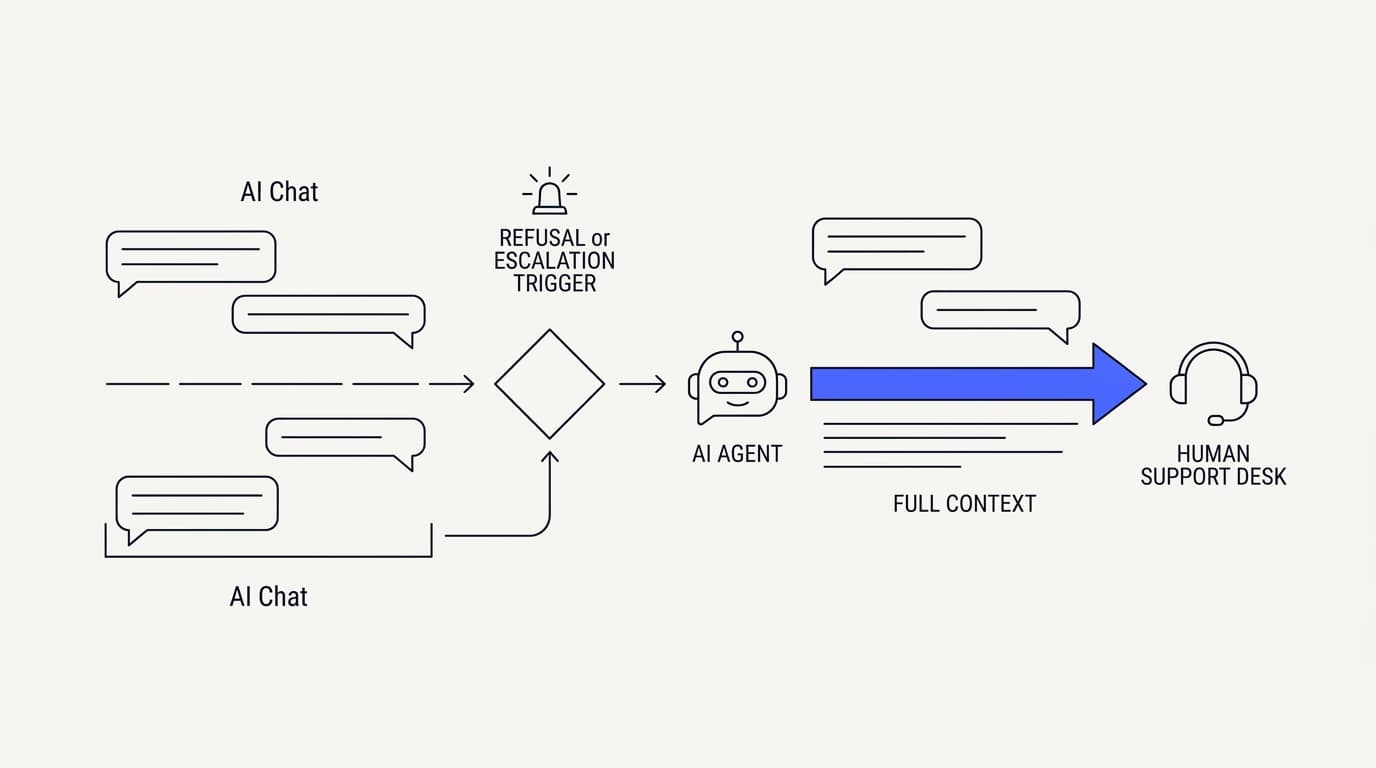
The most important thing a support agent can do is know when to stop. Refusal and escalation are the two ways it stops: refusal is declining to answer, and escalation is passing the conversation to a person. They work together, because a refusal without a clean handoff just leaves the customer stranded, and a handoff without a refusal rule never fires at the right time.
Refusal covers the cases where no one should answer automatically. That includes out-of-scope questions, questions where retrieval found nothing grounded, and sensitive categories you have decided the agent must not handle, like a legal threat or a security incident. The rule is simple to state and easy to skip: when in doubt, do not answer, decline and route.
Escalation triggers are the specific conditions that push a conversation to a human. Good triggers are concrete: low retrieval confidence, an explicit request to speak to a person, detected frustration, a sensitive topic, or a repeated failed answer. Each should route cleanly into your shared inbox so a person picks up with the full context, not a cold restart, a pattern detailed in AI to human handoff in support.
The failure this guardrail prevents is the agent talking past the moment it should have stopped. An agent that keeps answering a furious customer, or keeps guessing at a question it cannot ground, digs the hole deeper with every reply. A well-set escalation trigger catches that early, while the conversation is still recoverable by a human.
Escalation quality is where the customer experience is won or lost, because a bad handoff is its own failure. If the customer has to repeat everything to the human who takes over, you have added friction rather than removed it, and repeating information is one of the top frustrations in support, with Zendesk's 2024 CX Trends research finding 74% rank it among their biggest annoyances (Zendesk).
Set your triggers to fail toward a human, not toward an answer. When the agent is on the boundary between answering and escalating, the safer default is almost always to escalate, because a wasted human minute costs far less than a wrong automated answer to an already-annoyed customer. You can tighten the triggers later, once your testing shows the agent is reliably right inside its scope.
A useful frame is to treat escalation as a first-class outcome, not a failure of the agent. An agent that resolves the repetitive majority and escalates the judgment calls is doing its job exactly right, a division of labor the support escalation workflow guide breaks down. The goal was never zero escalations, it was zero wrong answers and clean handoffs on the rest.
Override authority: what the agent is allowed to do
Answering questions is low-stakes compared with taking actions, and this is where guardrails get serious. The moment an agent can do something, issue a refund, change an address, cancel a plan, reset a password, the blast radius of a mistake grows from a wrong sentence to a wrong outcome in a real account. Override authority is the guardrail that bounds what the agent may actually do.
The core rule is least privilege, borrowed straight from security. The agent should be able to take only the specific, defined actions it needs, and nothing more, so a compromised or confused agent cannot reach beyond its lane. This is exactly how the Actions feature is meant to be scoped: each action is defined and bounded, rather than handing the agent open-ended write access to your systems.
Safe actions are the ones you are comfortable letting the agent take on its own because they are reversible, low-value, or self-service by nature. Sending a tracking link, tagging a conversation, looking up an order status, or updating a notification preference are the kind of actions that do little harm if they misfire. These can run without a human in the loop once you have tested them.
High-stakes actions need a human gate, and the honest move is to say so. Issuing a large refund, deleting data, or changing a plan should require human confirmation, not sit inside the agent's independent authority, because the cost of an error is too high to automate blindly. This is the same threat-model thinking that the security posture applies to the rest of the product: decide what an action can damage before you let it run unattended.
Prompt injection makes authority a real attack surface, not a hypothetical one. A customer, or content the agent retrieves, can try to talk the agent into an action it should not take, so the guardrail cannot live only in the prompt. Real authority limits belong in the system around the agent, where the action is either permitted or refused regardless of what the conversation says.
This is precisely the risk that the OWASP Top 10 for large language model applications catalogs, including prompt injection and excessive agency, where an agent is granted more power than its task needs. Reading authority through that lens is clarifying: the guardrail is not trusting the agent to behave, it is ensuring it structurally cannot do damage even when it misbehaves.
A practical way to set this is a three-tier map of actions: allowed unattended, allowed with human confirmation, and never automated. Put every action the agent could touch into one of the three tiers before launch, and default new actions to the strictest tier until you have tested them. That map is a guardrail you can hand to anyone and have them understand your risk posture in a minute.
Audit logging and testing your guardrails
 Communicate.so
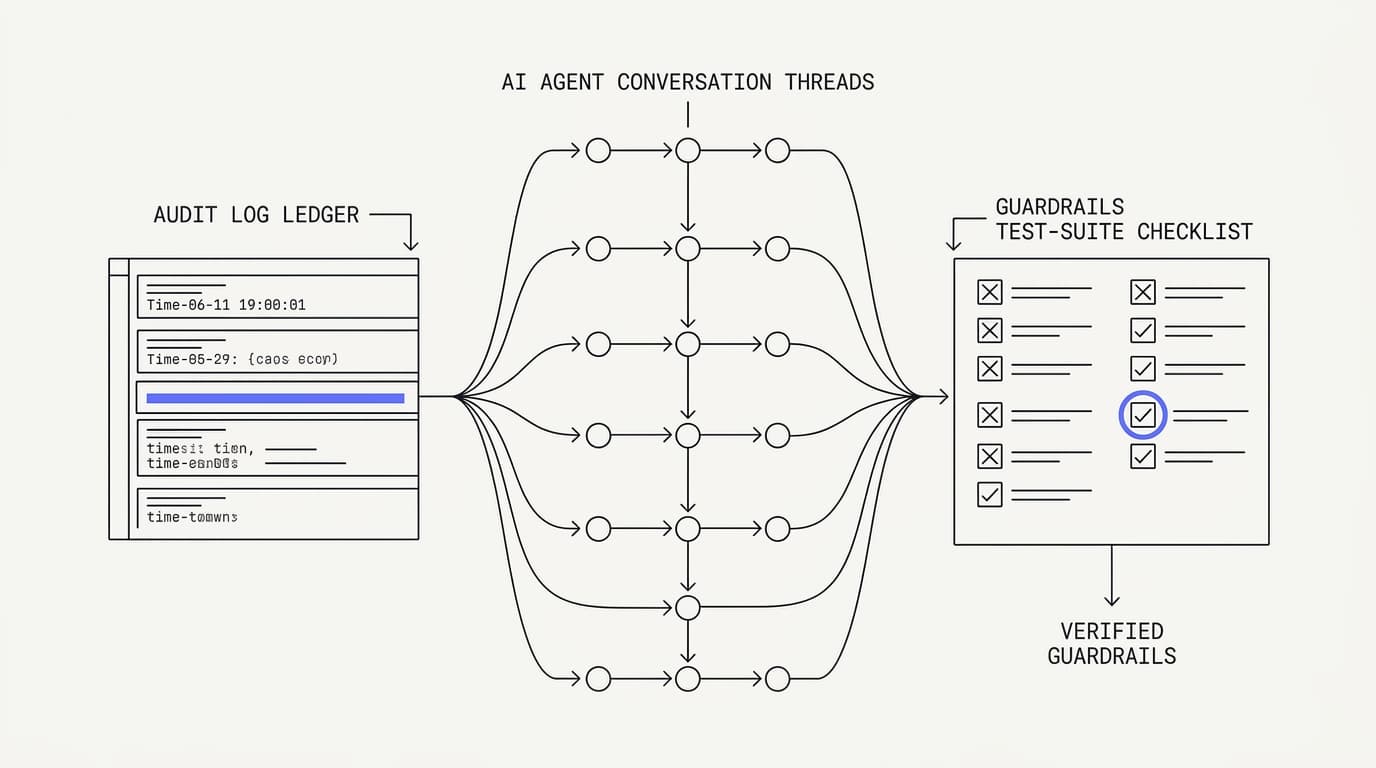
A guardrail you cannot observe is a guardrail you cannot trust. Audit logging is the guardrail that makes all the others accountable, by recording what the agent was asked, what it retrieved, what it answered, what actions it took, and when it escalated. Without that record you are flying blind, unable to explain a bad outcome or prove a good one.
The failure logging prevents is silent, slow drift. An agent can start answering slightly wrong as your product changes, or start escalating too much or too little, and without logs you find out from a complaint rather than a dashboard. A conversation-level record turns those into patterns you can catch early, while they are still cheap to fix.
What to log is not mysterious: the question, the retrieved sources, the answer, any action taken, the escalation reason, and the outcome. Tie that to analytics so you can watch resolution rate, escalation rate by reason, and the questions the agent keeps failing on. Those failing questions are your next content fixes, so the log is not just a safety record, it is a to-do list.
Testing is how you verify guardrails before customers do it for you. The method is blunt and effective: assemble a set of real, messy questions from your ticket history, run them at the agent, and score each answer on whether it was correct, stayed in scope, refused when it should have, and escalated cleanly. Include deliberately out-of-scope and adversarial questions, because those test the guardrails, not the happy path.
Set a go/no-go bar before you see the results. A reasonable bar is high factual accuracy inside scope with zero invented answers on out-of-scope questions, judged on your own test set rather than a vendor demo. Deciding the threshold in advance keeps you honest, because it is easy to talk yourself into shipping a fluent agent that quietly fails the questions that matter most.
Testing is not a one-time gate, it is a recurring habit. Every time your product changes, your scope widens, or you add an action, the guardrails can shift, so the test set runs again. Keep the ugly questions that once broke the agent in the suite permanently, because they are the cheapest regression check you will ever build.
A guardrail checklist you can run before launch
The six guardrails compress into a checklist you can apply to any support agent. Use it before you put the agent in front of a customer, and again whenever you change scope, add an action, or update your knowledge base. The table below turns the guide into a pass or fail you can read in seconds.
| Guardrail in place | Agent is safe to launch | Agent is not ready |
|---|---|---|
| Scope explicitly defined and testable | ✓ | ✗ |
| Answers grounded in your own sources | ✓ | ✗ |
| Agent allowed to refuse and say it does not know | ✓ | ✗ |
| Escalation triggers route cleanly to a human | ✓ | ✗ |
| High-stakes actions gated behind human confirmation | ✓ | ✗ |
| Conversations and actions logged for audit | ✓ | ✗ |
| Tested on real, out-of-scope, and adversarial questions | ✓ | ✗ |
| Answers only from the model general knowledge | ✗ | ✓ |
| Unbounded authority over account actions | ✗ | ✓ |
Read the table as a launch gate, not a scoring rubric. An agent that lands on the wrong side of any row is not ready, because the weakest guardrail sets your real safety level regardless of how strong the others are. Fixing a failing row is usually a scoped edit, a content pass, or a tightened trigger, rather than a rebuild.
The reason this discipline is worth the effort is that the ceiling is high when it is done right. Gartner has projected that by 2029, agentic AI will autonomously resolve 80% of common customer service issues without human intervention (Gartner). Reaching that safely is not about a better model, it is about the guardrails that let you trust an agent with the repetitive majority while people keep the judgment calls.
Where Communicate fits, honestly
Communicate is built around these guardrails rather than treating them as add-ons, so it fits teams that want a bounded, grounded agent instead of an open-ended one. The agent trains on your data through grounded retrieval and hands off when it is unsure, the Shared Inbox uses presence-based human takeover with a per-turn backstop so the AI never talks over a person mid-reply, and the Actions feature keeps the agent's authority to defined, scoped actions. If you want an agent with no limits, it is not the tool for you, and that is by design.
Here is what it does without embellishment. The agent grounds answers in your connected sources and escalates rather than guessing when retrieval finds nothing, which is the refusal guardrail built in. The live channels are a web widget, live chat, and email, with in-app messages, analytics, and scoped actions running from the same agent and knowledge base, so behavior stays consistent across every surface.
On the model, Communicate runs a single model, gpt-4o-mini through OpenRouter, with response and prompt caching to keep cost and latency down. That is a deliberate choice, because guardrails and the data you connect drive safety and answer quality far more than swapping models does. A model-picker would shift tuning onto you without making a single answer safer.
On pricing, there is no free tier. Entry is a one-time $1 activation that confirms you are a real person and includes 100 test credits, then credit-based usage from there, which keeps support cost tracking usage rather than headcount. Spend those test credits on the guardrail testing this guide describes, using your ugliest and most adversarial real questions, before you trust the agent live.
Now the honest limits. Communicate is GDPR-ready but not certified, holds no SOC 2, HIPAA, or ISO 27001, runs in a single region, and does not offer SSO. It supports TOTP two-factor authentication, encryption at rest, workspace isolation, and self-serve export with cascading delete, a posture stated plainly on the security page.
Its live channels are the web widget, live chat, and email, with no WhatsApp, Messenger, SMS, or voice, so if any of those is a hard requirement it is not your best fit today. Questions go to [email protected].
Key takeaways
- Guardrails are a system of six controls, scope, grounding, refusal, escalation, bounded authority, and audit logging, and the weakest one sets your real safety level.
- Scope defines what the agent may answer and grounding ties every reply to your own sources, so a well-built agent can say it does not know rather than invent an answer.
- Refusal and escalation must work together: set triggers to fail toward a human, and make the handoff carry full context so the customer never repeats themselves.
- Bound the agent authority with least privilege, let it take only reversible safe actions unattended, and gate high-stakes actions behind human confirmation.
- Log every conversation and action for audit, test guardrails on real and adversarial questions with a go/no-go bar set in advance, and re-test whenever the product or scope changes.
Ready to run an AI agent with guardrails built in rather than bolted on? Start with a one-dollar account activation that includes 100 test credits, connect your data sources, and run the guardrail tests from this guide before you commit. If you want the wider build sequence around this, how to build an AI customer support agent and the AI support agent implementation guide are the right next reads.
Frequently asked questions
What are AI agent guardrails?
AI agent guardrails are the constraints that keep a support AI agent inside safe, accurate behavior: the scope it may answer, the data it must ground replies in, the moments it has to refuse or escalate, the actions it is allowed to take, and the logs that make all of it auditable. They turn a general capability into a bounded, trustworthy agent. A gap in any single guardrail is where trouble gets in.
Why do support AI agents need guardrails?
Because a support agent speaks for your business, touches customer accounts, and handles people who are often already frustrated, so a wrong answer is a broken promise rather than a curiosity. Without guardrails a capable model will confidently answer out of scope, invent facts, or take actions it should not. The constraints are what make the agent safe to trust with real customers.
What is a scope limit for an AI agent?
A scope limit is the explicit definition of what the agent is there to do, usually your product, policies, and account questions, and what it must not touch, like legal or medical advice. Tying answers to your connected data sources keeps the agent inside that scope naturally, because it has nothing grounded to say outside it. A good scope is specific enough to test against real questions.
What does grounding mean for an AI agent?
Grounding means the agent answers only from the documents you connect, retrieving the relevant passage at answer time rather than generating from the model's general knowledge. When retrieval finds nothing relevant, a grounded agent has nothing to say and should hand off. It is the core safety mechanism against invented answers, and the deeper mechanics are in how to reduce AI hallucinations in support.
How do guardrails reduce AI hallucinations?
Grounding restricts the agent to your own content, and refusal lets it return nothing and escalate when retrieval finds no answer, so it cannot fill a gap with plausible invention. Together they remove the situations where hallucinations happen. RAND found roughly 80% of enterprise AI initiatives failed to deliver value, mostly on operational discipline (RAND), and grounding is the core of that discipline in support.
When should an AI agent refuse to answer?
An agent should refuse when a question is out of its defined scope, when retrieval finds nothing grounded to answer from, or when the topic is sensitive and you have decided a human must handle it. The rule is simple: when in doubt, decline and route rather than guess. A refusal only works well when it is paired with a clean handoff to a person.
What is an escalation trigger?
An escalation trigger is a specific condition that pushes a conversation to a human, such as low retrieval confidence, an explicit request for a person, detected frustration, a sensitive topic, or a repeated failed answer. Each should route into your shared inbox with full context, a pattern detailed in AI to human handoff in support. Setting triggers to fail toward a human is the safer default.
What is override authority in an AI agent?
Override authority is the guardrail that bounds what the agent may actually do, as opposed to what it may say. It follows least privilege: the agent gets only the specific, defined actions it needs, which is how the Actions feature is meant to be scoped. Bounding authority means a confused or manipulated agent structurally cannot reach beyond its lane.
What are safe actions for a support agent?
Safe actions are ones that are reversible, low-value, or self-service, so they do little harm if they misfire, like sending a tracking link, tagging a conversation, or updating a notification preference. Those can run without a human once tested. High-stakes actions such as large refunds or data deletion should require human confirmation rather than running on the agent's own authority.
How do I test AI agent guardrails?
Assemble a set of real, messy questions from your ticket history, add deliberately out-of-scope and adversarial ones, run them at the agent, and score each on correctness, scope, refusal, and clean escalation. Set a go/no-go bar before you see results. Communicate's one-time $1 activation includes 100 test credits for exactly this, and the implementation guide walks the wider process.
What should an AI agent log?
Log the question, the retrieved sources, the answer, any action taken, the escalation reason, and the outcome, so every conversation is explainable after the fact. Tie that to analytics to watch resolution rate, escalation rate by reason, and the questions the agent keeps failing on. Those failing questions double as your next content fixes.
Do guardrails slow the agent down?
Not in any way a customer notices. Scope, grounding, and refusal are part of how the agent forms an answer, not an extra step bolted after it, and audit logging happens in the background. The only deliberate slowdown is human confirmation on high-stakes actions, which is a trade you make on purpose because the cost of an unattended error there is too high.
What is the OWASP guidance for AI agent risks?
The OWASP Top 10 for large language model applications catalogs the risks that guardrails address, including prompt injection and excessive agency, where an agent is granted more power than its task needs. Reading your authority limits through that lens is clarifying: the goal is that the agent structurally cannot do damage even when it is manipulated, not that you trust it to behave.
How does the NIST AI RMF relate to guardrails?
The NIST AI Risk Management Framework frames trustworthy AI around bounding what a system does, making its behavior measurable, and keeping a human accountable for it. Guardrails are the support-shaped, concrete version of that framework applied to one agent and one queue. Scope, logging, and human escalation map directly onto its governance ideas.
Can guardrails stop prompt injection?
Guardrails reduce prompt injection risk, but the protection cannot live only in the prompt, because a customer or retrieved content can try to override prompt instructions. Real authority limits belong in the system around the agent, where an action is either permitted or refused regardless of what the conversation says. Least privilege on actions is the strongest defense, since a manipulated agent still cannot reach beyond its granted powers.
How many conversations should escalate to a human?
There is no universal number, because it depends on your scope and content quality, and escalation is a healthy outcome rather than a failure. The right target is zero wrong answers and clean handoffs on everything that escalates, not zero escalations. Watch the rate and the reasons in analytics, and tighten scope or content where the same avoidable question keeps escalating.
What happens if the agent takes a wrong action?
That is why high-stakes actions should be gated behind human confirmation and every action should be logged. If a safe, reversible action misfires, the log lets you find and undo it quickly, and the low value limits the damage. If a high-stakes action could misfire, it should not have been running unattended in the first place, which is the whole point of bounding authority.
How often should I review my guardrails?
Review them whenever your product changes, your scope widens, or you add an action, because each of those can shift how the guardrails behave. Beyond that, a lightweight regular cadence works well: weekly review of escalations, monthly retrieval spot-checks on top questions, and re-running your test suite after any meaningful change. Guardrails are an operating discipline, not a one-time setup.
Does Communicate have built-in guardrails?
Yes. The agent grounds answers in your connected sources and escalates rather than guessing, the Shared Inbox uses presence-based human takeover with a per-turn backstop so the AI never talks over a person, and the Actions feature keeps the agent's authority to defined, scoped actions. The security posture, including encryption at rest and workspace isolation, is on the security page.
Will guardrails replace the need for a human team?
No, and a vendor claiming they will is overselling. Guardrails let the agent safely carry the repetitive majority while people keep the judgment calls and the sensitive conversations, which is the realistic goal. Gartner projects agentic AI will resolve 80% of common customer service issues by 2029 (Gartner), but the remainder still needs human judgment, and guardrails are how you route it there cleanly.