
AI to human handoff in support: what actually breaks, and how to measure it
 Communicate.so
Deflection rate hides more than it tells you. Here is how to measure handoff quality directly, what breaks when AI and human tooling are bolted together, and how to calculate the real ROI of a shared-inbox model.
TL;DR: Deflection rate tells you how many tickets the AI touched, not whether the AI human handoff worked. A healthy support operation tracks handoff rate, resolution time after handoff, and repeat-context rate instead, and treats a rising escalation rate as a sign the AI is doing its job. Most of the cost in hybrid AI and human support hides in tools that were bolted together after launch: separate systems, no shared transcript, agents re-typing what the AI already asked.
A support director we'd talk to today is usually mid-argument with their own team. Someone wants full automation because the demo looked great. Someone else wants to rip out the chatbot because a customer got looped through three "I don't understand that" replies before reaching a human.
Both people are half right, and the argument is the wrong one. The real question is whether the AI human handoff between the two sides works, and almost nobody measures that directly.
Most teams measure deflection rate instead: the percentage of conversations the AI closed without a human touching them. It's the number every vendor puts on a homepage because it's the easiest one to make look good. It tells you almost nothing about quality.
A bot that gives a wrong answer and the customer gives up isn't deflection. It's abandonment wearing a deflection costume. Zendesk's 2024 CX Trends research found that 74% of customers rank repeating their story to different agents among their biggest support frustrations, right alongside long wait times (Zendesk, 2026).
Deflection rate can climb while that exact frustration gets worse, because a bot that ends a conversation with silence still counts as deflected.
This piece covers the measurement and the money: how to tell if your AI human handoff support is actually healthy, what breaks when AI and human tooling weren't built together, and how to calculate whether a shared-inbox model earns its cost against a pure chatbot or a pure human team. The conceptual companion piece on how the mechanics work lives in how Shared Inbox keeps AI and humans in sync. This is the operator's version: numbers, failure modes, and triggers.
For the rest of the library, see our blog.
Why deflection rate is the wrong scoreboard
 Communicate.so
Deflection rate answers one question: did a human have to open this conversation? It doesn't ask whether the customer got what they needed, how long it took, or whether they'll be back tomorrow with the same question.
Here's the failure mode in practice. A customer asks about a refund policy, and the AI, trained on a general FAQ page, gives a confident, plausible, and slightly wrong answer, because the real policy has an annual-plan exception that lives in a document nobody uploaded.
The customer doesn't come back. Maybe they got a partial answer and moved on. Maybe they got frustrated and canceled outright.
Either way, that ticket reads as "deflected" in the dashboard, and nobody catches it, because deflection rate never measures whether the deflection was correct.
The industry has started to separate this out. Gartner's December 2025 research on customer service leadership urges teams to prioritize blending human strengths with AI intelligence rather than chasing pure automation numbers, precisely because a high deflection rate can mask a low-trust experience (Gartner, December 2025). If your AI has a habit of saying "let me connect you with a specialist" the moment a question gets specific, its deflection rate looks worse than a bot that bluffs through wrong answers.
The bluffing bot is worse for the business. The dashboard doesn't know that, which is why the fix means giving up one clean number for three messier ones.
The three metrics that actually tell you something
Handoff rate, not deflection rate. This is the share of conversations where the AI correctly recognized it was out of its depth and routed to a human, versus conversations where a human had to step in because the AI answer was wrong or the customer got stuck in a loop. Those are two different events, and most support platforms don't distinguish them.
You want the first kind often and clean. You want the second kind near zero, and a dashboard that blends them into one number hides exactly the thing you need to know.
Resolution time after handoff. Once a human takes over, how long until the conversation closes, and does that number differ for AI-initiated handoffs versus conversations that started with a human from zero? If handoff conversations resolve slower, that's a real signal, usually meaning the agent is undoing or re-explaining what the AI said.
If they resolve faster, the AI did useful groundwork: gathered order numbers, categorized the issue, maybe even drafted a partial answer the human just confirms. This single comparison is probably the highest-signal number in the whole system.
Repeat-context rate. How often does a customer or agent repeat information already given earlier in the same conversation? This is the metric that catches the double-reply and "AI talks over human" failure modes directly.
If your support tooling doesn't share a transcript between AI and human, this number runs high, and you probably don't track it, since tracking it requires both sides to see the same conversation history in the first place. That single requirement, more than any dashboard, is the real line between hybrid support that works and hybrid support that only looks good in a sales deck.
None of these three retire deflection rate entirely. It still tells you volume absorbed, which matters for staffing math. Used alone, though, it's a vanity metric; used alongside handoff quality, resolution time, and repeat-context rate, it becomes part of a real picture.
What breaks when AI and human tooling are bolted together
 Communicate.so
Most support teams don't build AI and human support as one system. They add a chatbot to an existing helpdesk, or bolt a helpdesk onto an AI vendor's widget.
The two tools were built by two companies on two data models, wired together after the fact through a webhook or a Zapier flow. This is the single biggest driver of bad AI human handoff experiences, and it stays invisible until you go looking for it.
Context loss is the default, not the exception
When AI and the human agent run on separate systems, "handoff" often means the AI conversation ends, a new ticket appears in the helpdesk, and the agent opens it cold. Sometimes there's a pasted transcript. More often it's a summary, and summaries lose detail.
The customer said something specific, "the charge on the 14th, not the 9th," and the summary compressed it to "billing question." The agent now has to ask the customer to repeat themselves, the exact frustration Zendesk's research flagged as a top complaint for 74% of respondents cited earlier.
This is architectural, not a training problem. You can prompt-engineer an AI system until it answers known questions well, and it still won't fix context loss if the data model doesn't carry the full conversation state into the human agent's view.
AI and human have to share a thread, not exchange a summary of one. That's the entire premise behind a model like Shared Inbox, where AI and a human work the same conversation instead of running a relay race between two conversations that happen to be about the same customer.
Double replies and the "AI talks over human" problem
Every operator who's run a bolted-together stack has a story about this one. A human agent starts typing a reply. Before they finish, the AI, running on its own timer, sends its own response to the same customer.
Now the customer has two answers, sometimes contradictory, arriving seconds apart. It reads as disorder because it is disorder, just automated disorder.
The root cause is almost always a missing shared lock on "who's currently responsible for this conversation." Without shared state, both sides independently decide it's their turn. A presence-based takeover model, where a human opening or viewing a live conversation automatically locks it to human mode, closes this gap without anyone flipping a switch.
No manual toggle to remember means no window where both sides think they own the reply. A backstop that blocks the AI from replying mid-way through a human's in-progress message closes the race condition even when lock state momentarily disagrees between systems. It's a small piece of engineering with an outsized effect on whether customers trust the system or start screenshotting your bot's mistakes.
Agents re-typing what the AI already said
The subtler cost, and probably the most expensive one in aggregate, is a human agent duplicating work the AI already did. The AI asked for an order number. The customer gave it.
Three minutes later a human opens the ticket, doesn't see that exchange in full, and asks for the order number again. Multiply that across every conversation your team handles and you get a real chunk of agent time spent re-establishing context the system already had.
This is worth a rough number, because it's usually the single largest hidden cost of a badly integrated AI and human stack. If your average human-handled ticket takes 6 minutes, and even 90 seconds of that goes to re-asking questions the AI already answered, you're paying for 25% more agent capacity than you need, permanently, as a tax on bad architecture.
That's not a training issue a better model fixes. It's a data-sharing issue you fix by making the agent's view the same conversation the AI was just in, not a reconstruction of it.
Calculating the real cost and benefit of a shared-inbox model
Most ROI conversations about AI support compare AI cost to human cost as if it's a clean replacement decision. It rarely is. The realistic comparison is three-way: pure chatbot, pure human team, and a shared-inbox hybrid.
| Capability | Pure chatbot | Pure human team | Shared-inbox hybrid |
|---|---|---|---|
| Scales past business hours | ✓ | ✗ | ✓ |
| Handles judgment calls and exceptions | ✗ | ✓ | ✓ |
| Shares full transcript across AI and human | ✗ (no human side) | ✓ (single system) | ✓ |
| Cost per ticket at high volume | ✓ low | ✗ high | ✓ low to moderate |
| Trust on first contact | ✗ | ✓ | ✓ |
| Risk of confidently wrong answers | ✗ high | ✓ low | ✓ low, with escalation triggers |
The math that matters isn't "AI replaces N agents." It's "AI changes what each agent-hour is spent on." Three inputs drive that calculation.
Agent time saved per ticket
This is a number to measure directly, not estimate. Take conversations that started with AI and got handed to a human, and compare average handling time against conversations that started with a human from zero.
If the AI did real groundwork, categorizing the issue, pulling account details, answering the easy 80% of a multi-part question, the human-handled portion of an AI-assisted ticket should be measurably shorter than a cold-start ticket. If it isn't, or worse, if it's longer because of context loss, the AI isn't saving agent time. It's adding a step.
Intercom's research on its Fin AI agent found that businesses spending two to four weeks cleaning up their knowledge base before launch saw resolution rates run about 12 percentage points higher than teams that deployed with untouched documentation (Intercom research, summarized by Aigentel, 2025). Fin itself reported more than 40 million resolved conversations at a 67% resolution rate in the 30 days before December 2025, a benchmark useful for calibrating what "good" looks like as of this writing.
The exact number for your product depends on ticket mix and the AI's accuracy against your own documentation. That's why the one-time $1 Account Activation (versus a monthly commitment) matters as a starting move: it buys 100 test credits to run this exact comparison before committing budget. Guessing at deflection potential from a vendor's marketing page is how teams end up disappointed six weeks in.
Ticket volume absorbed, not "tickets closed"
Volume absorbed should mean conversations the AI handled without needing correction, not the raw count it touched. "Touched" includes every conversation where the AI gave a wrong or incomplete answer and a human cleaned it up, which is volume redirection with extra steps, not absorption.
A useful gut check: pull your last 200 AI-handled conversations and sort them into three buckets. Fully resolved with no human involvement and no follow-up complaint. Escalated cleanly to a human who needed no corrections.
Escalated messily, where the human had to walk back something the AI told the customer.
That third bucket is the number that should worry you, and it's invisible in a standard deflection-rate dashboard. If it runs above roughly 10-15% of AI-touched conversations, your training data or confidence calibration needs attention, whether that means expanding your data sources coverage or tightening what topics the AI answers confidently versus hands off proactively.
Escalation rate as a health signal, not a failure signal
This is the reframe that trips up most teams building their first AI support program: a rising escalation rate is not automatically bad news. An AI that never escalates is either handling genuinely simple support, rare for any product with real complexity, or bluffing through questions it shouldn't answer.
Both look identical on a deflection-rate chart. They look completely different once you're tracking handoff quality.
Think of escalation rate the way you'd think of an error-correction system. Some rate of "the AI caught its own uncertainty and routed to a human" is exactly what you want, because it means confidence calibration is working. What matters isn't the rate itself but the trend and the reason.
Escalation rate climbing because your product just shipped a complex new feature the AI hasn't been trained on: expected, temporary, fixable by updating data sources. Escalation rate climbing because customers are angrier and demanding a human by name: a trust problem, and a far more serious one. Same metric, opposite meanings, and you can only tell them apart by reading the actual conversations.
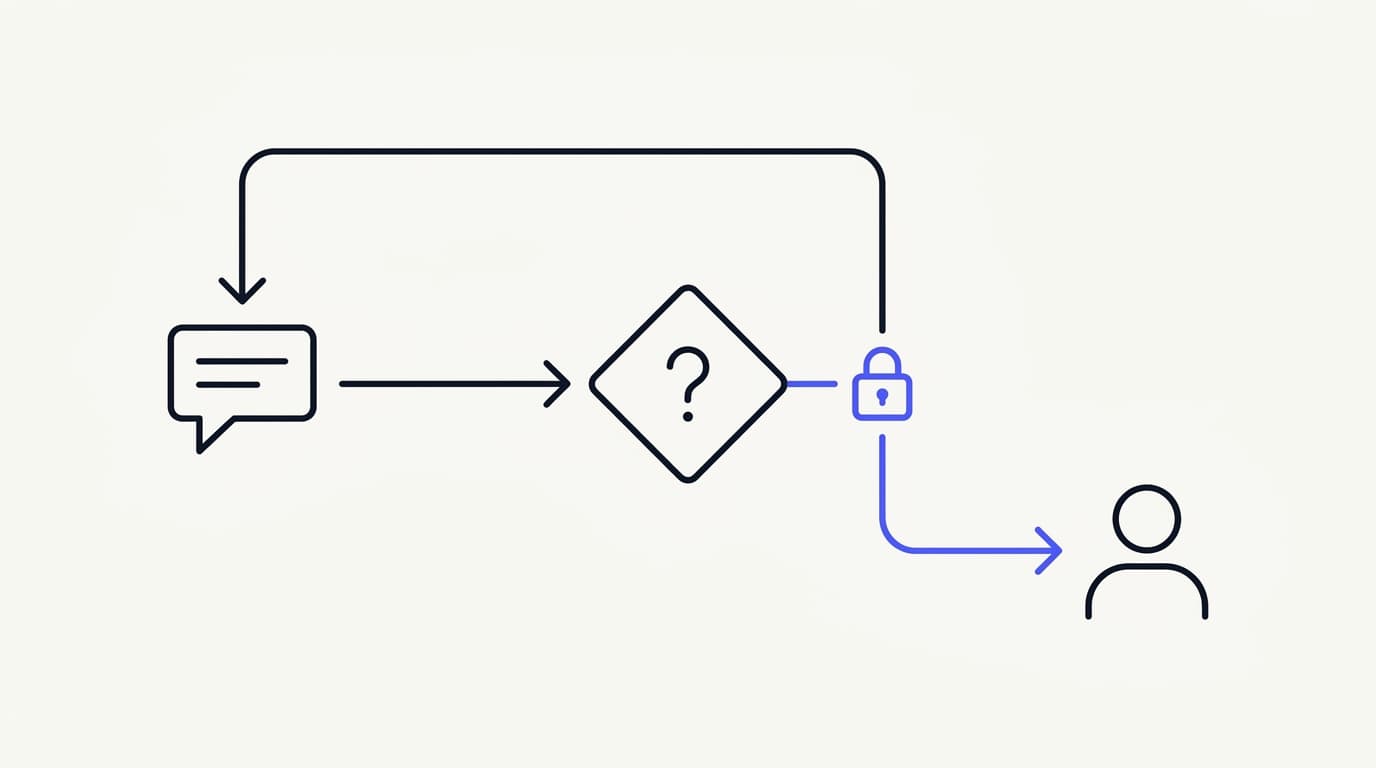
In short: a customer message triggers an AI confidence check; high-confidence, in-scope questions get answered directly, low-confidence or flagged topics route to a human. Once a human opens that conversation, a presence lock pauses the AI automatically, the human resolves it with the full shared transcript, and the AI resumes only after the human releases the thread.
What a healthy handoff rate actually looks like
 Communicate.so
There's no universal target here, and any vendor who quotes one specific percentage without asking about your ticket mix is guessing. A B2B SaaS product with a complex permissions model will have a structurally higher healthy escalation rate than a consumer app answering "where's my order" questions.
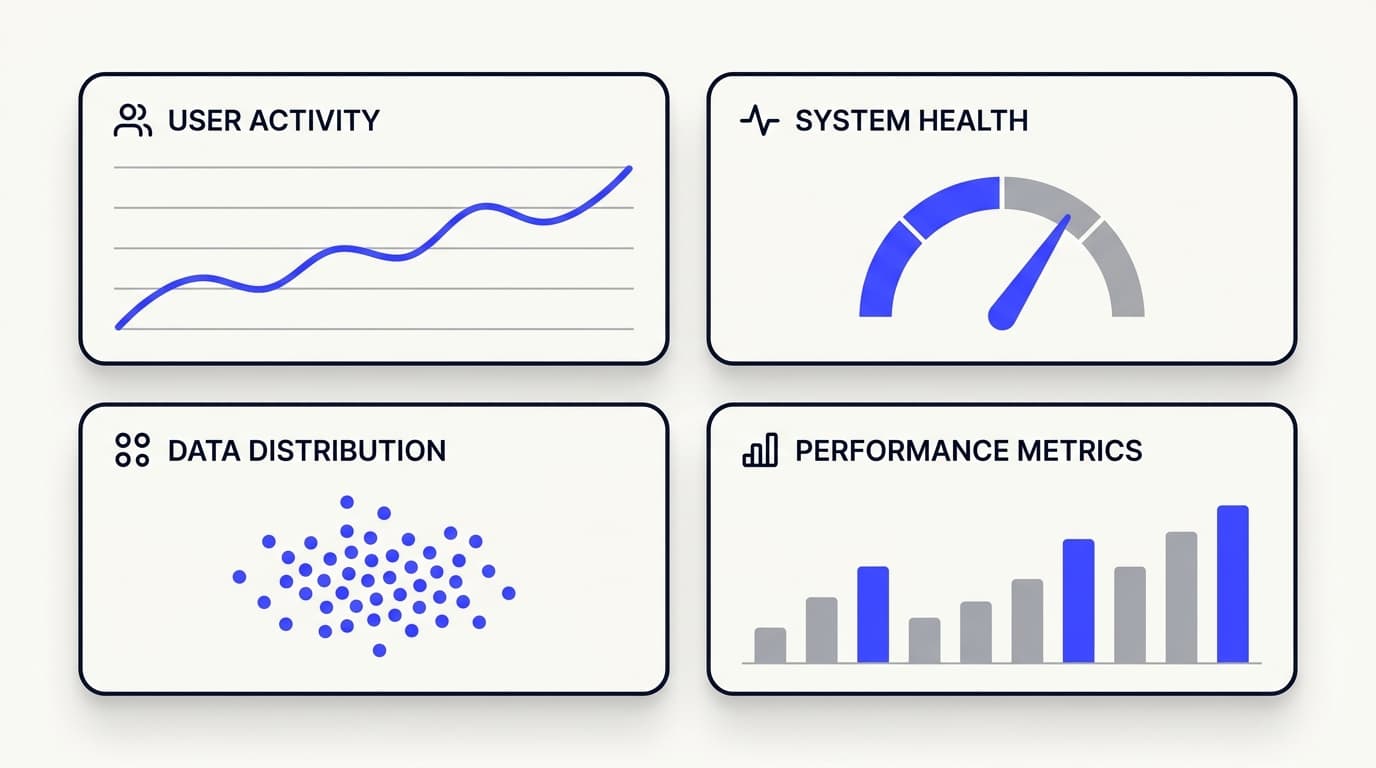
What's consistent across a healthy setup is the shape of the data, not the specific percentage. Check your own numbers against a few patterns.
Escalations cluster around genuinely hard topics, not random noise. If a month of handoff reasons spreads evenly across every category in your knowledge base, the AI isn't discriminating well between what it knows and what it doesn't. A healthy pattern shows clear clusters: refund exceptions, account security, anything touching a human judgment call like a discretionary discount.
Those clusters should map to real complexity, not documentation gaps. A cluster that maps to a gap is fixable in an afternoon by feeding the AI the missing doc, closer to what we walked through in launch your first AI support Agent in an afternoon.
Escalated conversations resolve faster than they would have cold, even with a human now involved. This is the resolution-time comparison from earlier, and it's the single best proxy for whether the AI human handoff is saving time versus just adding a delay before the human arrives anyway.
The same customer doesn't hit repeat escalations for the same issue. If someone gets escalated, resolved, and then two days later has the identical issue routed through the AI again before reaching a human, the resolution wasn't durable. This is where Analytics on conversation history earns its keep, since it's the only way to catch a pattern invisible in any single conversation.
An unhealthy pattern usually shows up as one of two extremes. Escalation rate near zero almost always means the AI answers confidently on topics it shouldn't, and you'll find out when a customer posts a wrong answer publicly. Escalation rate uncomfortably high, above roughly 40-50% depending on product complexity, usually means thin training data or an escalation threshold tuned too conservatively.
Both are fixable, and neither is fixable by staring at deflection rate alone. A related data point worth keeping in view: in a Gartner survey of 5,801 US customers run in early 2025, 54% said they trust a human agent's product recommendation over an AI's (Gartner, December 2025). That trust gap is exactly what a well-tuned escalation rate is supposed to protect.
| Signal | Healthy pattern | Unhealthy pattern |
|---|---|---|
| Escalation clustering | Concentrated on genuinely complex or judgment-based topics | Spread evenly across easy and hard topics alike |
| Resolution time after handoff | Faster than cold-start human tickets | Same as or slower than cold-start tickets |
| Repeat-context rate | Near zero; human never re-asks what AI already got | Customer or agent regularly repeats information |
| Repeat escalation for same issue | Rare; resolution holds | Same customer escalated again days later |
| Overall escalation rate trend | Tracks with product complexity and new-feature launches | Flat and unexplained, or spiking with no clear cause |
| AI confidence on wrong answers | Rare; AI escalates uncertainty instead of guessing | AI answers confidently and incorrectly, customer doesn't correct it |
Designing escalation triggers that actually work
 Communicate.so
Escalation logic quietly determines whether your handoff rate looks healthy or noisy six months from now. Get the triggers wrong and you'll spend the program fighting a bot that either escalates everything, defeating the purpose, or nothing, eroding trust one bad answer at a time.
Klarna's support team illustrates the fix in practice. According to a 2026 analysis of AI resolution benchmarks, Klarna closed its worst handoff gaps by having the AI generate a written summary for the human agent at the moment of escalation, and by adding confidence scoring so the system routed to a human instead of guessing when uncertain (Maven AGI, 2026). Neither fix required a better model.
Both were architecture decisions.
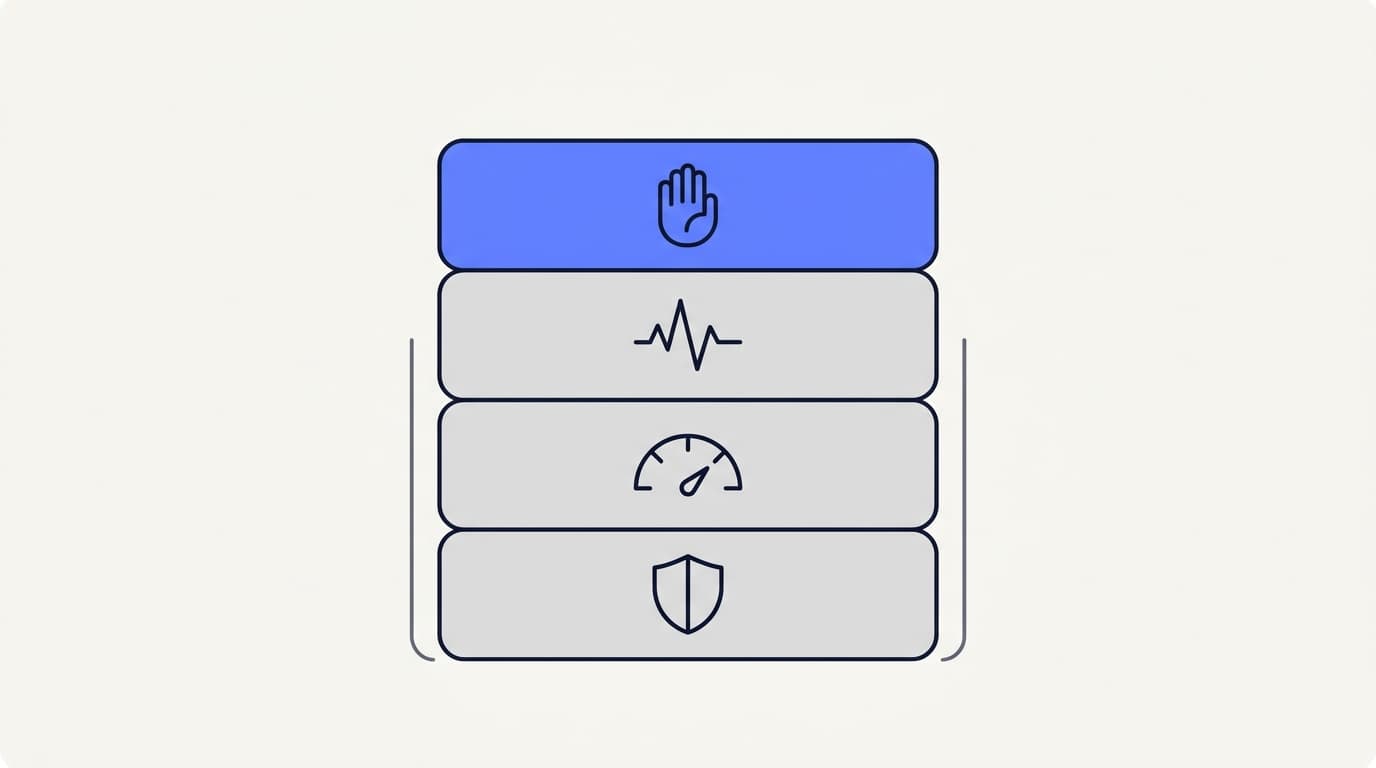
Topic-based triggers are the most basic and most necessary layer. Certain categories should never be answered by AI regardless of confidence, because the cost of a wrong answer is asymmetric: account security, refunds above a set dollar threshold, cancellation requests where a human might save the account, legal or compliance questions.
These aren't confidence problems, they're policy decisions. They belong in your Actions configuration as hard rules, backed by the same Security posture that governs account access more broadly, not soft suggestions the AI can talk itself out of.
Confidence-based triggers cover everything not on the hard-block list, where the AI's own confidence in its answer should drive escalation. This is where model quality matters, and where many vendors overcomplicate things by offering a dozen model tiers.
What actually matters is one model tuned well against your documentation, with response and prompt caching keeping repeat-question latency low. A single well-tuned model with a clear confidence threshold beats a confusing menu nobody on the team knows how to choose between.
Sentiment and repetition triggers watch for a shift in customer tone, more punctuation, shorter sentences, words like "still" or "again." That's worth routing on even when the AI is technically confident in its answer.
Similarly, if the same customer sends three messages in a row without resolution, escalate regardless of confidence. A string of unresolved AI turns is itself evidence something isn't working.
Explicit request triggers matter most of all. "Let me talk to a human" should always work, immediately, with no confirmation dialog and no "are you sure the AI can't help." Every added friction point damages the trust that determines whether customers give the AI a second chance next time.
Presence-based triggers, once escalated, are the mechanism piece covered in more depth in how Shared Inbox keeps AI and humans in sync. Once a human opens a live conversation, it should lock to human mode automatically and release back to AI only when the human is done, not on a timer.
None of these layers work alone. A topic-based hard block with no confidence layer underneath escalates too bluntly. A confidence layer with no sentiment signal misses a frustrated customer whose question the AI technically knows how to answer but has stopped being trusted on.
Building all four layers together is more setup work than turning on a generic chatbot. It's also the difference between an escalation rate that reads as a health signal and one that reads as noise nobody trusts enough to act on.
Where this pays off
Put the pieces together and the ROI case for a shared-inbox model over either extreme looks less like "AI replaces headcount" and more like "the same headcount handles more volume at the same or better quality." Agent time stops going to things AI already did, or to cleaning up mistakes a better handoff design would have caught.
That framing matches what's happening industry-wide. In a Gartner survey of 321 customer service and support leaders run in late 2025, 85% reported expanding human agent responsibilities even as AI reduced contact volume, and 63% said they were shrinking frontline headcount gradually through attrition rather than layoffs (Gartner, April 2026). The realistic ROI story is redistribution, not elimination.
The teams who get burned bought the deflection-rate story uncritically: deployed a chatbot, watched the deflection number climb, and didn't notice resolution quality or hidden agent re-work time until customers complained or churn ticked up. The teams who get it right treat AI and human sides as one system from day one, and set escalation triggers deliberately instead of accepting a vendor's default confidence threshold.
If you're building this out, the sequence is roughly: get your documentation into Data Sources and run real questions against it during trial credits before committing budget. Watch your actual escalation patterns for the first few weeks rather than assuming they'll match another company's benchmark, and build triggers around the four categories above instead of one confidence knob.
The mechanics of keeping AI and human sides in sync during a live handoff, no double replies, no re-typed context, are covered in how Shared Inbox keeps AI and humans in sync. For a full cost model against a pure-human baseline, see what AI customer support actually costs. For teams deciding whether first response time or resolution quality comes first, cut first response time to seconds, not hours and the first response time benchmark cover that trade-off from different angles, and launch your first AI support Agent in an afternoon covers setup if you haven't started.
More playbooks like this one live in our support category.
Deflection rate was never a bad metric because it's fake. It's a bad metric because it's incomplete, and incomplete metrics get gamed, sometimes by a vendor's incentives, sometimes by an AI system optimizing for the wrong signal because nobody defined what "good" means.
Handoff rate, resolution time after handoff, and repeat-context rate are harder to pull from a dashboard and easier to act on. That trade is worth making.
Frequently asked questions
What is AI human handoff in customer support?
AI human handoff is the process of transferring a customer conversation from an AI support agent to a human agent, ideally without the customer repeating information or noticing a break in continuity. The quality of that transfer, not just whether it happens, determines whether the hybrid model actually works.
How do you measure the quality of an AI to human handoff?
Track handoff rate (correct escalations versus AI failures a human had to catch), resolution time after handoff compared to cold-start human tickets, and repeat-context rate, meaning how often a customer or agent has to repeat information the AI already collected. Deflection rate alone doesn't capture any of this.
Is a high AI escalation rate a bad sign?
Not by itself. A rising escalation rate can mean the AI is correctly recognizing its own limits, which is what you want. It becomes a bad sign only when paired with slower resolution after handoff, high repeat-context rates, or an unexplained spike with no clear driver like a new product feature.
What's the difference between deflection rate and handoff rate?
Deflection rate counts every conversation the AI closed without human involvement, regardless of whether the answer was correct. Handoff rate specifically measures whether escalations to humans happened for the right reasons, distinguishing intentional routing from AI mistakes a human had to clean up.
Why does context get lost during AI to human handoff?
Context loss usually happens when the AI and human agent run on separate, poorly integrated systems, where the handoff means creating a new ticket with a summary rather than sharing the actual conversation thread. A unified system where AI and human work the same thread eliminates most of this.
What causes the "double reply" problem in hybrid AI support?
Double replies happen when the AI and a human agent both independently decide it's their turn to respond, usually because there's no shared lock on who currently owns the conversation. A presence-based takeover, where a human viewing the conversation automatically locks it to human mode, prevents this.
How do you calculate ROI for a shared-inbox AI support model?
Compare average human handling time on AI-assisted tickets versus cold-start human tickets to find real time savings, measure the percentage of AI-touched conversations that resolved cleanly without correction, and account for the hidden cost of context loss, which shows up as agents re-asking questions the AI already answered.
Should certain support topics never be handled by AI?
Yes. Topics with asymmetric downside risk, account security, refunds above a set threshold, cancellation requests, legal or compliance questions, should be hard-blocked from AI-only resolution regardless of the AI's confidence score. This is a policy decision, not a model-quality problem.
What's a healthy escalation rate for AI customer support?
There's no universal number; it depends on product complexity. What matters more than the raw percentage is whether escalations cluster around genuinely hard topics, whether resolution after handoff is faster than cold-start tickets, and whether the same customer avoids getting re-escalated for the same unresolved issue.
How does sentiment affect escalation triggers?
A shift in customer tone, shorter messages, repeated words like "still" or "again," more punctuation, is a useful escalation signal even when the AI's confidence in its answer is technically high, because it captures customer trust breaking down in a way a pure accuracy score misses.
Can a customer always ask to speak to a human?
In a well-designed system, yes, immediately and without friction. Adding confirmation steps or discouraging that request undermines trust in the whole system, even on conversations the AI could have handled well.
What's the "chatTurn backstop" and why does it matter?
The chatTurn backstop is a mechanism that prevents the AI from replying mid-way through a human agent's in-progress response, closing a race condition that presence-based locking alone doesn't fully cover. It's a small technical detail with an outsized effect on whether customers experience the handoff as smooth or chaotic.
Does a shared inbox model replace human support agents?
Not typically. It changes what agent time gets spent on: less repetitive answering, more judgment calls and complex resolution. The realistic ROI case is more volume handled at the same headcount, not headcount elimination.
How much of support ticket volume should AI realistically handle?
It depends entirely on your documentation quality and ticket complexity, which is why testing against your own docs with real questions before committing to a monthly plan matters more than trusting an industry-average benchmark from a vendor's marketing page.
What role does documentation quality play in handoff rate?
A large share of "unhealthy" escalation patterns trace back to gaps in the AI's training documentation rather than model limitations. Escalation clusters that map cleanly to a documentation gap are usually the cheapest fix available; closing that gap directly reduces unnecessary handoffs.
How do you prevent an AI from confidently giving wrong answers?
Confidence-based escalation triggers, tuned against real historical conversations, catch this better than hoping the model self-corrects. Topic-based hard blocks for high-risk categories add a second layer that doesn't rely on the AI's confidence calibration being perfect.
What is repeat-context rate and why track it?
It's how often a customer or human agent has to repeat information already given earlier in the same conversation. It's a direct measurement of whether AI and human tooling are actually sharing a transcript or just approximating one through summaries, and it's usually invisible unless you specifically track it.
How do embed widgets affect handoff quality?
The channel a customer starts in, embedded chat widget, in-app message, email, needs to carry into the same unified conversation record the human eventually sees. Otherwise handoff quality degrades based on entry point. Consistent transcript-sharing across Embed Widgets and In-App Messages matters as much as the AI logic itself.
What's the relationship between first response time and handoff quality?
Fast first response and clean handoff quality aren't the same goal and can trade off against each other if a team optimizes purely for speed. An AI that responds instantly but escalates messily creates a worse experience than one that takes a few extra seconds to route correctly the first time.
Where should a team start if they're building this from scratch?
Start with real documentation in a proper data source, test with real customer-style questions during trial credits before committing budget, and build escalation triggers around policy, confidence, sentiment, and explicit requests together rather than relying on a single default threshold.