
Shared inbox for AI and humans: how support stays synced
 Communicate.so
Shared inbox for AI and humans: AI handles volume, people handle edge cases, and presence-based takeover keeps both in sync on one thread.
TL;DR: A shared inbox for AI and humans is one place where an AI agent and your support team work the same conversation thread, so the AI carries the repetitive majority and a person takes over for the edge cases without anyone starting over. The mechanism that keeps them in sync is presence-based takeover: the moment a human opens a live conversation, it locks to human mode and the AI steps back, with a per-turn backstop so the agent never replies over a person mid-response. This guide explains what the model is, why one inbox beats two disconnected tools, how takeover and ownership actually work, and how to tell whether the handoff is healthy. The point is not to pick AI or humans, it is to route each conversation to whichever one should hold it, on one thread that both can see. Get that right and speed and judgment stop fighting each other; get it wrong and you ship double replies, lost context, and customers repeating themselves.
Most teams frame AI support as a choice: automate the queue or keep people on it. That framing is wrong, and it is where a lot of rollouts quietly go sideways. The real question is how the two work the same conversation without stepping on each other.
A shared inbox is the answer to that question. It is one thread, visible to both an AI agent and your team, where control transfers cleanly the instant a human should take the conversation. The AI handles volume, a person handles the hard cases, and the customer never sees the seam between them.
This piece is written for the person who has to make that work in practice: a founder, a support lead, or an ops owner turning on an agent for the first time. It covers what the model is, why one inbox beats a chatbot bolted onto a separate helpdesk, and how presence-based takeover keeps the sides synced. For the escalation side of the same story, AI to human handoff in support is the companion read, and this post is the deep dive on the shared thread itself.
What a shared inbox for AI and humans actually is
The phrase gets used loosely, so it is worth fixing before anything else. A shared inbox is not a chatbot with a live-chat button underneath it. It is a single conversation surface where the AI agent and human agents are both first-class participants in the same thread, and control moves between them by design rather than by luck.
Start with the thread, because the thread is the unit that matters. A customer sends a message, and that message opens one conversation that lives in one place. Whether the AI answers it, a person answers it, or both touch it over its life, every reply lands in that same thread, so the history is continuous no matter who is holding it.
The AI is the default handler, and the human is the exception. The AI agent reads the incoming question, retrieves the relevant facts from your connected knowledge, and answers directly when it can. A person only enters when the agent should not answer alone, which keeps the human queue small and focused on the conversations that actually need judgment.
The word shared is doing real work here, and it is easy to underrate. It means both sides see the whole conversation at all times, not a summary handed across a wall. A human who takes over reads exactly what the customer said and what the AI replied, and the AI that resumes later sees what the human did, so context is never reconstructed.
This is a different shape from the common setup of a bot in one tool and a helpdesk in another. In that split model, the handoff is a transfer between systems, and context leaks at the boundary every time. A true shared inbox removes the boundary, which is the whole reason it stays in sync, a contrast we come back to in live chat versus an AI agent.
Fix that definition in your head before the mechanics, because it changes what you are evaluating. You are not judging a bot and judging an inbox separately. You are judging one system on how cleanly it moves a single conversation between an agent and a person, which is a harder and more honest standard.
Why AI and humans need one inbox, not two
 Communicate.so
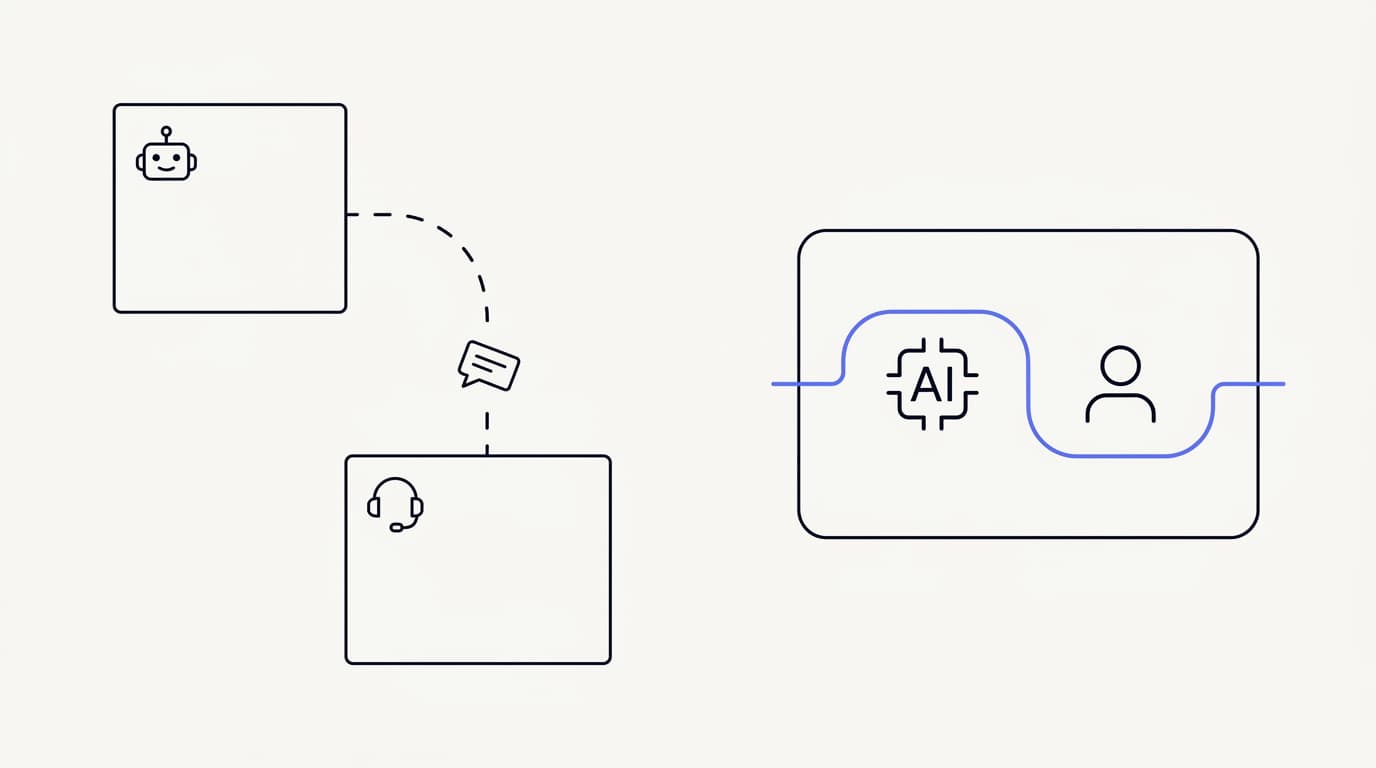
The two-tool setup looks reasonable until a conversation has to cross the gap. You run a chatbot on the site and a helpdesk for your team, and each works fine on its own. The trouble starts the moment a customer the bot cannot help needs a person, because that handoff is a jump between two systems that were never built to share a thread.
What leaks at that boundary is context, and context is the expensive thing to lose. The bot has a transcript, the helpdesk opens a fresh ticket, and unless something stitches them together the human starts cold. So the customer is asked to explain again, which is precisely the failure the whole automation was supposed to prevent.
Repeating yourself is not a minor annoyance, it is one of the top complaints in support. Zendesk's 2024 CX Trends research found 74% of customers rank having to repeat information among their biggest frustrations (Zendesk). A two-inbox handoff manufactures that frustration on purpose, because the systems cannot pass the full thread between them.
One inbox removes the jump entirely. Because the AI and the human work the same thread, there is nothing to transfer, only a change in who is holding it. The customer sees a continuous conversation, and the person who steps in reads everything that came before without asking for it, which is what makes the handoff feel like help rather than a restart.
There is a quieter cost to two tools that shows up in your own team, not the customer. When the bot lives somewhere the human agents do not, nobody watches what it says in real time. Wrong answers accumulate out of sight until a complaint surfaces them, whereas a shared inbox puts every AI reply in the same view your team already lives in.
That visibility is also where measurement gets honest. When AI and human conversations share one surface, you can read resolution, escalation, and response time across the whole queue rather than gluing two dashboards together. Tying analytics to one thread model is the difference between knowing your real numbers and guessing at them from two half-pictures.
None of this means a bot plus a helpdesk can never work. It means the seam between them is where trust is won or lost, and a seam you have to engineer around is worse than no seam at all. One inbox is the design that deletes the seam instead of patching it.
How presence-based human takeover works
 Communicate.so
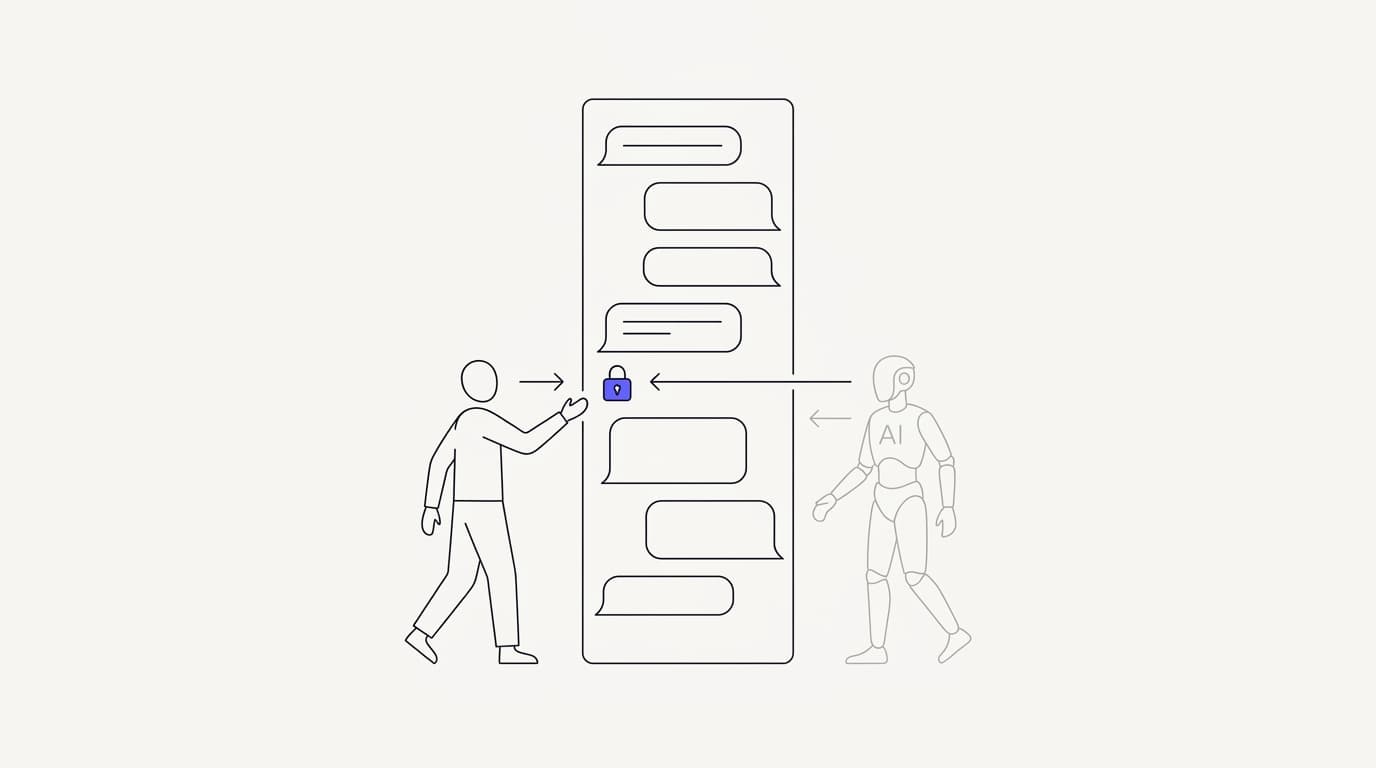
Presence-based takeover is the mechanic that keeps the two sides from colliding. The rule is simple to state: the instant a human opens a live conversation, it locks to human mode and the AI stops answering. There is no toggle to flip and no button to remember, because opening the thread is the signal.
This matters because the alternative, a manual switch, fails in exactly the moment you need it most. A support agent jumps into a heated conversation, forgets to click the take-over control, and the AI fires a reply on top of them. Presence-based takeover removes the human error by making the act of viewing the thread the thing that hands control over.
Under the hood, the conversation carries a mode that says whether the AI or a human is answering, plus a locked state that prevents the AI from reclaiming it while a person is present. In Communicate this shows up as a mode and a mode_locked flag on the thread, so takeover is a state change, not a hope. The design is the same discipline the support escalation workflow guide applies to routing: make the safe behavior the automatic one.
A second guardrail sits underneath the mode, and it is the one that saves you on the edges. Communicate pairs presence with a per-turn backstop, internally a chatTurn check, so even if timing is tight the AI will not send a reply into a turn a human has taken. Presence handles the common case and the backstop handles the race, which is why the agent never talks over a person mid-response.
The customer experience of all this is that nothing jarring happens. They do not see a mode flag or a lock, they see a conversation that keeps flowing, first with fast AI answers and then, when it matters, with a person. The machinery is invisible on purpose, because a handoff the customer notices is usually a handoff that went wrong.
It is worth being clear about what presence does and does not cover, because honesty here builds trust. Presence-based takeover governs live conversations, where a human viewing the thread is a strong signal of intent to help. It is one part of a wider set of controls that decide when the AI should step back at all, which is the territory of AI agent guardrails.
Set up this way, takeover stops being a feature you train your team to use and becomes something the system does for them. That is the goal for any handoff mechanic: the fewer manual steps between a person deciding to help and the AI getting out of the way, the fewer conversations fall through the gap.
The division of labor: AI on volume, humans on edge cases
 Communicate.so
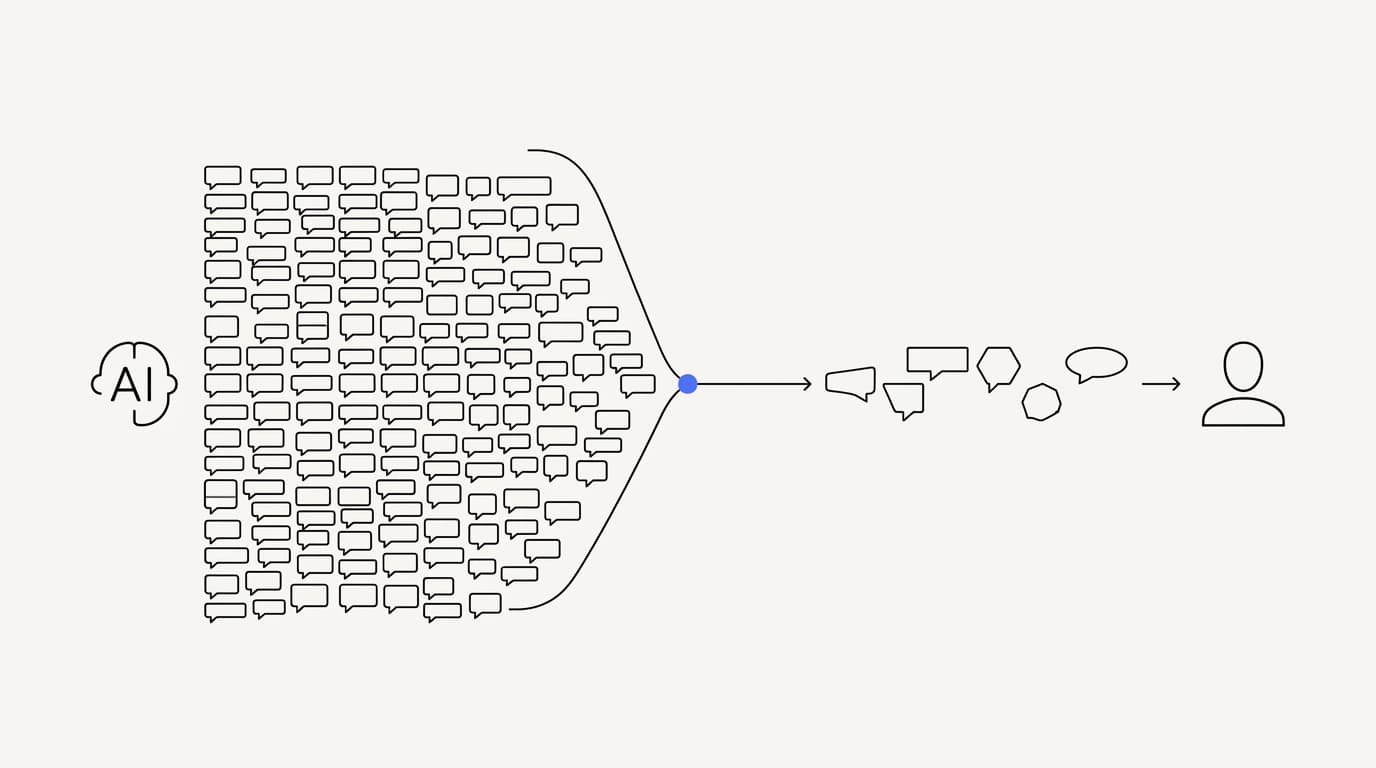
The reason a shared inbox works is that AI and humans are good at different jobs. A repetitive, documented question is the agent's home turf, because the answer exists in your knowledge and the value is speed and consistency. A sensitive complaint or a judgment call belongs to a person, because it needs empathy and discretion the agent cannot fake.
Most support queues are lopsided in a way that makes this split pay off. A large share of volume is a small number of question types asked over and over, and a steady trickle of the rest is where the hard, high-stakes conversations live. Routing beats picking a side, because the two piles want opposite things.
The upside on the volume pile is large and getting larger. Gartner has projected that by 2029, agentic AI will autonomously resolve 80% of common customer service issues without human intervention (Gartner). That is the repetitive majority moving off your team's plate, which is exactly the pile an agent should carry.
The counterweight keeps the ambition honest. RAND's 2025 review of more than 2,400 enterprise AI initiatives found roughly 80% failed to deliver measurable value, mostly on operational discipline rather than model quality (RAND). In support, that discipline is largely about drawing the AI-versus-human line correctly and wiring the handoff, not about a cleverer model.
The table below is the working split most teams land on. Read it as a starting contract, not a wall, because the boundary moves as your content and testing improve. The point is to name which conversations the agent owns and which always reach a person, so nothing is left to improvisation.
| Conversation type | AI agent handles | Human takes over |
|---|---|---|
| Documented, repetitive FAQs | ✓ | ✗ |
| Account and how-to questions | ✓ | ✗ |
| Order, policy, and status lookups | ✓ | ✗ |
| Sensitive complaint or dispute | ✗ | ✓ |
| Cancellation with retention stakes | ✗ | ✓ |
| Legal, financial, or safety-critical | ✗ | ✓ |
| Explicit request to speak to a person | ✗ | ✓ |
The split also decides how you judge the agent later, which is easy to overlook. If the agent is meant to carry documented FAQs, you grade it on those, not on the messy edge cases you deliberately routed to people. A clear division of labor makes every analytics number honest, because you are measuring the agent on the job you actually gave it.
Treat the human pile as a feature, not a failure. An agent that resolves the repetitive majority and hands the judgment calls to a person is doing its job exactly right. The goal was never zero human conversations, it was zero wrong answers and a clean handoff on everything that should reach a person.
Handoff without the customer repeating themselves
The single rule that makes a handoff good is no repetition. When the AI hands a conversation to a person, that person should inherit the full thread and pick up mid-problem, so the customer never re-explains. A handoff that forces a restart is a design failure, no matter how fast the AI was before it.
In a shared inbox this comes almost for free, because there is nothing to hand across. The human who takes over is opening the same thread the AI was working, so the whole transcript is already in front of them. The customer's last message, the AI's replies, and any earlier context are all present without anyone requesting a summary.
Compare that to the two-tool handoff, where the human opens a fresh ticket and has to ask the customer to catch them up. That gap is where the 74% repeat-yourself frustration lives (Zendesk). One inbox closes it by making the takeover a change of owner on a thread that already holds everything.
A clean handoff needs the right triggers, not just the right plumbing. Define plainly when the agent should escalate: retrieval found nothing grounded, the topic is sensitive, frustration is detected, or the customer asks for a person. Each of those should route the live thread to your team with full context, a pattern the support escalation workflow guide breaks down in detail.
Set the triggers to fail toward a human rather than toward an answer. When the agent is on the line between answering and escalating, the safer default is almost always to escalate, because a wasted human minute costs far less than a confident wrong answer to an already-annoyed customer. You can tighten the triggers later, once testing shows the agent is reliably right inside its scope.
The escalation-first stance is a long-standing usability principle, not a Communicate invention. Researchers at the Nielsen Norman Group have argued for years that the hardest conversations still need a person, so the agent's real skill is recognizing its own edge and handing over gracefully. A shared inbox is what turns that principle into a mechanic instead of a hope.
Test the handoff as its own flow before you rely on it. Send the agent a question it should refuse, and confirm the conversation lands with a person, in context, with the customer told what is happening. A handoff you have not tested is a handoff you do not actually have, and it will fail the first time a real customer needs it.
Ownership: who holds the thread and when
Ownership is the quiet concept that keeps a shared inbox from turning into chaos. At any moment, exactly one party is responsible for answering a conversation: the AI or a specific person. Presence-based takeover is really an ownership rule, because opening the thread is how a human claims it from the agent.
Without a clear owner, a shared surface invites the worst failure mode: two responders hesitating while the customer waits, or two replies firing at once. The mode and locked state on the conversation exist to prevent exactly that, by making ownership explicit rather than assumed. One owner at a time is the invariant the whole design protects.
Handing ownership back is as important as taking it, and it should be deliberate. When the human is done, they release the conversation and the AI agent resumes as the default handler for anything that follows. Release should be an act, not a timer, so the AI never reclaims a thread while a person still has more to say.
The full transcript stays visible to whoever owns the thread, which is what makes ownership changes safe. A human who takes over reads everything the AI did, and the AI that resumes later sees what the human said, so each handoff adds to the record rather than fragmenting it. Nobody works from a partial view.
Ownership also shapes what you can see across the team. Because every conversation has a clear holder at each moment, you can watch how work splits between the agent and people, and where humans keep having to step in. Reading that in analytics tells you which topics are not ready to widen to the agent yet, which is far more useful than a single deflection number.
Keep the ownership model simple and it stays trustworthy. One thread, one owner at a time, explicit takeover and explicit release, full history to whoever holds it. Every part of the shared-inbox design is in service of that short list, because the moment ownership gets fuzzy, the customer feels it.
What breaks when AI and human tools are bolted together
It is worth naming the failure modes plainly, because they are predictable. When a bot and a helpdesk are stitched together after the fact, the same problems recur across teams. They are not bad luck, they are what happens when two systems that do not share a thread are asked to share a conversation.
The first break is lost context on handoff, which we have covered: the human opens a fresh ticket and the customer starts over. The second is double replies, where the bot answers after a person has already jumped in, because nothing told it to stop. Both come straight from the absence of a shared owner and a shared thread.
The third break is invisible drift. When the AI lives in a tool your team does not watch, its answers slowly go wrong as your product changes, and you learn about it from complaints instead of a dashboard. A shared inbox puts every AI reply in the view your team already uses, so drift surfaces as a pattern you can catch early.
The fourth is measurement you cannot trust. Two tools produce two dashboards, and gluing them together hides the number that matters, which is whether the customer's problem actually got solved end to end. A single thread model lets you follow one conversation from the first AI reply to the human resolution and count it once, honestly.
The fifth is a security and access mess, which is easy to underrate until an audit. Two systems mean two places customer data lives, two permission models, and two things to lock down. Keeping the conversation in one place with one access model is simply less to defend, which is why the security posture is easier to reason about when AI and human work share an inbox.
Aligning that data handling with a recognized framework is part of doing it responsibly. Regulations like the GDPR expect you to know where personal data sits and to be able to export or delete it cleanly, which is far harder across two bolted-together tools than in one surface. Fewer systems is not just tidier, it is easier to keep compliant.
The through-line across all five is the seam. Every break happens at the boundary between two systems that were never meant to share a thread. A shared inbox does not patch those seams, it deletes them, which is why the failure modes stop being something you manage and start being something you designed out.
Where Communicate fits, honestly
 Communicate.so
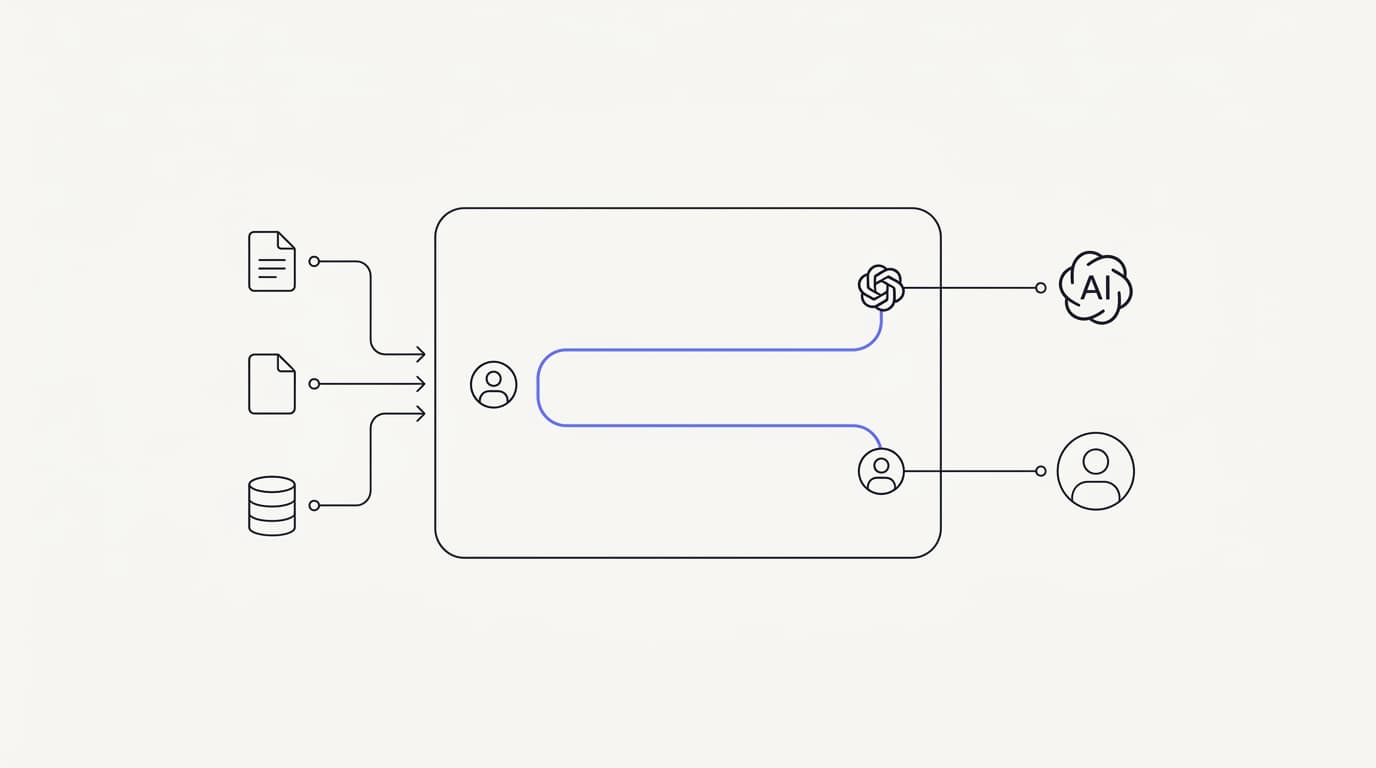
Communicate is built around the shared thread rather than treating it as an add-on, so it fits teams that want AI and people working one conversation instead of two tools glued together. The AI agent grounds answers in your connected data and hands off when it is unsure, and the Shared Inbox uses presence-based human takeover with a per-turn backstop so the AI never talks over a person mid-reply.
Here is what it does without embellishment. The agent answers from the sources you connect and escalates rather than guessing when retrieval finds nothing, and the conversation locks to human mode automatically the moment a teammate opens it. The full transcript stays visible to whoever owns the thread, so no one rebuilds context on either side of a handoff.
The live channels are a web widget, live chat, and email, with in-app messages, analytics, and scoped actions running from the same agent and knowledge base. That is the honest channel set, and it is deliberately narrow. If you depend on WhatsApp, Messenger, SMS, or voice, those are not supported today, so that gap is a real reason to weigh Communicate against a broader tool, a trade-off we discuss in live chat versus an AI agent.
On the model, Communicate runs a single model, gpt-4o-mini through OpenRouter, with response and prompt caching to keep cost and latency down. That is a deliberate choice, because the data you connect and the guardrails around the agent drive answer quality far more than swapping models does. A model picker would push tuning onto you without making a single answer better.
On pricing, there is no free tier. Entry is a one-time $1 activation that confirms you are a real person and includes 100 test credits, then credit-based usage from there, which keeps support cost tracking usage rather than headcount. Spend those test credits on your ugliest real questions, checking that the agent answers the volume and hands off the edge cases before you trust it live, the same discipline the AI agent guardrails guide insists on.
Now the honest limits. Communicate is GDPR-ready but not certified, holds no SOC 2, HIPAA, or ISO 27001, runs in a single region, and does not offer SSO. It supports TOTP two-factor authentication, encryption at rest, workspace isolation, and self-serve export with cascading delete, a posture stated plainly on the security page.
If any of the missing certifications or channels is a hard requirement, it is not your best fit today, and questions go to [email protected].
Key takeaways
- A shared inbox for AI and humans is one thread both work, so the AI carries volume and a person takes the edge cases without anyone starting over.
- Presence-based takeover locks a conversation to human mode the instant a teammate opens it, and a per-turn backstop stops the AI replying over a person mid-response.
- One inbox beats a bot plus a separate helpdesk because it deletes the handoff seam where context, ownership, and measurement all leak.
- The division of labor is the point: route documented, repetitive questions to the agent and sensitive, judgment-heavy ones to people, then grade each on its own job.
- A good handoff carries full context so the customer never repeats themselves, with escalation triggers set to fail toward a human rather than toward an answer.
Ready to run AI and your team on one thread instead of two tools? Start with a one-dollar account activation that includes 100 test credits, connect your data sources, and watch the first conversations move between the agent and your team in a single inbox. If you want the escalation side of the story next, AI to human handoff in support and the support escalation workflow are the right reads.
Frequently asked questions
What is a shared inbox for AI and humans?
It is one conversation surface where an AI agent and your support team work the same thread, so the AI answers the repetitive majority and a person takes over for the edge cases. Every reply, AI or human, lives in that thread, so context is continuous no matter who is holding it. It is not a chatbot bolted onto a separate helpdesk, it is one place both sides share.
How does a shared inbox keep AI and humans in sync?
By making control transfer a state change on the thread rather than a jump between systems. When a human opens a live conversation it locks to human mode and the AI steps back, and when they release it the AI agent resumes. Because both see the full transcript the whole time, neither side has to reconstruct what happened.
What is presence-based human takeover?
It is a handoff design where a conversation locks to human mode the instant a support agent opens it, with no manual toggle to remember. Opening the thread is the signal that a person is taking over, so the AI stops answering automatically. This removes the human error of forgetting to claim a conversation before the AI replies over you.
What is the chatTurn backstop?
It is a per-turn check that stops the AI from sending a reply into a turn a human has already taken. Presence handles the common case, and the backstop handles the tight timing where a person jumps in at the same moment the AI is about to answer. Together they mean the agent never talks over a human mid-response.
What do mode and mode_locked mean in a conversation?
Mode records whether the AI or a human is currently answering a conversation, and mode_locked prevents the AI from reclaiming the thread while a person is present. Together they make ownership explicit rather than assumed, so takeover is a reliable state change instead of a hope. They are the mechanism behind presence-based takeover.
Does the customer know when a human takes over?
The handoff is designed to be invisible to the customer, who simply sees a conversation that keeps flowing. First they get fast AI answers, and then, when it matters, a person, on the same thread. A handoff the customer notices is usually a handoff that went wrong, so the machinery stays out of sight on purpose.
What happens to the AI when a human takes over?
It steps back and stops answering while the human owns the thread, held out by the locked state on the conversation. It does not delete or ignore the history, it simply stops generating replies until ownership returns. When the person releases the conversation, the AI agent resumes as the default handler.
Which questions should the AI handle and which should a human?
Documented, repetitive, low-risk questions like account help, how-to steps, and status lookups suit the agent, because the answer exists in your knowledge. Sensitive complaints, disputes, cancellations with retention stakes, and anything legal or financial belong to a person. Writing that split down is what lets you wire the support escalation workflow to route them cleanly.
Does the customer have to repeat themselves on handoff?
No, and forcing a restart is a design failure. Because the human takes over the same thread the AI was working, the full transcript is already in front of them and the customer never re-explains. Zendesk found 74% of people rank repeating themselves among their top frustrations (Zendesk), which a shared inbox is built to avoid.
How is a shared inbox different from a chatbot plus a separate helpdesk?
A bot in one tool and a helpdesk in another make the handoff a transfer between systems, and context leaks at that boundary every time. A shared inbox removes the boundary by keeping the AI and the human on one thread, so there is nothing to transfer, only a change of owner. We compare the two models in live chat versus an AI agent.
Can a human jump in mid-conversation?
Yes, and that is the core of the model. A teammate can open any live conversation the AI is handling and take it over immediately, with the whole history in front of them. Presence-based takeover means the act of opening the thread is enough, so there is no clumsy toggle to fight for control.
What happens when the human is done with a conversation?
They release it, and the AI agent resumes as the default handler for anything that follows. Release is a deliberate act rather than a timer, so the AI never reclaims a thread while a person still has more to say. The transcript stays intact, so a later AI reply reads everything the human did.
How does a shared inbox reduce first response time?
The AI answers documented questions instantly, so the repetitive majority of the queue gets a reply in seconds rather than waiting for a person. Humans are then free to spend their time on the edge cases that actually need them, which shortens the wait on those too. You can watch both effects in analytics tied to one thread model.
What channels does the Communicate shared inbox cover?
The live channels are a web widget, live chat, and email, with in-app messages, analytics, and scoped actions running from the same agent and knowledge base. It does not support WhatsApp, Messenger, SMS, or voice today. If you need channels beyond that set, weigh it against a broader tool, a trade-off covered in live chat versus an AI agent.
How do I measure whether the handoff is healthy?
Track confirmed resolution on AI-only conversations, escalation broken down by reason, and whether customers repeat themselves after a takeover. A healthy handoff shows clean context transfer and escalations that happen for the right reasons, not because the agent could not find an answer. Read all of it in analytics on real conversations rather than a vendor demo.
Will a shared inbox replace my support team?
No, and a vendor claiming it will is overselling. The agent carries the repetitive majority so people can focus on judgment and sensitive conversations, which is the realistic goal. Gartner projects agentic AI will resolve 80% of common issues by 2029 (Gartner), but the rest still needs human judgment, and the shared inbox is how you route it there cleanly.
Is my data safe in a shared inbox?
Keeping AI and human conversations in one place means one access model to defend rather than two, which is easier to reason about. Communicate encrypts data at rest, offers TOTP two-factor authentication, isolates each workspace, and supports export with cascading delete. It is GDPR-ready but not certified, with no SOC 2, HIPAA, ISO 27001, or SSO, and a single region, as stated on the security page.
What stops the AI from talking over a human?
Two guardrails working together. Presence-based takeover locks the conversation to human mode the moment a teammate opens it, and a per-turn backstop stops the AI sending a reply into a turn a person has taken. Presence handles the common case and the backstop handles the tight race, so the agent stays quiet while a human is responding.
How is ownership of a conversation decided?
Exactly one party owns a conversation at any moment: the AI by default, or a specific person once they open the thread. Presence-based takeover is the ownership rule, because opening the thread claims it from the agent, and releasing it hands it back. One owner at a time is the invariant the whole design protects, which prevents double replies and hesitation.
How much does it cost to start with Communicate?
There is no free tier. Entry is a one-time $1 activation that confirms you are a real person and includes 100 test credits, then credit-based usage from there, which keeps support cost tracking usage rather than headcount. Spend the test credits on your real questions to check the split between AI and human before you go live.
Questions go to [email protected].