
How to build an AI customer support agent step by step
 Communicate.so
How to build an AI customer support agent step by step: scope, data sources, retrieval, guardrails, handoff, testing, plus build vs buy.
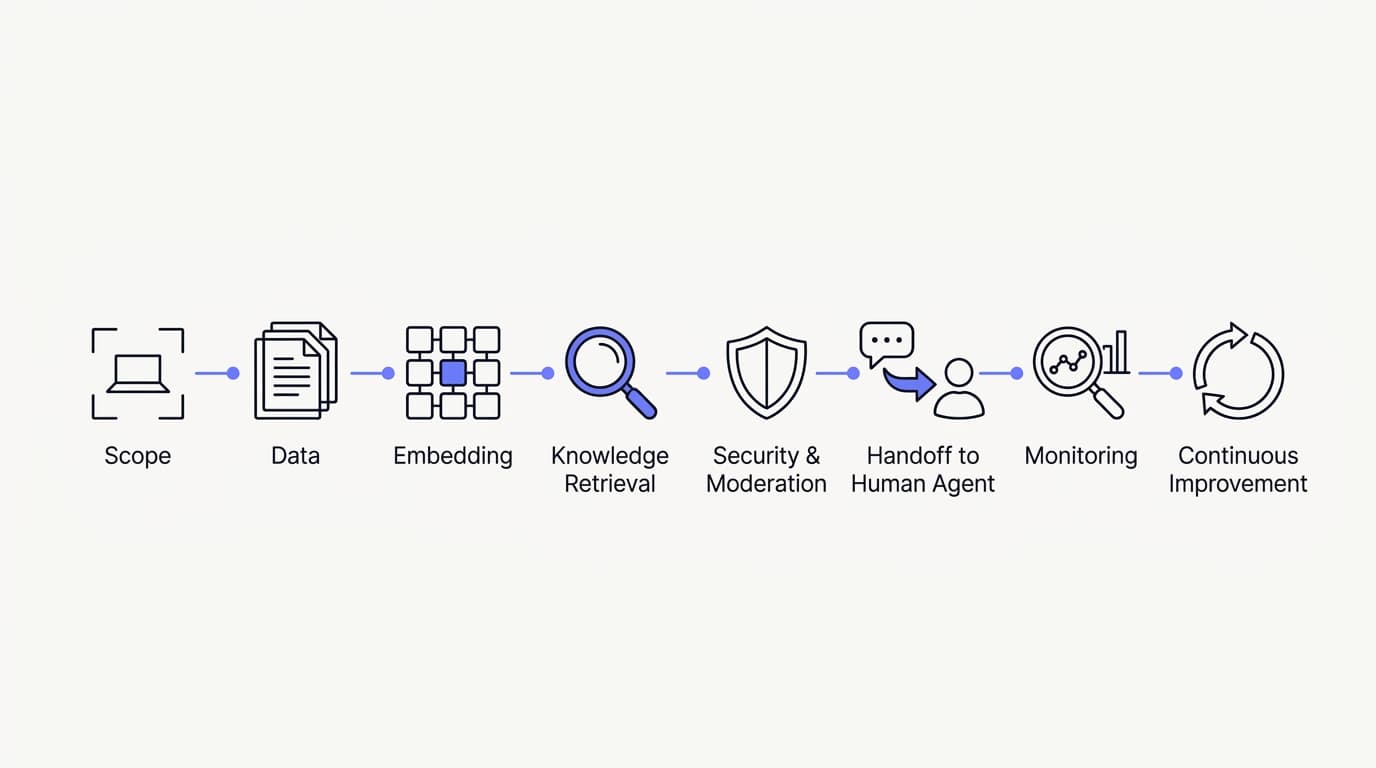
TL;DR: To build an AI customer support agent that holds up in production, you follow eight steps in order: define its scope, gather your data sources, structure that knowledge for retrieval, configure grounded retrieval, set guardrails and escalation rules, wire a context-preserving human handoff, test against real questions, then measure and iterate. The hard part is not the model, it is the discipline around it, since a grounded agent that refuses to guess beats a fluent one that invents answers. This guide walks each step in practice, then gives you an honest build-from-scratch versus buy-a-platform comparison so you can decide which path fits your team.
Building an AI customer support agent looks deceptively simple in a demo. You wire a language model to a chat box, paste in a few help articles, and watch it answer three clean questions perfectly. Then real customers arrive with half-typed, ambiguous, out-of-scope questions, and the gap between demo and production becomes the whole project.
The model is the easy part now, and the engineering around it is where projects live or die. Retrieval that stays grounded in your own knowledge, guardrails that stop confident guessing, and a handoff that reaches a human without the customer starting over are what separate an agent you trust with real traffic from one you quietly turn off after a week. Those are the parts a demo never shows you.
This guide is written for the person who has to build the thing: a founder, a support lead, or an engineer standing up an AI support agent for the first time. It walks the eight steps in the order you should actually do them, flags where teams get burned, and closes with an honest look at whether you should build from scratch or start on a platform. If you want the higher-level rollout view first, the guide to launching your first AI agent is the companion read.
What an AI customer support agent actually is
An AI customer support agent is a system that reads a customer question, retrieves relevant information from your own knowledge, and writes an answer grounded in what it found. It is not a scripted decision tree, and it is not a raw language model answering from general training. The defining trait is that it answers from your material and knows when to stop.
The word agent carries weight here, because it implies more than a chatbot that replies. A real agent can take a scoped action mid-conversation, decide it should not answer, and route the conversation to a person. The three capabilities that matter most are grounded retrieval, safe actions, and a clean escalation path, and every step below exists to build one of them well.
There is a real prize behind getting this right, and it is measurable. Gartner has projected that by 2029, agentic AI will autonomously resolve 80% of common customer service issues without human intervention (Gartner). That number only lands for teams whose agent is disciplined enough to earn the trust, which is exactly the discipline this build process is designed to produce.
The build process at a glance
It helps to see the whole path before you start any single step. The order matters, because each step depends on the one before it, and skipping ahead is how teams end up with an agent that answers fluently and wrongly. The table below is the map, and the sections after it walk each step in detail.
| Step | What you do | Why it matters |
|---|---|---|
| 1. Define scope | Write what the agent should and should not answer | Prevents confident guessing on out-of-scope questions |
| 2. Gather data | Collect help docs, policies, past tickets | The agent can only answer from what you connect |
| 3. Structure knowledge | Split content into single-topic chunks | Sharp retrieval beats one giant document |
| 4. Configure retrieval | Ground answers in retrieved sources | Stops the agent inventing policies you never wrote |
| 5. Set guardrails | Define refusal and escalation rules | A refusal is safer than a wrong answer |
| 6. Wire handoff | Route unresolved chats to a human with context | The customer never starts over |
| 7. Test | Score real questions against a rubric | Demos hide what real traffic exposes |
| 8. Measure and iterate | Track resolution, escalation, gaps | Quality comes from closing knowledge gaps |
Read this as a loop, not a straight line. Steps one through six build the agent, step seven proves it, and step eight feeds what you learn back into steps two and three. The teams that treat it as a one-time setup are the ones whose agent slowly drifts out of date, a pattern documented across enterprise AI programs by RAND, whose 2025 review of more than 2,400 enterprise AI initiatives found roughly 80% failed to deliver measurable value, mostly on operational discipline rather than model quality.
Step one: define scope before you build anything
 Communicate.so
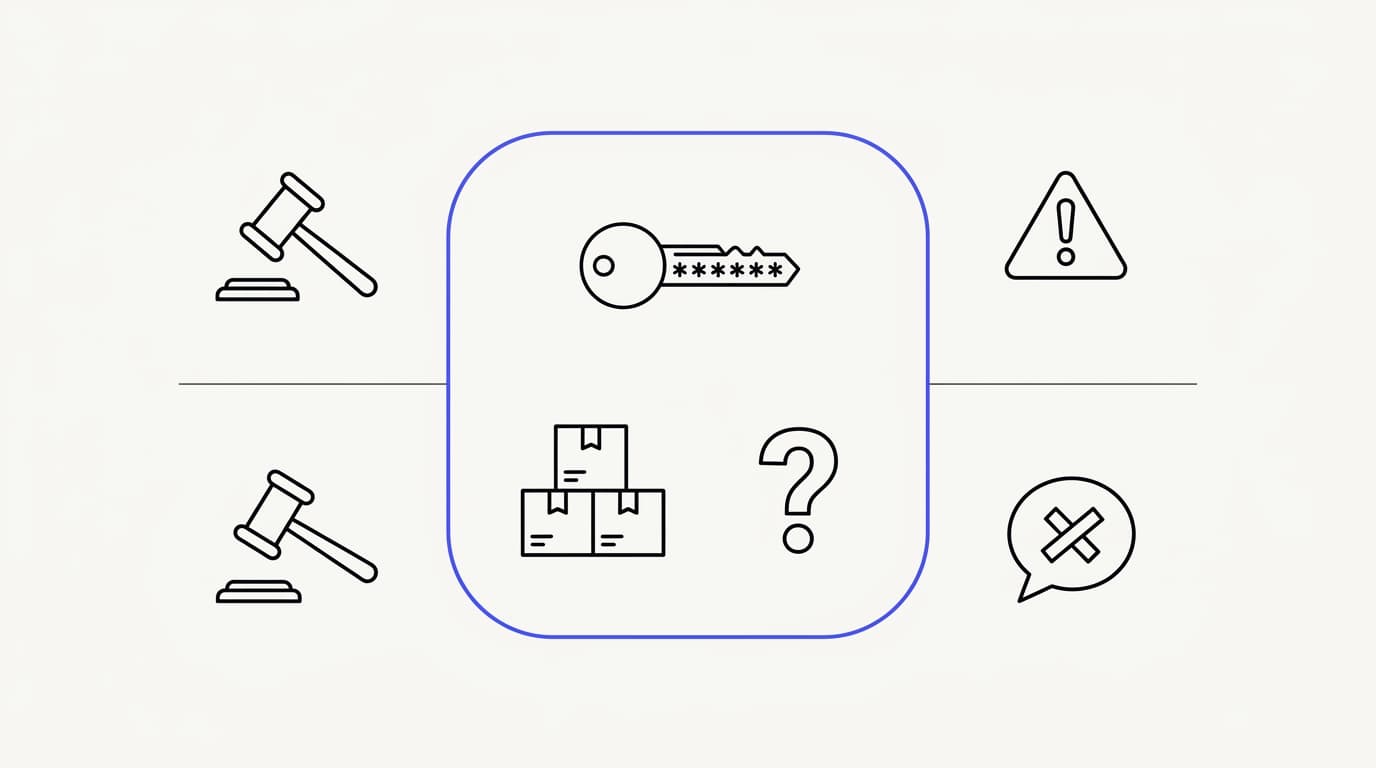
Scope is the first step because it decides what the agent is allowed to do, and everything downstream inherits that decision. An agent with no scope answers everything, which sounds good until it confidently answers a legal question or a refund edge case it should have escalated. Write the boundary down before you connect a single document.
Start with the questions the agent should own, not the ones it might handle. Pull your highest-volume topics from your ticket history and name the ones that are repetitive, well-documented, and low-risk. Password resets, order status, plan differences, and how-to questions are the classic first tier, because they are frequent and the answer is stable.
Then write the explicit out-of-scope list, which is the part teams skip and regret. Sensitive complaints, billing disputes, anything touching legal or medical judgment, and any topic where a wrong answer is expensive belong to a human by default. Turn the whole thing into a short written policy, because that policy becomes the backbone of the agent's instructions and the rubric you score it with in step seven, whether you build from scratch or configure a platform like Communicate.
Step two: gather your data sources
 Communicate.so
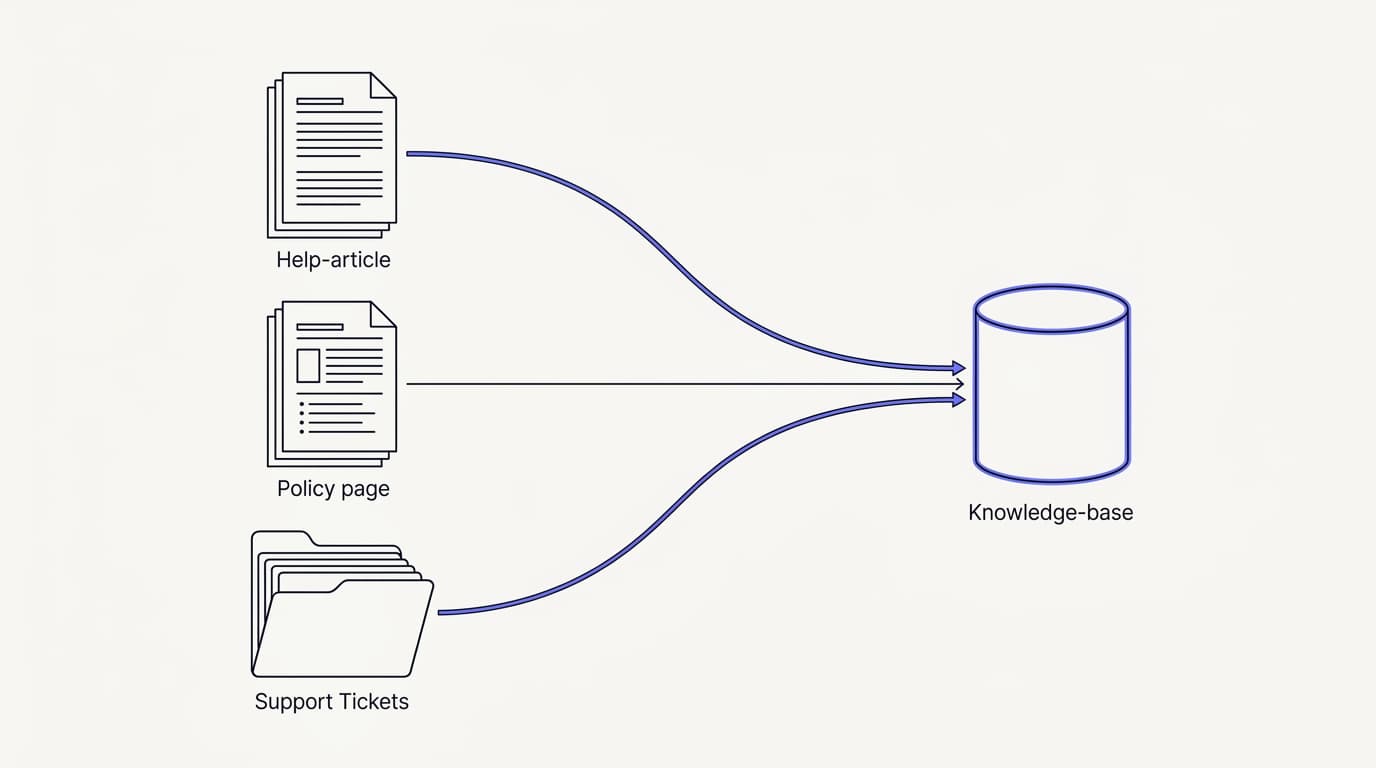
An AI support agent can only answer from what you give it, so the quality of your data sources caps the quality of the agent. This step is about collecting the right material, not all of it. More content is not better content when half of it is outdated or contradicts the other half.
Start with the sources that already answer customer questions well. Your help center articles, product documentation, policy pages, and canned responses your team already trusts are the core. Connect them through your data sources so the agent retrieves from material you have already vetted, rather than from the model's general training.
Past tickets are the highest-value and most overlooked source. Your resolved conversations contain the real phrasing customers use and the answers your best agents actually gave. Mining them tells you both what to document and how customers ask, which is covered in depth in training an AI agent on your help center.
Audit for staleness as you gather, because a confidently wrong answer usually traces back to a document that was true last year. Be equally deliberate about what you leave out: internal notes, deprecated policies, and half-finished drafts do not belong in a customer-facing knowledge base, because the agent cannot tell draft from doctrine. If you would not hand a document to a new support hire on day one, do not connect it, and see how to reduce AI hallucinations in support for why source hygiene drives accuracy more than any prompt tweak.
Step three: structure your knowledge for retrieval
How you structure knowledge matters as much as what you include, because retrieval works by matching a question to a chunk of content. One giant document is hard to retrieve from precisely, so the agent pulls a loosely related section and answers around the edges. Structure is the quiet lever that fixes most wrong answers.
Split content by single topic, not by whole document. A page covering shipping, returns, and refunds should be three retrievable units, each answering one question cleanly. When a customer asks about returns, retrieval should surface the returns chunk directly, not a three-topic page the agent has to read around.
Write each chunk to stand on its own, because retrieval does not guarantee the surrounding context comes with it. A section that says it depends on the plan above is useless when retrieved in isolation. Use plain, customer-facing language too, because internal jargon and product code names retrieve poorly when customers do not phrase questions that way.
Structure is also where you make the agent maintainable. Small, single-topic units are easier to update, easier to spot as stale, and easier to trace when an answer goes wrong. When your analytics later flag a topic the agent is failing on, a tightly structured knowledge base lets you fix the one chunk responsible instead of rewriting a wall of text.
Step four: configure retrieval and grounding
Grounding is the rule that the agent answers from retrieved sources, not from general training, and it is the single most important configuration you make. A grounded agent that finds nothing relevant says it does not know and hands off. An ungrounded agent fills the silence with a fluent guess, which is the failure mode that erodes trust fastest.
The mechanism is retrieval-augmented generation, where the system retrieves relevant chunks first and then asks the model to answer using only those chunks. The model's job shifts from knowing the answer to phrasing the retrieved answer well. On Communicate, this grounding is the default behavior, so the agent's replies trace back to the data sources you connected rather than to the open internet.
Configure the empty-result behavior explicitly, because it is where guessing sneaks in. When retrieval returns nothing relevant, the agent must be told to say so and escalate, not to answer anyway. This one rule prevents the majority of invented policies, phantom refund windows, and made-up feature claims that make customers distrust an agent.
Keep the model choice boring on purpose. Communicate runs a single model, gpt-4o-mini through OpenRouter, with response and prompt caching to keep cost and latency down. One well-tuned model with grounded retrieval beats a model-picker that shifts the tuning burden onto you, and the implementation guide goes deeper on why the data matters more than the model badge.
Step five: set guardrails and escalation rules
 Communicate.so
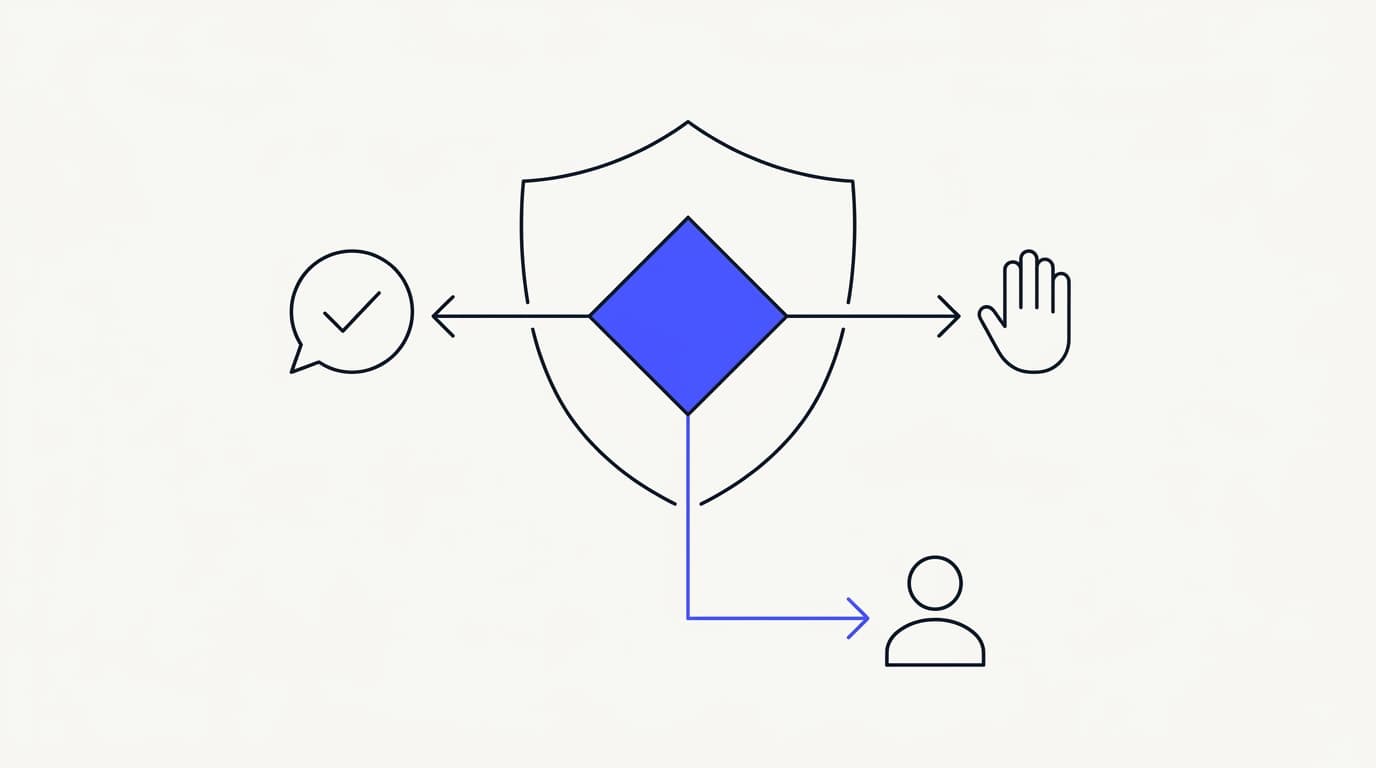
Guardrails are the rules that decide when the agent answers, when it refuses, and when it escalates. They are what turn a capable model into a trustworthy agent, because the safest agent is the one that knows the edge of its own competence. A refusal that routes to a human is a success, not a failure.
The core guardrail is confidence-aware refusal. When retrieval is weak or the question falls outside scope, the agent should decline and hand off rather than produce a plausible guess. This maps directly to the out-of-scope list you wrote in step one, and it is the behavior that separates a reliable agent from a liability, as detailed in setting AI agent guardrails.
Define explicit escalation triggers so the handoff is not left to the model's mood. Certain topics, keywords, and customer signals should force a human every time, and frustration language, refund disputes, and anything on your sensitive list are the usual hard triggers. Guard actions with special care too, because an action that changes state costs more than a wrong sentence, so scope and test each one before the agent can fire it in live conversations.
| Escalation trigger | Agent behavior | Why |
|---|---|---|
| Retrieval finds nothing relevant | Say it does not know, hand off | A guess here is a hallucination |
| Question is on the out-of-scope list | Escalate immediately | Human judgment is required by policy |
| Customer shows frustration | Route to a person | Sentiment outweighs deflection |
| Billing or refund dispute | Hand off with context | Wrong answers here are expensive |
| A state-changing action is requested | Confirm scope, then act or escalate | Actions cost more than words |
Write the guardrails as testable rules, not vibes, so you can verify them later. Every trigger in that table should be something you can reproduce on demand and confirm the agent handles correctly. Guardrails also govern what data the agent can touch and expose, so treat prompt injection and data leakage as real risks, a class of issue catalogued by the OWASP community, and read the security posture before you connect sensitive sources.
Step six: wire the human handoff
A handoff is the moment the agent stops and a person takes over, and its quality decides whether escalation feels smooth or infuriating. The failure everyone has lived through is being handed to a human and made to re-explain everything from scratch. The whole point of a good handoff is that the customer never starts over.
Repeating yourself is one of the top frustrations customers report, and it is measurable. Zendesk's 2024 CX Trends research found that 74% of customers rank having to repeat information among their biggest annoyances (Zendesk). Preserving context across a handoff is a long-standing support UX principle documented by usability researchers like the Nielsen Norman Group, not a nicety you can skip.
The strongest handoff pattern is presence-based takeover. A thread locks to human mode the instant a support agent opens it, with no manual toggle to forget, so the AI never talks over a person mid-reply. Communicate's shared inbox implements this with a per-turn backstop, and the full mechanics are covered in AI to human handoff in support.
Decide which channels your handoff covers, and keep the claim honest. Communicate serves a web widget, live chat, and email from one agent and one knowledge base, so a handoff behaves the same wherever the conversation started. Keeping the channel set focused is a feature, not a gap, because a consistent handoff across three surfaces beats a patchy one across ten.
Step seven: test before you launch
Testing is where you find out whether the agent works on real traffic or only on the demo. The mistake is testing with the three clean questions you already know it can answer. The value is in the messy, half-worded, out-of-scope questions your customers actually send.
Pull 50 to 100 real questions from your ticket history and score each answer on a rubric. Weight the set toward your highest-volume topics, and score three things: was the answer factually correct, did it match your voice, and did it escalate when it should have. A tool that guesses confidently on a question it should have refused fails the test, no matter how good the phrasing was.
Set your go or no-go bar before you see any results, so you judge against a standard rather than a hope. A common bar is roughly 90% factual accuracy with zero invented answers on out-of-scope questions. Communicate's one-time $1 activation includes 100 test credits for exactly this, so you can spend them on the ugly questions before you commit, as described in the implementation guide.
Test the refusals as hard as the answers, because a well-built agent is defined by what it declines. Feed it questions your knowledge base does not cover and confirm it says it does not know, and feed it a frustrated message and confirm it routes to a human. If you are weighing platforms at this stage, the AI customer support software buyer guide lays out the criteria to score against.
Step eight: measure and iterate
Launch is the start of the work, not the end of it, because an AI support agent is a living system that drifts as your product and policies change. The teams that treat it as set-and-forget are the ones whose agent slowly rots. Measurement is what keeps it honest over time.
Track confirmed resolution rate, not deflection rate. Deflection counts any conversation the agent closed without a human, including the ones where the customer got a wrong answer and gave up. Resolution counts conversations the customer confirmed as solved, and it is the number that actually maps to a working agent.
Tie it to your own volume through analytics rather than a blended marketing dashboard.
Watch escalation rate broken down by reason, because the reasons are your improvement backlog. A spike in escalations on one topic usually means a knowledge gap, not an agent failure. Response time is worth tracking too, and the first response time benchmark gives you a reference for what good looks like.
Feed every failure back into steps two and three, because nearly all quality improvement comes from closing knowledge gaps. When the agent gets a question wrong, the fix is usually a better chunk of content, not a cleverer prompt. Set a cadence so the loop does not depend on someone remembering: a weekly review of the top escalation topics plus a monthly staleness sweep keeps the agent current without a large time cost.
Build it from scratch or buy a platform
 Communicate.so
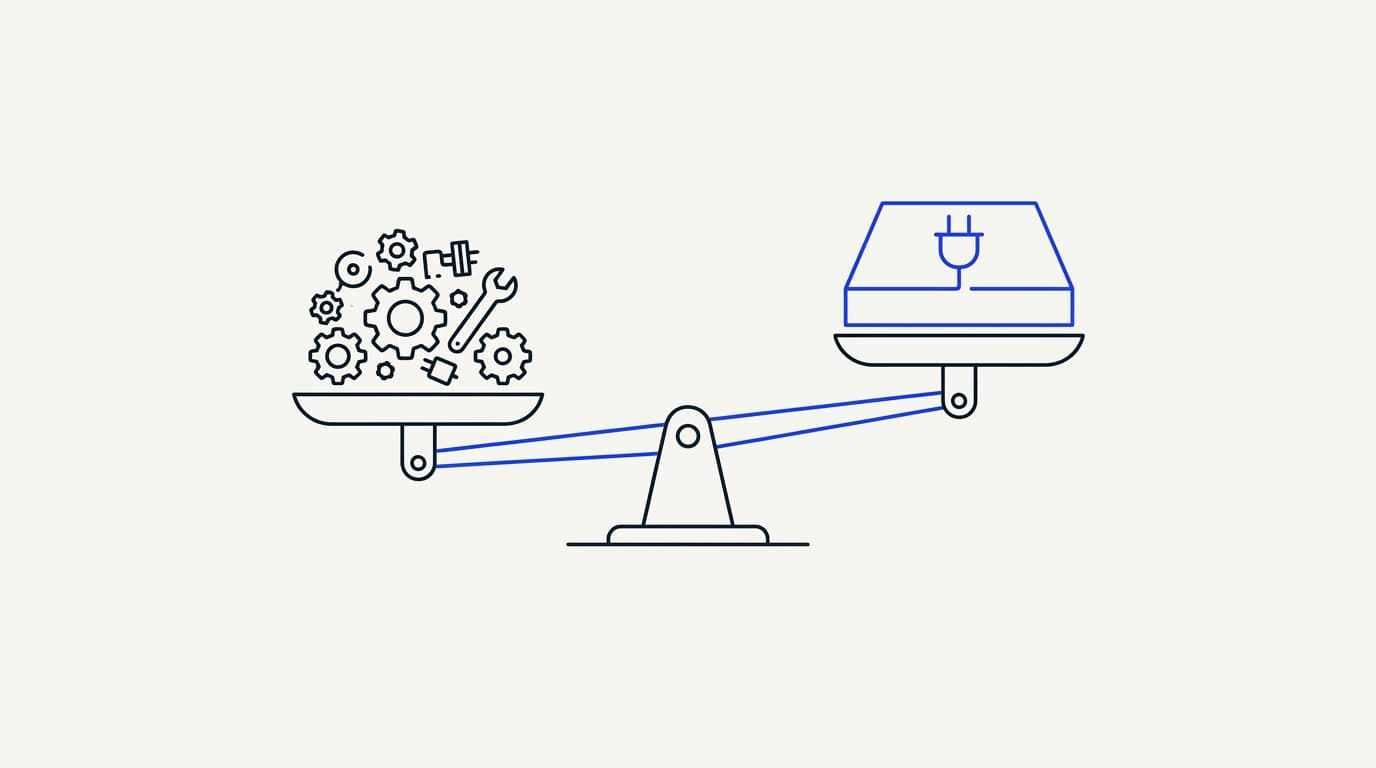
Everything above describes the work regardless of path, but the biggest decision is who does that work: you, or a platform. Building from scratch means wiring the model, retrieval, guardrails, handoff, and data isolation yourself. Buying a platform means that plumbing already exists and you configure it.
Building from scratch is the right call in a narrow set of cases. If your workflow is genuinely unusual, you have engineers to maintain the system forever, or data rules force an in-house build, control is worth the cost. The catch is that the model is the easy 20%, and the production system around it is ongoing engineering that never fully ends.
Buying a platform is the right call for most teams, because the retrieval tuning, context-preserving handoff, and data isolation are already built and maintained. You spend your effort on scope, data, and guardrails, which is where your operation's knowledge lives, and the trade-off is that you adopt someone else's product decisions. Be honest about what each path costs over a year: a do-it-yourself build has no license fee and a large permanent maintenance bill, while a platform charges for usage but absorbs the plumbing, as the AI customer support software buyer guide compares in full.
| Capability | Build from scratch | Buy a platform |
|---|---|---|
| Grounded retrieval out of the box | ✗ You build it | ✓ Included |
| Presence-based human handoff | ✗ You build it | ✓ Core feature |
| Shared inbox and analytics | ✗ You build it | ✓ Included |
| Data isolation and security | ✗ Your responsibility | ✓ Maintained for you |
| Full control of the stack | ✓ Total | ✗ Configurable, not open-ended |
| Time to first live agent | ✗ Weeks to months | ✓ Days |
| Ongoing maintenance owner | You, forever | Vendor |
Read that table as a decision aid, not a verdict, because the right answer depends on your team. A team with spare engineering capacity and an unusual workflow may value the control column above everything. A small team that wants the AI agent to carry volume this quarter will weight time-to-live and maintenance far higher, and a platform wins on those.
If you do go the platform route, keep your expectations grounded on the limits too. Communicate is GDPR-ready but not certified, holds no SOC 2, HIPAA, or ISO 27001, runs in a single region, and does not offer SSO. If any of those is a hard gate for you, get that answer in writing before you invest in evaluation, and read the security page for the posture stated plainly.
Key takeaways
- Build in order: scope, data, structure, retrieval, guardrails, handoff, test, iterate. Each step depends on the one before it.
- The model is the easy part. Grounded retrieval, guardrails, and a clean handoff are where projects succeed or fail.
- Define scope and an out-of-scope list first, so the agent refuses and escalates instead of guessing confidently.
- Structure knowledge by single topic, not whole documents, because sharp retrieval fixes most wrong answers.
- Measure confirmed resolution rate, not deflection, and feed every failure back into your knowledge base.
- Build from scratch only for unusual workflows with engineers to maintain it. Most teams should buy and configure.
Ready to build one against your own material? Start with a one-dollar account activation that includes 100 test credits, connect your data sources, and score the agent on real questions before you commit. If you want the rollout view next, read the guide to launching your first AI agent and the AI Agents overview.
Frequently asked questions
What is an AI customer support agent?
An AI customer support agent is a system that reads a customer question, retrieves relevant information from your own knowledge, and answers grounded in what it found. It differs from a scripted bot because it handles the varied ways customers phrase questions, and from a raw language model because it answers from your data sources rather than general training. The defining trait is that it answers from your material and knows when to hand off.
How do I build an AI customer support agent?
Follow eight steps in order: define the agent's scope, gather your data sources, structure that knowledge for retrieval, configure grounded retrieval, set guardrails and escalation rules, wire a context-preserving human handoff, test against real questions, then measure and iterate. The steps depend on each other, and most of the work is in the data and the guardrails, not the model.
How long does it take to build an AI support agent?
On a platform, a first agent can be live in days, depending on how much knowledge structuring and testing you do before launch. Building from scratch takes weeks to months, because you are also constructing retrieval, handoff, and data isolation yourself. Rolling out one channel at a time is the lower-risk path, and the launch guide walks the sequence.
What data do I need to build a support agent?
Start with the material that already answers customer questions well: help center articles, product docs, policy pages, and canned responses your team trusts. Past resolved tickets are the highest-value source, because they hold real customer phrasing and your best answers. Connect these through your data sources and leave out drafts, internal notes, and anything stale.
Should I build from scratch or use a platform?
Buy and configure a platform unless your workflow is genuinely unusual, you have engineers to maintain the system forever, or data rules force an in-house build. Wiring a model to a chat box is quick, but the production system around it is ongoing engineering. The AI customer support software buyer guide compares the paths on cost and maintenance.
What is retrieval grounding?
Retrieval grounding is the rule that the agent answers from retrieved sources rather than from the model's general training. The system retrieves relevant chunks from your knowledge base first, then asks the model to answer using only those chunks. It is the single most important configuration you make, because it stops the agent inventing policies you never wrote, as covered in reducing AI hallucinations in support.
How do I stop the agent from hallucinating?
Ground answers in your connected sources, configure the agent to say it does not know when retrieval finds nothing relevant, and keep your knowledge base clean and current. Most invented answers trace back to weak grounding or a stale document, not to the model. Structuring content by single topic and auditing for staleness does more for accuracy than any prompt tweak, detailed in reducing AI hallucinations in support.
What are guardrails for an AI support agent?
Guardrails are the rules that decide when the agent answers, when it refuses, and when it escalates to a human. The core guardrail is confidence-aware refusal, where weak retrieval or an out-of-scope question triggers a handoff instead of a guess. Guardrails also gate which actions the agent can take, and the full pattern is in setting AI agent guardrails.
When should the agent escalate to a human?
The agent should escalate when retrieval finds nothing relevant, when the question is on your out-of-scope list, when the customer shows frustration, and when a topic like a billing dispute needs human judgment. These are hard triggers you define in advance, not decisions left to the model in the moment. A refusal that routes to a person is a success, because a wrong answer on these topics is expensive.
What is presence-based human takeover?
Presence-based takeover is a handoff design where a conversation locks to human mode the instant a support agent opens it, with no manual toggle to forget. Communicate pairs it with a per-turn backstop so the AI never replies over a human mid-response, in its shared inbox. The full transcript stays visible to both sides, so the customer never starts over, as covered in AI to human handoff in support.
Which channels can an AI support agent cover?
Communicate serves a web widget, live chat, and email from one agent and one knowledge base, so answers and handoffs behave the same wherever a conversation starts. Keeping the channel set focused is deliberate, because a consistent experience across a few surfaces beats a patchy one across many. Serving every channel from one knowledge base is what keeps answers consistent.
How do I test an AI support agent before launch?
Pull 50 to 100 real questions from your ticket history, weight them toward high-volume topics, and score each answer on accuracy, brand voice, and whether it escalated correctly. Set a go or no-go bar before you see results, commonly around 90% accuracy with zero invented out-of-scope answers. Communicate's $1 activation includes 100 test credits so you can run this on real material.
How do I measure if the agent is working?
Track confirmed resolution rate on conversations customers marked as solved, escalation rate broken down by reason, and response time, all on your own volume. Deflection rate flatters the agent by counting abandoned conversations as wins, so avoid it. Analytics tied to your real conversations surface the knowledge gaps the agent is failing on, which is where improvement comes from.
What is a good first response time for an AI agent?
An AI agent replies in seconds, so the interesting benchmark is not raw speed but whether the fast reply is also correct and grounded. A quick wrong answer is worse than a slightly slower right one. The first response time benchmark gives you reference figures and explains why resolution quality should outrank raw speed.
Do I need a machine learning team to build one?
No, if you build on a platform, because the model, retrieval, and infrastructure are already handled and you configure scope, data, and guardrails. You need a machine learning team only if you build from scratch and want to tune the model layer yourself. For most support teams, the useful skills are documentation and support judgment, not model training.
How much does it cost to build an AI support agent?
Cost depends mostly on whether you build or buy and on your conversation volume. A do-it-yourself build has no license fee but a large permanent engineering cost, while a platform charges for usage and absorbs the plumbing. Communicate uses a one-time $1 activation with 100 test credits, then credit-based usage, with no free tier that throttles when real traffic arrives.
Can the AI agent take actions like checking an order?
Actions let the agent do something mid-conversation, like looking up an order status, and they are the highest-risk capability because a mis-fired action costs more than a wrong sentence. The safe pattern is to scope and test each action on its own before enabling it in live chats. An agent that only reads data is lower-risk than one that changes state, and they deserve different gates.
How do I keep customer data secure?
Ask whether data is encrypted at rest, whether every account supports two-factor authentication, and how one customer's data is isolated from another's. Communicate encrypts data at rest, offers TOTP two-factor authentication on every plan, isolates each workspace, and supports self-serve export and cascading delete. It is GDPR-ready but not certified, with no SOC 2, HIPAA, or ISO 27001, a posture documented on the security page.
What model does Communicate use?
Communicate runs a single model, gpt-4o-mini through OpenRouter, with response and prompt caching to keep cost and latency down. Sticking to one well-tuned model with grounded retrieval is a deliberate choice, because the quality of the knowledge you connect drives answer quality far more than swapping between models does. The data you feed it matters more than the model badge.
How often should I update the knowledge base?
Update it whenever your product, pricing, or policies change, and run a regular staleness sweep on dated content on top of that. A weekly review of the topics with the most escalations plus a monthly content audit keeps the agent current without a large time cost. Nearly all quality improvement comes from closing the knowledge gaps that measurement surfaces.