
Reduce AI hallucinations in customer support: a guide
 Communicate.so
Reduce AI hallucinations in customer support with grounding, confidence thresholds, guardrails, and human handoff as the safety net.
TL;DR: You can reduce AI hallucinations in customer support, but you cannot fully eliminate them, and pretending otherwise is how teams ship a confident liar to their customers. A hallucination is the model filling a gap with a fluent guess instead of a grounded fact, so every reliable fix works by removing the gap or catching the guess before it reaches a customer. The tactics that matter are grounding the agent on your own data through retrieval, building a knowledge base worth grounding on, setting confidence thresholds so the agent refuses when unsure, adding guardrails that scope what it may answer, and keeping a human handoff as the safety net. None of these hold without testing and monitoring on your real questions, because a hallucination rate you never measure is one you never improve. This guide walks each tactic in order, stays honest about the ceiling, and shows where a grounded agent with clean escalation fits.
Search for how to reduce AI hallucinations in customer support and most results promise a magic setting that makes the problem disappear. There is no such setting, and any vendor who implies one is selling you the confidence, not the accuracy. What actually exists is a stack of tactics that each shave the risk down, plus a discipline for measuring what is left.
A support hallucination is not a rare glitch, it is the default behavior of a language model asked a question it has no grounded answer for. Left alone, the model completes the sentence with something plausible, because completing sentences is what it does. The whole job of a well-built AI agent is to stop that completion from reaching a customer as if it were fact.
This guide is for the person who owns the risk: a founder, a support lead, or an ops owner deciding whether to trust an agent with real customers. It defines the problem plainly, explains why it happens, then walks the tactics that reduce it in the order you should apply them. If you want the wider build sequence first, how to build an AI customer support agent is the companion read.
What an AI hallucination in support actually is
The word hallucination makes it sound like a malfunction, which undersells how normal it is. A language model does not know facts the way a database does, it predicts the next token from patterns in its training. When the pattern points somewhere confident but wrong, you get a fluent answer that happens to be false, delivered in the same tone as a correct one.
In a support context this shows up in specific, damaging ways. The agent invents a refund window that does not match your policy, cites a feature you do not offer, or gives steps for a settings screen that never existed. Each one reads as authoritative, which is precisely what makes it dangerous, because a customer has no way to tell a grounded answer from a guess.
The tone is the trap. A human who does not know something usually sounds unsure, and that hesitation is a signal the customer can read. A model has no such tell, so its wrong answers arrive with the same polish as its right ones, and the customer trusts both equally.
The fix is not to make the model smarter, it is to change what it answers from. An agent that writes from your connected data sources rather than its general training has far less room to invent, because the correct answer is sitting in front of it. Most of this guide is about widening the gap between what the agent knows and what it is allowed to guess.
Why support AI hallucinates in the first place
Hallucinations are not random, they cluster around a few predictable causes. Naming them matters, because every tactic later in this guide targets one of these causes directly. Fix the cause and the symptom shrinks, chase the symptom and it moves.
The first cause is a missing answer. The customer asks something your knowledge base never covered, so retrieval returns nothing useful and the model fills the void with a guess. This is the single most common trigger, and it is why a thin knowledge base produces more hallucinations than a weak model does.
The second cause is a contradictory answer. Two documents say different things, an old policy and a new one both live in the source, and the model blends them into a confident hybrid that matches neither. Conflicting sources are worse than missing ones, because they produce wrong answers that look sourced.
The third cause is ungrounded generation, where the agent is allowed to answer from training instead of retrieval. Without a grounding step, the model treats your question as a creative-writing prompt and completes it from everything it ever read. RAND's 2025 review of more than 2,400 enterprise AI initiatives found roughly 80% failed to deliver measurable value (RAND), most on operational discipline like this rather than raw model quality.
The fourth cause is over-broad scope. An agent allowed to answer anything will attempt questions it should have refused, from legal advice to competitor comparisons to edge cases no document covers. Every question outside your real scope is a hallucination waiting to happen, which is why narrowing scope is a safety move, not a limitation.
Ground the agent on your own data
 Communicate.so
Grounding is the single most effective tactic, so it comes first. A grounded agent retrieves relevant passages from your own documents, then writes its answer from those passages rather than its training. This is the retrieval-augmented pattern, and it is the difference between an agent that quotes your policy and one that imagines it.
The mechanism is straightforward. The customer question is matched against your knowledge base, the most relevant chunks are pulled, and the model is instructed to answer only from what was retrieved. The deeper mechanics live in RAG for customer support, while the AI Agents overview shows the shape of it in practice.
Grounding attacks the ungrounded-generation cause head on. When the model is told to answer from retrieved text, a question with no matching text produces no confident answer, which is exactly what you want. The gap the model would have filled with a guess is now visibly empty, and an empty result is a signal to escalate rather than invent.
Grounding is necessary but not sufficient on its own. It only works if the retrieved text actually contains the answer, which pushes the problem one layer down into the quality of your knowledge base. That is why training the AI on your help center is the natural next step after turning grounding on.
| Behavior | Ungrounded agent | Grounded agent |
|---|---|---|
| Answers from your own documents | ✗ | ✓ |
| Refuses when no source is found | ✗ | ✓ |
| Invents plausible but false facts | ✓ | ✗ |
| Answer can be traced to a source | ✗ | ✓ |
| Stays inside your real scope | ✗ | ✓ |
Read that table as the whole argument for grounding in one view. An ungrounded agent has a checkmark only where you do not want one, on inventing facts, while a grounded agent flips every row the right way. The distance between those two columns is most of your hallucination risk.
Build a knowledge base worth grounding on
Grounding can only retrieve what exists, so the knowledge base is the ceiling on how accurate the agent can be. A strong retrieval system pointed at thin or stale documents will still produce confident nonsense, because it is grounding on nonsense. This is where most of the real work of reducing hallucinations actually happens.
Start by closing the gaps. Pull the questions your agent could not answer from your analytics, and treat each one as a missing document to write, not a model to blame. A hallucination on a topic you never documented is a content problem wearing an AI costume.
Then kill the contradictions. One canonical answer per topic, an old policy retired rather than left beside the new one, and a single source of truth the agent draws from. Conflicting documents are the cause behind the most convincing hallucinations, because the model produces a sourced-looking blend of two truths.
Structure matters as much as content. Short, self-contained passages retrieve more cleanly than long pages where the answer is buried in paragraph nine, so write for retrieval, not just for reading. Keep the base current, because a correct answer that went stale is just a hallucination with a delay, and revisit it on the cadence your product changes.
Set confidence thresholds and let the agent refuse
 Communicate.so
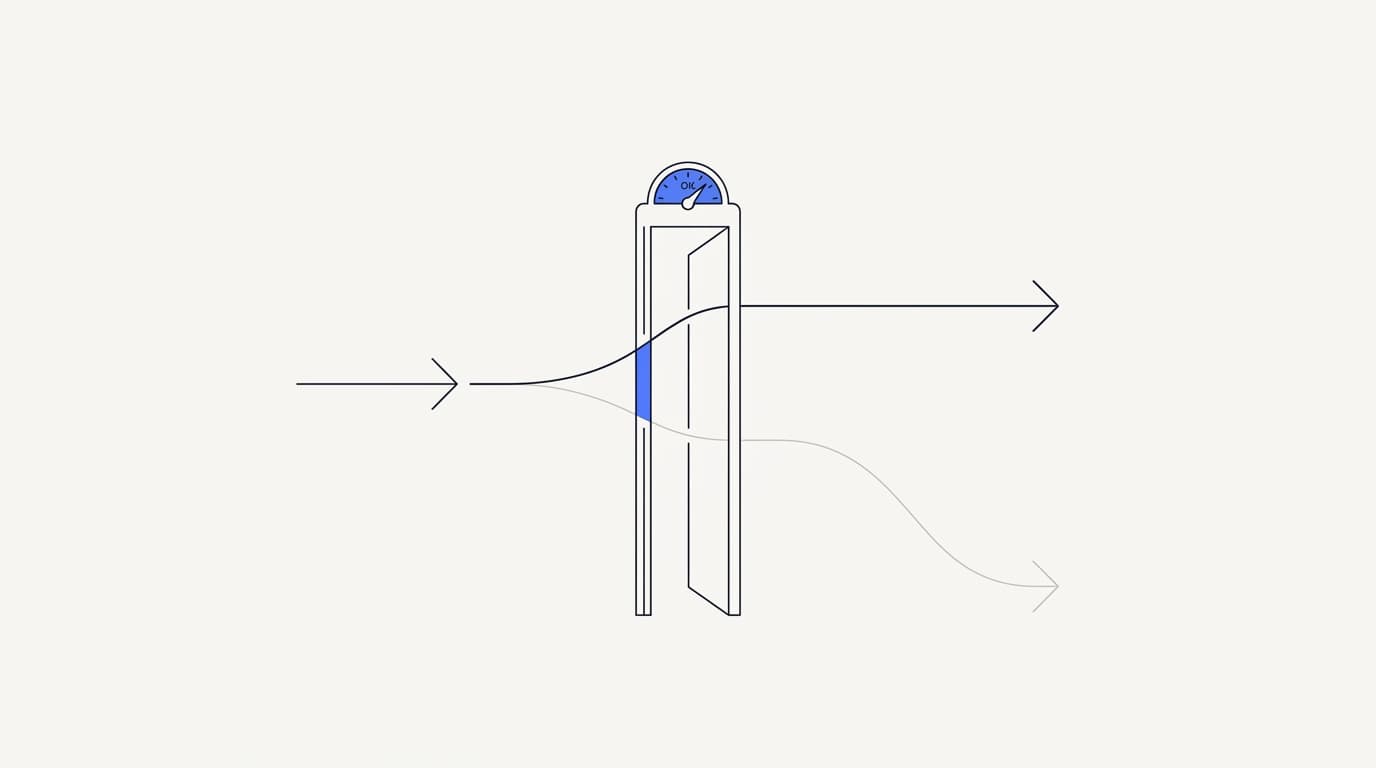
The bravest thing a support agent can do is say it does not know. A confidence threshold is the setting that makes refusal possible, by giving the agent a bar it must clear before it answers at all. Below the bar it declines or escalates instead of guessing, and that single behavior removes a whole class of hallucination.
The principle is that a refusal is a correct answer to a question you cannot ground. A customer told the agent will fetch a human loses a few minutes, while a customer given a confidently wrong answer loses trust and may act on bad information. The second failure is far more expensive, which is why a good agent is tuned to prefer the first.
Set the bar before you see results, not after. A common shape is to require a strong retrieval match before the agent answers factual questions, and to escalate anything below it rather than stretch a weak match into a full reply. The exact threshold is yours to tune, but the direction is fixed: when unsure, refuse and route, do not guess.
Watch what the threshold costs you, because too strict is its own failure. An agent that refuses everything is safe and useless, so track the escalation rate in your analytics and find the point where the agent answers what it can ground and hands off the rest. That balance, not zero escalations, is the target.
Add guardrails that scope what the agent can answer
 Communicate.so
Guardrails decide what the agent is allowed to attempt in the first place. A confidence threshold catches a weak answer, but a guardrail stops the agent from even trying a question that is out of bounds. The two work together, one bounding the topics and one bounding the certainty.
Scope the topics first. An agent built for billing questions should decline legal advice, medical questions, and competitor comparisons by design, not by luck, and AI agent guardrails covers how to draw those lines. Then scope the actions separately, because answering a question is low risk while changing an order or issuing a refund is not.
The reason scope reduces hallucinations is simple: every question the agent refuses to attempt is a question it cannot get wrong. Narrowing the agent to what your documents actually cover means the model is never in the position of completing a sentence about something it has no source for. Scope is not a limitation on a good agent, it is most of what makes it good.
Guardrails also protect against inputs designed to break them. A customer, or an attacker, may try to talk the agent out of its rules with a crafted prompt, a risk the OWASP project catalogs among its top LLM concerns. Grounded scope and refusal behavior are part of the defense, and the security page states what the product does and does not guarantee.
Keep a human handoff as the safety net
No stack of tactics gets the hallucination rate to zero, so the last line of defense is a person. Human handoff is not an admission the AI failed, it is the design that makes trusting the AI safe, because the conversations it should not answer reach someone who can. An agent without a handoff has nowhere to put the questions it cannot ground.
The handoff has to be clean to be worth anything. A conversation the agent escalates should reach a human without the customer repeating themselves, which is the pattern covered in AI to human handoff in support. Communicate's Shared Inbox locks a thread to human mode the instant an agent opens it, so the AI steps back the moment a person steps in.
There is a subtler failure the handoff has to prevent: the AI replying over a human mid-conversation. Communicate pairs presence-based takeover with a per-turn backstop, so even in the race between a human starting to type and the agent generating a reply, the human's turn wins. That prevents the worst version of a hallucination, one delivered on top of a person actively correcting it.
The escalation direction is the one that matters. When retrieval finds nothing and confidence is low, the agent should fail toward a human rather than toward a guess, so the safety net catches exactly the conversations the AI should not have touched. An agent that fails safe is trustworthy in a way that a more fluent one without a handoff never is.
Test and monitor so hallucinations stay rare
 Communicate.so
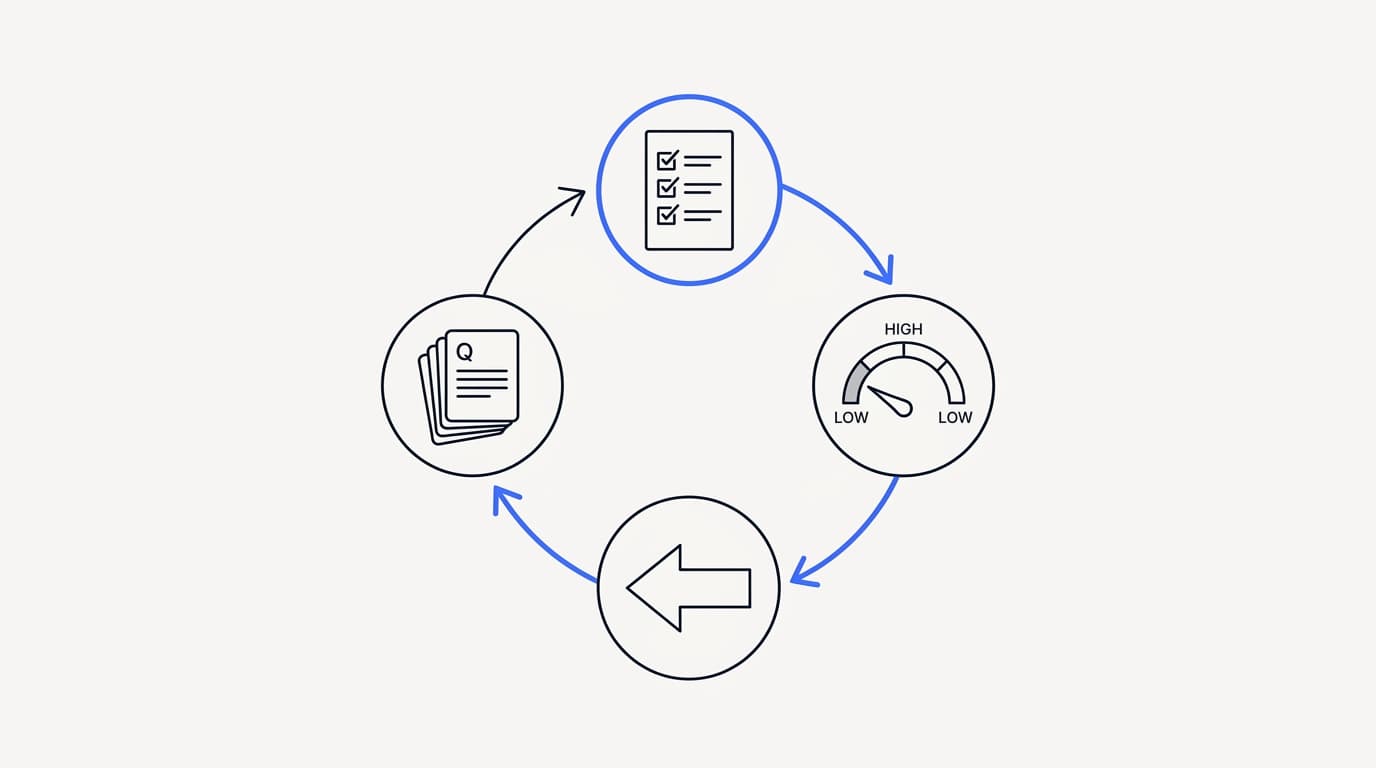
A hallucination rate you never measure is one you cannot manage. Testing before launch and monitoring after it are what turn a one-time setup into a system that stays accurate as your product and questions change. This is the discipline that separates the agents that hold up from the ones that quietly rot.
Test on your own material, not a demo script. Pull 50 to 100 real questions from your ticket history, weighted toward your highest-volume topics and the ugly half-typed ones customers actually send, and score each answer on whether it was correct and whether it escalated when it should have. Communicate's one-time $1 activation includes 100 test credits for exactly this, and the AI support agent implementation guide walks the sequence.
Set a go/no-go bar before you read the results. A common shape is to require high factual accuracy with zero invented answers on out-of-scope questions, because an agent that guesses confidently on something it should have refused fails no matter how fluent it sounds. Grade the refusals as wins, not gaps.
After launch, monitoring is continuous, not a one-time gate. Watch the escalation reasons in your analytics, because the questions the agent keeps failing on are a map of the documents you still need to write. Nearly all of the accuracy you gain after launch comes from closing those gaps, not from touching the model.
Reduced, not eliminated: the honest limit
You can make hallucinations rare, you cannot make them impossible. A language model is a probabilistic system, and probabilistic systems have a nonzero failure rate no matter how well you bound them. Gartner projects that by 2029, agentic AI will autonomously resolve 80% of common customer service issues without human intervention (Gartner), and the share it does not is exactly why the human safety net is permanent.
This is why the tactics stack rather than compete. Grounding removes most of the risk, a good knowledge base removes most of what grounding cannot, confidence thresholds and guardrails catch more, and the handoff catches the rest. No single layer is enough, and the honest goal is a rate low enough to trust with a person behind it, not a promise of zero.
Be suspicious of any tool that claims to eliminate hallucinations outright. The realistic claim is a low, measured rate with a clean escalation path, and a vendor who says otherwise is describing a product that does not exist, as the AI customer support software buyer guide argues. Reduced and monitored beats a promise of perfect every time.
| Approach | Actually helps | Just sounds good |
|---|---|---|
| Grounding on your own data | ✓ | ✗ |
| A bigger or newer model on its own | ✗ | ✓ |
| A clean, current knowledge base | ✓ | ✗ |
| Confidence thresholds and refusal | ✓ | ✗ |
| Guardrails that scope topics and actions | ✓ | ✗ |
| A prompt that just says do not hallucinate | ✗ | ✓ |
| A human handoff as the safety net | ✓ | ✗ |
Read that table as the difference between working on the cause and decorating the symptom. The rows that help all change what the agent answers from or whether it answers at all, while the rows that only sound good leave the model free to guess. A prompt telling the model not to hallucinate is not a control, it is a wish.
Where Communicate fits, honestly
Communicate is built around grounded answers, so it fits teams that want an agent to carry volume without inventing facts and hand off when it cannot. If you want a chatbot that will say anything to seem helpful, it is the wrong tool, and you should know that going in. The AI Agents overview is the shortest way to see the shape of it.
Here is what it does. The agent trains on your own data through grounded retrieval and hands off when it is not confident, giving grounded answers rather than ungrounded completion. The Shared Inbox uses presence-based human takeover with a per-turn backstop, so the AI never talks over a person mid-reply.
On the model, Communicate runs a single model, gpt-4o-mini through OpenRouter, with response and prompt caching to keep cost and latency down. That is deliberate simplicity, because the data you connect drives answer quality far more than the model badge. One tuned model on good, grounded data hallucinates less than a model-picker on thin data ever will.
On pricing there is no free tier. Entry is a one-time $1 activation that confirms you are a real person and includes 100 test credits, then credit-based usage from there, which is enough to test the agent on your own ugly questions before you trust it live. Spend those credits on the half-typed edge cases, because those are where hallucinations hide.
Now the honest limits. Communicate is GDPR-ready but not certified, holds no SOC 2, HIPAA, or ISO 27001, runs in a single region, and does not offer SSO. Its live channels are the web widget, live chat, and email, with in-app messages, analytics, and scoped actions from the same agent, and it does not support WhatsApp, Messenger, SMS, voice, or social DMs.
The security page states the posture and the gaps plainly, and questions go to [email protected].
Key takeaways
- You can reduce AI hallucinations in customer support, but you cannot eliminate them, so the goal is a low, measured rate with a human behind it.
- A hallucination is the model filling a gap with a fluent guess, so every fix works by removing the gap or catching the guess before a customer sees it.
- Grounding on your own data is the strongest tactic, and it is only as good as the knowledge base it retrieves from.
- Confidence thresholds let the agent refuse, and guardrails scope what it may answer, so it never completes a sentence it has no source for.
- Human handoff is the safety net, and testing plus monitoring on your real questions is what keeps the hallucination rate low over time.
Ready to see how often your agent guesses versus grounds? Start with a one-dollar account activation that includes 100 test credits, feed it your real support questions, and measure the hallucination rate before you commit. If you are earlier in the journey, how to build an AI customer support agent is the right next read.
Frequently asked questions
What is an AI hallucination in customer support?
A hallucination is when the AI agent produces a fluent, confident answer that is not grounded in your actual facts. In support it looks like an invented refund window, a feature you do not offer, or steps for a screen that does not exist. It is dangerous precisely because it reads as authoritative, so a customer cannot tell it from a correct answer.
Can you fully eliminate AI hallucinations?
No, and any vendor claiming otherwise is overselling. A language model is probabilistic, so it has a nonzero failure rate no matter how well you bound it. The realistic goal is a low, measured rate with grounding, guardrails, and a human handoff behind it, not a promise of zero.
What causes an AI support agent to hallucinate?
Four causes account for most of it: a missing answer your knowledge base never covered, contradictory documents the model blends, ungrounded generation that answers from training, and over-broad scope that lets the agent attempt questions it should refuse. Each tactic for reducing hallucinations targets one of these directly. Fix the cause rather than chasing the symptom.
What is grounding and how does it reduce hallucinations?
Grounding means the agent retrieves relevant passages from your own documents and answers from those passages rather than its training. When there is no matching text, a grounded agent produces no confident answer, which removes the gap the model would otherwise fill with a guess. The mechanics are covered in RAG for customer support.
Does a bigger or newer model reduce hallucinations?
Barely, compared with grounding and a good knowledge base. A larger model can be more fluent while still inventing facts, because fluency is not accuracy. The data you connect and whether the agent answers only from it matter far more than the model badge.
How does a knowledge base affect hallucinations?
The knowledge base is the ceiling on accuracy, because grounding can only retrieve what exists. Thin, stale, or contradictory documents produce confident nonsense even with perfect retrieval. Closing content gaps and keeping one canonical answer per topic is where most of the real work of reducing hallucinations happens.
What is a confidence threshold?
A confidence threshold is a bar the agent must clear before it answers at all. Below the bar, it refuses or escalates instead of guessing, which removes a whole class of hallucination. Set the bar before you see results, and tune it so the agent answers what it can ground and hands off the rest.
Should an AI agent ever refuse to answer?
Yes, and refusal is one of the most valuable behaviors it has. A refusal is a correct answer to a question the agent cannot ground, and it is far cheaper than a confidently wrong reply the customer acts on. Grade an agent that escalates when unsure as working, not failing.
What are guardrails in an AI support agent?
Guardrails decide what the agent is allowed to attempt in the first place, scoping the topics it will handle and the actions it can take. Every question it refuses to attempt is a question it cannot get wrong, so scope is a safety move, not a limitation. Drawing those lines is covered in AI agent guardrails.
How does human handoff help with hallucinations?
Human handoff is the safety net for the conversations the agent should not answer. When retrieval finds nothing and confidence is low, the agent fails toward a person rather than toward a guess, so the risky questions reach someone who can handle them. Communicate's Shared Inbox makes that handoff clean with presence-based takeover.
What is the chatTurn backstop?
The chatTurn backstop is a safeguard that stops the AI agent from replying over a human mid-conversation. Even in the race between a human starting to type and the agent generating a reply, the human's turn wins. It works alongside presence-based takeover to prevent the worst version of a hallucination, one delivered on top of a person actively correcting it.
How do I test my agent for hallucinations?
Test on your own material, not a demo script. Pull 50 to 100 real questions from your ticket history, weighted toward high-volume topics and the ugly half-typed ones customers send, and score each answer on correctness and whether it escalated when it should have. Communicate's $1 activation includes 100 test credits for exactly this, and the AI support agent implementation guide walks the sequence.
What accuracy bar should I set before launch?
Set a go/no-go bar before you read the results, so the number does not move to fit the tool. A common shape is high factual accuracy with zero invented answers on out-of-scope questions. An agent that guesses confidently on something it should have refused fails, no matter how fluent it sounds.
How do I monitor hallucinations after launch?
Monitoring is continuous, not a one-time gate. Watch the escalation reasons in your analytics, because the questions the agent keeps failing on are a map of the documents you still need to write. Nearly all of the accuracy you gain after launch comes from closing those content gaps.
Are AI hallucinations a security risk?
They can be, and a related risk is a crafted prompt that tries to talk the agent out of its rules. The OWASP project catalogs prompt injection and related issues among its top LLM concerns. Grounded scope and refusal behavior are part of the defense, and the security page states what the product guarantees.
Does prompting the model to not hallucinate work?
Not on its own. Telling a model not to hallucinate is a wish, not a control, because it does not change what the model answers from. Real reduction comes from grounding, a good knowledge base, confidence thresholds, guardrails, and a handoff, which change the behavior rather than request it.
What model does Communicate use for its AI agent?
Communicate runs a single model, gpt-4o-mini through OpenRouter, with response and prompt caching to keep cost and latency down. Sticking to one tuned model with grounded retrieval is deliberate, because the data you connect drives answer quality far more than swapping models does.
What channels does Communicate support?
Communicate's live channels are a web widget, live chat, and email, plus in-app messages, and the same grounded agent and knowledge base serve all of them. It does not support WhatsApp, Messenger, SMS, voice, or social DMs. Running one grounded agent across the supported surfaces is part of what keeps answers consistent and low-risk.
Is my data safe with an AI agent handling support?
The data you connect for retrieval passes through the agent, so the security posture is part of the product. Communicate encrypts data at rest, offers TOTP two-factor authentication, isolates each workspace, and supports self-serve export and cascading delete. It is GDPR-ready but not certified, with no SOC 2, HIPAA, or ISO 27001, documented on the security page.
Questions go to [email protected].
How much does it cost to test an agent for hallucinations?
Communicate has no free tier. Entry is a one-time $1 activation that confirms you are a real person and includes 100 test credits, then credit-based usage from there. That is enough to run your real ticket history through the agent and measure its hallucination rate before you commit to it live.