
How to reduce a support ticket backlog: a triage-first 30 day playbook
 Communicate.so
Reduce a support ticket backlog with a triage-first playbook: sort the queue before adding headcount, with a 30 day sequence.
TL;DR: A growing support ticket backlog reads like a staffing shortage, and most of the time it is a queue design problem wearing a staffing costume. This guide takes the position that triage comes before hiring, with a 30 day sequence that sorts the backlog by cause in the first week, kills the repeat-offender tickets in the second and third weeks, and only reaches for headcount in the fourth week if the number genuinely will not move. Unthread's 2026 research on backlog statistics and Lorikeet's enterprise deflection benchmarks both point the same direction: most backlogs are inflated by the same handful of documented questions arriving again and again, not by a true shortage of hands. The playbook below names which causes triage fixes, which ones need process changes, and which ones actually require adding a person, and it argues that skipping straight to hiring locks in the queue design mistakes that built the backlog in the first place.
A support backlog is the number a manager checks every morning with dread, and it is also one of the most misdiagnosed numbers in the whole operation. The instinct when a backlog climbs past a comfortable size is to ask for another hire, and that instinct is usually wrong, because most backlogs are built from the same few documented questions arriving faster than anyone sorts them, not from a genuine shortage of people.
This guide argues a backlog is a queue problem before it is a staffing problem, and it lays out a 30 day, triage-first sequence to prove it. The first week sorts and measures rather than answers, the second and third weeks attack the patterns that keep refilling the queue, and only the fourth week asks whether a real staffing gap remains once the noise is gone.
This is written for a support lead staring at a backlog that will not shrink no matter how fast the team replies. If your queue is genuinely a staffing gap after triage, support escalation workflow design covers the next layer, routing the cases that do need a specialist to the right person without adding delay.
Why a backlog is a queue problem before a staffing problem
A backlog grows when intake outpaces resolution, and the fastest way to close that gap is not always more people. A queue with poor triage sends every ticket through the same slow path regardless of how simple the question is, and a five-second answer waits behind a genuinely hard case for no reason other than arrival order. Fixing the order tickets get worked in often closes more of the gap than adding a person to work the same broken order faster.
Unthread's 2026 research into backlog statistics found that AI-driven triage cut ticket backlogs by up to 55% in documented deployments where a first line of automated sorting handled level-one volume before it reached a human queue. That number is a triage result, not a headcount result, and it is the core evidence behind putting triage first in this playbook.
The staffing instinct is not wrong forever, it is wrong first. Real understaffing exists, and this guide covers exactly when to reach for it in the fourth week. The mistake is reaching for it in week one, before anyone has checked whether the backlog is actually a sorting problem wearing a staffing costume, a distinction the deflection versus resolution guide also draws out in more depth.
What a healthy backlog looks like versus an unhealthy one
 Communicate.so
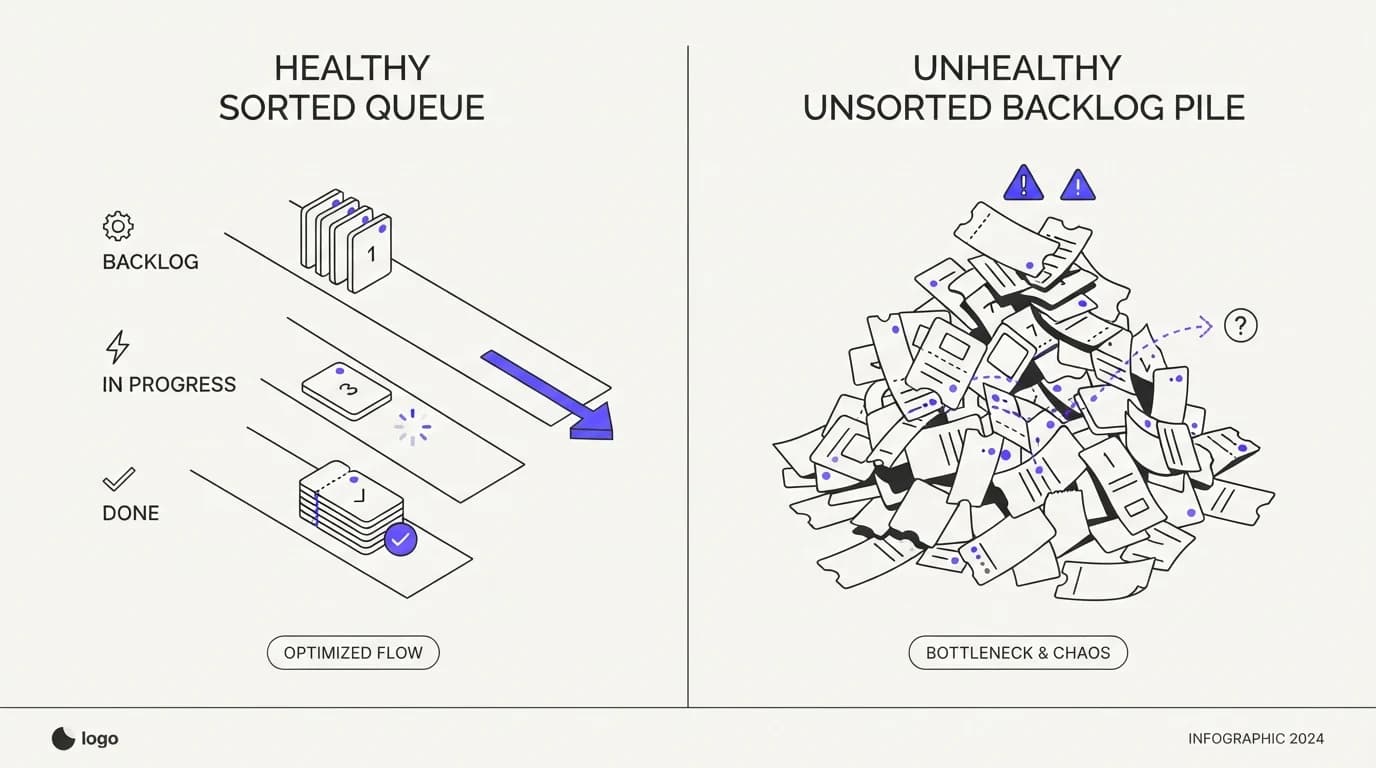
A healthy backlog is small, aging slowly, and dominated by genuinely complex cases that take time by nature. An unhealthy backlog is large, aging fast, and dominated by simple, repeated questions that should never have waited in a queue at all. The size of the number matters less than what is sitting inside it.
The diagnostic question is not how big is the backlog, it is what is in the backlog. Pull a random sample of fifty open tickets and sort them by whether the answer already exists in your documentation. If most of them do, the backlog is a triage and knowledge base problem, not a headcount problem, and no amount of hiring fixes a documentation gap.
An unhealthy backlog also tends to age unevenly. Simple tickets sit for days behind complex ones purely because of arrival order, while a genuinely healthy queue resolves simple tickets fast regardless of when they arrived and lets complex cases take the time they legitimately need. That unevenness is the signature of a sorting failure, not a capacity failure.
The triage-first playbook: sort before you solve
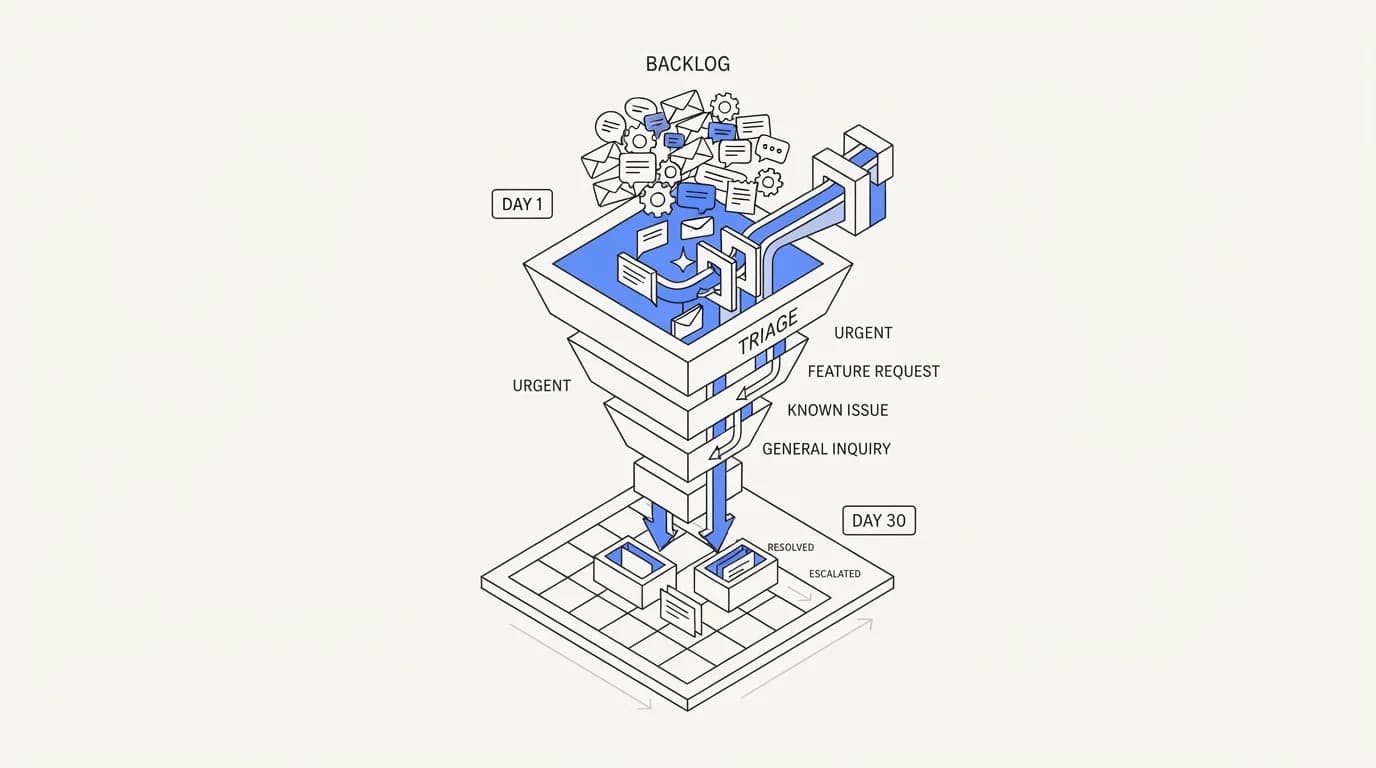
Triage-first means the queue gets sorted by cause and complexity before anyone works through it in arrival order. This single change often produces the fastest visible drop in backlog size, because it lets a team close the easy majority quickly while the harder minority gets the time it actually needs, instead of both categories waiting in the same line.
Sorting takes three passes. The first pass separates tickets with a documented, existing answer from tickets that need real investigation. The second pass groups the documented-answer tickets by topic, because a cluster of twenty tickets about the same billing question is a five-minute batch fix, not twenty separate replies.
The third pass flags anything that looks like a pattern worth fixing at the source, not just answering again.
This is where a shared inbox earns its keep over a raw mailbox, because sorting and batching require seeing the whole queue at once rather than working it ticket by ticket in isolation. A tool that shows topic clustering and age together turns triage from a manual guess into a five-minute morning routine.
Days 1 to 7: stop the bleeding and audit the queue
 Communicate.so
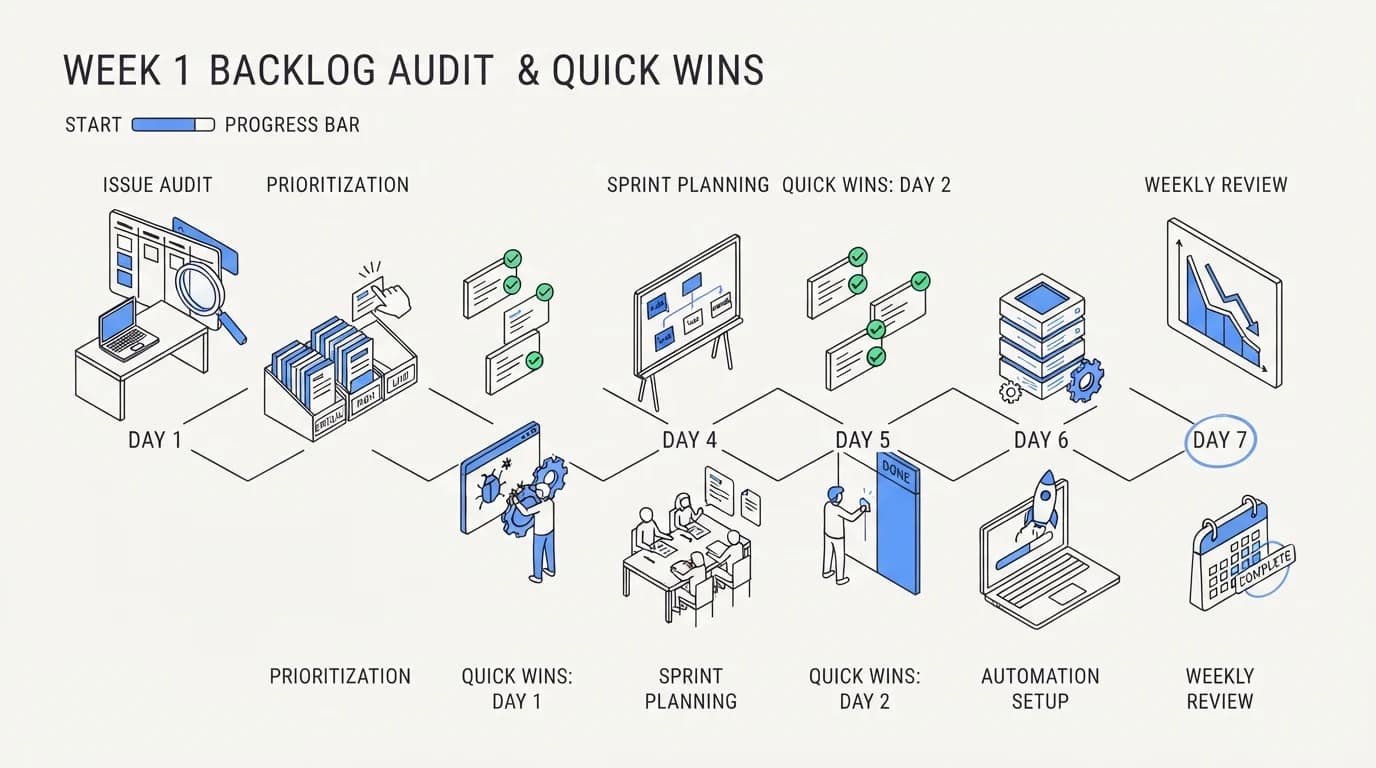
Week one is not about answering everything, it is about understanding what you are looking at. Pull every open ticket and tag it by topic, age, and whether an existing document already answers it. This audit alone usually reveals that a shockingly large share of the backlog is the same three or four questions repeated dozens of times.
Close the documented-answer tickets first, in batches by topic, since answering the same question twenty separate times wastes the exact hours you are trying to recover. Set a hard rule for week one: any ticket with an existing documented answer gets closed within 24 hours, no exceptions, because letting those sit is what let the backlog grow in the first place.
By the end of week one you should have a number for what share of the backlog was genuinely complex versus documented-but-unsorted. That split decides how much of weeks two and three focus on process fixes versus how much of week four, if any, should focus on staffing.
Communicate the audit result to the team before moving into week two, because the sequence only works if everyone is batching by pattern rather than quietly reverting to answering tickets in arrival order out of habit. A short daily standup during week one, reviewing what the audit is finding, keeps the whole team aligned on the plan rather than working at cross purposes.
Days 8 to 20: batch by pattern and kill the repeat offenders
The second and third weeks target the patterns identified in the audit, not individual tickets. If forty tickets in the past month asked the same billing question, the fix is not answering ticket forty-one faster, it is fixing the documentation or the product flow that keeps generating the question, a discipline the train AI on your help center guide covers from the content side.
Rank the repeat patterns by volume and fix the top three first. A pattern responsible for 15% of total ticket volume, once documented or fixed at the source, removes that share from every future week's backlog, not just this week's. This compounding effect is why pattern fixes outperform faster individual replies over any stretch longer than a few days.
Assign a single owner for each of the top three patterns rather than leaving the fix to whoever has spare time, because a fix without an owner tends to sit half-finished for weeks. The owner's job is narrow: write or update the documentation, confirm the fix removed the pattern from new tickets over the following week, and report back before moving to the next pattern on the list.
Track the backlog daily during this stretch, not weekly, because pattern fixes should show a visible bend in the trend line within days if they are working. Lorikeet's benchmark research places enterprise deflection at a median of 41.2%, with top-quartile teams reaching 58.7% (Lorikeet), and closing that gap between median and top quartile is largely a documentation and pattern-fixing exercise, not a staffing one.
Days 21 to 30: build the guardrails that prevent regrowth
A backlog that shrinks and then quietly regrows within a month has not actually been fixed, it has been temporarily cleared. Week four builds the guardrails that keep the pattern from reforming: a rule that any question repeated more than five times triggers a documentation update, and a weekly ten-minute review of new patterns before they compound into a real backlog again.
Set a queue-age alert rather than only a queue-size alert. A backlog can hold steady in total count while individual tickets quietly age past your response commitments, and an age-based alert catches that failure mode where a raw size number would not. This is also where support escalation workflow design matters, because a ticket that ages past its window should escalate automatically rather than sit until someone notices.
The 30 day mark is a checkpoint, not a finish line. A backlog that has genuinely dropped through triage and pattern fixes should be re-measured against the same audit method used in week one, and the guardrails built in week four should stay in place permanently, not get abandoned once the number looks better.
Assign ownership for the guardrail review explicitly, because a rule with no named owner tends to quietly stop happening after the first busy week. A ten-minute weekly slot on one person's calendar, checking new patterns against the analytics view, is enough to catch a new repeat question before it accumulates into a real problem again.
| Backlog cause | Fixed by triage or process | Fixed by adding headcount |
|---|---|---|
| Repeated documented questions | ✓ | ✗ |
| Poor ticket sorting or routing | ✓ | ✗ |
| Documentation gap driving a pattern | ✓ | ✗ |
| Broken escalation workflow | ✓ | ✗ |
| Seasonal or launch-driven spike | ✓ | ✗ |
| Genuine sustained volume above capacity | ✗ | ✓ |
| Team lacking specialist expertise | ✗ | ✓ |
When staffing actually is the right fix
Staffing is the right fix when, after triage and pattern fixing, the backlog still climbs because sustained ticket volume genuinely exceeds the team's working capacity. That is a real and common situation, and this guide is not arguing hiring is never the answer, only that it should be the fourth answer, not the first.
The clearest signal that staffing is the real gap is a backlog composed mostly of genuinely complex, non-repeating cases that each take real investigation time. If your week one audit showed most of the backlog was documented-answer tickets, staffing will not fix that. If it showed most tickets were unique and complex, staffing is a legitimate lever to pull.
A second signal is a resolution time that stays high even after triage and documentation fixes land, which points at a genuine capacity ceiling rather than a process gap. Pair a staffing decision with the cost per ticket figure from your KPI dashboard, since a hire only pays for itself if the backlog reduction it produces is worth more than its loaded cost.
Time the hire against the post-triage number, not against the moment the backlog feels most stressful. A backlog that looks alarming in week one often shrinks by half once documented-answer tickets are batched and closed, and hiring before that reduction plays out means paying for headcount to solve a problem triage was already fixing on its own.
How AI agents change backlog math
 Communicate.so
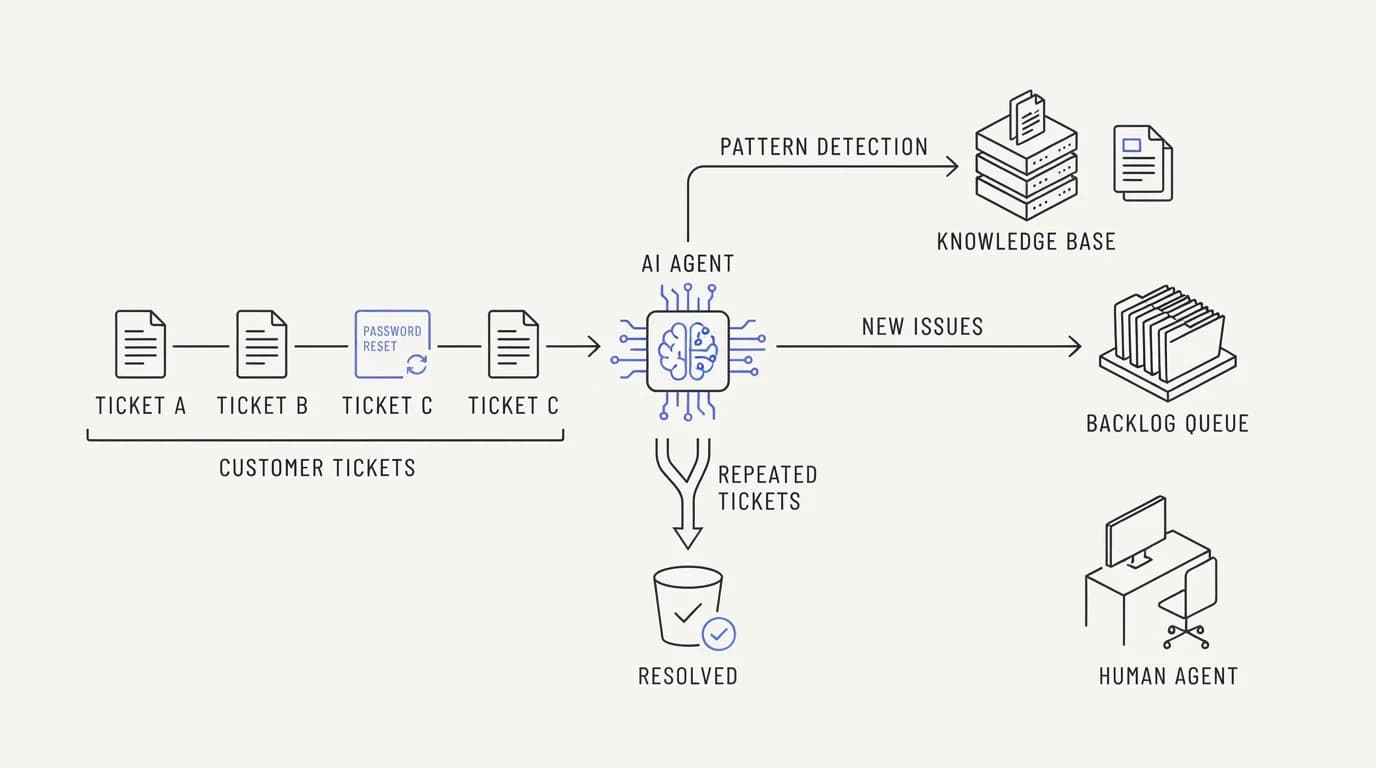
An AI agent grounded in your documentation changes backlog math by intercepting the repeated-question majority before it ever becomes a ticket a human has to triage. IDC has forecast that by 2026, 55% of support tickets will be initially routed by AI rather than a human, according to DevRev's enterprise triage playbook, which reframes triage from a manual morning task into a continuous automated first pass.
This does not replace the 30 day playbook, it accelerates the parts that used to take the longest. Pattern identification, which used to require a manual audit, happens automatically as the agent logs which documented questions it answers most often, turning weeks two and three of the sequence into a running report instead of a one-time sprint.
The honest caveat is that an ungrounded agent creates a different failure mode, adding wrong answers to a backlog instead of removing right ones. Reducing AI hallucinations in support is the prerequisite for trusting an agent with this role, and skipping that step to chase a faster backlog number is a trade that backfires within weeks.
Common mistakes that make a backlog worse
 Communicate.so
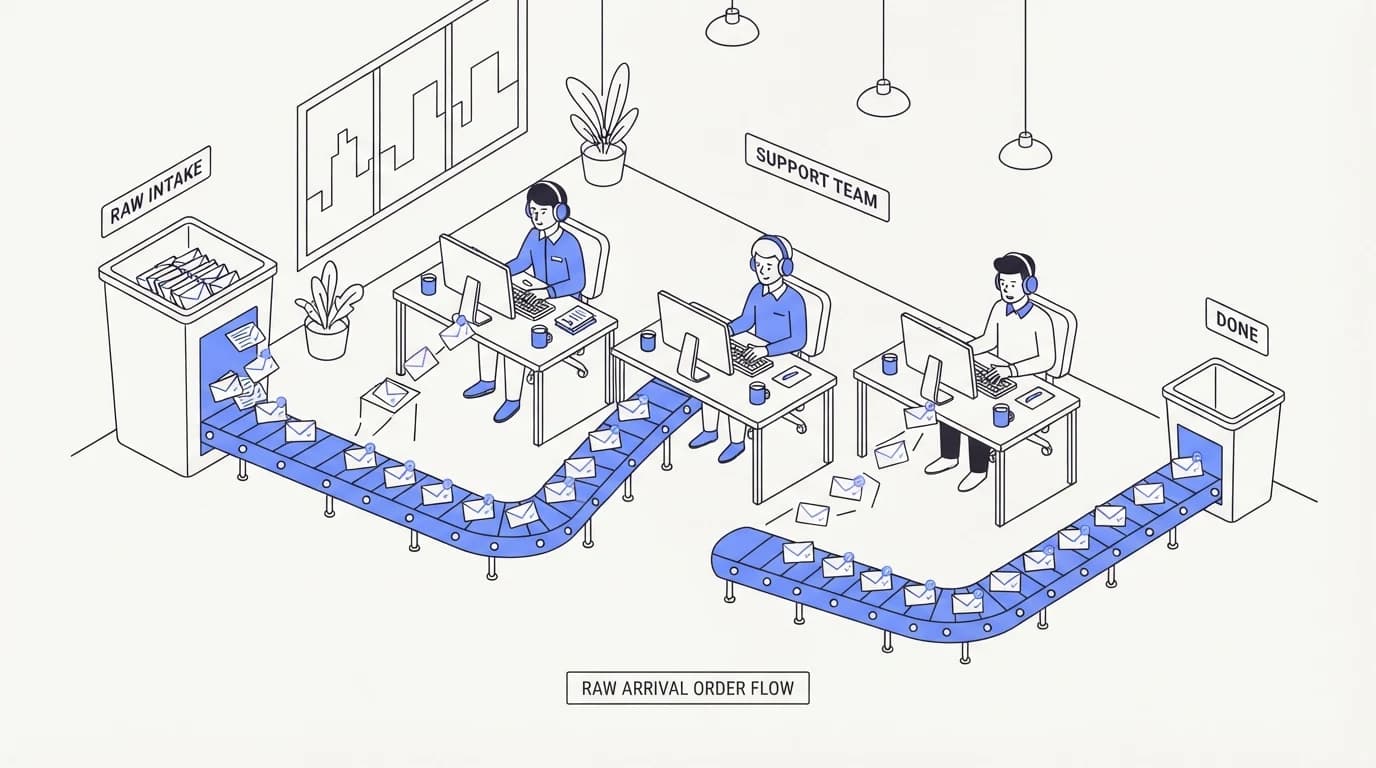
The most common mistake is working the backlog in strict arrival order, which treats a five-second documented answer and a genuinely hard investigation as equally urgent simply because of when they showed up. This single habit is responsible for more backlog growth than almost any staffing gap.
A second mistake is measuring backlog size without measuring backlog age or composition, which hides whether the number is trending toward a real problem or just holding steady with a healthy mix. A third mistake is hiring before auditing, which locks in whatever queue design mistakes built the backlog and simply throws more hours at the same broken sorting, a pattern the support escalation workflow guide addresses from the routing side.
A fourth mistake is treating a temporary backlog clear as a permanent fix and skipping the guardrail step. Without a rule that catches repeated patterns early, the same documentation gaps that built the original backlog will quietly rebuild it within a month or two, and the team ends up running this playbook again from scratch.
A fifth mistake is running the audit once and never again. Products change, new features ship, and new documentation gaps open up constantly, so a team that treats the week one audit as a one-time event will watch the backlog composition drift back toward repeated, undocumented questions within a quarter, even with the guardrails from week four in place.
Where Communicate fits, honestly
Communicate pairs a grounded AI agent with a shared inbox that surfaces topic clustering and ticket age together, which is the exact view the triage-first audit in week one needs. The AI layer intercepts documented, repeated questions automatically, and the inbox groups what remains by pattern so a human triage pass takes minutes instead of hours.
The honest limit is that Communicate does not run a full workforce-management or staffing-forecast module, so the week four staffing decision in this playbook still needs your own capacity planning process, informed by the cost per ticket data it reports. Entry is a one-time $1 activation with 100 test credits, detailed on the pricing page, and questions go to [email protected].
Frequently asked questions
What causes a support ticket backlog?
A backlog most often grows because ticket intake outpaces sorted resolution, not because a team lacks people. The most common specific causes are repeated documented questions arriving faster than anyone batches them, poor ticket sorting that treats simple and complex cases the same, and documentation gaps that generate the same question again and again.
Is a support ticket backlog a staffing problem?
Sometimes, but usually not first. Unthread's 2026 backlog research found AI-driven triage cut backlogs by up to 55% in documented deployments, evidence that most of the reduction available in a typical backlog comes from sorting and pattern fixes rather than headcount (Unthread). Staffing becomes the right fix only after triage and pattern fixing still leave a genuine capacity gap.
How long does it take to reduce a support ticket backlog?
This playbook targets 30 days: one week to audit and stop the bleeding on documented-answer tickets, two weeks to batch-fix the repeat patterns responsible for most of the volume, and a final week to build guardrails that prevent the backlog from silently regrowing. Most teams see a visible bend in the trend line within the first ten days if the audit correctly identified the repeat patterns.
What is ticket triage?
Ticket triage is sorting a queue by cause, complexity, and whether an existing answer already covers the question, before working through tickets in raw arrival order. Proper triage lets a team close the documented-answer majority quickly while giving genuinely complex cases the investigation time they need, instead of both categories waiting in the same line.
Should I hire more support agents to clear a backlog?
Only after triage and pattern fixing, and only if a real capacity gap remains. Hiring before auditing locks in whatever queue-sorting mistakes built the backlog in the first place, and a new hire working the same unsorted queue produces the same uneven aging pattern the original team had, a trap the support escalation workflow guide also warns against.
What is the difference between backlog size and backlog age?
Backlog size counts how many tickets are open right now. Backlog age tracks how long each open ticket has been waiting, and a queue can hold a steady size while individual tickets quietly age past your response commitments. Tracking age alongside size catches a failure mode that size alone hides completely.
How do I audit a support ticket backlog?
Pull a sample of open tickets, ideally fifty or more, and tag each one by topic, age, and whether an existing document already answers the question. The share of tickets with a documented answer already available tells you how much of the backlog a triage and documentation fix can remove versus how much genuinely needs investigation time.
Can AI agents reduce a support ticket backlog?
Yes, when grounded in accurate documentation. An AI agent intercepts the repeated-question majority before it becomes a ticket a human has to sort, and IDC has forecast 55% of tickets being initially routed by AI by 2026 (DevRev). An ungrounded agent creates the opposite effect, adding wrong answers that generate follow-up tickets instead of preventing them.
What is a healthy backlog size?
There is no universal healthy number, since backlog size scales with team size and volume. A better test is composition and age: a healthy backlog is dominated by genuinely complex, non-repeating cases aging at a rate proportional to their complexity, not by simple documented questions sitting for days purely because of arrival order.
How do I stop a backlog from regrowing after I clear it?
Build a guardrail rule that any question repeated more than a set number of times triggers a documentation update, and run a short weekly review of new patterns before they compound. A backlog that gets cleared once without this step almost always rebuilds within a month or two, because the underlying documentation gaps that created it are still there.
What KPI should I track alongside backlog size?
Track backlog age and resolution time alongside raw backlog count, and pair both with cost per ticket if you are evaluating a staffing decision. Size alone hides whether the number is trending toward a real problem, and the other two metrics reveal whether a shrinking backlog is a genuine fix or a temporary clear.
Does batching tickets by topic actually save time?
Yes, and the savings compound with volume. Answering the same documented question twenty separate times costs roughly twenty times the effort of writing one clear answer and applying it across a batch, and batching also surfaces patterns worth fixing at the documentation or product level that individual replies never would.
What role does documentation play in backlog reduction?
Documentation is the most common root cause behind repeat-pattern tickets, and fixing a gap in your help center removes that pattern's volume from every future week, not just the current backlog. The train AI on your help center guide covers building documentation that both a human agent and an AI agent can rely on for accurate, repeatable answers.
How does a shared inbox help with backlog triage?
A shared inbox that shows topic clustering and ticket age across the whole queue turns triage from a manual guess into a fast visual scan, because a team can see which patterns are driving volume without opening each ticket individually. A raw mailbox without that view forces triage to happen ticket by ticket, which is slower and misses patterns entirely.
What is the risk of ignoring a growing backlog?
A growing backlog compounds, because tickets waiting longer generate follow-up messages asking for status, which adds volume on top of the original problem. It also erodes trust, since customers who wait past a reasonable window escalate through other channels, including public reviews and social media, adding reputational cost on top of the operational one.
Should escalation rate change during a backlog reduction effort?
Escalation rate often rises briefly during week one of this playbook as the audit surfaces cases that were sitting in the queue without proper routing, and that is a healthy sign of correction, not a new problem. Once the support escalation workflow is fixed alongside the backlog, escalation rate should settle at a stable, lower baseline than before the audit began.
How often should I re-run a backlog audit?
A full audit like the one in week one of this playbook is worth repeating quarterly, or immediately after a major product launch that is likely to generate a new wave of repeated questions. Between full audits, a lighter weekly pattern review, built as a guardrail in week four, should catch new issues before they compound into a fresh backlog.
Can a small support team run this 30 day playbook without extra tools?
Yes, the audit and batching steps can be done manually with a spreadsheet and disciplined tagging, though the process is slower without a tool that clusters tickets by topic automatically. A small team gains the most from automating the pattern-detection step first, since that is the most time-consuming manual task in the whole sequence.
What is the biggest mistake teams make when trying to reduce a backlog?
Working the queue in strict arrival order without sorting first. This single habit treats a five-second documented answer the same as a genuinely complex investigation purely because of when each ticket arrived, and it is responsible for more backlog growth over time than most staffing gaps.
How does seasonal demand affect backlog reduction strategy?
A seasonal spike inflates backlog size temporarily without changing the underlying documentation or routing quality, so the triage-first response is the same audit and batching sequence, run faster and with tighter daily check-ins during the spike window. Adding temporary staffing for a known seasonal peak is a reasonable exception to the triage-first order, since the volume increase is predictable and time-bound rather than a permanent capacity gap. The distinction that matters is whether the spike ends.
A permanent volume increase after a product launch deserves the full triage-first sequence, while a two-week holiday surge deserves temporary coverage and nothing more.