
Voiceflow alternative: who owns the agent after launch
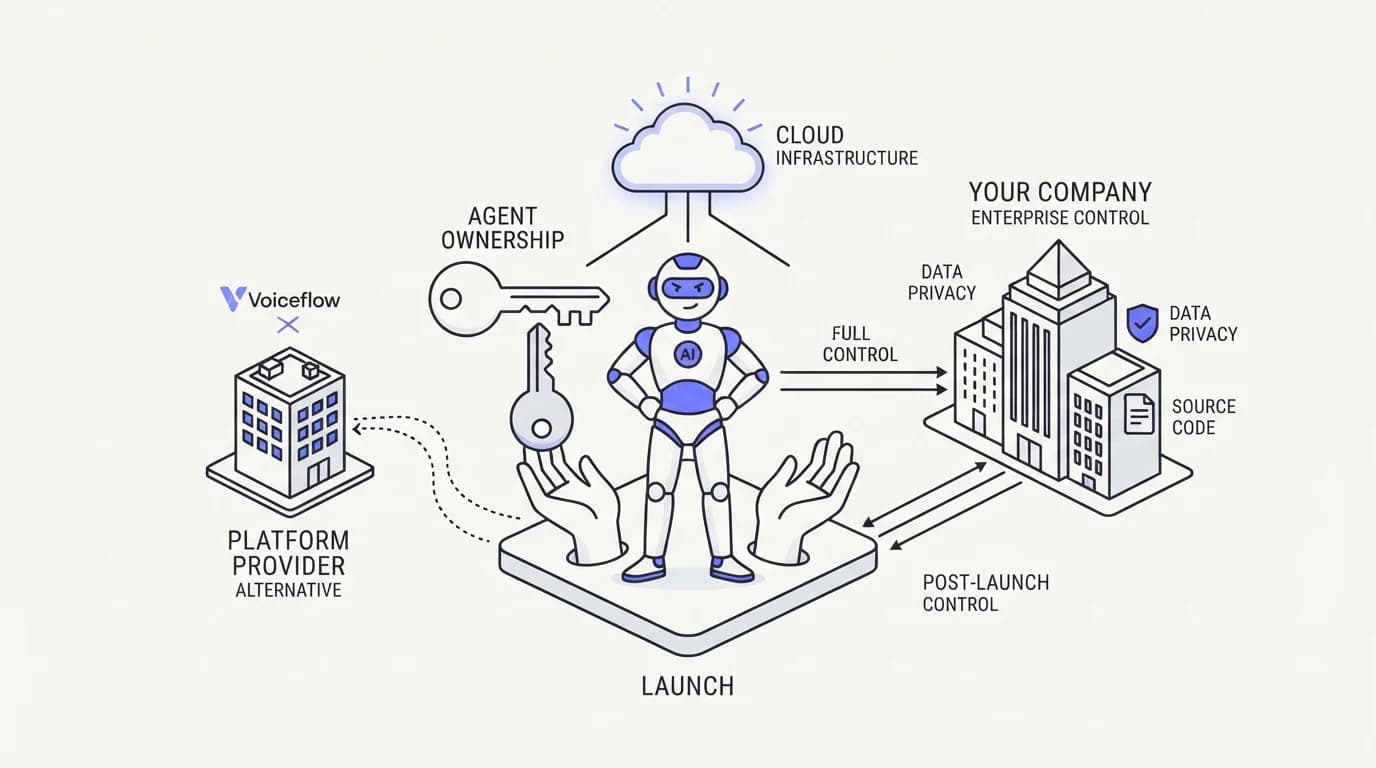 Communicate.so
Voiceflow alternative comparison: design-tool ergonomics vs operational ergonomics, and where communicate.so fits honestly after launch.
TL;DR: A voiceflow alternative search tends to start after launch day, once the people who designed the conversation on a canvas move to the next project and someone else has to keep it running. Voiceflow is a design tool built for prototyping and building conversational AI, with a visual canvas that product and design teams use to map out dialogue before an engineer ships it. That workflow is strong for design, and it says little about who maintains the agent, answers escalations, and reads the analytics once real customers are using it daily. This guide compares Voiceflow against communicate.so on ownership after launch rather than on design ergonomics, since Voiceflow genuinely wins the design phase. It names where a design-first tool remains the right call and where operational ergonomics, not canvas polish, decides whether a support agent stays useful six months in.
A voiceflow alternative search rarely comes from someone unhappy with how the bot was designed. It comes from whoever inherited it after the design team moved on, staring at a canvas built by someone else and asking who is supposed to run this now that customers actually depend on it.
This guide is for that person: the support lead, ops owner, or engineer who did not build the original Voiceflow project but now owns keeping it accurate, watching its analytics, and handling what happens when it gets a real ticket wrong. It explains what Voiceflow is built to do, where it earns its reputation, and where the ownership question after launch tips the decision toward an AI agent built for operations rather than design.
What voiceflow is
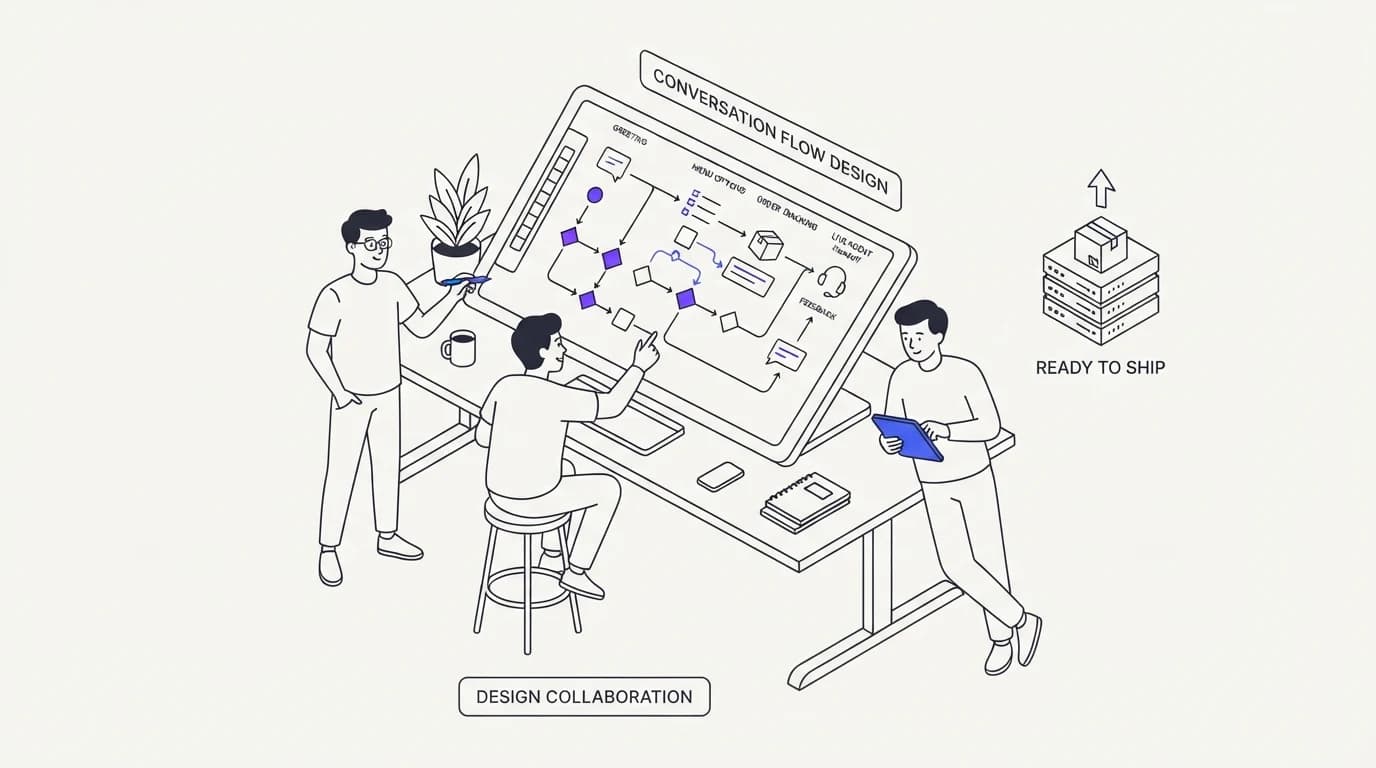
Voiceflow is a design and prototyping platform for conversational AI, originally built around voice assistants and now covering chat as well. Its defining feature, described on voiceflow.com, is a visual canvas where product managers, designers, and conversation designers collaborate on dialogue flows before a developer wires them into production.
That collaborative design workflow is the platform's real strength. It gives non-engineers a way to prototype and iterate on conversation structure quickly, testing how a dialogue feels before committing engineering time to build it, which is genuinely valuable for teams that treat conversation design as its own discipline.
Voiceflow's roots in voice assistant design also show in how it thinks about conversation, as structured dialogue with turns, intents, and states, closer to a script than to a system that reads live content and answers freely. That design lineage is a strength for prototyping and a constraint once the same structure has to keep up with a changing support knowledge base after launch.
What voiceflow does well
 Communicate.so
Voiceflow earns its place in the design phase honestly. A team that wants to prototype a conversational experience, test it with users, and iterate on the dialogue before writing production code gets real value from a canvas built for exactly that collaboration.
It also lowers the barrier between design and engineering. A conversation designer can build and adjust the dialogue structure without waiting on a developer for every change during the design phase, which speeds up the part of the process where the conversation's shape is still being figured out.
For teams building a voice assistant or a chat experience where the conversation's structure is the product, not a support side project, Voiceflow is a legitimate, capable choice during design. The gap opens after that phase ends, when the same team that owned the design moves to the next project and the agent still has to run.
User testing during the design phase is another real strength. Iterating on a dialogue with actual test users before shipping catches confusing phrasing and awkward turns early, when fixing them costs a canvas edit instead of a support escalation.
That testing discipline is worth carrying forward even after a team moves to an operational platform. The lesson Voiceflow teaches well, that conversation design deserves deliberate testing rather than guesswork, applies just as much once a support lead is the one shaping how an AI agent responds day to day.
Where voiceflow falls short after launch
The honest gap is not in Voiceflow's design tools, it is in what happens the day after launch. A design-first platform optimizes for the people building the experience, and once it ships, the people who actually have to run it day to day are often not the same people who drew the canvas.
The first gap is ownership clarity. A support lead who inherits a Voiceflow project did not design its flow logic and often has to learn the canvas structure before making even a small content update, which is a real barrier compared to editing a help article directly.
The second gap is the same maintenance problem flow-based tools share more broadly: when underlying content changes, a structured dialogue built around specific intents and states does not automatically know that, and someone has to open the canvas and update it. That is a design-tool constraint, not a Voiceflow-specific flaw, but it matters most exactly when the original designer is no longer the one maintaining it.
The third gap is operations. Voiceflow was not built as a shared inbox for a support team, and it does not natively give a human agent a live, presence-aware view into an in-progress AI conversation the way a support-specific platform does. Escalation and human takeover are things a support operation has to build around the tool, not something the tool was designed to provide.
The fourth gap is knowledge drift between what the flow says and what the rest of the company believes to be true. A pricing page, a help center article, and a Voiceflow canvas can each state a slightly different version of the same policy after enough time passes, because nothing forces them to stay in sync the way a single connected data sources layer would.
Voiceflow vs communicate.so: the core differences
 Communicate.so
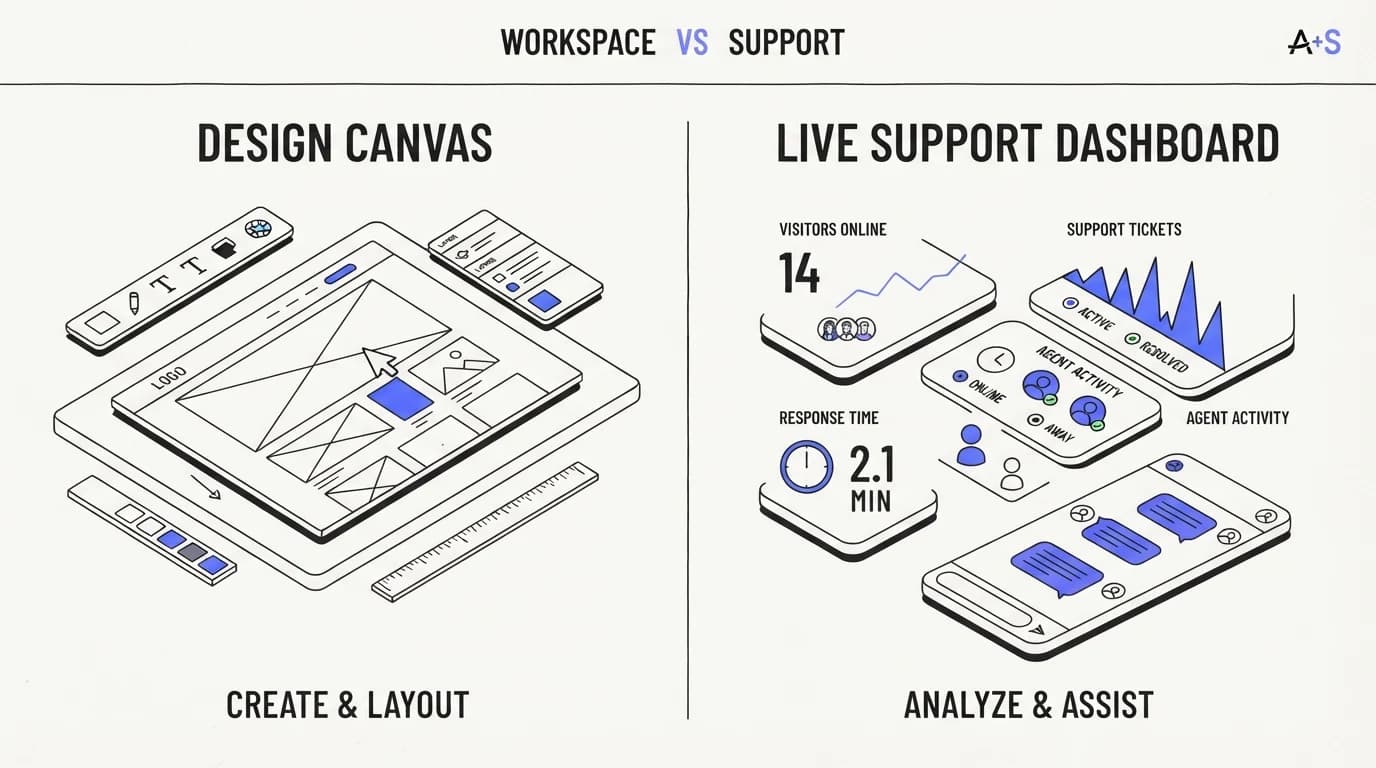
The table below compares Voiceflow against communicate.so on design versus operational strengths, since the two tools are genuinely built for different phases of an agent's life.
| Capability | Voiceflow | communicate.so |
|---|---|---|
| Visual canvas for collaborative conversation design | ✓ | ✗ |
| Built primarily for the design and prototyping phase | ✓ | ✗ |
| Content updates without opening a design tool | ✗ | ✓ |
| Shared inbox with presence for a support team | ✗ | ✓ |
| Built for whoever owns the agent after launch | ✗ | ✓ |
| Live analytics built around a support queue | ✗ | ✓ |
| Voice assistant design lineage and tooling | ✓ | ✗ |
| Grounded answers from a live knowledge base | ✗ | ✓ |
Read the top two rows and the voice-design row as Voiceflow's genuine strength. If your team is actively designing a new conversational experience and values that collaborative canvas, those rows should weigh heavily in the decision.
Design-tool ergonomics vs operational ergonomics
 Communicate.so
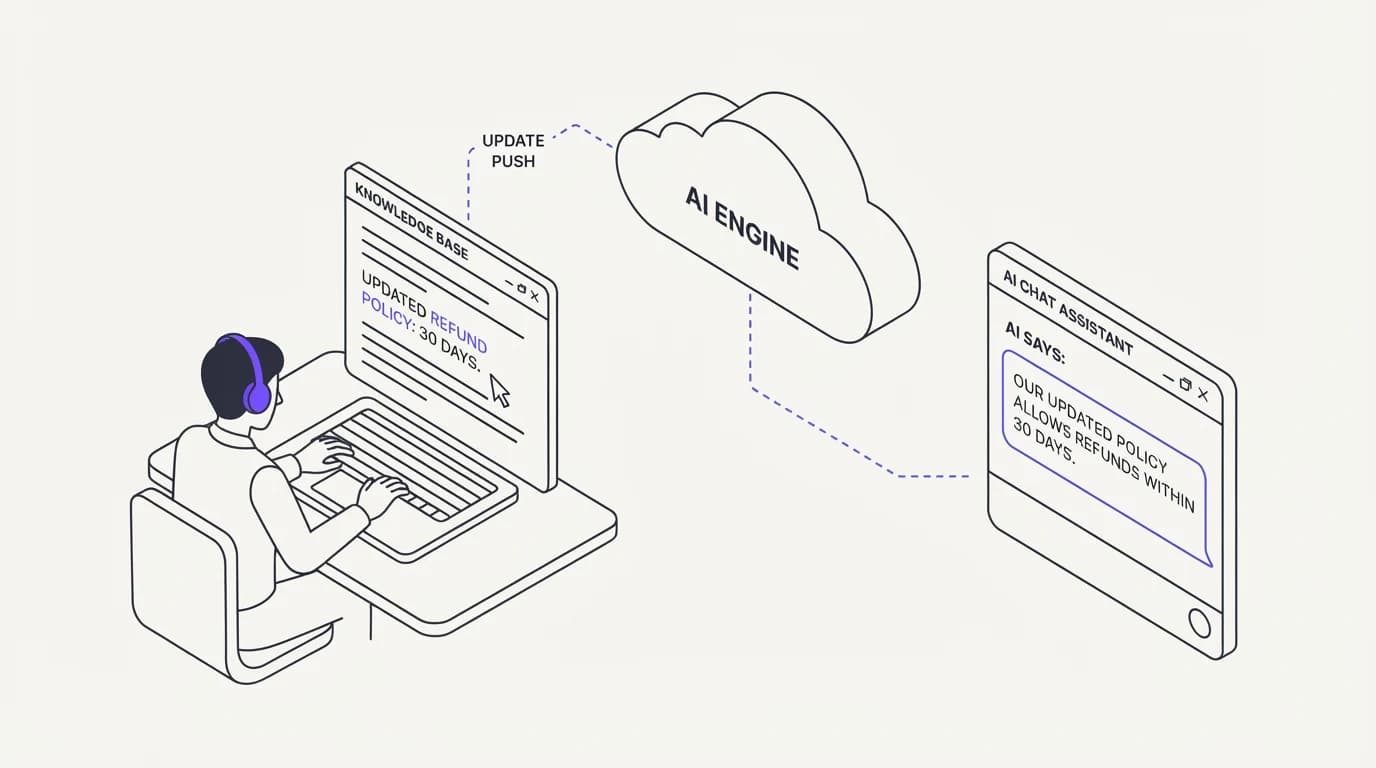
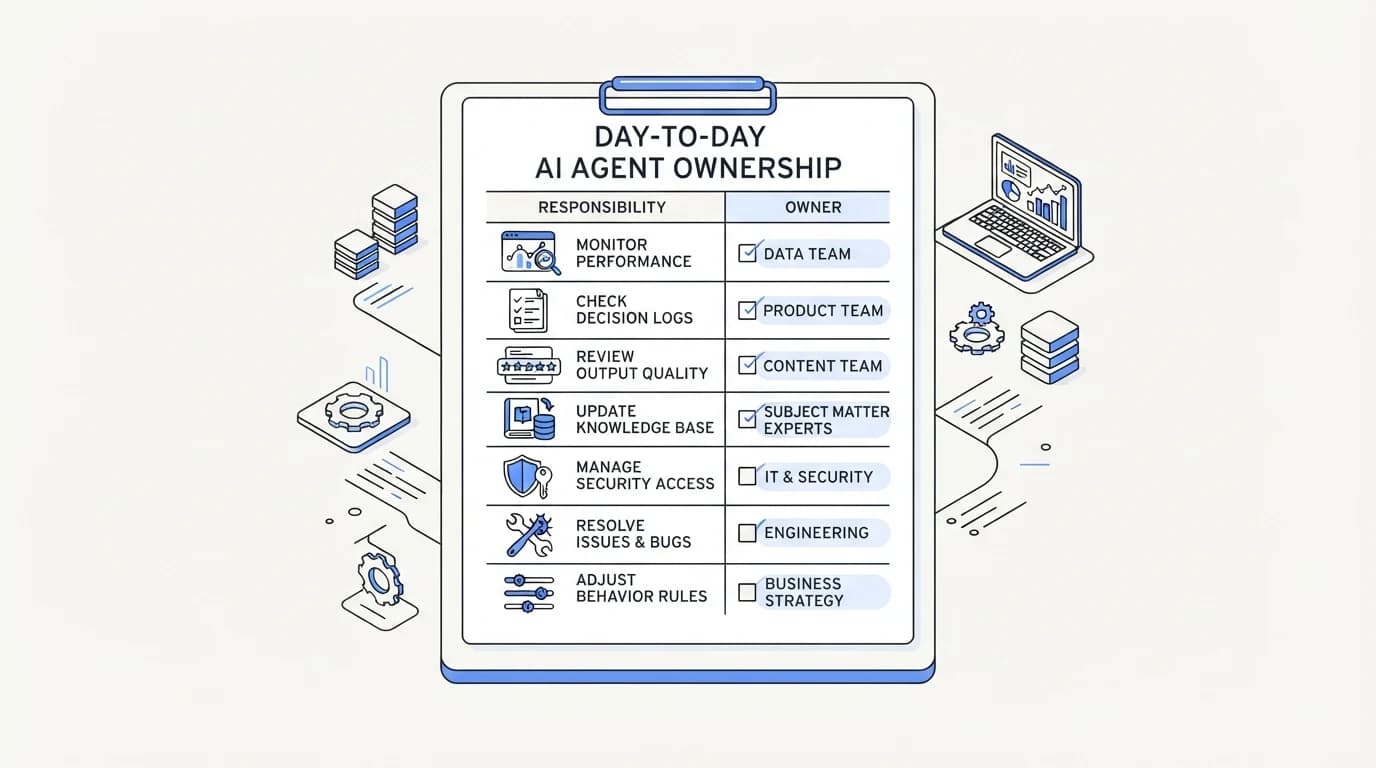
The real distinction between Voiceflow and a support-grade agent is who the tool is ergonomic for. Voiceflow is ergonomic for the designer building the conversation. A support-specific platform is ergonomic for whoever has to keep the agent accurate and handle escalations once real customers depend on it.
Those are different jobs with different daily needs. A designer wants a canvas, branching visualization, and a way to test dialogue before shipping. A support owner wants to edit a fact and have the AI agent reflect it immediately, see analytics on what customers are actually asking, and get a clean handoff when the agent is unsure, none of which requires touching a design canvas at all.
This is the angle the research behind this program names directly: design-tool ergonomics versus operational ergonomics, and who owns the agent after launch decides the winner. A tool that wins the design phase and loses the operational phase is a real trade, not a flaw, and the honest question is which phase your team spends more time in over the agent's life.
Most support agents spend far more of their working life in the operational phase than the design phase. A conversation might take weeks to design and years to run, which means the ergonomics that matter most for total cost are usually the ones the design tool was never optimized for.
When voiceflow is still the right choice
Voiceflow remains the correct tool for a specific, real phase of building a conversational product. If you are actively designing a new voice assistant or a chat experience where the conversation's structure is genuinely the product, not a support side project, its canvas is a legitimate strength worth keeping.
It also fits teams with a dedicated conversation design discipline, where design and engineering collaborate closely on dialogue structure before anything ships, and that collaboration is expected to continue as an ongoing practice, not a one-time build.
If your project has moved past design into daily operation, and the person keeping it running is not the person who built the canvas, that is the signal the tool's strength no longer matches the job in front of you. At that point the question shifts from can we design this well to who is going to maintain it, and a voiceflow alternative built for operations answers that second question directly.
A simple test is to ask who on the current team could confidently open the canvas and make a correct edit without breaking another branch. If nobody can answer that with confidence, the project has already outgrown the design-tool model even if nobody has said so out loud yet.
Signals it is time to look at a voiceflow alternative
A few concrete signals separate a project that still benefits from the Voiceflow canvas from one that has quietly become an operational liability. None of them mean the original design was bad. They mean the project has entered a phase the design tool was not built to serve.
The first signal is a support lead who wants to fix a wrong or outdated answer and has to file a request with whoever still remembers how the canvas is organized, instead of editing the fact directly. That delay is the clearest sign ownership has moved to ai support agent implementation territory, where the operational owner needs direct control over content, not design-tool access.
The second signal is executive pressure to report on AI performance that the design tool was never built to answer. Gartner reports 91% of CX leaders are under pressure to deploy AI (DigitalApplied), and a canvas built for testing dialogue rarely produces the operational reporting that pressure demands.
The third signal is a growing list of real customer questions the flow never accounted for, each one requiring someone to reopen the canvas, find the right branch, and extend it by hand. When that list grows faster than anyone can keep up with, the structured-dialogue model has become the constraint, not the content.
The fourth signal is comparing your resolution numbers against where the category is heading. Zendesk's enterprise median deflection sits at 41.2%, well below some vendor-marketed figures like Decagon's 80% claim (Lorikeet), and a design-first tool that nobody can update quickly tends to drag real performance toward the lower end of that range rather than the higher one.
What to look for in a voiceflow alternative
 Communicate.so
If ownership after launch is the actual concern, evaluate any alternative on who can update it without specialized tooling. Ask whether a support lead can change an answer by editing a document, or whether every update requires opening a design canvas someone has to learn first.
Ask what the agent does when a customer's real question falls outside what the original design anticipated. A platform built around ai support agent implementation for the operational phase should refuse and hand off cleanly rather than following a scripted path that was never written for the case in front of it.
Ask what analytics you get once the agent is live, and whether they are built for a support team's questions, what is the agent failing to answer, where do customers get stuck, rather than for a design team's questions about dialogue completion. Those are different reporting needs, and a tool built for one rarely serves the other well.
Ask whether the vendor separates design pricing from operational pricing, and compare that against the pricing of a support-specific alternative on the same basis, real conversation volume rather than a seat count for designers. The two tools are priced for different jobs, and comparing them on the same line item can hide the real cost difference.
Finally, ask a candid question about your own team: does anyone actually enjoy owning a design canvas long term, or was the original build a one-time project nobody planned to keep maintaining. An honest answer here often settles the decision faster than any feature comparison, because ai support agent implementation only succeeds when someone is willing to own it.
How to migrate from voiceflow to a grounded support agent
Migration works best when you treat the Voiceflow project as a design artifact to learn from, not a system to lift and shift directly. Read through the existing flows to extract the actual content and decisions embedded in them, then turn that content into structured knowledge base entries.
Connect that content to the new platform's data sources, and keep any genuinely deterministic steps, ones with strict required sequencing, as scoped actions rather than trying to force a grounded agent to infer them from prose. Most Voiceflow projects turn out to be mostly answers dressed up as flow, with only a small deterministic core.
Run the new agent against a sample of real historical conversations and compare its answers to what the original flow produced for the same questions, with a human reviewing the differences before anything goes live. That review is where you catch content gaps the original design covered explicitly that your knowledge base has not yet stated clearly enough for the agent to answer confidently.
Involve whoever built the original Voiceflow project in the extraction step if they are still reachable, since a canvas often encodes decisions that were never written down anywhere else. A short conversation with the original designer can save days of reverse-engineering why a specific branch exists before you decide whether it belongs in your new data sources.
Once live, watch the first weeks closely through analytics rather than assuming parity with the old flow. A design tool's internal metrics track dialogue completion, not resolution, so the operational numbers you actually care about only become visible once the agent is handling real support traffic.
Where communicate.so fits, honestly
Communicate is a grounded AI support agent paired with a lean shared inbox, built for the operational phase this guide describes rather than for conversation design. The AI agent answers from connected content that a support lead can update directly, and it hands off through the shared inbox when a question falls outside what it has been given.
The live channels are a web widget, live chat, and email, with in-app messages, analytics, and scoped actions running from the same agent and knowledge base. There is no visual design canvas for prototyping conversation structure the way Voiceflow offers, and there is no dedicated voice-assistant design tooling, so a team still in the design phase of a voice product should keep using a design-first tool for that work.
On the model, Communicate runs a single model, gpt-4o-mini through OpenRouter, with response and prompt caching. Communicate is GDPR-ready but not certified, holds no SOC 2, HIPAA, or ISO 27001, runs in a single region, and does not offer SSO; entry is a one-time $1 activation with 100 test credits and no free tier, detailed on the pricing page.
Key takeaways
- Voiceflow is a design and prototyping canvas, genuinely strong for the phase where a team is designing conversation structure before it ships.
- The gap opens after launch, when whoever maintains and operates the agent is often not the person who built the original canvas.
- Design-tool ergonomics serve the designer; operational ergonomics serve whoever has to keep the agent accurate and handle real escalations.
- Voiceflow remains the right choice for active voice or chat design work with a dedicated conversation design discipline.
- Evaluate any alternative on whether a support lead can update an answer directly, without opening a design tool someone has to learn first.
If your agent has moved past design into daily operation and the person running it did not build it, start with a one-dollar account activation that includes 100 test credits, connect your live content to the AI agent, and compare its answers against your current flow before switching anything over.
Frequently asked questions
Is Voiceflow good for customer support?
Voiceflow is strong for designing a conversational experience, including a support-facing one, but it was built around the design phase rather than daily operation. Teams that inherit a Voiceflow project for ongoing support often look for a voiceflow alternative once maintenance and escalation become the daily job.
What is the main difference between Voiceflow and communicate.so?
Voiceflow is a design and prototyping canvas for conversation structure; communicate.so is a grounded AI agent built for operating that conversation day to day, including maintenance, escalation, and analytics. The difference is which phase of an agent's life each tool is built to serve.
Can a non-designer maintain a Voiceflow project after launch?
It is possible but often difficult, because updating a flow requires understanding the canvas structure someone else built, not just editing text. That barrier is the reason many teams look for an alternative once the original designer moves to a different project.
Does Voiceflow support live chat as well as voice?
Yes. Voiceflow expanded from its voice assistant roots to cover chat experiences as well, using the same visual canvas approach for both, as described on voiceflow.com. The design workflow is largely the same regardless of the channel.
Why do teams look for a Voiceflow alternative if the design was good?
Because a well-designed conversation still needs to be maintained after launch, and design-tool ergonomics do not automatically translate into operational ergonomics. The gap shows up in who can update an answer, how escalation to a human works, and whether analytics serve a support team's daily questions.
Does communicate.so offer a design canvas like Voiceflow?
No. Communicate does not offer a visual canvas for designing conversation structure. It is built around a grounded agent that reads from connected content, which is a different workflow than designing dialogue flows before they ship.
How does content stay current in a grounded agent versus Voiceflow?
A grounded agent reads from your live data sources at answer time, so updating a fact looks like editing a document. A Voiceflow-designed conversation reflects whatever was built into its flow at the time of the last update, and keeping it current requires returning to the canvas.
Is switching from Voiceflow to a grounded agent difficult?
Migration is more about extracting content than rebuilding from scratch. Read through the existing flows for the decisions and answers embedded in them, turn those into knowledge base entries connected through data sources, and keep any strictly deterministic steps as scoped actions.
Does Voiceflow have a shared inbox for support teams?
Voiceflow is primarily a design and prototyping platform, not a team collaboration workspace for live support. A dedicated shared inbox with presence and human takeover is a separate category of tool that a support operation typically needs regardless of which design tool built the original conversation.
What happens when a Voiceflow-designed bot gets an unexpected question?
It follows whatever fallback path the designer built for unanticipated input, which was written in advance and may not fit the specific situation a customer describes. That is the same structural risk named as a top AI support complaint, no clear escalation path for the case nobody planned for (Twig).
Who should still use Voiceflow instead of a grounded agent?
Teams actively designing a new voice assistant or chat experience, with a dedicated conversation design discipline that will keep using the canvas as an ongoing practice, are well served by Voiceflow. Once the project shifts from design to daily operation, that fit tends to weaken.
Does Voiceflow provide analytics for a live support agent?
Voiceflow provides analytics oriented around conversation flow performance, useful during design and testing. A platform built for the operational phase tends to report differently, on what customers are asking, where the agent fails, and how analytics connect to real support outcomes rather than dialogue completion.
Can I use Voiceflow for design and a different tool for operations?
Some teams do exactly that, prototyping and testing conversation structure in a design tool, then rebuilding the operational version in a support-specific platform once the design is validated. That split acknowledges the two phases need different ergonomics rather than forcing one tool to do both jobs.
Does a grounded agent guarantee better accuracy than a Voiceflow-designed bot?
Not automatically. A grounded agent's accuracy depends on how complete and current its connected data sources are, the same way a Voiceflow bot's accuracy depends on how well the original designer anticipated real questions. Neither architecture guarantees accuracy without ongoing content ownership.
What is the biggest risk of an unmaintained Voiceflow project?
A conversation that quietly states outdated information as fact, because updating it requires returning to a canvas the current owner may not know how to use. From the customer's side, that reads as a confident wrong answer, the same failure mode as a hallucination, even though the cause is a stale design rather than a guessing model.
Does communicate.so support voice assistants like Voiceflow does?
No, not currently. Communicate's live channels are a web widget, live chat, and email, with no voice channel today. If a voice assistant is a hard requirement, a design-first, voice-native tool remains the better starting point for that specific channel.
How do guardrails differ between Voiceflow and a grounded agent?
In a Voiceflow-designed bot, a guardrail is a fallback path the designer remembered to build for an edge case. In a grounded agent built around ai agent guardrails, refusal and escalation are typically the default behavior when content does not cover a question, rather than a branch that must be explicitly designed in advance.
Should a small team without a design discipline choose Voiceflow?
Probably not as a primary support tool. Voiceflow rewards teams with an ongoing conversation design practice, and a small team without that discipline is more likely to get lasting value from a grounded agent whose content a support lead can maintain directly, without learning a design canvas.
How do I know if my Voiceflow project has moved from design into operations?
The clearest sign is who is asking for changes and why. If requests are coming from support staff who need a fact corrected rather than from a designer iterating on the experience, the project has left the design phase and now needs the operational ownership a platform like communicate.so is built around.
Does a grounded agent replace the need for conversation design entirely?
Not for every use case. Conversation design remains valuable for shaping tone, structure, and a first-time user experience, and a design tool like Voiceflow still earns its place there. What changes is that day-to-day content maintenance moves to a knowledge base a support lead can edit, rather than staying inside the original design canvas.