
Help Scout alternative: what happens when AI answers 60% of volume
 Communicate.so
A Help Scout alternative comparison for teams asking what happens when AI has to answer most volume and Docs is the only knowledge source.
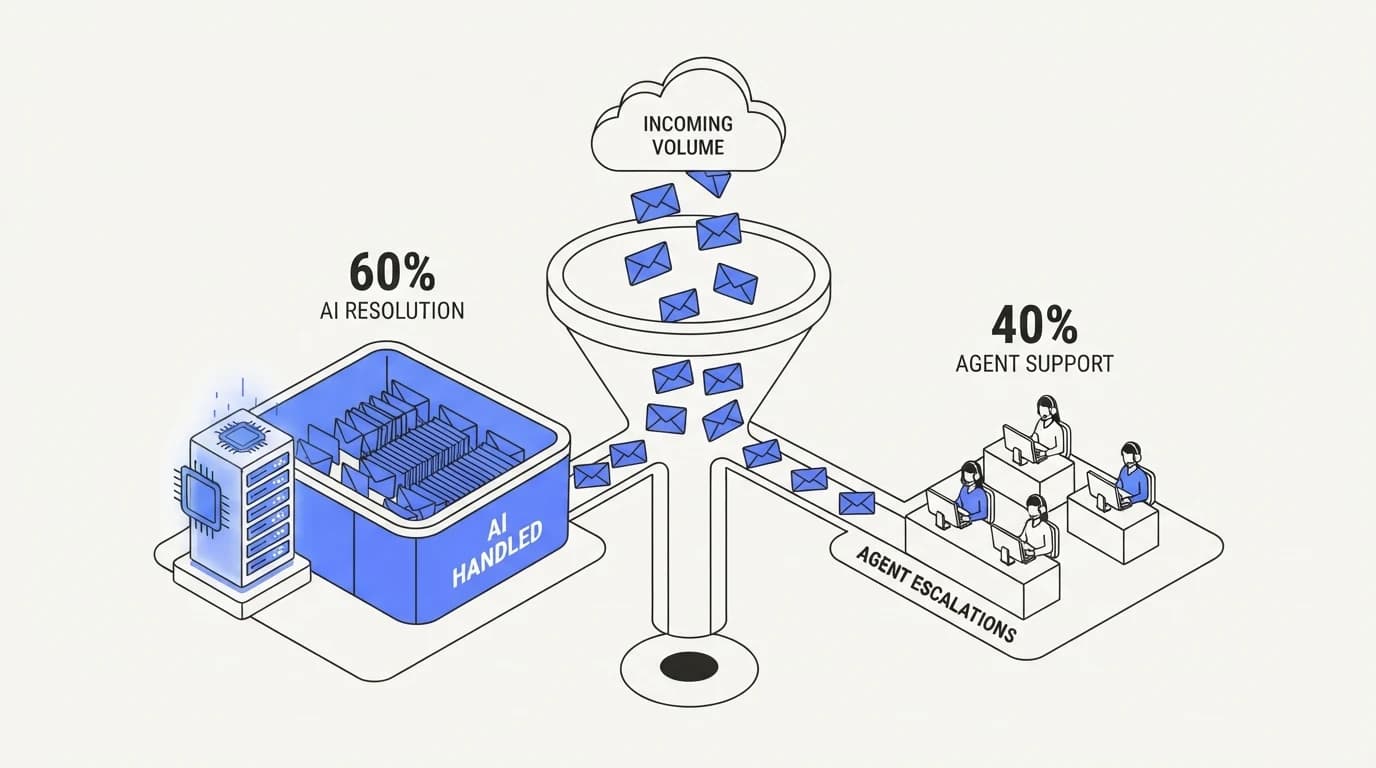
TL;DR: Help Scout is a reference-quality shared inbox, praised for its clean design and its Docs help center, and any honest comparison has to start from that reputation rather than argue against it. The comparison that actually matters is not a feature list; it is what happens once an AI agent has to answer a majority of your volume and Docs is the only knowledge source behind it. Help Scout's own AI features lean on the same Docs content you already maintain, so the ceiling on AI answer quality is the ceiling of your documentation, not the tool. communicate.so takes a broader retrieval approach, connecting more than one content source and grounding every answer with a refusal path when the content does not cover the question. This guide compares the two directly, names where Help Scout remains the better shared inbox, and walks through what changes when AI, not a human, reads most of your inbox first.
Ask a support lead which shared inbox has the best reputation for craft and the answer is usually Help Scout. Clean interface, sane defaults, and a genuinely good help center product in Docs. None of that is in dispute here.
The question worth asking before switching, or before staying, is different: what happens to answer quality once an AI agent is reading most of the inbox before a person does. Help Scout's AI features are grounded in Docs, so an AI agent answering questions trained on your help center is only as good as Docs itself, and most teams' documentation was never written with retrieval in mind.
This guide is for a team that already likes Help Scout's inbox and wants an honest read on the AI question specifically. It covers what Help Scout does well, where the two tools genuinely differ once AI volume rises, and how communicate.so approaches the same problem with broader data sources. If you have not settled the lighter question of shared inbox versus full helpdesk, the shared inbox vs helpdesk guide covers that first.
What Help Scout actually is
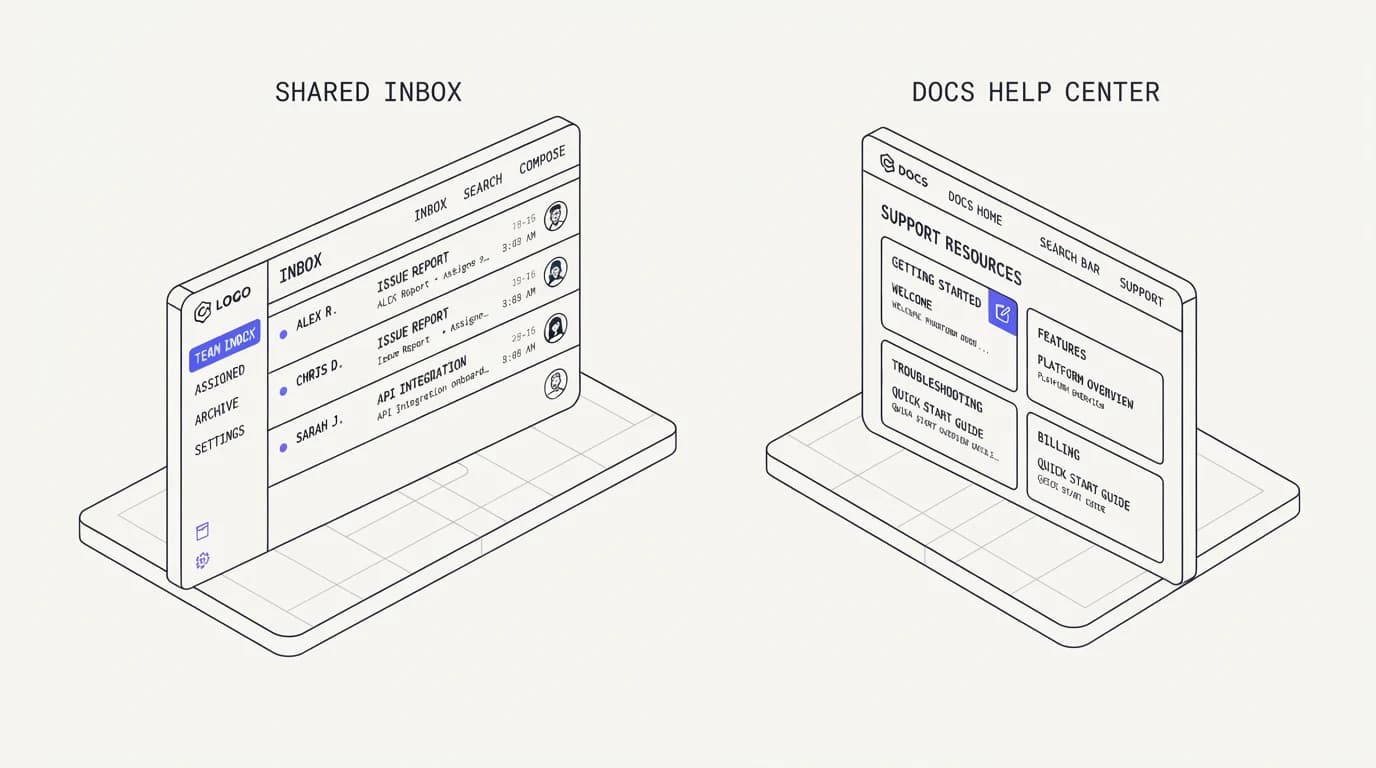
Help Scout is a shared inbox built for teams that want email-like collaboration without the ceremony of a full ticketing system. Conversations, not tickets, are the core unit, and the product is widely regarded in the category for interface polish and a low learning curve.
Docs, Help Scout's help center product, is the second half of the platform, and it is where most of the company's content strategy lives. Support teams write articles in Docs, customers self-serve from it, and Help Scout's own AI answer features draw directly from that same content, a design you can review on Help Scout's site.
The product is deliberately lighter than a full helpdesk, with fewer mandatory fields, simpler routing, and a workflow that feels close to email. That lightness is a real strength for small and mid-size teams, and it is the same lightness this site's own shared inbox versus helpdesk comparison argues for when a team's workflow does not need heavier ticketing.
Help Scout also ships collision detection, saved replies, and light workflow automation, the same core toolkit most shared inboxes converge on. What distinguishes it from a generic mailbox is polish rather than a unique mechanic, and that polish is exactly what a team notices in daily use, long after the novelty of any single feature has worn off. The shared inbox vs helpdesk guide covers why that lightness matters more than a feature count for most small teams.
Where Help Scout and communicate.so overlap
 Communicate.so
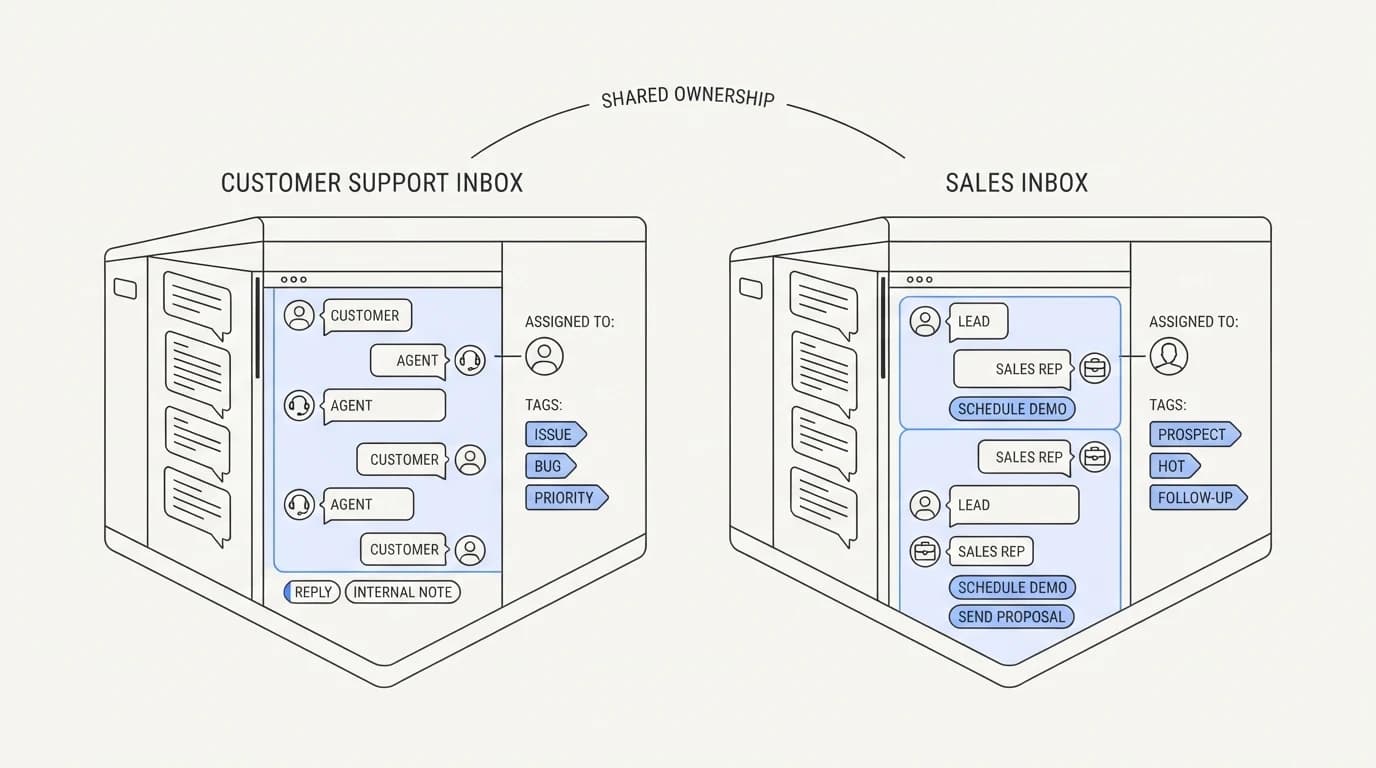
The overlap between these two products is real and worth naming before the differences. Both are shared inboxes built around conversations rather than rigid ticket states, both prioritize a fast setup over a configuration-heavy rollout, and both are aimed at teams that find a full helpdesk too heavy for their actual workflow.
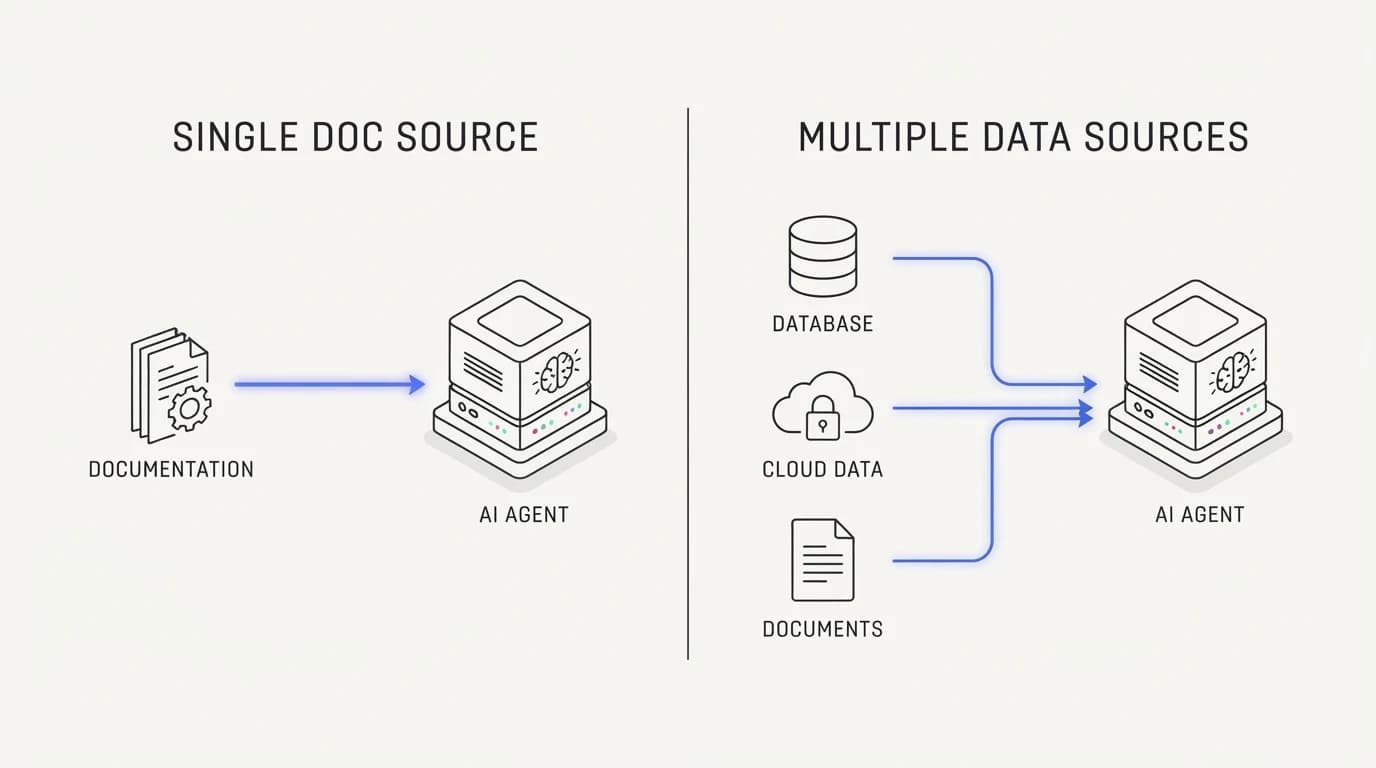
Where they diverge is what sits behind the inbox. Help Scout's AI answering leans on Docs as the single source, since that is the content the company already asks you to maintain. Communicate.so treats knowledge grounding as a broader retrieval problem, connecting multiple content sources rather than assuming one help center covers every question an agent needs to answer.
This distinction only matters once AI is handling a meaningful share of volume. Below that threshold, both tools function as a pleasant shared inbox and the difference is mostly aesthetic. Above it, the grounding source is the whole ballgame, which is the subject of the next two sections.
Both companies also compete on the same buyer, a small or mid-size support team that has tried a heavier helpdesk and found it too much process for the volume they actually carry. That shared positioning is part of why the two get compared directly so often, and it is why a feature-by-feature list rarely settles the decision on its own.
Help Scout vs communicate.so: a side-by-side comparison
The table below compares the two on the dimensions that change once AI is doing real work in the inbox, not on interface polish where both tools are well regarded.
| Dimension | Help Scout | communicate.so |
|---|---|---|
| Shared inbox with human collaboration | ✓ | ✓ |
| Built-in help center product | ✓ | ✗ |
| AI answers grounded in a single Docs source | ✓ | ✗ |
| AI answers grounded in multiple connected sources | ✗ | ✓ |
| Refusal path when content does not cover a question | Limited | ✓ |
| Pricing unit | Per user seat | Usage-based credits |
| Scoped actions against connected systems | Limited | ✓ |
| Free tier or trial | ✓ | ✗ |
| Reporting maturity | Strong | Essentials |
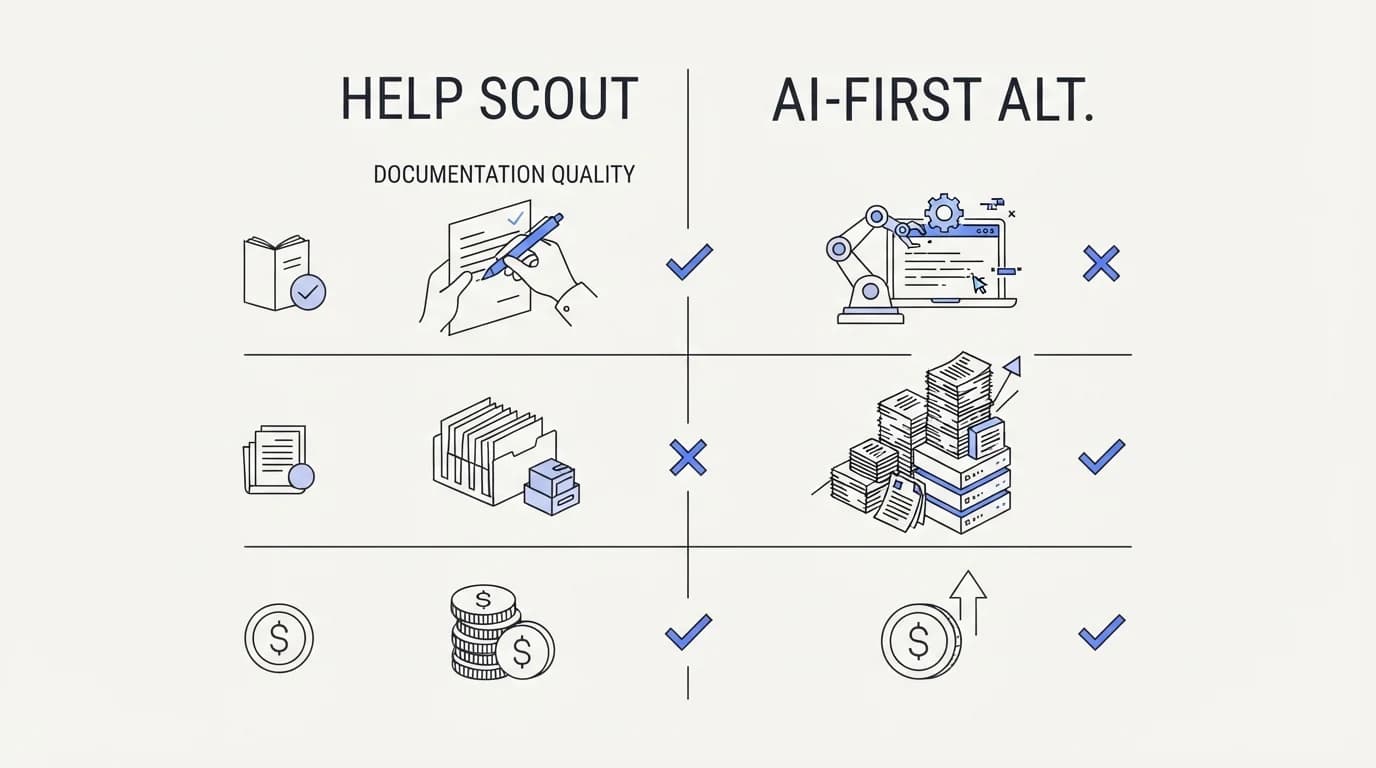
Read the middle rows carefully, because they are the actual decision. Help Scout's single-source grounding is fine when Docs is comprehensive and current; it strains when Docs has gaps, and a strained knowledge source is where an AI agent starts to guess. communicate.so widens the source pool specifically to reduce that failure mode.
The reporting and free tier rows deserve equal weight in a real decision, even though they get less attention than the AI question. A team that relies heavily on Help Scout's deeper report views, or that wants to trial a tool with zero financial commitment first, has legitimate reasons to weigh those rows as heavily as grounding depth.
Where Help Scout still wins
 Communicate.so
Help Scout earns its reputation, and this section says where without hedging. Interface polish is the clearest win. Years of design iteration show in how little friction there is between opening the inbox and replying to a customer, and that matters every single day for the humans using it.
Docs as a standalone help center product is the second win. If your priority is a genuinely good self-serve knowledge base that customers actually use, independent of any AI layer, Docs is a mature, well-built product on its own terms.
Free tier availability is the third win, and it is not a small one. Help Scout offers a free plan for a small team, which lowers the bar to trying the product with zero commitment, something communicate.so does not offer today, since entry requires a one-time activation.
Reporting maturity is the fourth win. Help Scout's years in the category show in report depth and the breadth of pre-built views, which larger teams with dedicated reporting needs will find more complete than a newer, leaner analytics layer.
A fifth, quieter win is ecosystem trust. A product that has been reviewed, benchmarked, and adopted widely across the small-business support category for years carries a track record that a newer entrant has not yet had time to build, and that track record is worth something to a buyer weighing risk, independent of any specific feature.
The real test: what happens when AI answers most of your volume
A shared inbox comparison stops being about interface the moment AI is answering most incoming questions before a human sees them. At that point the product question becomes a grounding question: what does the AI read before it answers, and what does it do when the answer is not in there.
Adoption data suggests this threshold is arriving fast for a lot of teams. Salesforce found 66% of service organizations were running AI agents in 2026, up from 39% in 2025, with 91% of CX leaders under executive pressure to deploy them, per DigitalApplied's summary (DigitalApplied). Enterprise deflection benchmarks from Lorikeet put a realistic median at 41.2%, with HappySupport's maturity curve reaching 65 to 75% over time (HappySupport).
A team crossing that 60% threshold has effectively made the AI the first responder for most customers. That is a meaningful operational shift, and it changes what quality control has to focus on: not whether the AI is friendly, but whether the content it reads from is complete enough to support that volume without guessing.
Quality control at that volume also has to change shape. Sampling a handful of AI conversations a week worked when AI handled a small fraction of tickets; once it is answering most of them, a systematic review process, checking a representative slice against source content rather than spot-checking at random, becomes the only way to catch a grounding gap before a customer does.
This is where documented failures are instructive rather than alarmist. SocialIntents reported a February 2026 incident where a cloud storage chatbot cited a downgrade policy that did not exist (SocialIntents), and Fortune reported Cursor's cofounder acknowledging an incorrect response from a front-line AI support bot (Fortune). Both incidents trace back to the same root cause: the agent answered beyond what its content actually supported.
Neither incident happened because the underlying model was weak. Both happened because the agent was allowed to answer a question its grounding did not actually cover, which is a design choice about refusal behavior, not a limitation of the technology itself. That distinction matters because it means the failure is preventable with the right constraints, not an inherent risk of putting AI in front of customers.
Docs as your only knowledge source: the grounding problem
 Communicate.so
A single-source design is not wrong; it is a bet that your documentation is comprehensive enough to carry the AI on its own. For teams with excellent, current Docs, that bet pays off. For teams whose documentation has gaps, stale pages, or policy details that live in a spreadsheet nobody connected, the same bet leaves the AI guessing on exactly the questions Docs never answered.
Most support teams did not write their help center with retrieval in mind. Articles were written for a human skimming a page, not for a system pulling one precise answer out of a paragraph, and that mismatch is invisible until an AI agent starts citing the wrong section confidently.
Widening the source pool beyond a single Docs product is the direct answer to this problem. Connecting a help center alongside a CRM field, a policy document, or a product database gives an agent more than one place to check before it decides it does not know, which is the approach behind communicate.so's data source model and the subject of the RAG for customer support guide.
The other half of grounding is the refusal path, and it matters as much as the source count. An agent that cannot find an answer in any connected source should say so and hand off, not fill the gap with a plausible-sounding guess. That refusal behavior is the guardrail that keeps a wide source pool safe rather than just wide.
There is a practical test a team can run before switching anything. Take the last fifty customer questions your team answered manually, and check how many have a clear, current answer sitting in Docs today. A high hit rate means Help Scout's single-source design is already well matched to your queue; a low hit rate is a direct measurement of the gap a wider data sources setup would close.
Migrating from Help Scout: what actually moves
A Help Scout migration splits into the same three pieces most shared inbox migrations do, and Docs content is the piece that deserves the most care. Conversation history is the first piece, and for most teams it does not need to move; keep read-only access and start fresh.
Docs content is the second piece, and it is the one worth auditing before you connect it anywhere new. Walk through your Docs articles and flag anything stale, contradictory, or missing a clear answer, because that audit is the actual preparation work behind training an AI on your help center, regardless of which tool ends up hosting the inbox.
Team habits and macros are the third piece. Help Scout users often build a library of saved replies tuned over years, and that library is valuable training signal for an AI agent, not just a convenience for humans. Bring the substance of those replies into your new knowledge source rather than discarding them at cutover.
Give the migration a defined trial window rather than a hard cutover date. Route a portion of new conversations through the new setup while Help Scout keeps handling the rest, watch the agent's answers against your audited Docs gaps specifically, and widen traffic once those gaps stop showing up in real conversations.
Cost and choosing between Help Scout and an AI-first alternative
 Communicate.so
Start the decision with an honest audit of your Docs content, not your pricing tolerance. If your help center is comprehensive, current, and written clearly, Help Scout's single-source AI answering has a strong foundation and switching may not add much.
If your Docs has gaps, or if useful answers actually live scattered across a CRM, a policy doc, and a handful of spreadsheets, a tool built around wider retrieval closes those gaps without forcing you to rewrite every article first.
Weigh pricing against your team's growth plan the same way the AI customer support pricing guide lays out for other tools. Help Scout's per-seat model is predictable and includes a free entry point; a usage-based model tracks resolved volume instead, which favors a team expecting AI to carry a growing share of the load.
Weigh switching cost honestly too. A well-loved shared inbox with years of saved replies and a team fluent in its interface has real value that a feature comparison undercounts, and that value should factor into the decision as much as any grounding argument.
Consider a hybrid path if a full switch feels premature. Some teams keep Help Scout as the inbox of record for a season while testing a wider data sources setup on a subset of channels, which limits risk while still answering the grounding question with real traffic instead of a demo.
Where communicate.so fits, honestly
Communicate.so pairs a grounded AI agent with a lean shared inbox, and its differentiator against Help Scout is the data sources model: connect more than one place answers live, rather than relying on a single Docs product as the ceiling for AI quality.
Channels are a web widget, live chat, and email, plus in-app messages, analytics, and scoped actions from the same agent. There is no dedicated public help center product the way Docs is one, so a team that wants a polished standalone knowledge base as a customer-facing product in its own right should weigh that gap.
On pricing, there is no free tier; entry is a one-time $1 activation with 100 test credits, detailed on the pricing page. Security posture is GDPR-ready but not certified, without SOC 2, HIPAA, or ISO 27001 today, a limitation worth naming plainly next to Help Scout's more established compliance history.
The honest framing is that the two products are not competing to be the same thing. Help Scout is competing to be the best small-team inbox with a good help center attached; communicate.so is competing to be the best grounding layer for an AI agent that has to answer most of the volume. A team should pick based on which of those two problems is actually pressing today.
Key takeaways
- Help Scout earns its reputation on interface polish, Docs as a standalone help center, and a genuinely useful free tier.
- The real comparison is not features, it is what happens once AI has to answer most volume and Docs is the only source it can check.
- Enterprise deflection benchmarks land near 41.2% at scale, with a maturity curve toward 65 to 75%, which is the volume threshold where grounding quality starts to matter most.
- Documented hallucination incidents trace back to agents answering beyond what their content actually supported, not to AI itself.
- Widening the source pool beyond one Docs product, paired with a real refusal path, is the direct fix for single-source grounding gaps.
Auditing whether your Docs content can carry an AI agent through most of your volume? Start with a one-dollar account activation that includes 100 test credits, connect more than one content source through data sources, and test the agent against the questions your Docs never quite answered.
Frequently asked questions
Is communicate.so a direct Help Scout alternative?
For the shared inbox layer, yes; both are lightweight, conversation-based tools rather than heavy ticketing systems. The meaningful difference is what feeds the AI: Help Scout leans on Docs alone, while communicate.so connects multiple sources.
Does Help Scout have AI features already?
Yes. Help Scout's AI answering draws on Docs, the company's built-in help center product, so answer quality tracks how comprehensive and current your Docs articles are.
What happens if my Docs content has gaps?
An AI agent grounded only in Docs will either answer beyond what the content supports, which risks the kind of hallucination SocialIntents documented in February 2026 (SocialIntents), or it will fail to answer at all. Widening the source pool is the direct fix for this gap.
How much of my support volume can AI realistically handle?
Lorikeet's enterprise review found a median deflection of 41.2% (Lorikeet), while HappySupport's maturity curve reaches 65 to 75% over time. Vendor claims near 80% tend to sit above what enterprise medians show.
Is Help Scout better for teams without a dedicated help center strategy?
It can be, because Docs bundles help center creation directly into the inbox product, which lowers the bar for a team that has never built one. A team that already has content spread across other systems benefits more from a wider retrieval approach.
Does communicate.so have a free trial like Help Scout?
No. Communicate.so requires a one-time $1 account activation that includes 100 test credits, detailed on the pricing page, while Help Scout offers a free plan for small teams.
What is the biggest risk of single-source AI grounding?
The AI answering confidently from content that does not actually cover the question, or missing questions entirely because the documentation never addressed them. Both failure modes trace back to the same root cause: the source pool was too narrow for the volume asked of it.
How do I audit my Docs content before connecting it to AI?
Walk through every article and flag anything stale, contradictory, or missing a direct answer to a common question. This audit is the real preparation step described in training an AI on your help center, and it matters regardless of which tool ends up serving the answers.
Can I connect more than a help center to communicate.so?
Yes. The data sources model supports connecting multiple content sources, not just one help center, which is the structural difference from a single-Docs grounding approach.
Does Help Scout support scoped actions like refunds or lookups?
Its action capability is limited compared to a tool built specifically for agent actions. If order lookups or account actions are core to your support flow, confirm the specific integration depth you need before assuming either tool covers it out of the box.
What happens to my Help Scout saved replies if I switch?
They do not transfer automatically, but their substance is valuable training signal. Bring the actual content of well-used saved replies into your new knowledge source rather than losing that accumulated judgment at cutover.
Is Help Scout or communicate.so cheaper?
It depends on team size and AI volume. Help Scout's per-seat pricing includes a free tier and is predictable at small scale; communicate.so's usage-based credits, detailed on pricing, track resolved volume instead, which can cost less once AI is carrying a large share of the load.
Does communicate.so have a public-facing help center product like Docs?
Not as a standalone product. Communicate.so focuses on the AI agent and shared inbox layer rather than shipping its own customer-facing documentation product, so a team that wants that as a separate deliverable should weigh Help Scout's Docs offering directly.
How do documented AI failures like the DPD chatbot relate to this comparison?
The DPD chatbot incident, where the bot was disabled after swearing at a customer in 2024 (The Register), is a guardrail failure rather than a grounding failure specifically, but both incident types share a root cause: insufficient constraints on what the agent is allowed to say. Grounding and guardrails are separate problems that both need solving.
Should I stay on Help Scout if I am happy with it?
If your Docs content is comprehensive and AI is only handling a modest share of volume, staying is reasonable. Revisit the decision once AI volume crosses roughly half your inbox, since that is the point where a single grounding source starts to strain.
Can I run Help Scout and communicate.so in parallel during a switch?
Yes, and it is the safer path. Route a slice of new conversations through the new AI agent and shared inbox while Help Scout keeps handling the rest, then widen the slice once answer quality is confirmed against your real Docs gaps.
What security certifications does communicate.so have compared to Help Scout?
Communicate.so is GDPR-ready but not certified, without SOC 2, HIPAA, or ISO 27001 today, detailed on the security page. Confirm your specific compliance requirements against both vendors before switching if certification is a hard gate.
Does a wider source pool always mean better AI answers?
Not automatically. More sources without a clear refusal path can increase the chance of the agent stitching together an inaccurate answer from unrelated content. The source count matters less than retrieval quality and a working refusal path, both covered in RAG for customer support.
What is the fastest way to test whether Docs alone is enough for my team?
Pull a sample of real customer questions your team answered last month and check whether Docs, as written today, actually contains a clear answer to each. Gaps in that sample are a direct preview of where a single-source AI agent will fail, and they are the questions to test first with a wider data sources setup.
Does communicate.so support the same collision detection Help Scout has?
Yes, the shared inbox shows presence and assignment so two agents do not answer the same customer, plus a per-turn backstop so the AI agent never talks over a person mid-reply. The mechanism is similar in spirit to Help Scout's collision detection, built specifically for a mixed AI and human queue. Help Scout also supports multiple mailboxes within one account, which suits a small company running a couple of related product lines, though it is not the same as the deeper multi-brand separation a larger helpdesk platform offers.