
24/7 customer support AI: coverage without night staff
 Communicate.so
24/7 customer support AI: the coverage math, after-hours deflection and escalation, and how to keep answer quality high at night.
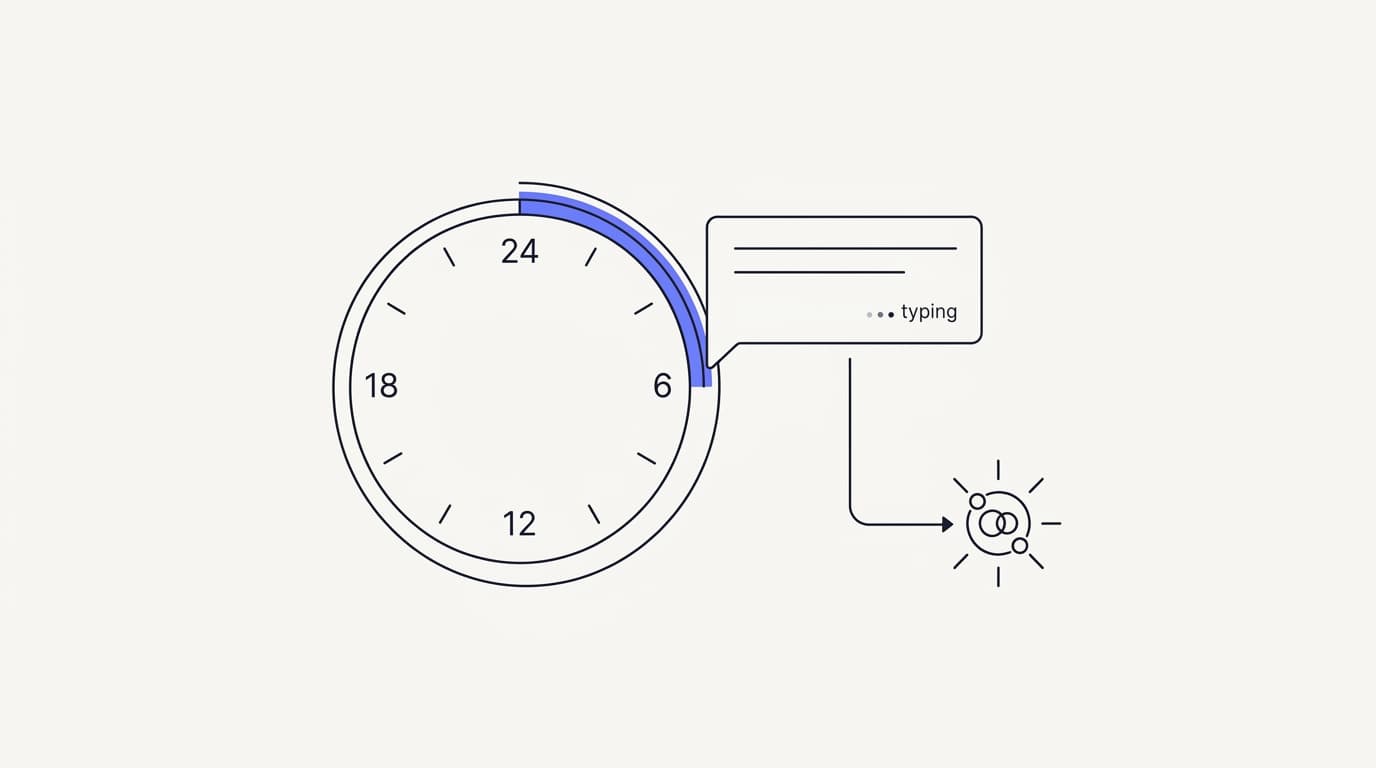
TL;DR: Providing 24/7 customer support with AI means an agent grounded on your own data answers common questions at any hour, then hands off to a human when it is unsure, so you cover nights and weekends without hiring a night shift. This guide is the practical version: the coverage math that shows why round-the-clock human staffing rarely pays, how AI deflects and resolves after-hours volume, what happens when it has to escalate at 3am, and how to keep answer quality high when no one is watching. It also states the honest limit up front, because AI is not a full replacement for your team. Do this well and the repetitive majority of your off-hours queue gets answered in seconds; skip the groundwork and you get a confident bot that is wrong faster at night than a human would be during the day.
Your customers do not stop having problems when your support team logs off. A checkout fails at midnight, a password reset loops at 6am on a Sunday, a prospect in another time zone has one question standing between them and a purchase. If the only answer is a contact form and a promise to reply in business hours, some of those people are gone before you wake up.
The appeal of 24/7 customer support AI is simple. Instead of paying people to sit through quiet night shifts, you put an AI agent on the front line around the clock, let it answer what it can from your own knowledge, and route the rest to a human for the morning. The hard part is not the idea, it is doing it without shipping worse answers at night than you would ever allow during the day.
This guide is for the person weighing round-the-clock coverage: a founder, a support lead, or an ops owner who cannot justify a night team but cannot afford silence either. It covers the coverage math, after-hours deflection, escalation, and night quality, and it is honest about the limits. If you want the wider category view first, the AI customer support software buyer guide is the companion read, and how AI support agents get implemented covers the build sequence this fits inside.
What 24/7 customer support with AI actually means
The phrase gets stretched to mean a lot of things, so pin it down first. Round-the-clock AI support is not a promise that a machine solves everything at any hour. It is a coverage model: an agent answers what it can from your documented knowledge whenever a customer asks, and a human handles the rest on the next shift.
The agent answers by retrieval, not by staying awake on your behalf. It reads the incoming question, searches the sources you connect, and writes a reply grounded in what it finds, at 3pm or 3am with no difference in speed. There is no night-shift fatigue and no queue that builds while everyone sleeps, because the agent handles each conversation the moment it arrives.
The human layer does not disappear, it shifts. When the agent is unsure, the conversation queues for the next available person rather than forcing a wrong answer, a pattern covered in AI to human handoff in support. So 24/7 does not mean humans are on call all night.
It means the agent covers the hours your team is off, and the handoffs wait in an orderly queue for the morning.
That distinction is the whole game. A customer who gets a correct answer instantly at midnight is served, and a customer who gets a clear, honest note that a specialist will follow up first thing is also served, because they know they were heard and the request is captured. What fails everyone is silence, or a confident wrong answer that sends them down the wrong path overnight.
It also matters that this is one agent behind every channel, not a separate night bot. Communicate runs the same agent and knowledge base across its web widget and embeddable widgets, live chat, and email, so a customer gets the same answer at 2am that they would at 2pm. Splitting off a disconnected after-hours bot is how answers drift apart, which defeats the point of round-the-clock coverage in the first place.
The coverage math behind round-the-clock support
 Communicate.so
Before you decide how to cover nights, it helps to see why the obvious option, hiring people to work them, rarely adds up. The math is not close for most small teams, and seeing it plainly makes the case for automation without any hand-waving. It also stops you overspending on presence you do not need.
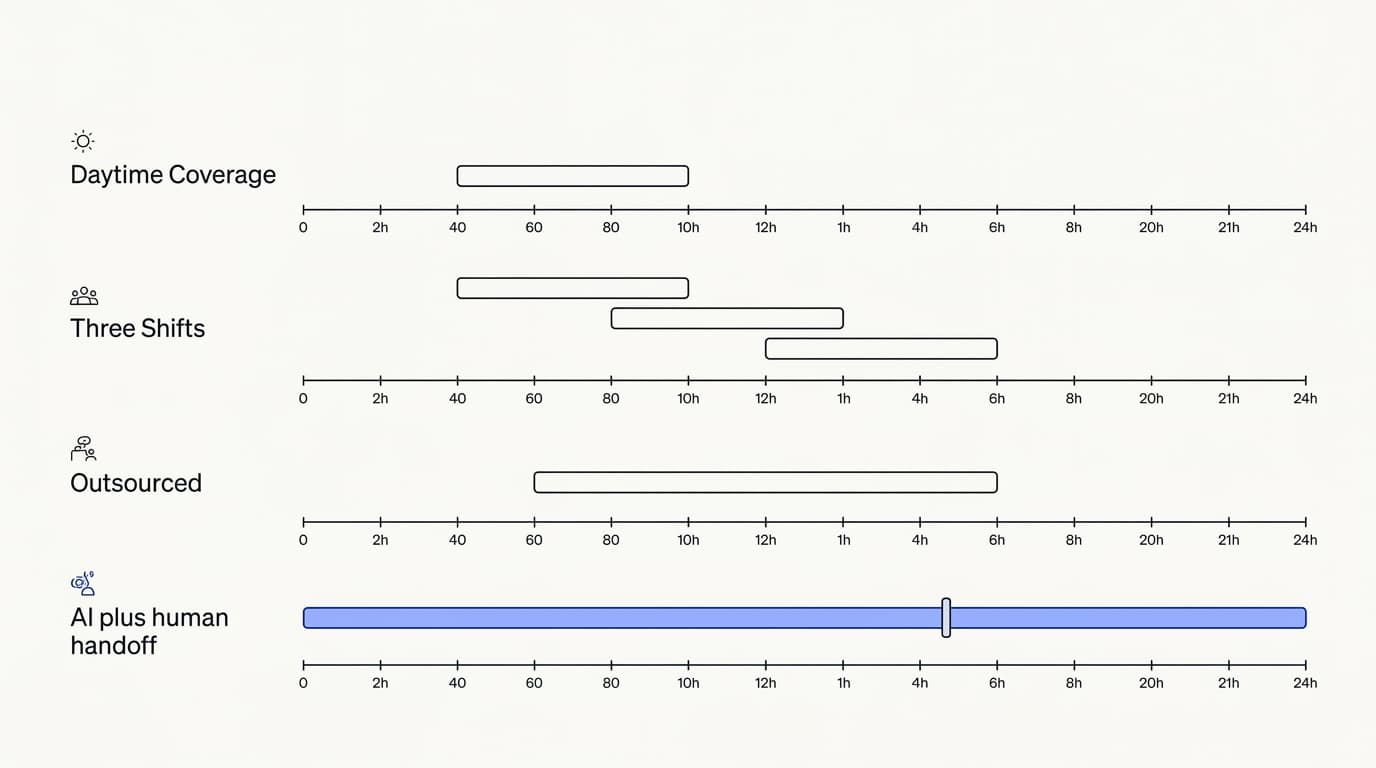
A single time zone is only a third of the day. A support person working a standard shift covers roughly eight of the twenty-four hours, so genuine round-the-clock human coverage needs three shifts, plus cover for weekends, holidays, sickness, and turnover. For a small team that is not one extra hire, it is a small department, and most of those hours are quiet.
Night volume is real but thin and spiky. After-hours tickets rarely justify a full-time person sitting and waiting, yet they matter out of proportion to their count, because a stalled purchase or a locked account at midnight is exactly the kind of problem that loses a customer for good. You end up paying for presence, not throughput, which is the most expensive way to buy coverage.
| Coverage model | Covers nights and weekends | Avoids a dedicated night team | Cost tracks volume not hours |
|---|---|---|---|
| Business-hours humans only | ✗ | ✓ | ✓ |
| Three-shift human rota | ✓ | ✗ | ✗ |
| Outsourced overnight desk | ✓ | ✓ | ✗ |
| AI agent with human handoff | ✓ | ✓ | ✓ |
Read that as the trade you are actually making, not a sales pitch for robots. Business-hours-only coverage is cheap but leaves a hole every night. Full human coverage closes the hole but at a cost most small teams cannot carry, and outsourcing the night desk trades that cost for a team that does not know your product.
The AI row wins on the specific axis that matters for off-hours: cost that tracks volume rather than the clock. You are not paying a person to be present through six quiet hours for two tickets, you are paying per conversation the agent actually handles. That is the same logic behind support automation more broadly, applied to the hours humans are least efficient to staff.
The prize is bigger than saved salary. Gartner has projected that by 2029, agentic AI will autonomously resolve 80% of common customer service issues without human intervention (Gartner), and the repetitive, documented questions that make up that majority do not care what time it is. Covering them at night is where round-the-clock AI earns its keep, because that is when the human alternative is priciest.
How AI handles after-hours support
 Communicate.so
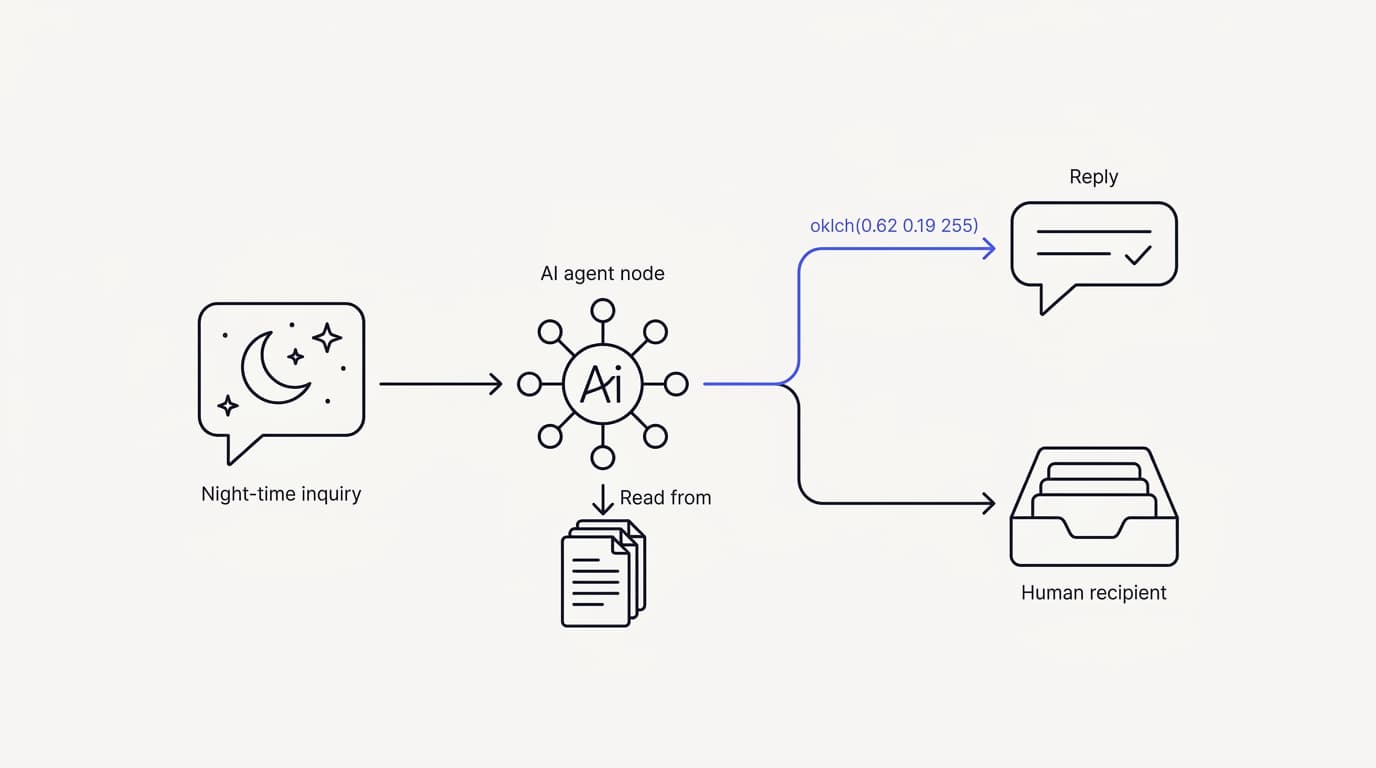
Once you accept that automation covers the off-hours, the next question is what it actually does when a message arrives at 2am. The honest answer is that it handles the questions it can answer well and steps aside on the ones it cannot. Knowing which is which is the difference between a helpful night agent and a liability.
The agent resolves the documented, repetitive majority. Password resets, order status, store hours, return policy, plan differences, how-to questions: these are written down, asked constantly, and identical at midnight or noon. A grounded agent answers them from your connected data sources in seconds, which is the bulk of any after-hours queue.
It deflects by resolving, not by hiding the contact button. Real deflection means the customer got their answer and did not need a human, not that you made it hard to reach one. That is the distinction at the heart of support ticket deflection rate, and it matters more at night, because the human backstop is hours away rather than minutes.
It captures everything it cannot resolve. When a question needs judgment, account access, or a decision the agent should not make, it does not guess. It gathers the context, tells the customer a person will follow up, and queues the conversation in the Shared Inbox for the next available human, so nothing is lost overnight.
| After-hours request | AI resolves alone | Queues for a human |
|---|---|---|
| Password reset walkthrough | ✓ | ✗ |
| Order or delivery status | ✓ | ✗ |
| Documented how-to question | ✓ | ✗ |
| Plan or pricing comparison | ✓ | ✗ |
| Refund outside policy | ✗ | ✓ |
| Angry complaint or dispute | ✗ | ✓ |
| Account change needing verification | ✗ | ✓ |
| Anything the docs do not cover | ✗ | ✓ |
The pattern in that table is the whole design. Where the answer is written down and the action is safe, the agent carries it alone at any hour. Where the request needs a human decision, empathy, or access it should not have, it captures and queues rather than improvising a reply no one is awake to correct.
This is also why the knowledge groundwork matters more than the model. RAND's 2025 review of more than 2,400 enterprise AI initiatives found roughly 80% failed to deliver measurable value (RAND), mostly on operational discipline rather than model quality. For after-hours support that discipline is your help center: the cleaner and more complete it is, the more the agent resolves on its own while you sleep.
If you want the full build behind this, structuring content, connecting sources, and testing answers, the AI support agent implementation guide walks it end to end. The night shift is not a special mode you configure, it is the same well-grounded agent running the hours your team is offline.
Escalation after hours: what happens when AI cannot answer
 Communicate.so
The part vendors gloss over is what happens at 3am when the agent hits something it should not answer. This is where round-the-clock AI support is won or lost, because a broken handoff at night is worse than no automation at all. Handled well, the customer feels caught; handled badly, they feel abandoned twice.
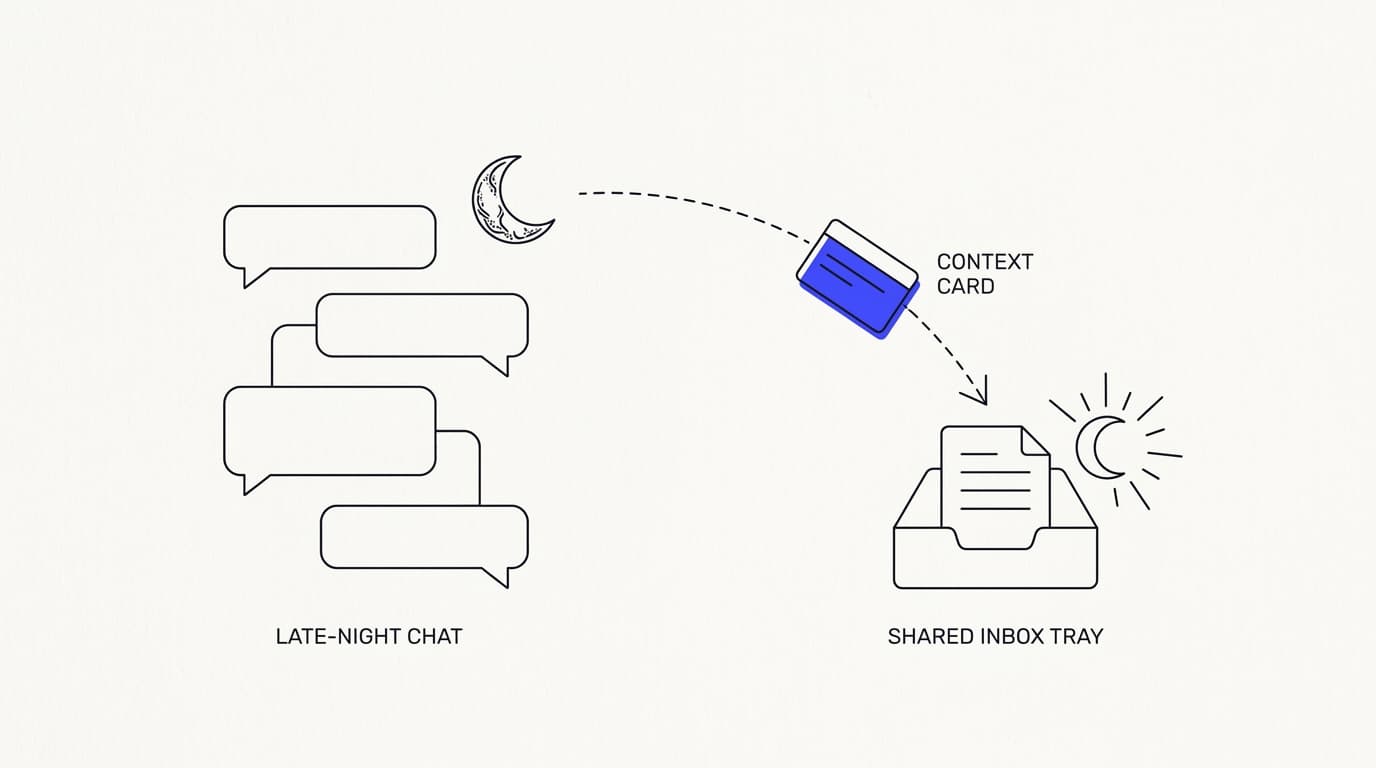
The agent should escalate cleanly, not dead-end. When it cannot find a grounded answer, it should acknowledge the limit, capture the customer's question and details, and set a clear expectation for the follow-up. A handoff that makes the customer repeat everything to a human later is a design failure, which is the core lesson of AI to human handoff in support.
After-hours handoffs queue for the next available human. There is no pretence that a person is awake at 3am. The conversation lands in the Shared Inbox with full context, so whoever starts the morning shift picks it up where the agent left off, without the customer starting over.
Presence-based takeover keeps the AI and humans from colliding. When a human opens a conversation, Communicate's shared inbox hands control to that person automatically, with a per-turn backstop so the agent never talks over a reply someone is typing. That matters most during the overlap hours when a night owl on your team dips in, because the last thing a customer needs is two answers at once.
Set expectations honestly in the escalation message, and the wait becomes tolerable. A line like our team is offline right now and will reply first thing tomorrow respects the customer more than a cheerful bot pretending help is seconds away. The goal at night is not to fake human presence, it is to capture the request reliably and be clear about when a person will pick it up.
This honesty is not just courtesy, it is what keeps the channel trusted. Repeating yourself is one of the top customer frustrations, with Zendesk's 2024 CX Trends research finding 74% rank it among their biggest annoyances (Zendesk). A clean after-hours handoff that preserves context is the single best defence against that frustration when no one is at the desk.
Keeping answer quality high at night
 Communicate.so
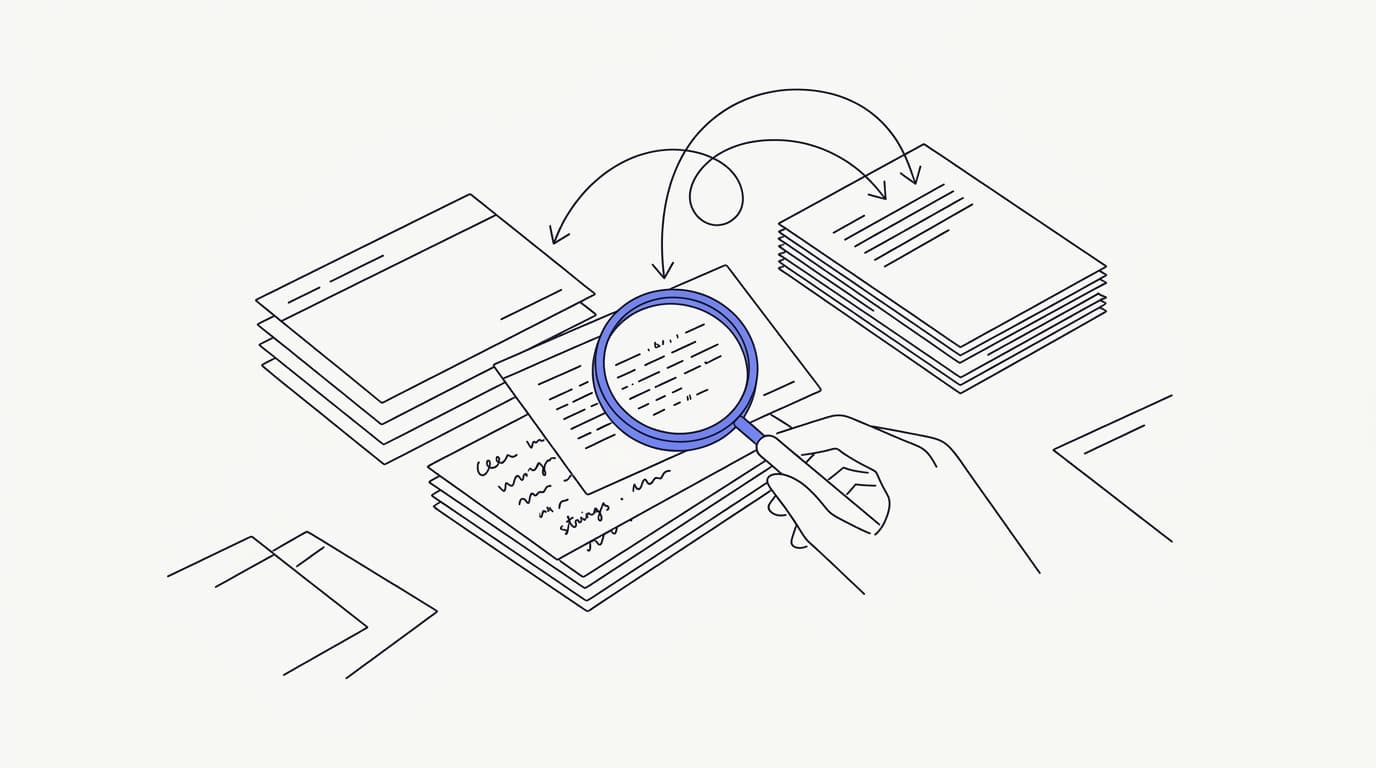
The risk unique to unattended hours is that no one is watching. During the day a bad answer gets caught and corrected in minutes; at 3am it can go out uncorrected to every customer who asks the same thing. So quality at night is less about the moment and more about the guardrails you set beforehand.
Ground every answer, and let the agent say it does not know. The most dangerous night failure is a fluent, confident, wrong answer generated from a general model instead of your documents. A grounded agent that answers only from your connected sources and escalates on a miss is the design that keeps it honest when no human is checking behind it.
Test on your real questions before you trust the night shift. Pull fifty to a hundred messy, half-typed questions from your own history and run them at the agent, scoring each for correctness, tone, and whether it escalated when it should. Set a go or no-go bar before you see the results, so a fluent but wrong answer counts as a failure rather than a maybe.
Watch the overnight transcripts in the morning. The conversations that happened while you slept are your richest source of knowledge gaps, and reading them is how you close those gaps before the next night. Analytics tied to real conversations show you which questions the agent failed on, so each week the night shift gets a little stronger.
Treat the knowledge base as a living thing, because a stale article becomes a wrong answer the moment your product changes. When you ship a feature, change a price, or update a policy, the docs the agent reads have to change with it. An out-of-date help center is the quiet way night quality decays without anyone noticing until a customer complains.
One more guardrail is scope. An agent that only answers what it can ground and only takes the safe actions you have configured will fail safely, where an over-eager one invents. That deliberate narrowness is a feature at night, the same principle that separates a real AI agent from a scripted bot, covered in the AI customer support software buyer guide.
The honest limits of 24/7 AI support
Any guide that promises AI closes your support desk for good is selling you something. Round-the-clock AI coverage is genuinely useful, but it has limits worth stating plainly, because knowing them is how you deploy it without getting burned. Overselling it to your customers is its own kind of failure.
AI is not a full replacement for your team. It resolves the repetitive majority, but some conversations will always need human judgment, empathy, or authority the agent should not have. Usability researchers like the Nielsen Norman Group have long argued the hardest conversations still need a person, and that is truer, not less true, at night when the stakes of a wrong call are higher.
Instant is not the same as resolved for every request. A customer with a genuinely complex or sensitive problem at midnight still has to wait for a human in the morning, and no automation changes that. What AI changes is that they are heard, captured, and given a clear timeline, rather than shouting into a void.
Confusing speed with resolution is how teams oversell the night shift.
Coverage quality depends entirely on your content. An agent running on a thin or contradictory help center will fail at night in exactly the ways this guide warns about, and no amount of round-the-clock uptime fixes a knowledge gap. The honest version is that 24/7 AI support is only as good as the data you connect behind it.
There is also a channel limit worth being clear about. Round-the-clock coverage applies to the channels the tool actually runs, not to every place a customer might reach you. If your customers expect after-hours help on a channel your tool does not support, uptime on the ones it does support will not close that gap.
For the channel question specifically, Communicate's live channels are the web widget, live chat, and email, and it does not offer WhatsApp today, a limit spelled out in the WhatsApp AI customer support guide. Round-the-clock is a real strength on the channels it runs, but match it to where your customers actually are before you count on it.
Where Communicate fits, honestly
Here is the plain version. Communicate runs an AI agent grounded on your own data that answers around the clock and hands off to a human when it is unsure, which is exactly the round-the-clock pattern this guide describes. After-hours handoffs queue for the next available person, so nothing is lost overnight and no one has to be awake to catch it.
The channels are the web widget, live chat, and email, plus in-app messages, analytics, and scoped actions, all running from the same agent and knowledge base. The Shared Inbox uses presence-based human takeover with a per-turn backstop, so during any overlap hours the agent never talks over a person mid-reply. That is the machinery that makes an honest night shift work.
On the model, Communicate runs a single model, gpt-4o-mini through OpenRouter, with response and prompt caching to keep cost and latency down. That is a deliberate simplicity, because the data you connect drives answer quality far more than the model badge, and one well-tuned model with grounded retrieval beats a model-picker that pushes tuning onto you at 3am.
On pricing, there is no free tier. Entry is a one-time $1 activation that confirms you are a real person and includes 100 test credits, then credit-based usage from there, so your off-hours cost tracks the conversations the agent handles rather than a night-shift headcount. That is the coverage math from earlier, turned into a bill.
On security, Communicate encrypts data at rest, offers TOTP two-factor authentication, isolates each workspace, and supports export and cascading delete. It is GDPR-ready but not certified, with no SOC 2, HIPAA, ISO 27001, or SSO, and runs in a single region, a posture stated plainly on the security page. Questions go to [email protected].
Key takeaways
- 24/7 customer support with AI is a coverage model: the agent answers documented questions at any hour and queues everything else for the next available human.
- The coverage math rarely favours a human night shift, because you pay for presence through quiet hours, while AI cost tracks conversation volume instead of the clock.
- After hours, a grounded agent resolves the repetitive majority and captures the rest, deflecting by actually answering rather than hiding the contact button.
- Escalation is where night support is won or lost: a clean handoff preserves context and sets an honest follow-up expectation instead of faking human presence.
- AI is not a full replacement for your team, and coverage quality depends entirely on your content, so the night shift is only as good as the help center behind it.
Want to see how much of your off-hours queue an agent can carry before you commit to a night plan? Start with a one-dollar account activation that includes 100 test credits, feed the agent your real support questions, and read the overnight transcripts in the morning. If you are earlier in the decision, the AI customer support software buyer guide and the guide to customer support automation are the right next reads.
Frequently asked questions
What does 24/7 customer support AI mean?
It means an AI agent answers common customer questions from your own knowledge at any hour, and hands off to a human when it is unsure. It is a coverage model, not a promise that a machine solves everything. The agent covers the hours your team is off, and the handoffs queue for the next available person.
Can AI really provide round-the-clock support on its own?
It can carry the repetitive, documented majority of questions on its own at any hour, which is most of a typical after-hours queue. It cannot handle every conversation alone, so the honest version pairs it with a human queue for the cases that need judgment. That combination is what round-the-clock coverage actually looks like.
Do I need to hire night staff if I use an AI support agent?
Usually not, which is the main reason teams reach for it. The agent covers the off-hours that rarely justify a dedicated person, and captures anything it cannot answer for the morning shift. The coverage math for most small teams favours automation plus a human handoff over a three-shift rota.
What happens when the AI cannot answer a question at night?
It should escalate cleanly rather than guess. It captures the customer's question and details, sets a clear expectation for the follow-up, and queues the conversation in the Shared Inbox for the next available human. A handoff that makes the customer repeat themselves later is a design failure.
How does after-hours escalation work?
The agent acknowledges the limit, gathers context, and hands the conversation to a human queue with everything preserved. There is no pretence that someone is awake at 3am; the follow-up happens when the next shift starts. The mechanics of getting this right are covered in AI to human handoff in support.
Will customers wait until morning for a human reply?
For the questions the agent can answer, they do not wait at all, because the answer is instant. For the ones that need a human, they wait for the morning, but they are told so honestly and their request is captured. An honest timeline beats a fake promise of instant human help.
What kinds of questions can AI handle after hours?
Documented, repetitive ones: password resets, order status, store hours, return policy, plan differences, and how-to questions. These are identical at midnight or noon, so a grounded agent answers them from your connected data sources in seconds. Complex, sensitive, or account-specific requests are the ones it routes to a human.
How is deflection different from just hiding the contact button?
Real deflection means the customer got their answer and did not need a human, not that you buried the way to reach one. Hiding the contact button inflates the numbers while making customers angrier. The distinction is the whole subject of support ticket deflection rate, and it matters most at night.
How do I keep answer quality high when no one is watching?
Ground every answer in your documents, let the agent escalate on a miss, and review the overnight transcripts each morning. Analytics tied to real conversations show which questions the agent failed on, so you close the gaps before the next night. Quality at night is set by guardrails, not by supervision in the moment.
Is AI support accurate enough to run unattended overnight?
It is when it is grounded and tested first. RAND found roughly 80% of enterprise AI initiatives failed to deliver value, mostly on operational discipline rather than model quality (RAND). Test the agent on your own real questions and set an accuracy bar before you trust it to run while you sleep.
Does the coverage math actually favour AI over hiring?
For most small teams, yes. Round-the-clock human coverage needs three shifts plus cover for weekends and gaps, and much of that time is quiet, so you pay for presence rather than throughput. AI cost tracks the conversations actually handled, which is far cheaper for thin, spiky night volume.
What channels can Communicate cover around the clock?
Its live channels are the web widget, live chat, and email, plus in-app messages, and the same agent runs across all of them. You can embed the agent on a site with embeddable widgets. Running one agent behind every channel keeps answers consistent at 2am and 2pm alike.
Does Communicate support WhatsApp for 24/7 support?
No. Communicate does not offer WhatsApp as a channel today, and there is no confirmed roadmap or date, a limit spelled out in the WhatsApp AI customer support guide. If WhatsApp is a hard requirement for your after-hours coverage, it is not the tool for that channel right now.
How does Communicate handle the AI to human handoff?
When a human opens a conversation, the Shared Inbox hands control to that person automatically, with a per-turn backstop so the agent never talks over a reply being typed. After hours, handoffs queue with full context for the next available person. That prevents the AI and a human from answering at the same time.
Will 24/7 AI support replace my support team?
No, and a vendor claiming it will is overselling. The agent carries the repetitive volume, but some conversations always need human judgment and empathy, a point usability researchers like the Nielsen Norman Group have long made. The realistic goal is to let the agent handle volume and route the judgment calls to people.
How much does 24/7 AI customer support cost?
With Communicate there is no free tier. Entry is a one-time $1 activation that includes 100 test credits, then credit-based usage from there. The point of the model is that your off-hours cost tracks the conversations the agent handles rather than a night-shift headcount.
How long does it take to set up round-the-clock AI support?
The setup itself is quick; the real work is preparing your knowledge base so the agent answers correctly at night. That editorial groundwork, structuring content and testing answers, is walked in the AI support agent implementation guide. Plan your time around the content, not the wiring.
How do I measure whether my 24/7 AI support is working?
Track confirmed resolution rate on AI-only conversations, escalation rate broken down by reason, and response time, on your own off-hours volume. Analytics tied to real conversations surface the knowledge gaps the agent is failing on overnight. Resolution, not raw deflection, is the number that maps to a genuinely good night shift.
Is my data safe with an AI agent answering support overnight?
The data you connect for retrieval passes through the agent, so the security posture of your tool is part of the product. Communicate encrypts data at rest, offers TOTP two-factor authentication, isolates each workspace, and supports export and cascading delete. It is GDPR-ready but not certified, with no SOC 2, HIPAA, or ISO 27001, a posture documented on the security page.
What is the biggest mistake teams make with 24/7 AI support?
Trusting an ungrounded agent to run unattended overnight. A fluent, confident, wrong answer at 3am goes out uncorrected to everyone who asks the same thing, because no one is watching to catch it. Ground the answers, test before launch, and read the overnight transcripts, and that mistake disappears.