
WhatsApp AI customer support: the honest setup guide
 Communicate.so
WhatsApp AI customer support explained: how the WhatsApp Business API and an AI agent work, plus setup, templates, and opt-in rules.
TL;DR: WhatsApp AI customer support means pairing the WhatsApp Business Platform with an AI agent, so common questions get answered automatically inside the chat app your customers already use. This guide explains what that setup is, how the WhatsApp Business API and an AI agent fit together, and the rules that make or break it: message templates, the customer service session window, and explicit opt-in. It covers the real use cases, the pitfalls that sink projects, and how to judge whether WhatsApp is the right support channel for you at all. One honest note up front: Communicate does not offer WhatsApp as a channel today, so this is category education, and the product is positioned only for the web widget, live chat, and email support it actually runs.
Search for WhatsApp AI customer support and you get two kinds of pages. One kind sells you a magic bot that answers everything on WhatsApp with a single click, and the other buries you in Meta developer documentation before you know whether the channel even fits your business. Neither tells you plainly what the setup is, what it costs you in effort, or when it is the wrong choice.
This guide takes the honest middle path. WhatsApp AI customer support is the combination of two things: the WhatsApp Business Platform, which lets a business send and receive messages programmatically, and an AI agent that reads incoming questions and answers them from your own knowledge. Understand those two halves and the rest of the topic stops being either hype or a wall of jargon.
It is written for the person deciding whether to put support on WhatsApp: a founder, a support lead, or an ops owner weighing a new channel. It defines the pieces, walks the setup considerations, explains the template and session rules that trip everyone up, and names the pitfalls. If you want the broader category view first, the AI customer support software buyer guide is the companion read, and the AI chatbot versus AI agent explainer covers the difference between a scripted bot and a real agent.
What WhatsApp AI customer support actually means
The phrase gets used loosely, so it is worth pinning down before anything else. WhatsApp AI customer support is not a product you buy off a shelf under that name. It is a pattern: a messaging channel plus an automated responder, wired together so customers can get answers in a chat thread instead of an email or a web form.
The messaging half is the WhatsApp Business Platform. This is the official route Meta provides for businesses to handle messages at scale through the WhatsApp Business Platform, and it is distinct from the free WhatsApp Business app that a small shop runs on one phone. The platform exposes an API, so software can receive a customer's message and send a reply without a person tapping the screen.
The intelligence half is an AI agent. A real agent reads the question, retrieves the relevant facts from the sources you connect, and writes a grounded reply, rather than following a rigid decision tree. The difference between that and an old-style menu bot is the whole subject of the AI chatbot versus AI agent comparison, and it matters more on WhatsApp than anywhere, because customers type freely in chat.
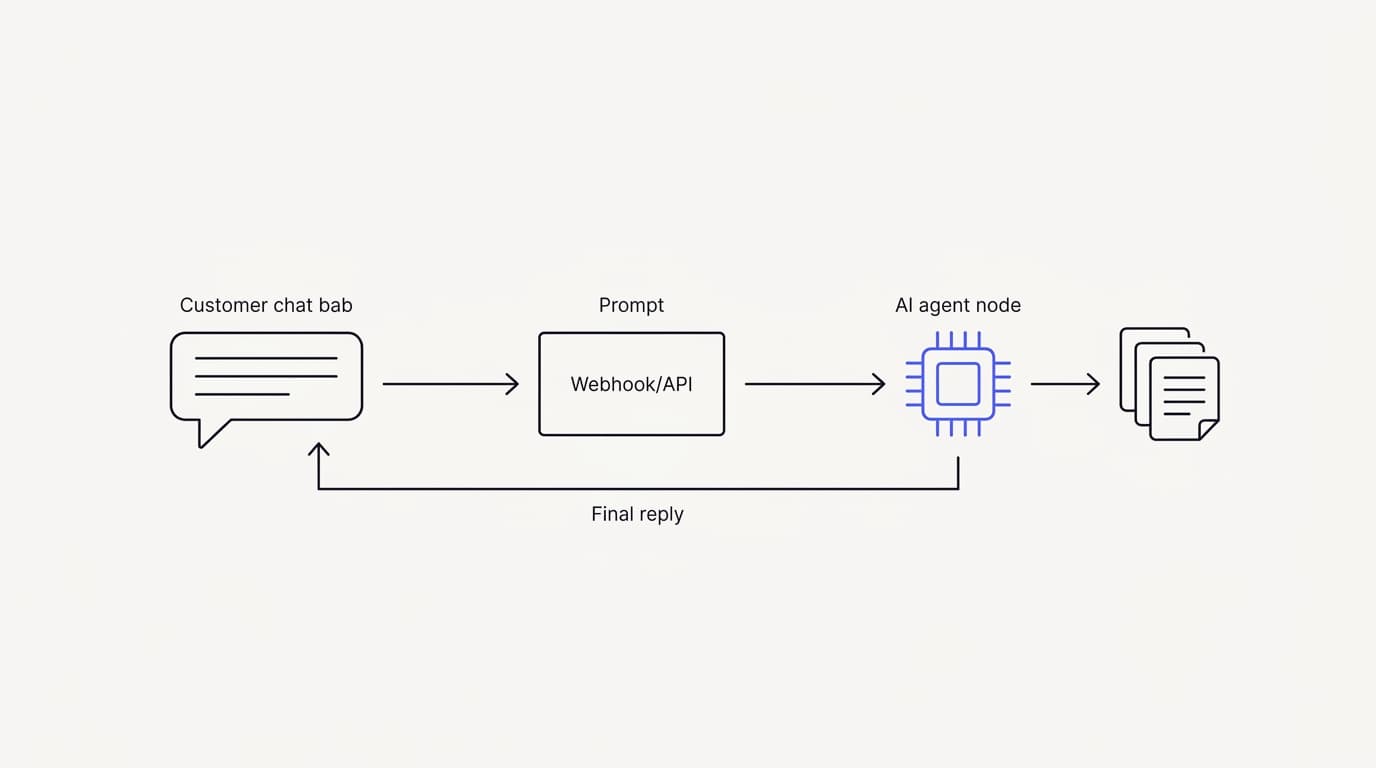
Put the two halves together and you have the setup. A customer messages your business number, the platform delivers that message to your software, the AI agent answers from your knowledge base, and the reply lands back in the customer's chat. When the agent is unsure, a person should be able to step in on the same thread.
That last point is the part vendors skip. WhatsApp AI support is only as good as its handoff, because a chat app feels personal and a wrong automated answer feels worse there than on a web page. Any serious setup keeps a human able to take over, which is a theme this guide returns to more than once.
How the WhatsApp Business API and an AI agent fit together
 Communicate.so
The mechanics are simpler than the documentation makes them look. Access to the WhatsApp Business Platform runs through Meta, and most businesses reach it through a Business Solution Provider rather than integrating with Meta directly. That provider handles the number registration, the message routing, and the compliance plumbing, and you connect your AI agent on top of it.
Inbound is the easy direction. When a customer sends a message to your WhatsApp business number, the platform posts that message to a webhook your software controls. Your AI agent receives it, works out an answer from your connected knowledge, and sends a reply back through the API, all in the seconds a chat reply should take.
Outbound is where the rules bite. You cannot message a customer freely whenever you want, because WhatsApp separates replies inside an open conversation from messages you start yourself. That split, between the session window and message templates, is the single most important thing to understand about the platform, and it gets its own section below because it governs everything else.
The knowledge layer is what makes the answers worth reading. An agent that guesses from a general model will produce fluent, confident, wrong replies, which on a personal channel like WhatsApp is a fast way to lose trust. Grounded retrieval, where the agent answers only from the documents you connect and escalates when it finds nothing, is the design that keeps it honest.
The human layer closes the loop. A good setup routes a conversation to a person the moment the agent should not answer, without the customer starting over, which is exactly the pattern described in AI to human handoff in support. On WhatsApp the handoff has an extra wrinkle: the session window may have closed by the time a human is free, so the team has to know how re-engagement works before they promise a reply.
Setting up AI customer support on WhatsApp
Setup is less about code and more about approvals and structure. The technical integration is a few endpoints, but the work that decides whether the project succeeds happens before and around it. Walking the sequence once, honestly, sets expectations better than any quickstart.
First comes access and verification. You need a Meta Business account, a verified business, and a phone number dedicated to WhatsApp that is not already tied to a personal WhatsApp account. Meta documents this process on the WhatsApp Business Platform, and business verification can take time, so start it early rather than the week you want to launch.
Then comes the knowledge base. The agent can only answer from what you give it, so structuring your help content, connecting your data sources, and cleaning up contradictions is the real preparation. This is the same groundwork any channel needs, and the AI support agent implementation guide walks it step by step regardless of where the agent ends up answering.
Next you wire the agent to the channel. In practice this means pointing the platform's inbound webhook at your agent and giving your agent credentials to send replies back. If you already run an agent on a website through embeddable widgets, the retrieval and answer logic is the same; only the transport changes, which is why teams often prove the agent on the web first and add channels later.
Then you get templates approved. Any message you start outside an open conversation has to use a pre-approved template, so you draft the ones you need, submit them, and wait for review. Skipping this is the most common reason a WhatsApp project stalls, because you cannot send order updates or notifications until the templates clear, a rule detailed in the next section.
Finally you test on real questions before going live. Pull fifty to a hundred messy, half-typed questions from your actual history and run them at the agent, scoring each for whether it was correct, matched your voice, and escalated when it should have. Set a go or no-go bar before you see the results, so a fluent but wrong answer counts as a failure rather than a maybe.
Message templates, the session window, and opt-in
 Communicate.so
These three rules are what make WhatsApp different from a web widget. They exist because WhatsApp protects its users from spam aggressively, and Meta enforces them through the WhatsApp Business Platform. Get them right and the channel is calm and trusted; get them wrong and your number gets flagged, so learn them before you build.
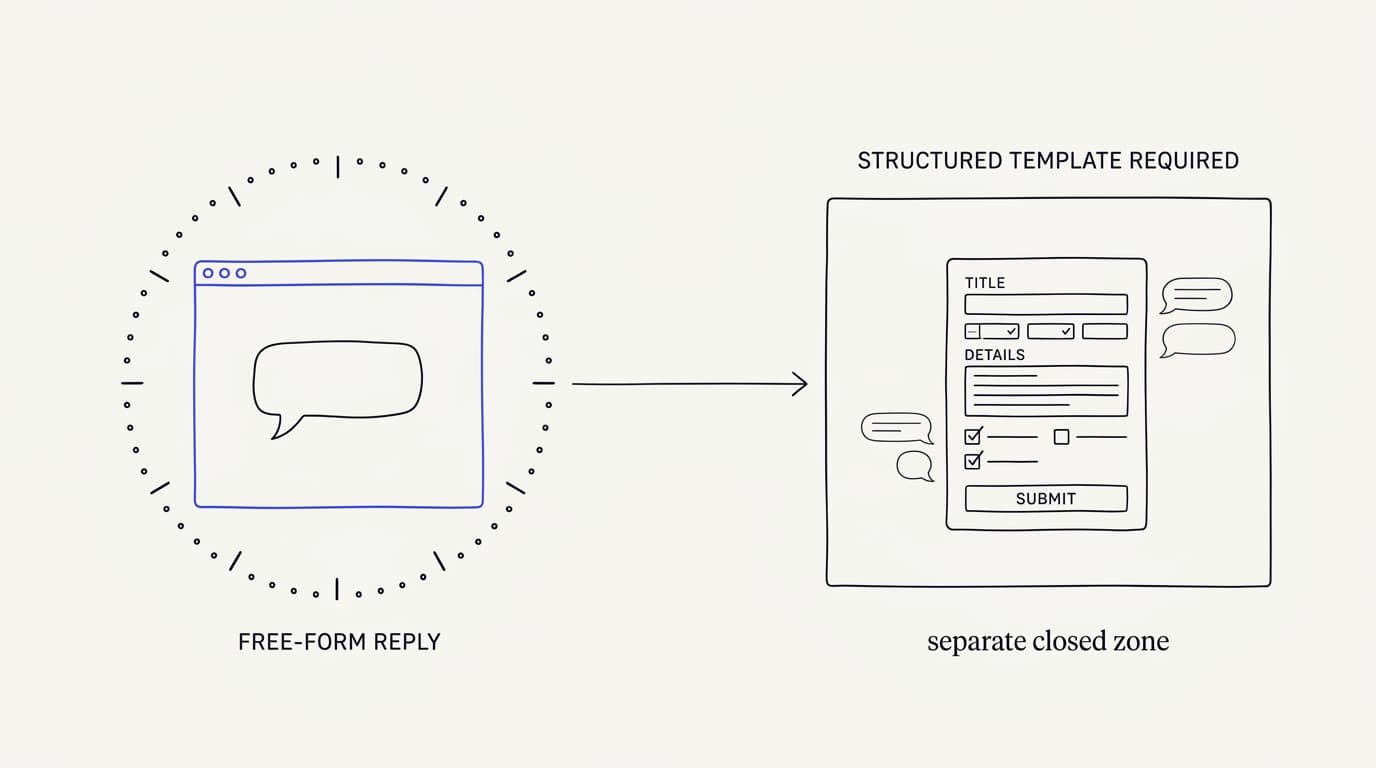
The session window governs free replies. When a customer messages you, WhatsApp opens a customer service window during which you can reply with normal, free-form messages, which WhatsApp documents as lasting 24 hours from the customer's last message. Inside that window your AI agent can answer naturally, and this is where the vast majority of support conversations happen.
Templates govern messages you start. Once the window closes, or when you want to reach out first, you can only send a message built from a template that Meta has approved in advance. Templates suit structured notifications like an order update or an appointment reminder, and they are billed separately from free-window replies, so you design your outbound flows around approved templates rather than free text.
Opt-in is not optional. You must get a customer's explicit permission before messaging them on WhatsApp, and that consent has to be genuine, recorded, and easy to withdraw. This overlaps with data protection law, so aligning your opt-in with your privacy practices, the kind of posture set out on the security page for any support tool, keeps you on the right side of both WhatsApp policy and regulators like those enforcing the GDPR.
| Rule | Free-form reply allowed | Requires approved template | Needs prior opt-in |
|---|---|---|---|
| Reply inside the session window | ✓ | ✗ | ✗ (they messaged you) |
| Message after the window closes | ✗ | ✓ | ✓ |
| Proactive notification you start | ✗ | ✓ | ✓ |
| Marketing or promotional message | ✗ | ✓ | ✓ |
Read that table as the shape of the channel, not red tape for its own sake. The session window is where your AI agent does almost all its work, answering freely while the customer is engaged. Templates and opt-in are the guardrails around everything you initiate, and respecting them is what keeps your number in good standing.
There is a practical consequence for the AI agent's design. Because free replies only work inside the window, a slow first response can mean the window is closing while a customer waits, so speed matters even more here than the general case laid out in the first response time benchmark. An agent that answers in seconds keeps conversations inside the free window where they belong.
What WhatsApp AI support is good for
 Communicate.so
WhatsApp is not the right channel for every business, but where it fits it fits well. The pattern is customers who already live in the app and expect to reach a business the same way they reach a friend. Naming the strong use cases tells you whether your audience is one of them.
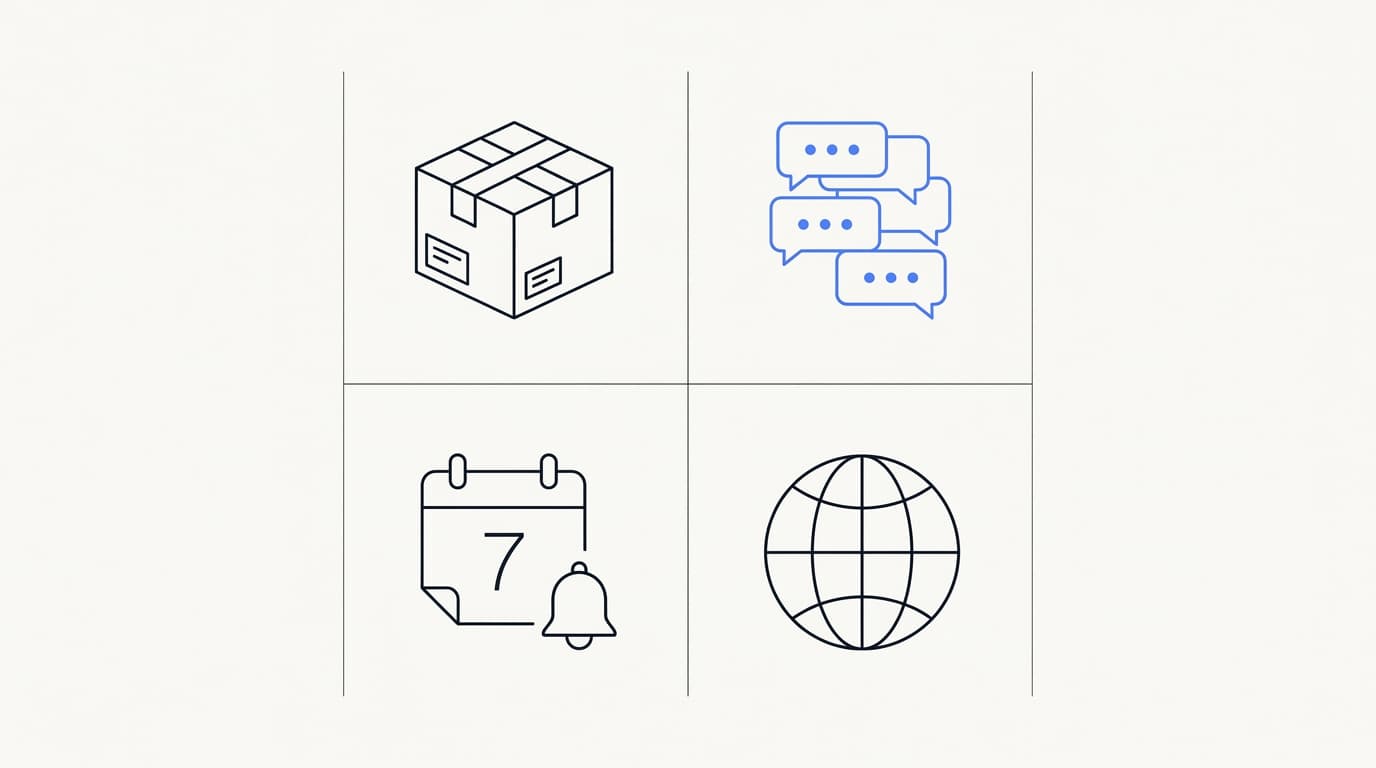
Order and delivery updates are the classic fit. A shipping notification, a delivery window, or a status change is structured, expected, and welcome, which is exactly what templates are built for. The AI agent then handles the follow-up questions those updates trigger, like where is my order or can I change the address, inside the session window the customer opened by replying.
High-volume repetitive questions suit the agent best. Store hours, return policies, booking changes, and account questions are documented and repetitive, so a grounded agent answers them instantly and consistently. This is the same repetitive majority that makes automation pay on any channel, which is why Gartner has projected that by 2029, agentic AI will autonomously resolve 80% of common customer service issues without human intervention (Gartner).
Regions where WhatsApp is the default channel. In many markets customers simply expect to message a business on WhatsApp rather than email it, and meeting them there lowers the friction of getting help. If your customers already treat the app as their front door, being absent from it costs you more than the setup effort, and round-the-clock coverage is part of the appeal, as the 24/7 customer support guide explains.
Appointment and reminder flows round out the list. A reminder the day before, a confirmation, or a reschedule prompt is structured enough for a template and personal enough to suit chat. The agent then fields the natural replies, moving a booking or answering a question, without a person touching most of them.
The common thread is that WhatsApp rewards businesses whose support is either transactional or high volume, and whose customers prefer chat. It is a weaker fit if your support is rare, deeply technical, or tied to a desktop workflow, where a website widget or email may serve better. Choosing the channel honestly is more valuable than forcing every business onto WhatsApp.
| Scenario | Good fit for WhatsApp | AI agent handles it | Often needs a human |
|---|---|---|---|
| Order and delivery updates | ✓ | ✓ | ✗ |
| Repetitive documented FAQs | ✓ | ✓ | ✗ |
| Appointment reminders and reschedules | ✓ | ✓ | ✗ |
| Sensitive complaint or dispute | ✓ | ✗ | ✓ |
| Rare deeply technical troubleshooting | ✗ | ✗ | ✓ |
| Desktop-bound account workflow | ✗ | ✓ (varies) | ✓ |
Read that as a fit map rather than a scoreboard. The rows where all three signals line up, structured and repetitive work the agent can carry, are where WhatsApp AI support pays off fastest. The rows that lean on a human are the ones to route out of automation cleanly, on WhatsApp as anywhere else.
Pitfalls and what to watch for
 Communicate.so
The failure modes on WhatsApp are specific, and most are avoidable if you know them. The channel amplifies both the strengths and the weaknesses of an AI agent, because it feels personal. A confident wrong answer that would be shrugged off on a web page can feel like a broken promise in a chat thread, so the bar for accuracy is higher, not lower.
Ungrounded answers are the biggest risk. An agent that generates from a general model instead of your documents will invent details, and on WhatsApp that lands in a trusted, personal space. RAND's 2025 review of more than 2,400 enterprise AI initiatives found roughly 80% failed to deliver measurable value, mostly on operational discipline rather than model quality (RAND), so grounded retrieval and a tested knowledge base matter more than any model choice.
A broken handoff is the second. If a customer needs a human and the agent cannot pass them cleanly, or the session window has closed and no one told the team how re-engagement works, the conversation dies. A handoff that makes the customer repeat themselves is a design failure, which is why the mechanics in AI to human handoff in support deserve real attention before launch.
Template and consent violations get you flagged. Sending outside the window without a template, or messaging people who never opted in, risks your number's quality rating and can get it restricted. Meta enforces this through the WhatsApp Business Platform, and a restricted number is a far worse outcome than a slow launch, so treat the rules as hard constraints rather than suggestions.
Two quieter pitfalls round out the list. Measuring deflection instead of confirmed resolution flatters the numbers, because a customer who got a wrong answer and gave up still counts as deflected, and that gap hides real dissatisfaction. And running WhatsApp as a separate bot with its own disconnected knowledge base means answers drift out of sync with your other channels, which is an argument for one agent and one knowledge source behind every surface.
The honest limit worth stating plainly: repeating yourself is one of the top customer frustrations, with Zendesk's 2024 CX Trends research finding 74% rank it among their biggest annoyances (Zendesk). A poorly wired handoff makes that worse on WhatsApp, and usability researchers like the Nielsen Norman Group have long argued the hardest conversations still need a person, so keep humans in the loop for the cases that need them.
Where Communicate fits, honestly
Here is the plain truth this guide will not dress up: Communicate does not offer WhatsApp as a channel today. Its live channels are the web widget, live chat, and email, plus in-app messages, analytics, and scoped actions running from the same agent and knowledge base. If WhatsApp is a hard requirement for you, Communicate is not the tool for that channel right now, and you should know that before you evaluate it.
There is no confirmed roadmap or date for WhatsApp, so this guide will not promise one. What Communicate does today is run an AI agent well on the channels it actually supports, and the honest fit is teams whose customers reach them on a website, a live chat window, or by email rather than on WhatsApp. That is a real limit, stated up front rather than buried in a footnote.
What it does do translates directly to the ideas in this guide. The agent trains on your own data through grounded retrieval and hands off when it is unsure, and the Shared Inbox uses presence-based human takeover with a per-turn backstop, so the AI never talks over a person mid-reply. Those are exactly the qualities that make any chat support trustworthy, WhatsApp or not.
On the model, Communicate runs a single model, gpt-4o-mini through OpenRouter, with response and prompt caching to keep cost and latency down. That is a deliberate simplicity, because the data you connect drives answer quality far more than the model badge, and one well-tuned model with grounded retrieval beats a model-picker that shifts tuning onto you.
On pricing, there is no free tier. Entry is a one-time $1 activation that confirms you are a real person and includes 100 test credits, then credit-based usage from there, which keeps support cost predictable rather than tied to headcount. On security, Communicate encrypts data at rest, offers TOTP two-factor authentication, isolates each workspace, and supports export and cascading delete, and it is GDPR-ready but not certified, with no SOC 2, HIPAA, ISO 27001, or SSO, and a single region, a posture stated plainly on the security page.
Questions go to [email protected].
Key takeaways
- WhatsApp AI customer support is a pattern, not a product: the WhatsApp Business Platform for messaging plus an AI agent that answers from your own knowledge.
- The session window, message templates, and opt-in are the three rules that govern the channel. Free replies happen inside the window; anything you start needs an approved template and prior consent.
- The strong use cases are order updates, high-volume repetitive questions, appointment reminders, and markets where WhatsApp is the default channel.
- The biggest pitfalls are ungrounded answers, broken handoffs, and template or consent violations that can get your number restricted.
- Communicate does not offer WhatsApp today. Its live channels are the web widget, live chat, and email, so it is not the tool for WhatsApp support right now.
Want to test an AI agent on the channels Communicate does run, a web widget, live chat, and email, before deciding where WhatsApp fits later? Start with a one-dollar account activation that includes 100 test credits, feed the agent your real support questions, and see how much of your queue it can carry. If you are earlier in the journey, the AI customer support software buyer guide and the live chat versus AI agent comparison are the right next reads.
Frequently asked questions
What is WhatsApp AI customer support?
It is the pairing of the WhatsApp Business Platform with an AI agent, so customer questions sent to your WhatsApp business number get answered automatically from your own knowledge. The platform handles the messaging, and the agent handles the answers. A good setup also lets a human take over when the agent should not answer on its own.
Is WhatsApp AI support different from a website chatbot?
The agent logic can be the same, but the channel rules differ. On a website an agent can reply freely at any time, while WhatsApp restricts messages you start to approved templates and requires opt-in. The difference between a scripted bot and a real agent is covered in the AI chatbot versus AI agent explainer, and it applies on both channels.
What is the WhatsApp Business Platform?
It is Meta's official route for businesses to send and receive WhatsApp messages programmatically at scale, documented on the WhatsApp Business Platform. It is separate from the free WhatsApp Business app that runs on a single phone. Most businesses access it through a Business Solution Provider rather than integrating with Meta directly.
What is the WhatsApp session window?
It is the period after a customer messages you during which you can reply with free-form messages, which WhatsApp documents as lasting 24 hours from the customer's last message. Inside it, your AI agent can answer naturally, and this is where most support happens. Once it closes, you can only reach the customer with an approved template.
What are WhatsApp message templates?
Templates are pre-written message formats that Meta approves before you can send them, and they are required for any message you start outside an open session window. They suit structured notifications like order updates and reminders. Meta reviews and approves them through the WhatsApp Business Platform, so plan for approval time before launch.
Do I need customer opt-in to message on WhatsApp?
Yes. WhatsApp requires explicit, recorded permission before you message a customer, and that consent must be easy to withdraw. This overlaps with data protection law such as the GDPR, so align your opt-in with your privacy practices.
Messaging people who did not opt in risks your number being restricted.
How does an AI agent connect to WhatsApp?
The platform posts incoming messages to a webhook your software controls, your AI agent reads them and works out an answer from your connected knowledge, and it sends the reply back through the API. The retrieval and answer logic is the same as on any other channel. Only the transport layer changes.
What can WhatsApp AI support actually do well?
It is strong for order and delivery updates, high-volume repetitive questions, appointment reminders, and markets where customers default to WhatsApp. Those cases are structured or repetitive, which suits automation. It is a weaker fit for rare, deeply technical, or desktop-bound support.
What are the main risks of WhatsApp AI support?
The biggest is ungrounded answers, where the agent invents details instead of answering from your documents, which feels worse on a personal channel. The second is a broken handoff to a human. The third is template or consent violations, and the AI to human handoff guide covers how to get the escalation right.
How accurate is an AI agent on WhatsApp?
Accuracy comes mostly from grounded retrieval and a clean knowledge base, not the model badge. RAND found roughly 80% of enterprise AI initiatives failed to deliver measurable value, mostly on operational discipline (RAND). Test the agent on your own real questions and set an accuracy bar before you trust it live.
When should a human take over on WhatsApp?
A human should take over when a conversation needs judgment or empathy, or whenever the agent cannot find a grounded answer. On WhatsApp the team also has to know how re-engagement works if the session window has closed. A well-built agent escalates on its own rather than guessing.
Does Communicate support WhatsApp?
No. Communicate does not offer WhatsApp as a channel today, and there is no confirmed roadmap or date. Its live channels are the web widget, live chat, and email, plus in-app messages, analytics, and actions, as described on the AI Agents overview.
If WhatsApp is a hard requirement, it is not the tool for that channel right now.
What channels does Communicate support instead?
Communicate's live channels are a web widget, live chat, and email, plus in-app messages, and the same AI agent and knowledge base serve all of them. You can embed the agent on a site with embeddable widgets. Keeping answers consistent across those supported surfaces is one reason to run a single agent rather than a separate bot per channel.
How much does it cost to set up WhatsApp AI support?
Costs come from three places: WhatsApp platform fees through your provider, the AI tool that runs the agent, and your own setup time to structure the knowledge base and get templates approved. Template messages are billed separately from free-window replies. Model a doubled-traffic month, because messaging fees and AI usage can both climb during a surge.
How long does WhatsApp AI support take to set up?
Plan for weeks rather than days, because business verification and template approval both take time you do not control. The AI groundwork, structuring your knowledge and testing answers, is the same as any channel and is walked in the AI support agent implementation guide. Starting the verification and template submissions early is the main way to shorten it.
Can I use WhatsApp and a website widget together?
Yes, and running one agent behind both is the stronger pattern, because it keeps answers consistent. The retrieval logic is shared, so proving the agent on a website widget first and adding channels later is a low-risk path. A separate disconnected bot per channel is what causes answers to drift apart.
Is WhatsApp AI support worth it for a small business?
It is worth it when your customers already default to WhatsApp and your support is transactional or high volume. It is less worth it if support is rare, highly technical, or your audience does not use the app. Match the channel to where your customers actually are rather than adding it because it exists.
How do I measure whether WhatsApp AI support is working?
Track confirmed resolution rate on AI-only conversations, escalation rate broken down by reason, and response time, on your own volume rather than a blended dashboard. Analytics tied to real conversations surface the knowledge gaps the agent is failing on. Resolution, not deflection, is the number that maps to a genuinely good agent.
Will an AI agent replace my support team on WhatsApp?
No, and a vendor claiming it will is overselling. An agent can resolve the repetitive majority, but some conversations will always need human judgment and empathy, a point usability researchers like the Nielsen Norman Group have long made. The realistic goal is to let the agent carry volume and route the judgment calls to people.
Is my data safe with an AI agent handling WhatsApp support?
The data you connect for retrieval passes through the agent, so the security posture of your chosen tool is part of the product, alongside WhatsApp's own encryption. Communicate, for the channels it does run, encrypts data at rest, offers TOTP two-factor authentication, isolates each workspace, and supports export and cascading delete. It is GDPR-ready but not certified, with no SOC 2, HIPAA, or ISO 27001, a posture documented on the security page.