
Best AI chatbot for customer support: a buyer guide
 Communicate.so
Best AI chatbot for customer support: judge resolution, grounded answers, handoff, and pricing by measurable criteria, honestly.
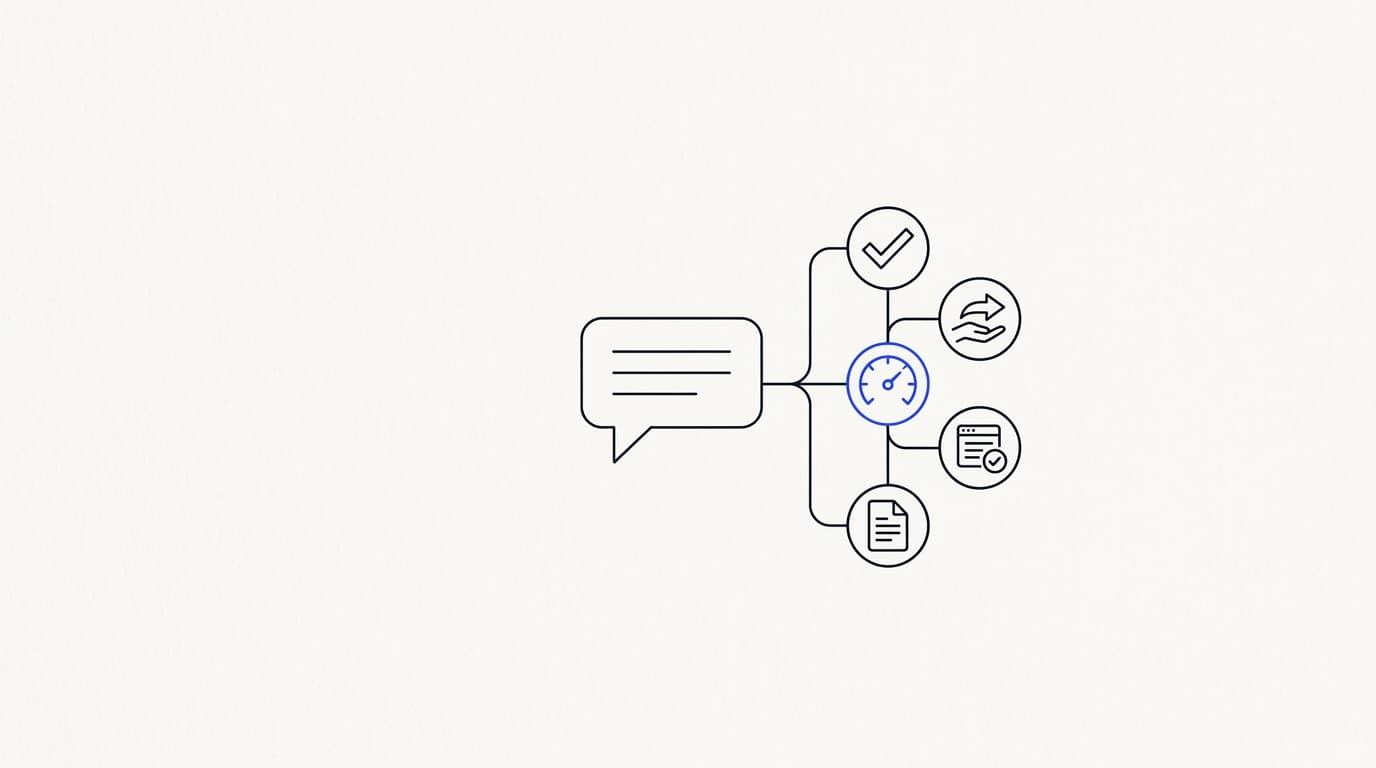
TL;DR: The best AI chatbot for customer support is not the one with the flashiest demo, it is the one that resolves your real questions, answers from your own knowledge, and hands off to a human the moment it should not answer. This guide defines best in numbers you can check: confirmed resolution rate, grounded answers, a clean handoff, and pricing that stays sane as you grow. It gives you a criteria-based comparison across the common archetypes, so you can shortlist by behavior instead of by ranking, and it places Communicate honestly inside that frame rather than crowning it.
Search for the best AI chatbot for customer support and every result claims the top spot. Ranking listicles are written to win a click, not to survive your procurement review, and most of them rank tools they have never pointed at a real support queue. By the time you have shortlisted four vendors, you still cannot say which one will hold up against the ugly, half-typed questions your customers actually send.
The word "best" is doing a lot of quiet work in that search, and nobody defines it. Best for a five-person startup deflecting FAQ traffic is a different tool than best for a regulated team that needs data isolation and an audit trail. So the useful move is not to accept somebody's ranking, it is to define what best means for your operation and then measure candidates against it.
This guide is written for the person who signs off: a support lead, a founder, or an ops owner weighing an AI support agent against a rule-based bot, a helpdesk add-on, and a do-it-yourself wrapper. It sets measurable criteria, turns them into a scoring rubric, compares the archetypes without naming and shaming, and states plainly where Communicate is a strong fit and where it is not. If you want the wider category overview first, the AI customer support software buyer guide is the companion read.
What "best" actually means for a support chatbot
Best is not a property of the chatbot, it is a match between the chatbot and your support reality. A tool that tops every list can still be wrong for you if it charges per human seat while your goal is to let the AI resolve most of the volume. So before you compare anything, write down what your support operation actually needs to be true.
The single most abused metric in this category is deflection rate, the share of conversations the bot closed without a human. It looks great and means almost nothing, because a customer who got a wrong answer and rage-quit still counts as deflected. Resolution rate, measured on conversations the customer confirmed as solved, is the number that maps to the best AI chatbot for customer support, and it is the one most rankings quietly avoid.
There is a real prize behind getting this right. Gartner has projected that by 2029, agentic AI will autonomously resolve 80% of common customer service issues without human intervention (Gartner). That number only lands for teams whose chatbot is disciplined enough to earn the trust, which is exactly the discipline these criteria test for.
So define best on your own axes first. A high-volume consumer team weights resolution rate and handoff speed above everything. A team in a regulated space weights data handling and export controls higher than raw answer quality.
Write the weights down before you watch a single demo, because the demo is engineered to make every tool look equally good on every axis.
The measurable criteria that separate best from loudest
 Communicate.so
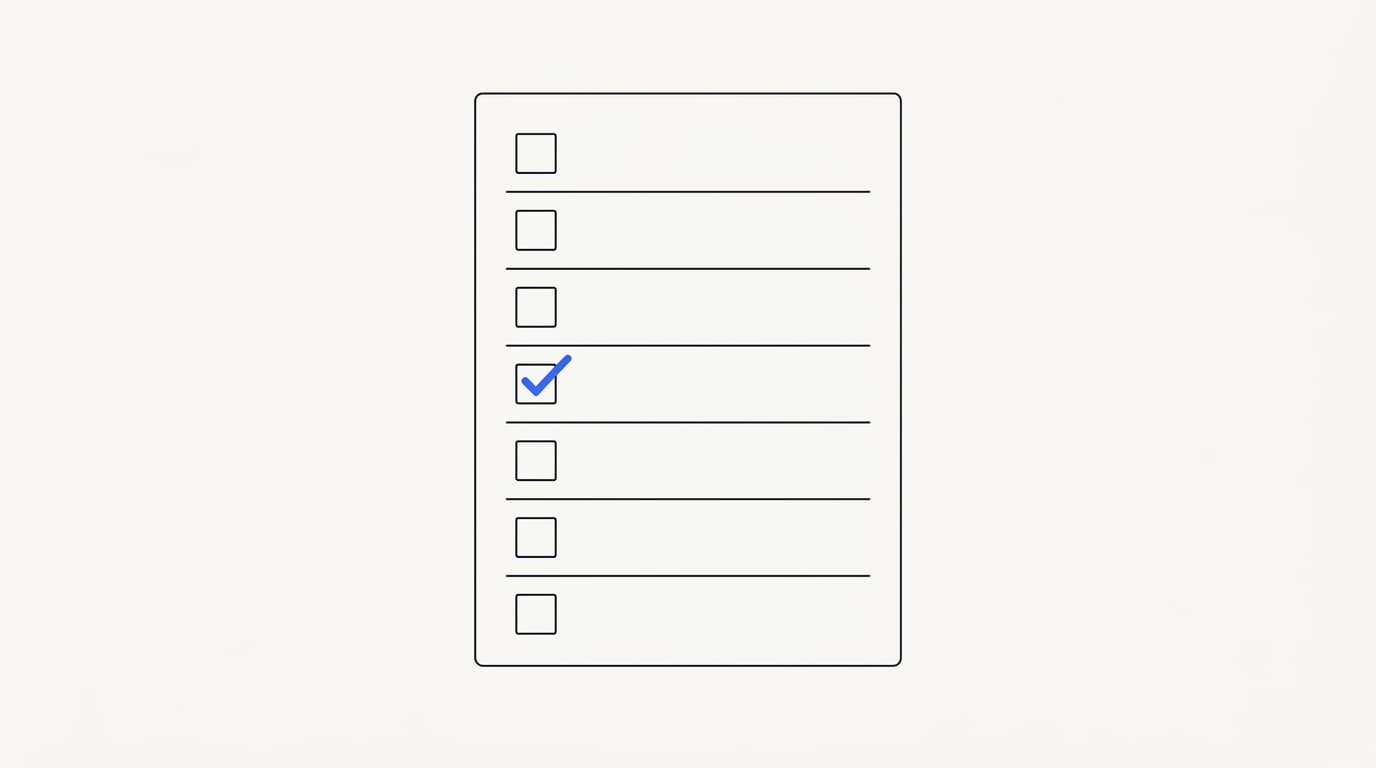
Treat any capability a tool cannot demonstrate live, against your own documents, as absent. Coming soon is a feature you are not buying. Below are the criteria worth weighting heavily, each phrased as something you can watch happen rather than read on a slide.
Confirmed resolution, not deflection
Ask the vendor to show resolution rate on conversations a customer marked as solved, broken out from conversations the bot simply closed. If they can only show deflection, they are measuring the flattering number. Tie the metric to your own volume through analytics rather than a generic marketing dashboard, because a blended average hides the topics the bot is quietly failing.
Answers grounded in your own knowledge
The best chatbot answers from the data sources you connect, not from the model's general training. Grounded retrieval is what stops the bot inventing a refund window you never offered. The correct behavior when retrieval finds nothing relevant is to say so and hand off, not to produce a confident guess that reads well and is wrong.
A human handoff that keeps context
A conversation the bot cannot resolve has to reach a person without the customer starting over. Repeating yourself is one of the top frustrations customers report: Zendesk's 2024 CX Trends research found 74% rank having to repeat information among their biggest annoyances (Zendesk). The strongest pattern is presence-based takeover, where a thread locks to human mode the instant an agent opens it, covered in how Shared Inbox keeps AI and humans in sync and AI to human handoff in support.
One agent across every channel
Customers show up through a website widget, email, and increasingly in-app. The best setup serves all of them from one agent and one knowledge base rather than a separate bot to configure per surface. An embeddable widget is the usual first channel because it is the lowest-stakes place to iterate, with in-app messages added once the widget answers hold up.
Actions, scoped and testable
Actions let the bot do something mid-conversation, like check an order status. They are the highest-risk capability, because a mis-fired action costs more than a wrong sentence. The best tools let you scope and test actions channel by channel instead of switching them all on at once and hoping.
Pricing that scales with value
The best chatbot on capability can still be the wrong buy if the pricing model punishes growth. Read the model, not the headline number. A credit-based plan tends to stay predictable, while per-seat pricing charges you for humans the AI made redundant.
| Criterion | What best looks like | What "loud but weak" looks like |
|---|---|---|
| Resolution measurement | Confirmed resolution on your volume | Deflection rate on a blended dashboard |
| Answer grounding | Cites your connected sources | Fluent answers with no source in your docs |
| Human handoff | Presence-based, context preserved | Customer re-explains to the human |
| Channel coverage | One agent, every channel | A separate bot to configure per channel |
| Action safety | Scoped and testable per channel | All-or-nothing action access |
| Pricing shape | Predictable as volume grows | Costs spike or seats balloon |
Comparing the archetypes, not a fake ranking
You cannot honestly rank named products one through five, because the winner depends on your weights. What you can do is compare the archetypes, because each one behaves in a predictable way and each is a genuinely best fit for some team. Knowing which archetype a vendor really belongs to tells you most of what you need before the demo starts.
A rule-based bot follows scripted decision trees. It is cheap, predictable, and it breaks the moment a customer phrases something off-script, which is most real traffic. It is the best choice only for a narrow, high-certainty FAQ where every question maps to a known branch, and most teams outgrow it fast, as we describe in cutting first response time.
A helpdesk AI add-on bolts a model onto an existing ticketing suite. If your team already lives in that suite, it can be the best fit because the AI sits where your agents already work. If the AI feels grafted on after the fact, the handoff and grounding are usually the parts that suffer, so test those two hardest.
A do-it-yourself wrapper is a language model wired to a chat box by your own engineers. It offers total control and is the best fit when your workflow is genuinely unusual and you have people to maintain it forever. The maintenance is the catch: RAND's 2025 review of more than 2,400 enterprise AI initiatives found roughly 80% failed to deliver measurable value, most of them on operational discipline rather than model quality (RAND).
A purpose-built AI agent platform treats the agent as the product and builds the shared inbox, analytics, and handoff around it. It is usually the best fit when you want the AI to resolve the bulk of volume rather than just suggest replies to human agents. The trade-off is that you adopt a new platform instead of extending one you already run.
| Behavior | Rule-based bot | Helpdesk add-on | DIY wrapper | AI agent platform |
|---|---|---|---|---|
| Handles off-script questions | ✗ | ✓ | ✓ | ✓ |
| Grounded in your own docs | ✗ | ✓ (varies) | ✓ (you build it) | ✓ |
| Presence-based handoff | ✗ | ✓ (varies) | ✗ (you build it) | ✓ |
| Maintenance owner | You | Vendor | You, forever | Vendor |
| Best fit | Narrow FAQ | Teams in that suite | Unusual workflows | AI-first at volume |
How to run the test yourself
 Communicate.so
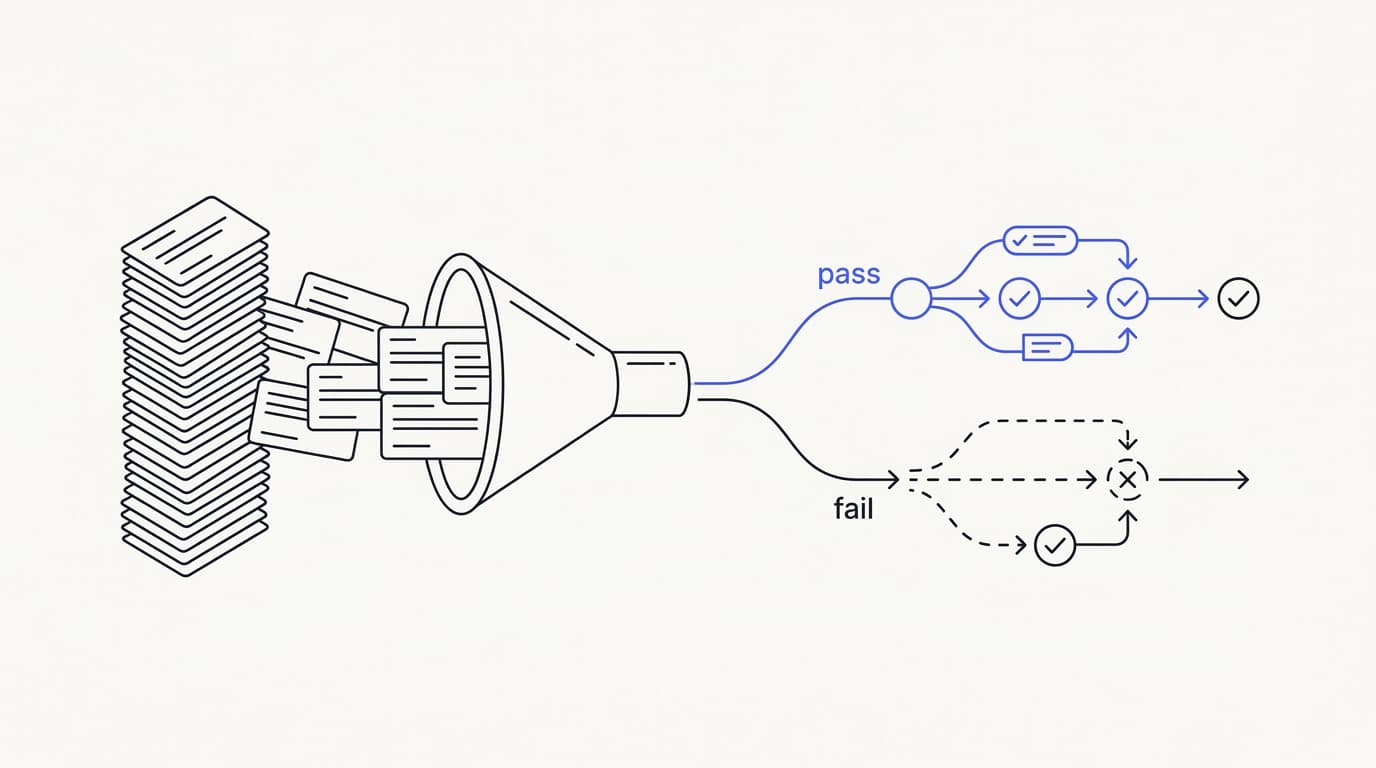
Demos are built to make every tool look equivalent, so run your own test against your own material. The most useful thing you can do is put your real support questions through each candidate before you decide, not the three clean questions the salesperson hands you.
Pull 50 to 100 real questions from your ticket history, weighted toward your highest-volume topics, and score each answer on three axes: was it factually correct, did it match your voice, and did it escalate when it should have. A low-cost trial is what makes this possible on real material. Communicate's one-time $1 activation includes 100 test credits for exactly this, so you can burn them on the messy questions customers actually send.
Give every tool the same question set and the same rubric, so you compare answers to identical questions rather than comparing sales decks. Set your go/no-go bar before you see any results, commonly around 90% factual accuracy with zero invented answers on out-of-scope questions. A tool that guesses confidently on a question it should have refused fails the test.
Weight the rubric by what your operation needs. A high-volume team weights resolution and handoff quality above all. A regulated team weights the security posture and data handling far higher.
Score it, do not vibe it, and the shortlist tends to pick itself. If you have never launched an agent before, the guide to launching your first AI agent walks the setup end to end.
The five questions that decide the shortlist
- Does it resolve my real questions, scored on my own ticket history rather than a demo?
- When it should not answer, does it hand off to a human without the customer starting over?
- Is the answer grounded in my documents, or is it guessing from general training?
- Does the pricing model stay predictable as my volume grows?
- Can I verify the security and data-handling claims, not just read them?
Pricing sanity and what the model hides
 Communicate.so
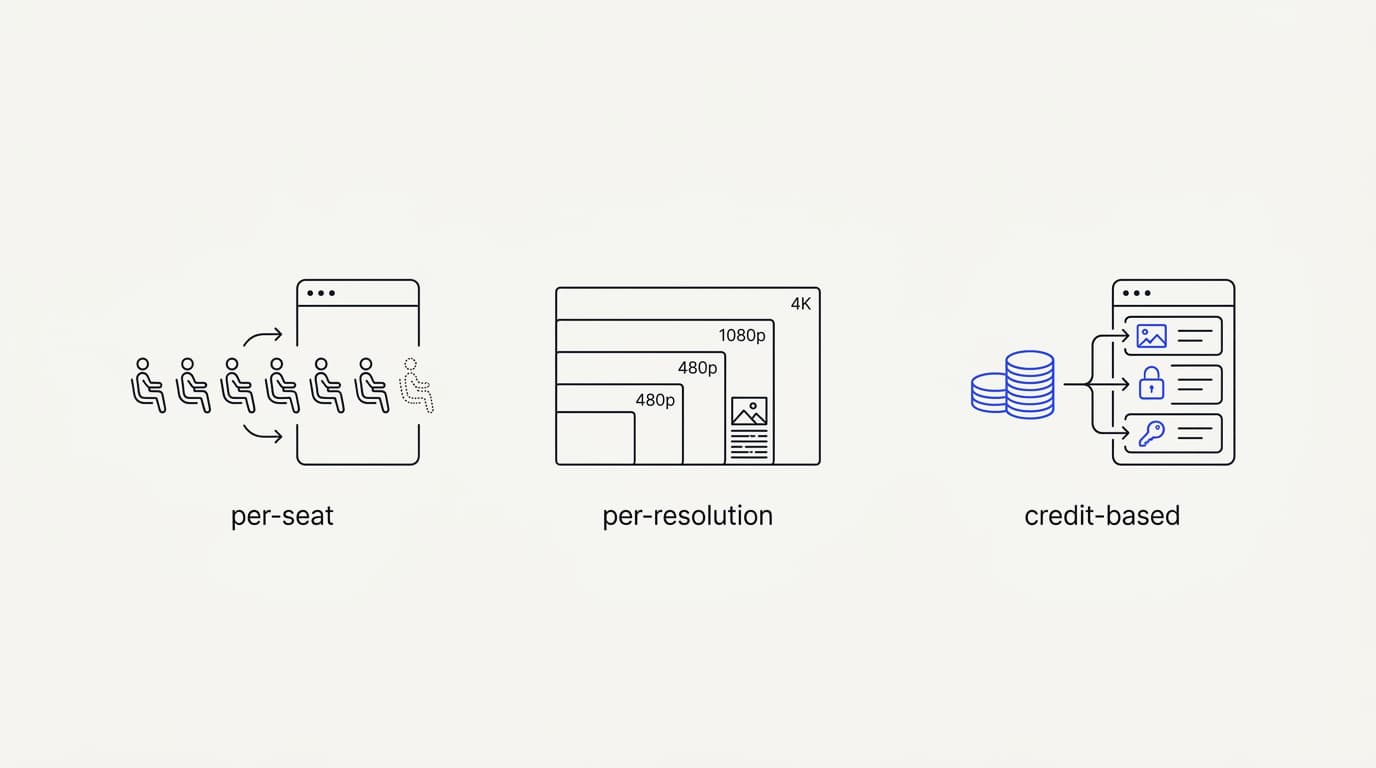
The pricing model matters more than the sticker price. Three models dominate, and each hides its real cost in a different place. Read the model, because the model decides whether your bill grows in line with value or in line with punishment.
Per-seat pricing charges for human agents, which made sense when humans did all the work and makes less sense when the AI resolves most of it. Per-resolution pricing charges for each conversation the AI closes, which aligns cost with value but can spike during a traffic surge or a bad-news week. Credit-based pricing charges for usage in units you buy up front, which is predictable but asks you to understand your own volume.
Watch for the free tier that is really a funnel. A generous free plan that throttles the second real traffic arrives is a customer-acquisition tactic dressed as a pricing model. Communicate takes the opposite stance: no free tier, a one-time $1 activation that confirms you are a real person and includes 100 test credits, then credit-based usage from there.
The full cost math is in what AI customer support actually costs.
| Pricing model | Aligns cost with value | Predictable | Main risk |
|---|---|---|---|
| Per human seat | ✗ | ✓ | You pay for seats the AI made redundant |
| Per resolution | ✓ | ✗ | Bills spike during traffic surges |
| Credit-based | ✓ | ✓ | Requires knowing your own volume |
| Free tier funnel | ✗ | ✗ | Throttles exactly when you need it |
Where Communicate fits, honestly
 Communicate.so
No tool is the best AI chatbot for customer support everywhere, and anyone claiming a clean sweep is selling. Communicate is a purpose-built AI agent platform, so it fits teams that want the AI to resolve the bulk of volume and hand off cleanly, rather than teams that only want reply suggestions inside an existing ticketing suite. The AI Agents overview is the shortest way to see the shape of it.
Here is what it does. The agent trains on your own data through grounded retrieval and hands off when it is unsure. The Shared Inbox uses presence-based human takeover, with a per-turn backstop so the AI never talks over a person mid-reply.
Embed widgets, in-app messages, analytics, and scoped actions all run from the same agent and knowledge base.
On models, Communicate runs a single model, gpt-4o-mini through OpenRouter, with response and prompt caching to keep cost and latency down. That is a deliberate simplicity, not a limitation to hide: one well-tuned model with grounded retrieval beats a model-picker that shifts the tuning burden onto you. The data sources you connect matter far more to answer quality than the model badge.
Now the honest limits. Communicate is GDPR-ready but not certified, and it holds no SOC 2, HIPAA, or ISO 27001. It runs in a single region with no SSO.
If any of those is a hard gate for you, it is not your best fit today, and you should get that answer in writing before you invest in evaluation. The security page states the posture and the gaps plainly rather than implying a certification it cannot produce.
Red flags and honest limitations
The most useful signal in a vendor is what they admit they cannot do. A page of five-star testimonials with zero named limitations is the least believable thing in the category. A vendor willing to say what they lack is easier to trust on the claims they do make.
Treat these as red flags worth a direct question. A tool that reports deflection but not resolution is measuring the flattering number. A demo that only works on the vendor's sample data, and gets cagey when you ask to test your own, is hiding a retrieval problem.
A handoff that makes the customer re-explain everything is an integration bolted together after launch, not a system that was designed.
Be equally honest about the limits of the whole category. AI support chatbots can be confidently wrong, they depend on the quality of the knowledge you feed them, and they are a poor fit for conversations that need genuine human judgment. The best AI chatbot for customer support resolves the repetitive majority and escalates the rest cleanly, and any vendor promising it removes humans entirely is overselling.
Security and compliance questions to ask
Whatever data you connect for retrieval passes through the chatbot, so the security posture is part of the product, not a footnote. Ask specific questions and expect specific answers. Read the security page before a demo, not after, and treat vague answers as answers in themselves.
Ask whether data is encrypted at rest, whether every account supports two-factor authentication without an enterprise upcharge, and how one customer's data is isolated from another's. Ask whether you can export and fully delete your data on demand, without filing a support ticket. Ask plainly whether they train shared models on your conversations, because the honest answer should be no.
Communicate encrypts data at rest, offers TOTP two-factor authentication on every plan, isolates each workspace, and supports self-serve export and cascading delete. Payments run through Dodo Payments as merchant of record, which keeps card data outside the product's PCI boundary, and hosting is on Railway. Ask about certifications directly and accept a direct no: Communicate is GDPR-ready but not certified, with no SOC 2, HIPAA, or ISO 27001, a posture it documents rather than blurs.
Questions go to [email protected].
Key takeaways
- Best is a match to your operation, not a ranking. Define your weights before you watch a single demo.
- Score confirmed resolution rate on your own volume, never deflection, which counts abandoned conversations as wins.
- Compare archetypes, not named rankings. Rule-based, helpdesk add-on, DIY wrapper, and agent platform each win for a different team.
- Read the pricing model, not the headline. Credit-based tends to stay predictable; free tiers that throttle are a funnel.
- Verify security claims rather than reading them, and trust the vendor who names the gaps over the one who implies a certification.
Ready to test the criteria on your own material? Start with a one-dollar account activation that includes 100 test credits, feed the agent your real support questions, and score the answers before you commit to anything. If you are earlier in the journey, the AI customer support software buyer guide and the AI Agents overview are the right next reads.
Frequently asked questions
What is the best AI chatbot for customer support?
There is no single best AI chatbot for customer support, because the right choice depends on your weights. The best tool for you is the one that resolves your real questions, answers from your own knowledge, hands off to a human when it should not answer, and prices in a way that stays predictable as you grow. Define those weights first, then measure candidates against them.
How do I choose an AI chatbot for customer support?
Pull 50 to 100 real questions from your ticket history and run them through each candidate with one shared rubric covering accuracy, brand voice, and correct escalation. Set a go/no-go bar before you see results, commonly 90% accuracy with zero invented out-of-scope answers. Weight the criteria by what your operation needs most, then let the score pick the shortlist.
What is the difference between deflection rate and resolution rate?
Deflection rate is the share of conversations the chatbot closed without a human, which counts abandoned or wrongly answered conversations as successes. Resolution rate measures conversations the customer actually confirmed as solved. Resolution is the number that maps to a genuinely good chatbot, and the one most vendor rankings quietly avoid because it is harder to inflate.
Is an AI chatbot better than a rule-based chatbot for support?
For most teams, yes, because a rule-based bot follows scripted branches and breaks on anything off-script, which is most real traffic. An AI chatbot uses retrieval and a language model to answer from your documents, so it handles the varied ways customers phrase questions. A rule-based bot is only the best fit for a narrow, high-certainty FAQ where every question maps to a known branch.
What makes an AI support chatbot accurate?
Accuracy comes mostly from grounded retrieval and a well-structured knowledge base, not from the model badge. The chatbot should answer from the data sources you connect and say it does not know when the answer is genuinely missing. Structuring your knowledge base by single topic rather than by whole document is usually the highest-leverage fix for wrong answers.
How important is human handoff in a support chatbot?
It is a core capability, not an add-on. A conversation the chatbot cannot resolve has to reach a person without the customer starting over, because repeating yourself is one of the top frustrations customers report (Zendesk). The strongest pattern is presence-based takeover, which Communicate's Shared Inbox uses to lock a thread to human mode the moment an agent opens it.
What is presence-based human takeover?
Presence-based takeover is a handoff design where a conversation locks to human mode the instant a support agent opens it, with no manual toggle to forget. Communicate pairs it with a per-turn backstop so the AI never replies over a human mid-response. The full transcript stays visible to both sides, so nothing is rebuilt from scratch, as covered in how Shared Inbox keeps AI and humans in sync.
Should I build my own AI support chatbot or buy one?
Buy unless your workflow is genuinely unusual, you have engineers to maintain it forever, or data rules force an in-house build. Wiring a model to a chat box is quick, but the production system around it, retrieval tuning, context-preserving handoff, and data isolation, is ongoing engineering. RAND found roughly 80% of enterprise AI initiatives failed to deliver measurable value (RAND), mostly on that operational discipline.
How much does an AI chatbot for customer support cost?
Cost depends on the pricing model and your conversation volume more than any headline figure. Per-seat, per-resolution, and credit-based models each hide cost differently. Communicate uses a one-time $1 activation with 100 test credits, then credit-based usage, and the full breakdown is in the AI customer support cost guide.
Do AI support chatbots have a free tier?
Some do, but a generous free tier that throttles the moment you get real traffic is a funnel, not a pricing model. Communicate deliberately has no free tier: a one-time $1 activation confirms you are a real person and includes 100 test credits, then credit-based usage from there, which keeps cost predictable rather than punishing growth.
Can one AI chatbot work across multiple channels?
Yes. The best setup serves a website widget, email, and in-app messages from one agent and one knowledge base rather than a separate bot per channel. Communicate offers an embeddable widget and in-app messages so answers stay consistent across every surface.
What model does Communicate use?
Communicate runs a single model, gpt-4o-mini through OpenRouter, with response and prompt caching to keep cost and latency down. Sticking to one well-tuned model with grounded retrieval is a deliberate design choice, because the quality of the knowledge you connect drives answer quality far more than swapping between models does.
How do I measure whether my support chatbot is working?
Track confirmed resolution rate on AI-only conversations, escalation rate broken down by reason, and response time, all on your own volume rather than a blended dashboard. Analytics tied to your real conversations surface the knowledge gaps the chatbot is failing on, which is where nearly all quality improvement comes from.
Are AI support chatbots safe to let take actions?
Actions like looking up an order status are powerful and also the highest-risk capability, because a mis-fired action costs more than a wrong sentence. The safe pattern is to scope and test actions channel by channel rather than switching them all on at once. A tool that lets you gate actions carefully is safer than one with all-or-nothing access.
Does an AI chatbot replace human support agents?
No, and a vendor claiming it does is overselling. The realistic pattern is the chatbot resolving the repetitive, high-volume majority and escalating anything that needs genuine human judgment, like sensitive complaints or nuanced disputes. That frees human agents for the conversations where a person actually adds value, rather than removing them.
What are the security risks of an AI support chatbot?
The main risks are the data you connect for retrieval being exposed, weak account access, and vendors training shared models on your conversations. Ask about encryption at rest, two-factor authentication, per-customer data isolation, and self-serve export and deletion. Communicate documents its posture, including its certification gaps, on the security page.
Is Communicate SOC 2 or HIPAA certified?
No. Communicate is GDPR-ready but not certified, and it holds no SOC 2, HIPAA, or ISO 27001, runs in a single region, and does not offer SSO. If any of those is a hard requirement for you, it is not your best fit today, and you should confirm that in writing before evaluating.
A vendor that names the gap directly is more trustworthy than one implying a certification it cannot produce.
What is the best AI chatbot for a small support team?
Small teams often benefit most, because the chatbot handles repetitive volume that would otherwise require hiring, and a low entry cost lowers the barrier to trying it. Communicate's $1 activation with 100 test credits lets a small team evaluate it against real questions before committing budget, which is the lowest-risk way to find the best fit.
How long does it take to launch an AI support chatbot?
A bought platform can be live in days to a few weeks, depending on how much knowledge base structuring and testing you do first. Rolling out one channel at a time, starting with a website widget, is the lower-risk path. The full setup sequence is in the guide to launching your first AI agent.
Why do rankings of the best AI support chatbot disagree so much?
Because most rankings optimize for clicks and affiliate payouts, not for your operation, and best genuinely depends on your weights. A criteria-based comparison you run on your own ticket history is more reliable than any list. The AI customer support software buyer guide lays out that framework so you can score tools by behavior rather than by someone else's ranking.