
AI customer support onboarding checklist: launch guide
 Communicate.so
AI customer support onboarding checklist to launch an AI agent: scope, data sources, guardrails, handoff, testing, and metrics.
TL;DR: An AI customer support onboarding checklist is the ordered set of decisions and checks that take an AI agent from connected to live without breaking trust. This guide walks the eight steps in order: define the scope, connect and clean your data sources, set the guardrails, configure the human handoff, test on real questions, soft-launch to a slice of traffic, measure the numbers that matter, and iterate on what the data shows. Most of the work is preparation, not configuration, because a grounded agent is only as good as the content and the rules behind it. Follow the checklist and the agent carries the repetitive majority of your queue safely; skip steps and you get a fast, confident bot that answers the wrong thing in public.
Connecting an AI agent to your support is the easy part, and it is over in an afternoon. The hard part is everything around it: deciding what the agent may answer, feeding it clean knowledge, setting the rules that stop it guessing, and wiring the handoff for the moment it should step aside. Skip that work and you ship a liability that answers quickly and wrongly.
This checklist puts those decisions in the order you actually make them. An AI agent that resolves real tickets is the sum of eight steps, and each one has a check you can pass or fail before moving on. The point is not to launch fast, it is to launch something you can trust in front of a customer, which is a different and harder goal.
It is written for the person who owns the rollout: a founder, a support lead, or an ops owner turning on an agent for the first time. If you want the wider build context around this launch, how to build an AI customer support agent is the companion overview, and the AI support agent implementation guide covers the same ground at implementation depth. This post is the launch checklist you run once to go live cleanly.
What onboarding an AI support agent really involves
Before the first step, it helps to fix what onboarding actually means here. It is not installing a widget and hoping. It is a sequence of readiness gates, each one a decision that determines whether the agent helps or harms once real customers arrive.
The mental model is a funnel from broad to specific. You start by deciding what the agent is for, then you give it the knowledge to do that job, then you fence it in with rules, then you build the exit ramp to a human. Only after those four are set does testing, launching, and measuring make any sense, because you cannot test an agent that has no defined job.
Two facts should frame the whole effort. Gartner has projected that by 2029, agentic AI will autonomously resolve 80% of common customer service issues without human intervention (Gartner), which is the upside that makes this worth doing. The counterweight is that RAND's 2025 review of more than 2,400 enterprise AI initiatives found roughly 80% failed to deliver measurable value (RAND), mostly on operational discipline rather than model quality.
Read those two numbers together and the lesson is blunt. The prize is real, and the failure rate is high, and the difference between them is mostly the boring preparation this checklist describes. The steps below are how you land on the right side of that split.
One more framing note before you start. Communicate runs its agent on the web widget, live chat, and email, plus in-app messages, analytics, and scoped actions, all from one agent and one knowledge base. This checklist applies to any grounded AI support agent, but the examples reflect that channel set rather than promising messaging apps or voice.
Step one: define the scope before anything else
 Communicate.so
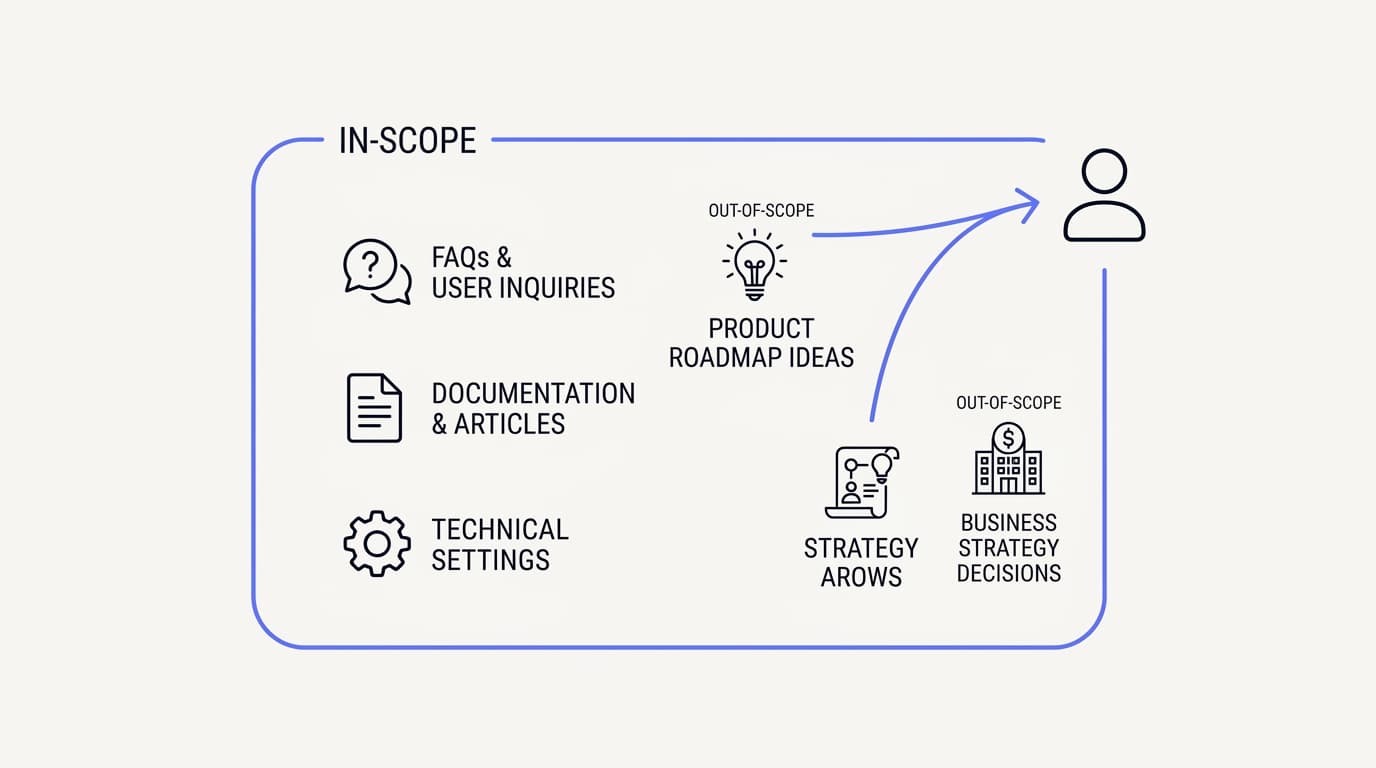
The first and most skipped step is deciding what the agent should and should not handle. An agent with no defined scope tries to answer everything, which means it answers the hard, sensitive things badly. Scope is the boundary that keeps the agent working where it is strong and out of where it is dangerous.
Start from your ticket volume, not your feature list. Pull your highest-frequency question themes and mark which are documented, repetitive, and low-risk, because those are the agent's natural territory. Billing basics, account questions, how-to steps, and policy lookups are the classic in-scope set, and they usually make up the bulk of the queue you are trying to relieve.
Then name what stays with a human, explicitly. Sensitive complaints, disputes, cancellations with retention stakes, and anything legal or financial with real consequence belong to a person from the first message. Writing that out-of-scope list down is what lets you configure the handoff to route those away cleanly rather than letting the agent improvise.
Scope also decides how you will judge success later. If the agent is meant to carry documented FAQs, you measure it on those, not on the messy edge cases you deliberately routed to humans. A clear scope makes every downstream metric honest, because you are grading the agent on the job you actually gave it.
| Question type | In scope for the agent | Route to a human |
|---|---|---|
| Documented, repetitive FAQs | ✓ | ✗ |
| Account and how-to questions | ✓ | ✗ |
| Policy and status lookups | ✓ | ✗ |
| Sensitive complaint or dispute | ✗ | ✓ |
| Cancellation with retention stakes | ✗ | ✓ |
| Legal, financial, or safety-critical | ✗ | ✓ |
Treat that split as a working contract, not a wall. The in-scope rows are where the agent earns its keep, and the out-of-scope rows are where a clean handoff protects the customer. Getting this boundary right up front prevents most of the trust problems that surface after launch.
Step two: connect and clean your data sources
 Communicate.so
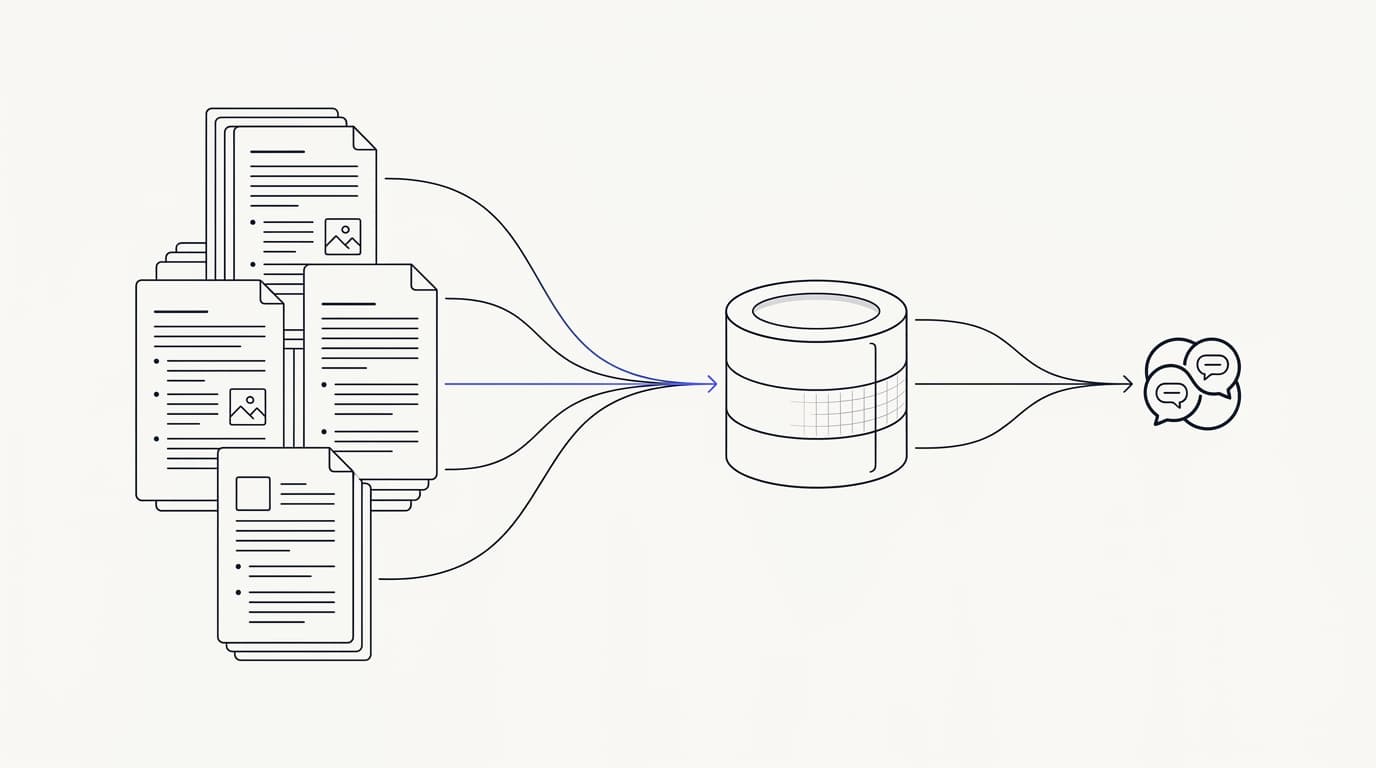
A grounded agent answers from the sources you connect, not from a general model, so the data you connect is the single biggest lever on answer quality. Connecting the sources is quick; making them answerable is the real work. This is the step where most of your onboarding time should honestly go.
The connection itself is mechanical. You point the agent at your help center, your documents, and whatever curated knowledge you have, and it ingests them into a retrieval index. What decides quality is not that the content is present, it is that each article carries its answer plainly and stands on its own.
Audit for coverage gaps first. Cluster your recent tickets into question themes and check whether an article answers each one clearly, then rank the gaps by volume so you write the highest-impact articles first. This audit is the heart of the knowledge work, and the guide to training AI on your help center walks it in full depth if you want the editorial detail.
Then fix the stale content, because it is worse than a gap. A missing article makes the agent escalate, which is safe, but an out-of-date article makes it confidently repeat something wrong, which is not. Prune the contradictions and update anything that describes a price or flow that changed, since the agent will trust your text literally.
Structure matters as much as accuracy, because retrieval reads passages, not whole pages. Clear headings, one idea per section, and answers stated near their heading all help the system pull the right chunk. Readable articles chunk well, so the editorial polish that helps humans helps the agent too.
Do not chase total coverage before launch. Aim to cover your top themes by volume, since a small number of question types usually account for most traffic, and close the long tail later using the agent's own escalation data. That data becomes visible once you are live and watching analytics on real conversations.
Step three: set the guardrails that keep answers safe
 Communicate.so
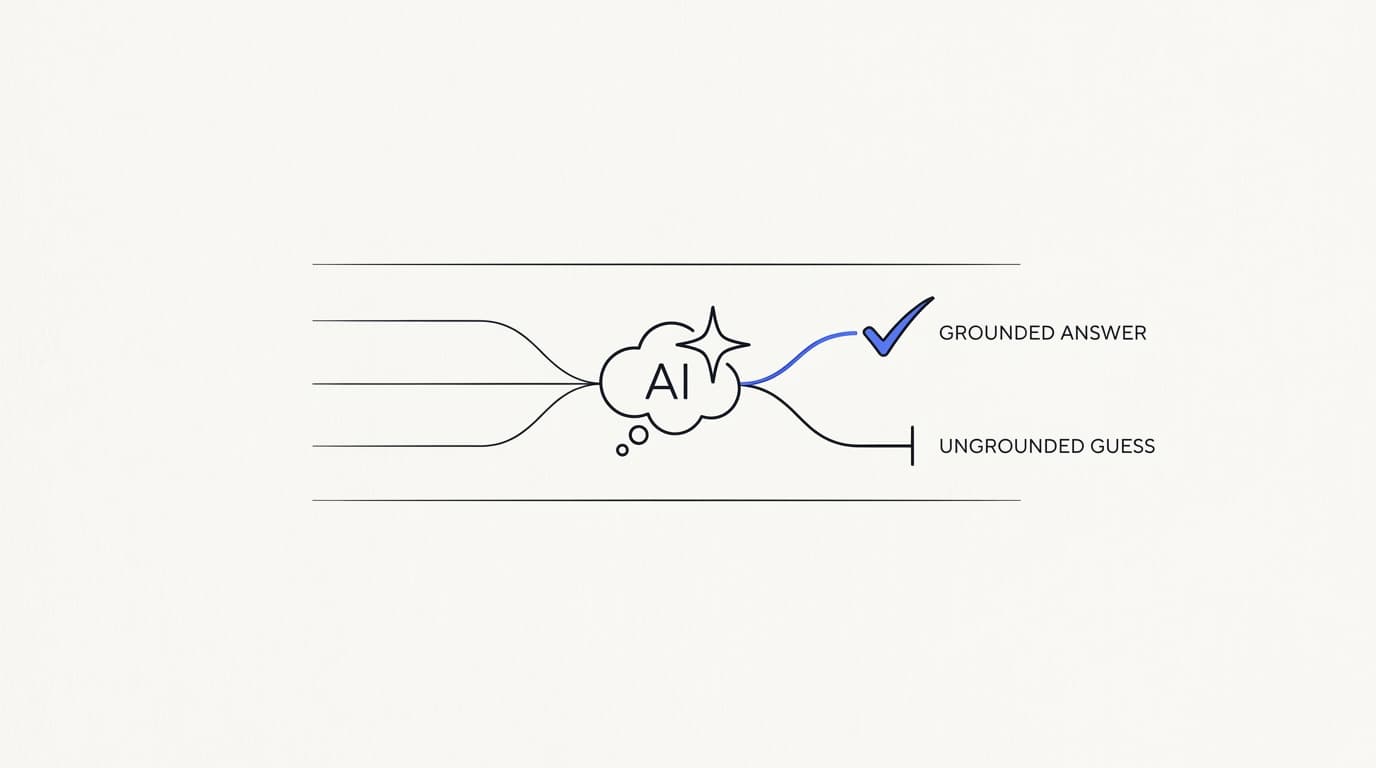
Guardrails are the rules that decide what the agent does when it is unsure, and they are what separate a trustworthy agent from a confident guesser. Without them, an agent fills silence with plausible invention, which on a support channel means telling a customer something false with total confidence. The guardrails are how you make not knowing a safe outcome.
The core guardrail is grounded-only answering. The agent should answer from your connected knowledge and refuse or escalate when retrieval finds nothing relevant, rather than falling back on the model's general knowledge. This single rule prevents most hallucinations, because the failure mode becomes an honest handoff instead of a fluent fabrication, the exact risk explored across serious AI agent deployments.
The second guardrail is a defined tone and refusal style. Decide how the agent declines, what it says when it escalates, and where its authority ends, so a refusal reads as helpful rather than curt. Usability researchers at the Nielsen Norman Group have long argued that the hardest conversations still need a person, so the agent's job is to recognize its own edge and hand over gracefully.
The third guardrail concerns actions the agent can take, if any. If you let it look up an order or trigger a workflow, scope those actions tightly and decide which require a human to confirm. An agent that can read is low-risk, and an agent that can change things needs firmer limits, because the blast radius of a wrong action is larger than a wrong sentence.
Guardrails also depend on your security and privacy posture, which you should settle before launch, not after. Communicate encrypts data at rest, offers TOTP two-factor authentication, isolates each workspace, and supports export and cascading delete, and it is GDPR-ready but not certified, with no SOC 2, HIPAA, ISO 27001, or SSO, and a single region, a posture stated plainly on the security page. Aligning your data handling with a framework like the GDPR is part of setting responsible guardrails.
Step four: configure the human handoff
 Communicate.so
The handoff is the safety net for everything the agent should not do alone, and a broken one undoes all the earlier work. If a customer needs a person and cannot reach one cleanly, the agent's speed stops mattering. Getting the escalation right is covered end to end in the AI to human handoff guide, and this step is where you wire it for launch.
The first rule is no repetition. When the agent hands off, the human should inherit the full conversation and context, so the customer never re-explains their problem. Repeating yourself is one of the top customer frustrations, with Zendesk's 2024 CX Trends research finding 74% rank it among their biggest annoyances (Zendesk), so a handoff that forces a restart is a design failure.
The second rule is that a human can always take over. Communicate's Shared Inbox uses presence-based human takeover with a per-turn backstop, so when a teammate is viewing a conversation the AI steps back rather than talking over them. That mechanic means a person can intercept mid-thread without a clumsy toggle, which is what makes takeover feel natural instead of a fight for control.
The third rule is that the agent escalates on its own when it should. Define the triggers plainly: no grounded answer found, a sensitive topic detected, or an explicit customer request for a human. An agent that keeps trying on a question it cannot answer is more dangerous than one that hands over early, because a fluent wrong answer is harder to catch than a visible gap.
Test the handoff as its own flow before launch, not as an afterthought. Send the agent a question it should refuse and confirm the conversation lands with a human, in context, with the customer told what is happening. A handoff you have not tested is a handoff you do not have.
Step five: test on real questions before launch
Everything so far is a hypothesis, and testing is how you confirm it before a customer does. An agent that sounds fluent can still be retrieving the wrong article, and fluent-but-wrong is the most dangerous failure in support because it looks fine. So you test against your own material, with the ugly questions, before you trust it live.
Test with messy questions, not clean ones. Salespeople demo with three tidy questions the agent handles perfectly, but customers send half-typed, misspelled, context-free messages, and those expose the gaps. Communicate's one-time $1 activation includes 100 test credits for exactly this, so spend them on the real questions from your ticket history rather than the flattering ones.
Score each answer on three axes rather than a gut feeling. Was it factually correct against your own docs, did it match your voice, and did it escalate cleanly when it should not have answered at all. The third axis matters most, because an agent that guesses on an out-of-scope question fails no matter how smooth it sounds.
Set a go or no-go bar before you see the results. A common bar is roughly 90% factual accuracy with zero invented answers on out-of-scope questions, judged on your own test set. Deciding the threshold in advance keeps you honest, because it is easy to talk yourself into shipping a fluent agent that quietly fails the questions that matter, the same discipline the implementation guide insists on.
- 1. Pull 50 to 100 real questions from your ticket history, weighted toward high-volume topics.
- 2. Include the deliberately out-of-scope ones, so you can confirm the agent escalates rather than guesses.
- 3. Run each question at the agent and record the answer verbatim.
- 4. Score every answer for accuracy, voice, and correct escalation, against your own docs.
- 5. Compare the totals to your pre-set bar, and fix the failing content or rules before launch.
When a test fails, trace it to a cause rather than shrugging. A wrong-article retrieval usually means two topics are too similar, so split or clarify them. A confident answer to an out-of-scope question means the escalation trigger is too loose, which is a guardrail fix, not a content one.
Step six: soft-launch to a slice of traffic
Do not flip the agent on for everyone at once. A soft launch exposes it to a controlled slice of real traffic, so you catch the problems that only real customers produce without risking your whole queue. It is the difference between a contained miss and a public one.
Start narrow and watch closely. Route a single low-risk topic, or a small share of conversations, to the agent while a human monitors what it does. Real customers phrase things your test set never imagined, so the first days of live traffic are where the last hidden gaps surface, and you want a person there to catch them.
Keep the human takeover obvious during the soft launch. This is when the Shared Inbox presence-based takeover earns its place, because a monitoring teammate can step in the instant an answer drifts. Watching those interventions tells you exactly which topics are not ready to widen yet.
Expand scope only when the numbers earn it. If the agent holds its accuracy bar on the first topic, add the next one, then the next, widening as confidence grows. A staged rollout means every expansion is backed by evidence rather than hope, which is how you avoid the sudden public failure that sinks trust in the whole project.
Set expectations with the team while you widen. Explain that the agent is carrying the repetitive majority so people can focus on the harder conversations, not replacing anyone, a point worth stating plainly because it shapes how the team treats the tool. The broader case for that framing sits in how to build an AI customer support agent.
Step seven: measure resolution, not deflection
Once the agent is carrying live traffic, the metric you choose decides whether you see the truth. Deflection, the share of conversations the agent handled without a human, flatters you, because a customer who got a wrong answer and gave up still counts as deflected. Resolution is the number that maps to a genuinely good agent.
Track confirmed resolution on AI-only conversations. This is the share of conversations the agent closed where the customer's problem was actually solved, not merely ended. It is harder to measure than deflection and far more honest, and analytics tied to real conversations is where you read it rather than a vanity dashboard.
Break escalation down by reason, not just count. An escalation because the agent correctly recognized a sensitive topic is a success, while one because it could not find an answer points at a content gap. Separating those two tells you whether to write more articles or tighten the scope, which a single blended number hides entirely.
Watch response time as a supporting metric, not the headline. Speed is table stakes for an AI agent, so a slow first reply is a bug to fix, but a fast wrong answer is worse than a slow right one. Read speed alongside resolution, never instead of it, so you never optimize for a number that hides dissatisfaction.
Keep the RAND finding in view as you read the dashboards. Roughly 80% of enterprise AI initiatives failed to deliver measurable value, mostly on operational discipline (RAND), and honest measurement is a large part of that discipline. Measuring resolution on your own volume, rather than a blended vendor stat, is how you stay in the successful minority.
Step eight: iterate on what the data shows
Onboarding does not end at launch, because your product does not hold still and neither do your customers. Prices change, features ship, and every change can turn a correct article into a wrong one. The agent you launched is a starting point, and the iteration loop is what keeps it good.
The core discipline is simple: when the product changes, the article changes, and the change gets re-ingested so the agent reads the new version. Tie doc updates to your release process the way you would tie analytics review to a weekly ritual, so freshness never depends on someone remembering. A stale knowledge base is how a good agent slowly becomes a liability.
Use the agent's own escalations as your backlog. Every question it could not answer is a pointer to the next article to write, ranked naturally by how often it comes up. This closes the long tail you deliberately left open at launch, turning live failures into a prioritized improvement list.
- 1. Weekly, review the agent's escalations to find questions it could not answer, and write or fix the articles behind them.
- 2. After any product change, update the affected articles and re-ingest them into the knowledge base.
- 3. Monthly, spot-check retrieval on your highest-volume questions to catch drift before customers do.
- 4. Quarterly, prune duplicate and contradictory articles, since overlap confuses retrieval more than a gap does.
- 5. Re-run your test set after major changes, so you confirm the agent still clears its accuracy bar.
The iteration loop is also where you decide whether to widen scope further. As coverage and confidence grow, topics you kept with humans at launch may become safe for the agent, and the data sources you keep clean are what make that expansion low-risk. Onboarding, done right, quietly becomes ongoing operation.
The launch-readiness checklist
Here is the whole thing as a single readiness table you can hold your rollout against. Every row is a gate: if it is not ready, you are not ready to launch that part. Use it to turn the eight steps into a concrete go or no-go decision rather than a feeling.
| Readiness gate | Ready to launch | Not ready yet |
|---|---|---|
| Scope defined, with an explicit out-of-scope list | ✓ documented and agreed | ✗ agent answers everything |
| Data sources connected and audited for gaps | ✓ top themes covered | ✗ known gaps unfilled |
| Stale and contradictory articles fixed | ✓ content current | ✗ outdated prices or flows live |
| Grounded-only answering enforced | ✓ escalates when unsure | ✗ guesses from general knowledge |
| Human handoff wired with full context | ✓ no repetition on takeover | ✗ customer re-explains |
| Tested on real messy questions | ✓ clears the accuracy bar | ✗ only demoed on clean ones |
| Soft-launch plan for a traffic slice | ✓ staged with monitoring | ✗ full launch to everyone |
| Resolution and escalation metrics in place | ✓ measuring resolution | ✗ measuring deflection only |
Read the table top to bottom before you go live. The ready column is the posture you want on every row, and any row stuck in the not-ready column is a reason to pause and fix rather than launch and hope. A slow launch you can trust beats a fast one you cannot.
Key takeaways
- Onboarding an AI support agent is eight ordered steps, and most of the work is preparation, not configuration.
- Define scope first: name what the agent handles and what always goes to a human, before anything else.
- Your connected data sources decide answer quality, so audit for gaps and fix stale content before launch.
- Guardrails and a tested human handoff are what keep answers safe when the agent is unsure.
- Soft-launch to a slice of traffic, measure confirmed resolution rather than deflection, and iterate using the agent's own escalation data.
Ready to run this checklist on your own support? Start with a one-dollar account activation that includes 100 test credits, connect your data sources, and work the eight steps against your real questions. If you want the deeper build context first, how to build an AI customer support agent and the guide to training AI on your help center are the right next reads.
Frequently asked questions
What is an AI customer support onboarding checklist?
It is the ordered set of decisions and checks that take an AI support agent from connected to live safely. The steps are define scope, connect and clean data sources, set guardrails, configure handoff, test, soft-launch, measure, and iterate. Each step has a check you can pass or fail before moving on.
How long does it take to onboard an AI support agent?
The connection is an afternoon, but the preparation is where the real time goes, usually days to a couple of weeks depending on how clean your help center is. Most of it is auditing and fixing content, not configuration. The implementation guide breaks the effort down step by step.
What should I do first when onboarding an AI agent?
Define the scope before anything else. Decide which question types the agent should handle and which always go to a human, based on your ticket volume rather than a feature list. A clear scope makes every later step, from testing to metrics, honest.
Which questions should an AI agent handle and which should not?
Documented, repetitive, low-risk questions like account help, how-to steps, and policy lookups suit the agent. Sensitive complaints, disputes, and anything legal or financial with real consequence belong to a human. Writing that out-of-scope list down is what lets you configure the handoff to route them cleanly.
Why do data sources matter so much for onboarding?
A grounded agent answers only from the sources you connect, so their coverage and clarity decide answer quality more than the model does. A gap becomes a question the agent cannot answer, and a stale article becomes a confident wrong answer. Cleaning that content is the biggest single lever in onboarding.
How do I audit my help center before connecting it?
Cluster your recent tickets into question themes, check whether an article answers each one clearly and on its own, and rank the gaps by volume. Write the highest-impact missing articles first and fix anything out of date. The help-center training guide walks the full audit.
What are guardrails for an AI support agent?
Guardrails are the rules that decide what the agent does when it is unsure. The core one is grounded-only answering, where the agent escalates instead of guessing when retrieval finds nothing. Others cover tone, refusal style, and limits on any actions the agent can take.
How do I stop the agent from making things up?
Enforce grounded-only answering, so the agent draws from your connected knowledge and hands off when it finds nothing relevant, rather than inventing a plausible reply. A clean, tested knowledge base is the other half. This is the design that keeps a serious AI agent honest under pressure.
Why is the human handoff so important?
Because the handoff is the safety net for everything the agent should not do alone, and a broken one undoes the rest of the work. If a customer needs a person and cannot reach one cleanly, the agent's speed stops mattering. The AI to human handoff guide covers how to get it right.
How does human takeover work during a conversation?
Communicate's Shared Inbox uses presence-based human takeover with a per-turn backstop, so when a teammate is viewing a conversation the AI steps back rather than talking over them. That lets a person intercept mid-thread without a clumsy toggle. The customer keeps the same thread rather than starting over.
Should the customer ever have to repeat themselves on handoff?
No, and forcing a restart is a design failure. When the agent hands off, the human should inherit the full context so the customer never re-explains. Zendesk found 74% of people rank repeating themselves among their biggest frustrations (Zendesk), so a context-preserving handoff is non-negotiable.
How should I test an AI agent before launch?
Pull 50 to 100 real, messy questions from your ticket history, including deliberately out-of-scope ones, and run them at the agent. Score each answer for accuracy, voice, and correct escalation against your own docs. The 100 test credits in the one-time $1 activation are meant for exactly this, spent on your real questions.
What accuracy bar should I set before going live?
A common bar is roughly 90% factual accuracy with zero invented answers on out-of-scope questions, judged on your own test set. Set the threshold before you see results, so you do not talk yourself into shipping a fluent but wrong agent. The implementation guide uses the same discipline.
Should I launch the agent to all my traffic at once?
No. Start with one low-risk topic or a small share of conversations, watch it with a person present, and expand as confidence grows. Keeping the Shared Inbox takeover visible during this phase lets a teammate step in the instant an answer drifts.
What metrics should I track after launch?
Track confirmed resolution on AI-only conversations, escalation broken down by reason, and response time as a supporting number. Analytics tied to real conversations is where you read them. Resolution, not deflection, is the number that maps to a genuinely good agent.
Why measure resolution instead of deflection?
Because deflection flatters you: a customer who got a wrong answer and gave up still counts as deflected. Resolution measures whether the problem was actually solved, which is harder to game and far more honest. Optimizing for deflection hides real dissatisfaction behind a good-looking number.
How often should I update the agent after onboarding?
Run a light loop: weekly review escalations and fix the articles behind them, update and re-ingest articles after any product change, and prune contradictions quarterly. Tie doc updates to your release process so freshness never depends on memory. The training guide details the cadence.
Is my data safe when onboarding an AI support agent?
The data you connect for retrieval passes through the agent, so your tool's security posture is part of the product. Communicate encrypts data at rest, offers TOTP two-factor authentication, isolates each workspace, and supports export and cascading delete. It is GDPR-ready but not certified, with no SOC 2, HIPAA, ISO 27001, or SSO, and a single region, as stated on the security page.
Will an AI agent replace my support team?
No, and a vendor claiming it will is overselling. An agent can resolve the repetitive majority, but some conversations always need human judgment and empathy, a point usability researchers at the Nielsen Norman Group have long made. The realistic goal is to let the agent carry volume and route the judgment calls to people.
How much does it cost to start onboarding an AI agent with Communicate?
There is no free tier. Entry is a one-time $1 activation that confirms you are a real person and includes 100 test credits, then credit-based usage from there. That keeps support cost predictable rather than tied to headcount, and the test credits are meant for the pre-launch testing step.
Questions go to [email protected].