
Crisp alternative: what a cheap bundle costs later
 Communicate.so
Crisp alternative comparison: where its all-in-one bundle wins on price, and where thin grounding costs you later on accuracy and trust.
TL;DR: Crisp bundles live chat, a shared inbox, email, a knowledge base, and a basic chatbot into one affordable plan, and that bundling is the whole pitch. The trade a cheap bundle makes is depth, because a tool built to cover many surfaces cheaply rarely invests as deeply in any single one, including the grounding that decides whether an AI answer is trustworthy. This guide explains what Crisp actually offers, where the bundle genuinely wins on price and simplicity, and where thin grounding turns into a cost you only notice once a customer receives a confidently wrong answer. The honest position is that Crisp fits a small team that wants many channels covered cheaply and can tolerate a basic automation layer, while a team whose AI answers need to be trustworthy at depth should weigh the grounding gap before it weighs the price tag.
A Crisp alternative search usually starts with sticker shock in reverse: Crisp is often the cheapest all-in-one option on the list, and the question is what that price is quietly trading away. Bundling many features into one affordable plan is a real strength, and it is also a signal about where the vendor chose not to invest.
This guide is written for the person weighing that trade before signing, not after an AI answer embarrasses the brand. It covers what Crisp is, what the bundle includes, where the low price is a genuine win, and where the depth of grounding behind its chatbot becomes the more important number than the monthly fee. Nothing here claims Crisp is a bad tool, only that cheap and thin are not the same axis as cheap and wrong.
If channel depth specifically is your concern, the embed widgets question matters as much as the chatbot question, since a bundle's widget is often the least differentiated part of the product. What follows separates the parts of Crisp worth valuing from the part worth stress-testing before you commit real support volume.
What Crisp is and what the bundle includes
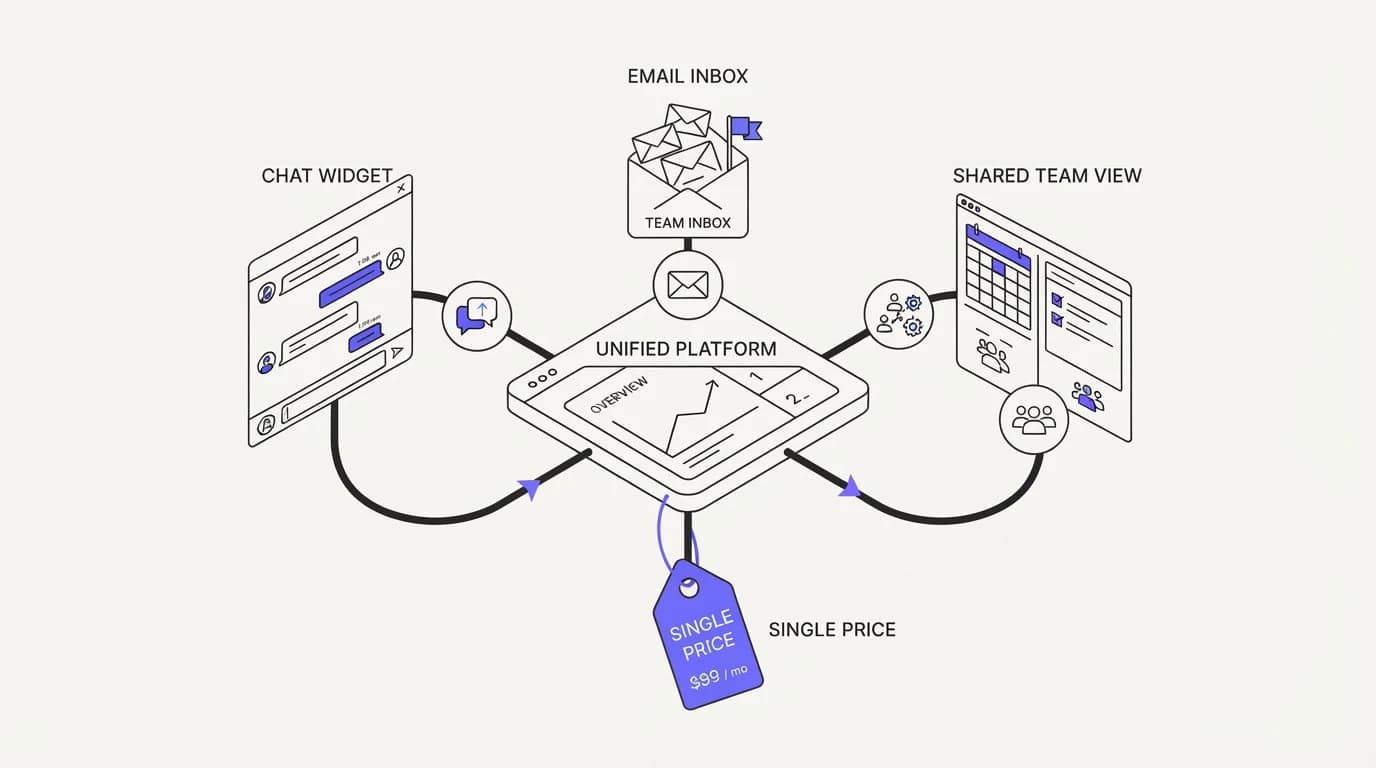
Crisp is an all-in-one customer messaging platform built around a shared inbox, live chat widget, email, and a basic chatbot builder, all under one pricing plan rather than a set of separate add-ons. The pitch is breadth: one login, one bill, and coverage across the channels a small team is likely to need without stacking multiple subscriptions.
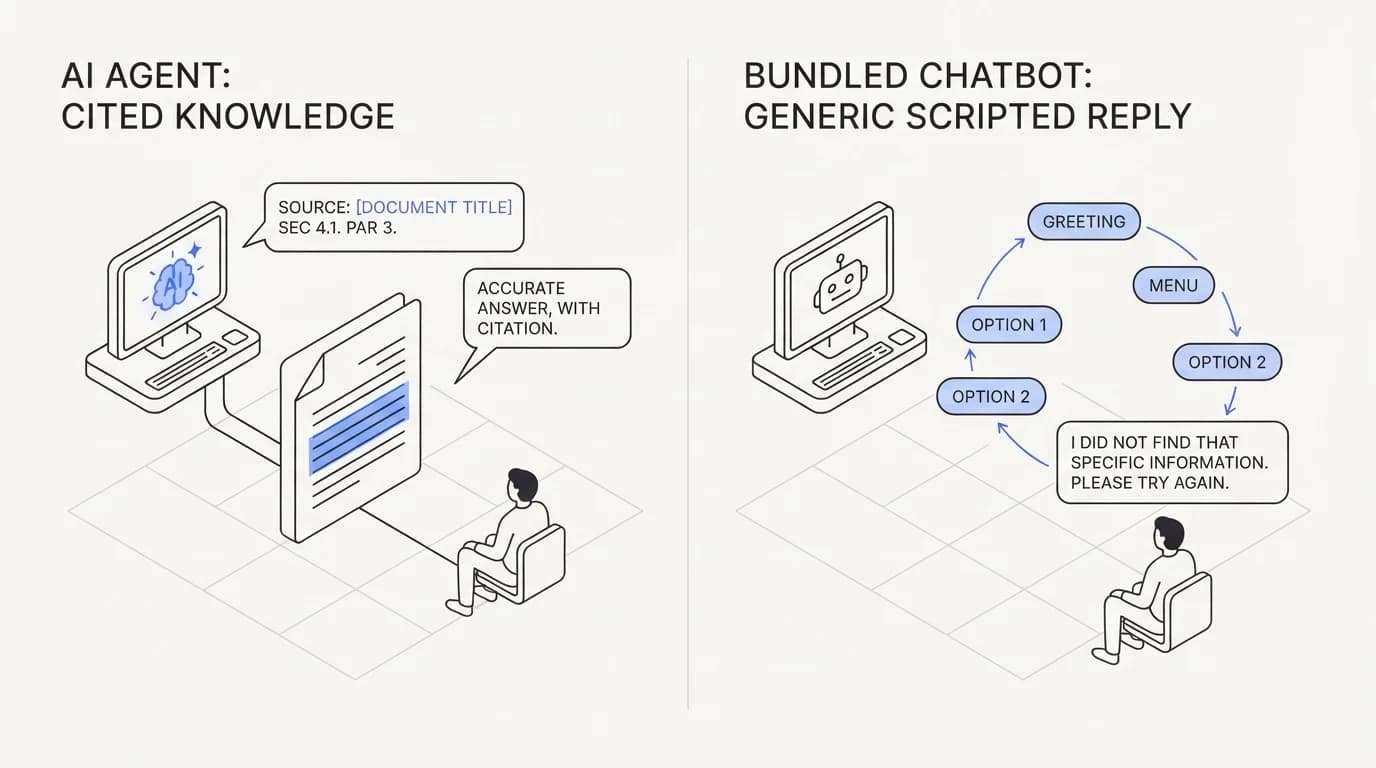
The chatbot layer inside Crisp historically leans on rule-based flows and a lighter automation model rather than deep retrieval grounding, though the product continues to evolve. That distinction matters more than most feature comparisons suggest, because a flow-based bot answers well within the paths its builder anticipated and poorly outside them, while a retrieval-grounded agent answers from your actual content regardless of which specific path a customer's question happens to follow.
Current plans, limits, and chatbot capabilities are best confirmed on Crisp's own pricing page, since bundled products tend to shift what is included at each tier more often than single-purpose tools do. Treat any specific figure here as a starting point for your own verification, not a frozen fact.
The trade a cheap bundle makes: depth versus breadth
 Communicate.so
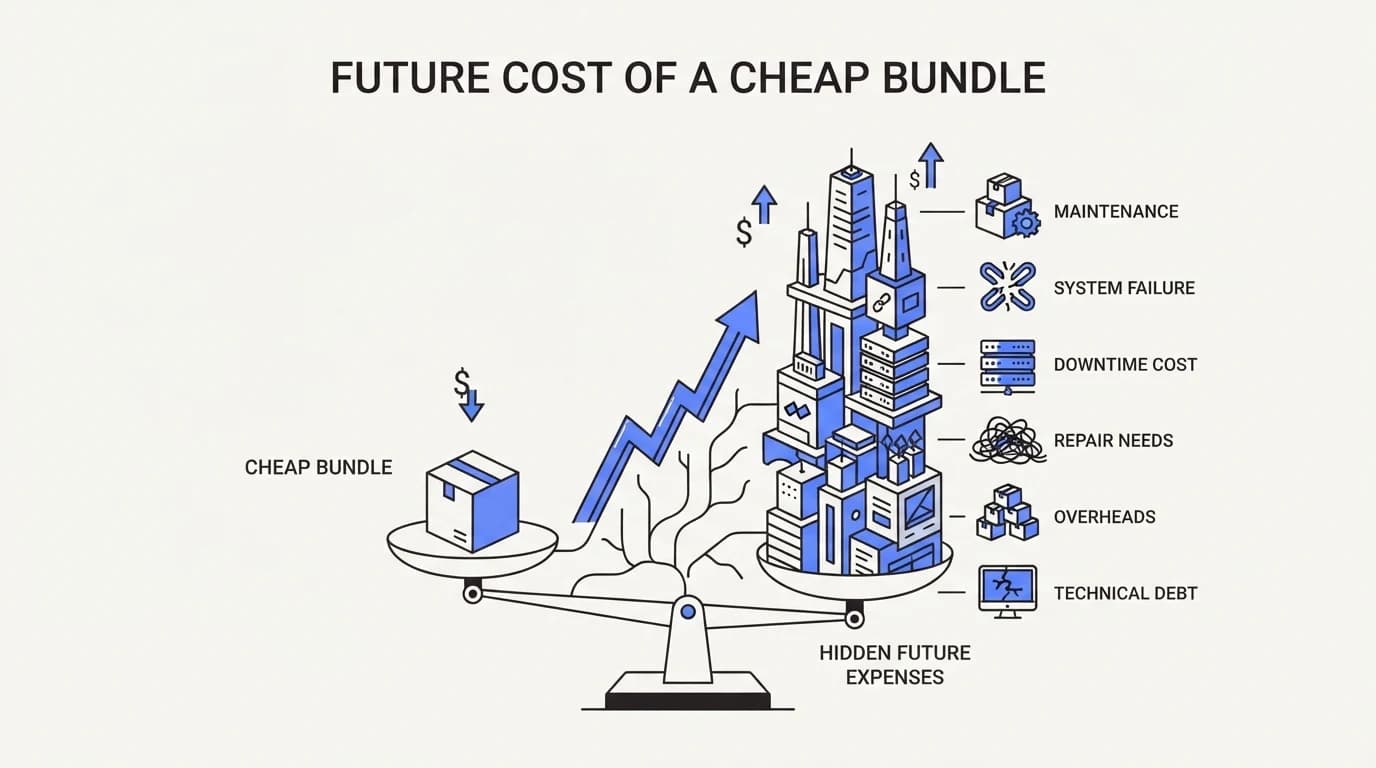
Every all-in-one tool at an affordable price is making an implicit engineering trade, and the trade is almost always depth for breadth. Building a shared inbox, a widget, email support, and a chatbot all at once, inside one price point, means engineering hours are split across four surfaces instead of concentrated on one. That is not a criticism so much as an arithmetic fact about how software gets built.
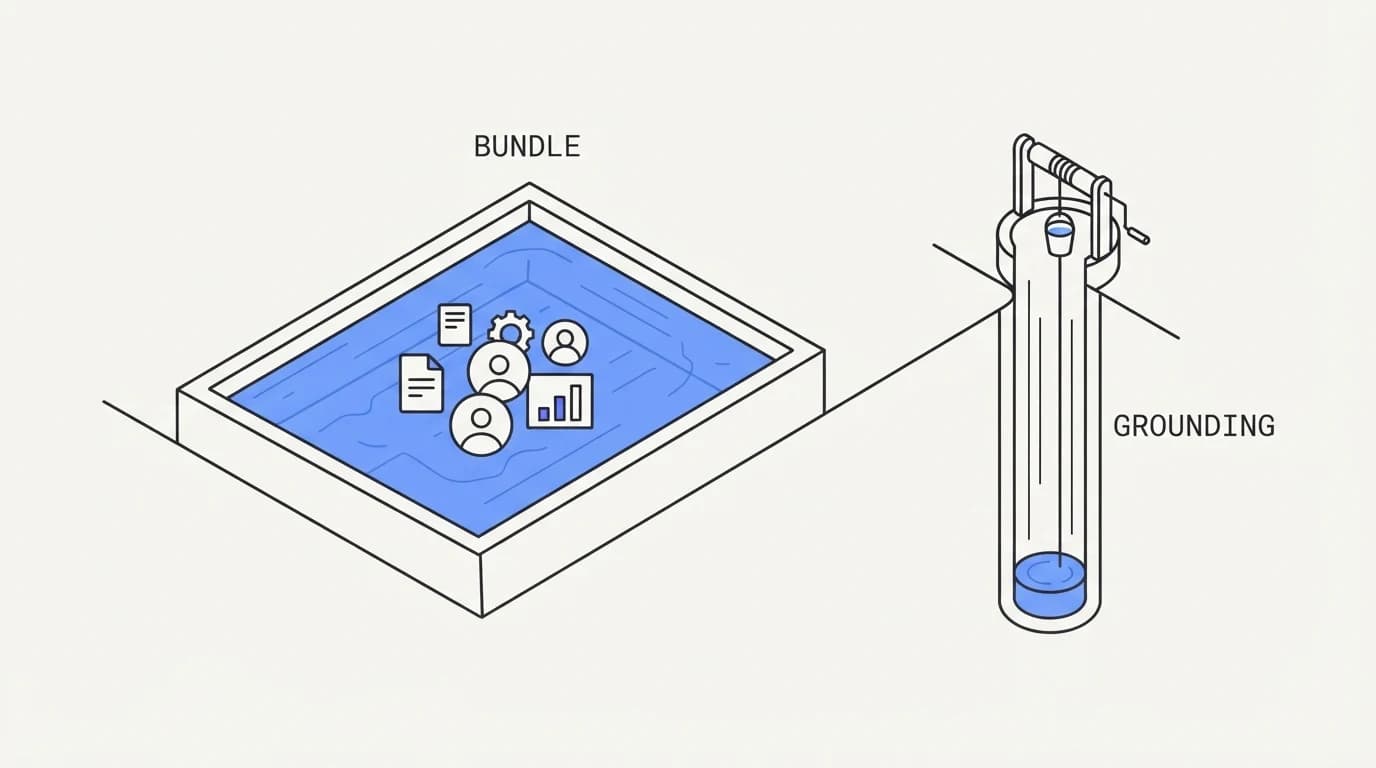
The surface most affected by this trade, for AI-specific evaluation, is the chatbot's grounding depth. A tool that treats the chatbot as one feature among several tends to invest less in retrieval quality, source freshness, and confident-refusal behavior than a tool whose entire product is the AI agent's accuracy. That gap does not show up in a demo; it shows up three months in, on your hardest real questions.
The cost of thin grounding is not abstract. Twig's review of common complaints about AI support tools lists hallucinated answers, no clear escalation path, and poor integration among the top frustrations customers report (Twig), and all three are more likely from a bot built as one feature of a bundle than from a tool built entirely around getting retrieval right. Cheap and shallow can cost more than expensive and deep once a wrong answer reaches a customer.
Crisp alternative comparison: core differences
| Capability | Crisp bundle | Grounded AI agent |
|---|---|---|
| Live chat, shared inbox, and email in one plan | ✓ | ✗ |
| Low entry price for many channels at once | ✓ | ✗ |
| Deep retrieval grounding across connected content | ✗ | ✓ |
| Confident refusal when the answer is not known | ✗ | ✓ |
| Scoped actions beyond chat replies | ✗ | ✓ |
| Presence-based human takeover in a shared inbox | ✗ | ✓ |
| Basic chatbot flows included at low cost | ✓ | ✗ |
Read the table as a trade map rather than a verdict. The Crisp column describes real value for a team that mostly needs coverage across channels at a low price, and the grounded-agent column describes value for a team whose AI answers carry real weight and need to be right on the questions that actually matter.
The bundle examined channel by channel
A bundle is easier to evaluate honestly when you look at each channel on its own rather than the plan as a single unit. Live chat is the strongest part of Crisp's offering, since the widget is the original product and the one that has had the most engineering attention over the years. It behaves like a mature, purpose-built chat tool, not an afterthought bolted onto a bigger platform.
Email inside the bundle is functional but thinner than a dedicated email tool. It covers the basics: a shared queue, assignment, and templated replies, which is enough for a small team but noticeably lighter than what a team migrating from a purpose-built email platform is used to. Test it against your actual reply volume before assuming it will hold up unchanged.
The shared inbox is the connective tissue between the other channels, and it works reasonably well at pulling chat and email into one queue. What it does not do, out of the box, is give you the presence and takeover controls that a shared inbox built specifically around AI-and-human collaboration tends to include, since Crisp's inbox was designed before AI resolution was the primary use case it now markets around.
The knowledge base is where the bundle's trade-off shows up most directly for AI purposes. It is a real, usable help center editor, and the chatbot draws on it for automated answers, but the depth of retrieval against that content is where a bundled tool and a tool built entirely around RAG for customer support tend to diverge. A shallow index answers well on exact-match questions and poorly on paraphrased or multi-part ones.
The chatbot itself is the channel worth the most scrutiny, since it is the one most likely to be customer-facing without a human reviewing every reply first. Ask specifically how it decides between answering, asking a clarifying question, and escalating, because that decision logic is where a thin implementation shows its seams fastest, usually on the exact questions that matter most to a customer already frustrated enough to open a chat.
Run this channel-by-channel review as a checklist rather than a single verdict on the whole bundle. A team can reasonably decide the chat widget and shared inbox are strong enough to keep while replacing only the chatbot's grounding layer, since nothing about a bundled plan requires taking or leaving every feature as one unit.
Where Crisp genuinely wins
 Communicate.so
This section is deliberately fair, because Crisp is a reasonable choice for a real slice of the market, and dismissing it would be dishonest. A small team that needs live chat, email, and a shared inbox covered under one affordable subscription, without stacking three separate tools, gets genuine value from Crisp's bundling.
Budget is the clearest win. If your support operation is early and every dollar matters, one bill covering multiple channels beats three separate subscriptions for a chat widget, an email tool, and a shared inbox, even if each of those separate tools is individually stronger in its own lane.
Simplicity of vendor management is the second win. One login, one support contract, and one product to learn reduces the operational overhead of running support tooling, which matters more than depth for a team still finding its footing, a trade-off similar to the one covered in shared inbox vs helpdesk for tool weight generally.
The honest boundary is what happens when your AI answers start to matter more than your channel count. A team asking simple, low-stakes questions can tolerate a basic chatbot's occasional miss. A team where a wrong answer creates a refund dispute or a compliance question cannot, and that is the moment grounding depth stops being a nice-to-have.
Where a grounded AI agent wins
 Communicate.so
A grounded AI agent earns the price difference when the cost of a wrong answer is higher than the cost of the extra dollars. Retrieval against your real content, with a built-in habit of refusing rather than guessing, is the mechanism that prevents the confidently wrong answer that damages trust in a single screenshot.
The DPD chatbot incident from January 2024, where the company disabled part of its bot after it swore at a customer and criticized its own employer, is the sharpest public example of what happens when a lightly governed automation layer goes off script in front of a customer (The Register). A grounded agent with clear guardrails is designed specifically to avoid that failure mode, a discipline covered in AI agent guardrails.
Escalation quality is the second win. When the agent cannot answer, the human who takes over should see the full conversation on the same surface, an outcome a purpose-built shared inbox with presence and takeover handles more cleanly than a bundle where the chatbot and the human inbox were built as separate features stitched together later.
A worked example makes the accuracy gap concrete. Suppose a customer asks a subscription software company whether a plan can be paused for two months without losing saved data. That question depends on two separate policy documents, one for billing pauses and one for data retention, and a shallow chatbot built to match a single FAQ entry is likely to answer only the half of the question it recognizes, confidently, and skip the other half entirely.
A retrieval-grounded agent reading both documents can either combine them into one accurate answer or recognize that the combination is uncertain enough to escalate, which is the safer failure mode. The difference between those two outcomes is not a matter of which vendor has a bigger model behind it, it is a matter of how much engineering effort went into the retrieval layer specifically, which is exactly the part a bundle spreads thin across four other features.
Run this same test on any vendor before you sign, not just this one. Write down the two-document question specific to your own product, ask it of the demo, and read the answer for whether it actually addressed both parts or quietly answered the easier half while ignoring the rest.
How to migrate from Crisp without losing coverage
 Communicate.so
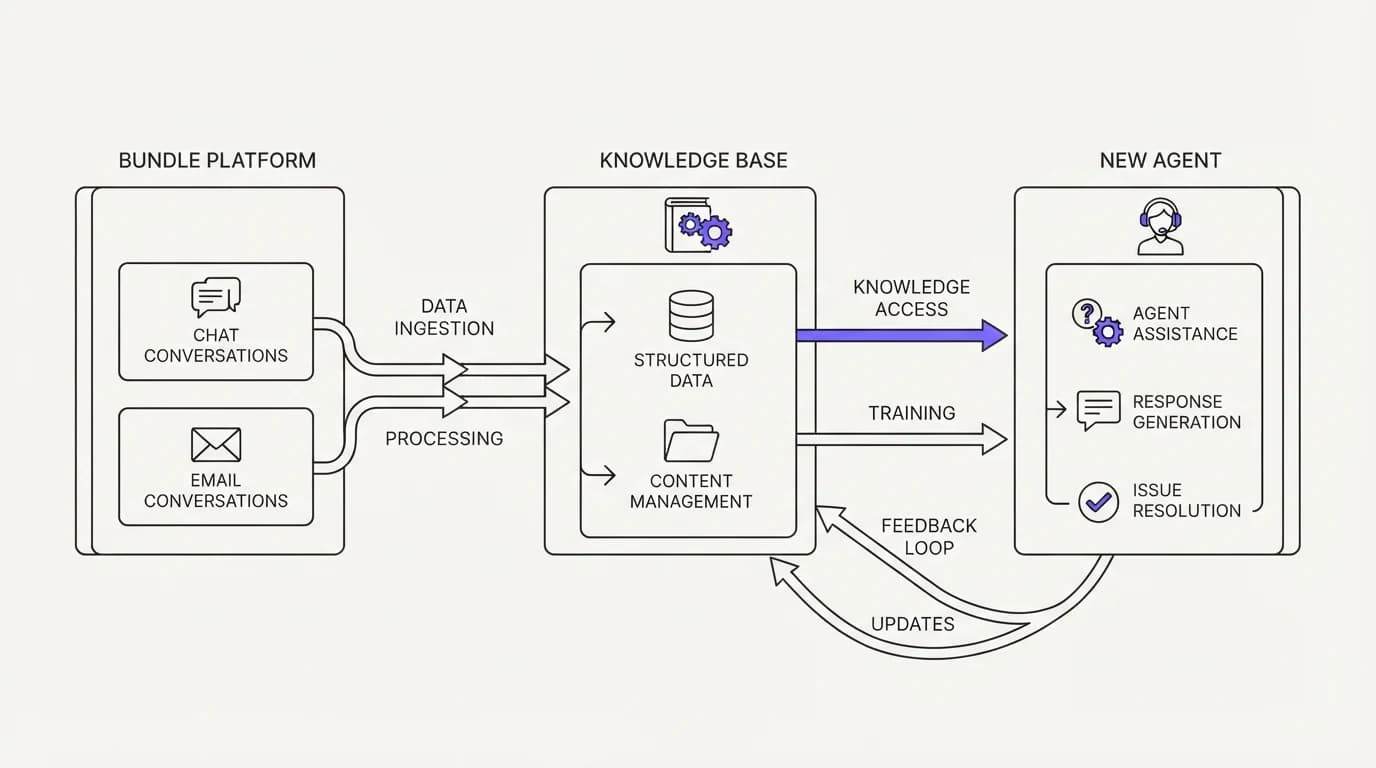
Migrating off a bundled tool means replacing several surfaces at once, so sequence the switch rather than flipping everything on the same day. Start by exporting your existing chat and email history from Crisp, since that history is useful raw material for whatever agent replaces it, and losing it means starting your new tool's grounding from zero context.
Next, connect your actual help center, FAQ content, and any internal documentation to the new agent before routing live traffic to it. The strength of a grounded agent depends entirely on what it is grounded in, and skipping this step is the fastest way to end up with a migration that performs worse than the bundle it replaced.
Run the new setup in parallel for a short window, watching escalation patterns closely before widening traffic, the same discipline covered in AI support agent implementation. A parallel window catches gaps in your connected content before a real customer does.
Where Communicate fits, honestly
Communicate is a grounded AI support agent paired with a lean shared inbox, built for the case where answer accuracy matters more than channel count. The AI agent grounds every answer in the content you connect and hands off cleanly when it is unsure, rather than stretching a flow-based script to cover a question it was never built for.
Here is what it does without embellishment. The live channels are a web widget, live chat, and email, with in-app messages, analytics, and scoped actions running from the same agent and knowledge base, so behavior stays consistent whether a customer reaches you through the widget or by email.
On pricing, there is no free tier. Entry is a one-time $1 activation that includes 100 test credits, then credit-based usage from there, a structure visible on the pricing page and worth spending on your hardest real questions before you trust the agent live.
Now the honest limits. Communicate runs a single model, gpt-4o-mini through OpenRouter, holds no SOC 2, HIPAA, or ISO 27001, runs in a single region, and does not offer SSO. It supports TOTP two-factor authentication and encryption at rest, a posture detailed on the security page, and if you need the cheapest possible multi-channel bundle for very low-stakes questions, Crisp's pricing is genuinely hard to beat on that axis alone.
Questions go to [email protected].
Key takeaways
- Crisp bundles live chat, a shared inbox, email, and a basic chatbot into one affordable plan, trading depth for breadth.
- The trade shows up most in AI grounding depth, since a bundled chatbot is one feature among several rather than the whole product.
- Thin grounding costs money later in the form of hallucinated answers, poor escalation, and damaged trust, not up front on the invoice.
- Crisp genuinely fits small teams with light, low-stakes questions who value one bill over deep AI accuracy.
- Migrating means exporting conversation history, connecting real content, and running in parallel before a full cutover.
Want to see what a fully grounded agent does with your hardest support questions, not just the easy ones? Start with a one-dollar account activation that includes 100 test credits, connect your data sources, and compare the answers directly against what you get today.
Frequently asked questions
What is Crisp best known for?
Crisp is best known as an all-in-one customer messaging platform bundling live chat, a shared inbox, email, and a basic chatbot into one affordable plan. Its main selling point is breadth at a low price rather than depth in any single surface. Confirm current features on Crisp's own pricing page since bundled tools change what each tier includes.
The live chat widget specifically has the longest engineering history of any feature in the bundle, which shows in how mature it feels compared to the newer chatbot layer.
Is Crisp cheaper than most AI support tools?
Generally yes, for the breadth it covers. Bundling live chat, email, and a shared inbox into one plan tends to undercut the combined cost of separate single-purpose tools, which is Crisp's core value proposition for budget-conscious small teams. The comparison flips once you weigh AI accuracy per dollar rather than channel count per dollar, since that is a different axis entirely.
Does Crisp include an AI chatbot?
Crisp includes chatbot functionality as part of its bundle, historically leaning on flow-based automation more than deep retrieval grounding, though the product continues to evolve. Check the current capabilities directly on Crisp rather than assuming feature parity with retrieval-first tools. Ask specifically whether the current version supports retrieval over long documents or mainly matches short FAQ entries, since that distinction changes what it can reliably answer.
What does depth versus breadth mean in this comparison?
Breadth means covering many channels and features under one plan; depth means how well any single feature, like AI answer grounding, performs under real pressure. A bundle optimized for breadth typically invests less engineering effort per feature than a tool built entirely around one capability. Neither axis is inherently better, and the right weighting depends on whether your hardest questions are simple or genuinely layered.
Why does grounding depth matter for an AI chatbot?
Grounding depth determines whether the AI answers from your real content or falls back on a generic script when a question falls outside its anticipated flows. Thin grounding is the mechanism behind hallucinated answers, one of the top complaints customers report about AI support tools generally (Twig). Poor integration and a lack of context awareness round out that same complaint list, and both trace back to how much of the surrounding conversation and connected data the agent actually reads before answering.
Is Crisp good for a small team on a tight budget?
Yes, for a small team that needs multiple channels covered without stacking separate subscriptions, Crisp's bundled pricing is a genuine strength. The trade-off matters more once your AI answers carry higher stakes than simple, low-risk questions, at which point revisit the decision rather than assuming the original fit still holds. A budget-first choice made at launch is not a permanent commitment, and reassessing it every few months as volume and question complexity change costs nothing but a short review.
What happens when a bundled chatbot cannot answer a question?
It typically falls back to a scripted response or hands off to a human agent, similar to most chatbot tools. The quality of that handoff, and whether the human sees full context, is worth testing directly rather than assuming from a feature list. Send a deliberately layered question through the demo and watch exactly where it breaks before you judge the whole product on a simple one.
Can a cheap chatbot damage customer trust?
Yes, and the DPD chatbot incident from January 2024 is a public example of what happens when a lightly governed bot goes off script in front of a customer, leading the company to disable part of it (The Register). A wrong or inappropriate answer in a screenshot costs more than the money saved on a cheaper tool.
How do I compare Crisp against a grounded AI agent?
Compare on what each answer costs you if it is wrong, not just on the monthly bill. Test both tools against your hardest real questions, not the easy ones a demo shows, and weigh escalation quality and analytics visibility alongside the price difference.
Does Crisp offer a shared inbox?
Yes, a shared inbox is part of Crisp's bundle, letting a team collaborate on conversations from one view. Whether its collaboration depth, like presence and takeover behavior, matches a purpose-built shared inbox depends on your team's specific workflow needs, and it is worth trialing with your actual agents before assuming it covers every case a dedicated inbox would.
What is the risk of an AI bot answering outside its trained flows?
A flow-based bot answers well inside the paths its builder anticipated and poorly outside them, often producing a generic or incorrect response to an unanticipated question. A retrieval-grounded agent is designed to answer from your actual content regardless of path, and to refuse when it genuinely does not know, the behavior covered in reducing AI hallucinations in support.
Should a growing team stay on Crisp?
It depends on whether your AI answers are staying low-stakes or starting to carry real weight, like billing disputes or policy questions. A team that has outgrown simple questions should weigh grounding depth more heavily than the bundle's price advantage, and the signal to revisit is usually a specific wrong answer, not a scheduled review.
How do I migrate away from Crisp without losing data?
Export your chat and email history first, then connect your real content to the new agent before routing live traffic, and run the new setup in parallel for a short window. This mirrors the process in AI support agent implementation, which catches gaps before a real customer does.
Does Crisp support email alongside live chat?
Yes, email is one of the channels included in Crisp's bundle alongside live chat and the shared inbox, which is part of its all-in-one appeal for teams that do not want to manage separate tools for each channel. It is a lighter implementation than a dedicated email platform, so a team with heavy email volume should test it against a real backlog before switching over fully.
Is a bundled tool always the wrong choice for AI support?
No. For a team with genuinely low-stakes, simple questions and a tight budget, a bundled tool's chatbot is often good enough, and the savings are real. The wrong choice is assuming a bundled chatbot performs at the same depth as a tool built entirely around grounding accuracy, without testing that assumption directly.
What questions should I ask before trusting any AI chatbot with real answers?
Ask what content it is grounded in, whether it can say it does not know, and what happens when a customer's question falls outside common paths. Test it on your hardest real support questions, not simple ones, before deciding whether the answer quality matches what your customers expect, a habit worth building into AI support agent implementation.
Does Crisp scale to larger support teams?
Crisp can scale in terms of seats and conversation volume, but its design center remains a small-to-mid team wanting broad coverage cheaply. Larger, structured operations with formal SLA needs often outgrow the bundle's depth well before they outgrow its capacity, since routing complexity and reporting depth are not what the product was built to prioritize.
What is the honest summary of Crisp versus a grounded agent?
Crisp wins on price and breadth for a small team with simple questions; a grounded agent wins on accuracy and trust for a team where wrong answers carry real cost. Neither is universally correct, and the right choice depends on what a wrong answer would actually cost your business, a calculation worth running against your own pricing and volume before committing.
Can I test a grounded agent before switching from Crisp?
Yes, and testing before committing real volume is the safer path. Activate an account, connect the same content you would use in production, and run it against your hardest real questions to see whether the accuracy gap over a bundled chatbot is meaningful for your business, the same test-first approach covered in AI support onboarding checklist.
Does Crisp integrate with a help center or knowledge base?
Crisp offers its own knowledge base feature as part of the bundle, which the chatbot can draw on for basic automated replies. How deeply that knowledge base grounds the chatbot's answers, compared to a retrieval-first agent built entirely around that task, is worth testing directly against your own documentation before assuming parity. Upload your longest, most detailed article and ask a question that requires reading past the first paragraph to see where the retrieval depth actually sits.