
Instagram DM automation for support: the 24-hour window, explained
 Communicate.so
Instagram DM automation for support teams: the 24-hour messaging window, the human agent tag, and how to design escalation around both.
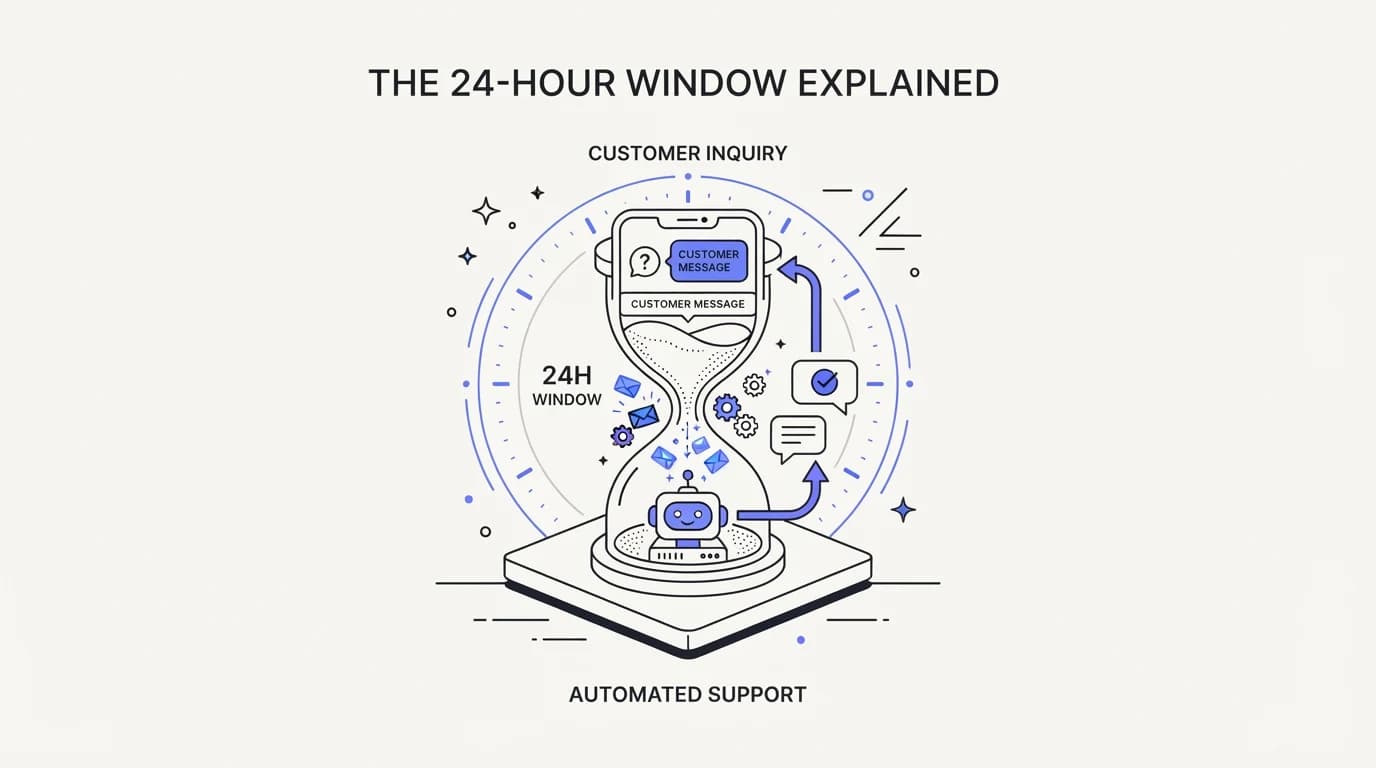
TL;DR: Instagram DM automation for support runs inside a hard constraint set by Meta, not by your product team: the 24-hour standard messaging window. Once a customer messages you, you can reply freely, including with promotional content, for 24 hours from their last message. After that window closes, Meta's Messenger Platform and IG Messaging API policy limits what you can send, and Instagram supports fewer extension options than Facebook Messenger does. A human agent tag lets a real person, not a bot, respond for up to 7 days when a case needs more time, but Instagram does not support one-time notifications, news messaging, or sponsored messages the way Messenger does. This guide explains the window, the human agent tag, and how to design an Instagram support flow, including AI automation, that respects both instead of getting your account flagged. It cites Meta's own developer documentation throughout, because platform policy is exactly the kind of fact you should never take from a marketing blog.
A customer DMs your brand on Instagram asking where their order is. You reply within minutes. Two days later they message again with a follow-up, and this time your reply bounces or never sends, and you cannot figure out why until someone points you to Meta's messaging window policy buried in the Meta for Developers documentation.
This guide is for the person who owns that channel: a support lead, a founder, or an operations owner trying to automate Instagram DMs without getting the account throttled or flagged for policy violations. It explains what the 24-hour window actually is, what the human agent tag does and does not cover, and how an AI agent should be designed around both constraints rather than against them.
The honest starting point is that Instagram DM automation is not a UX decision first. It is a policy-compliance decision first, and the UX has to fit inside it. Get the window wrong and your best-designed automation either goes silent at hour 25 or gets your app flagged for sending messages Meta considers out of policy, a risk covered in more detail in the AI agent guardrails guide.
What Instagram DM automation actually means
Instagram DM automation means using the IG Messaging API, part of Meta's broader Messenger Platform, to send and receive direct messages programmatically instead of a human typing every reply by hand. A business connects a Meta App to their Instagram professional account, gets it through Meta's App Review process, and then a program, whether a simple rules bot or a grounded AI agent, can read incoming DMs and send replies through the API.
That single sentence hides a lot of nuance, and the nuance is where teams get into trouble. The API is not a blank pipe you can push any message through at any time. Meta wraps it in a policy layer specifically because unsolicited or poorly timed messaging is the exact behavior that makes DMs feel like spam, and the Meta for Developers policy page is the authoritative source for what is and is not allowed.
The automation itself can range from simple to sophisticated. A rules bot matches keywords and fires a canned reply. A more capable setup routes intents to different flows.
The most capable version grounds its answers in your actual help content and product data, so it answers correctly instead of guessing, and escalates cleanly when it does not know.
What all three have in common is that none of them changes the underlying messaging rules. A grounded AI agent with perfect answers still cannot send a promotional message to a customer whose 24-hour window closed three days ago, because that limit sits at the platform level, not the intelligence level. Understanding that separation, policy constraint versus answer quality, is the first thing to get right before you design anything.
The 24-hour messaging window explained
 Communicate.so
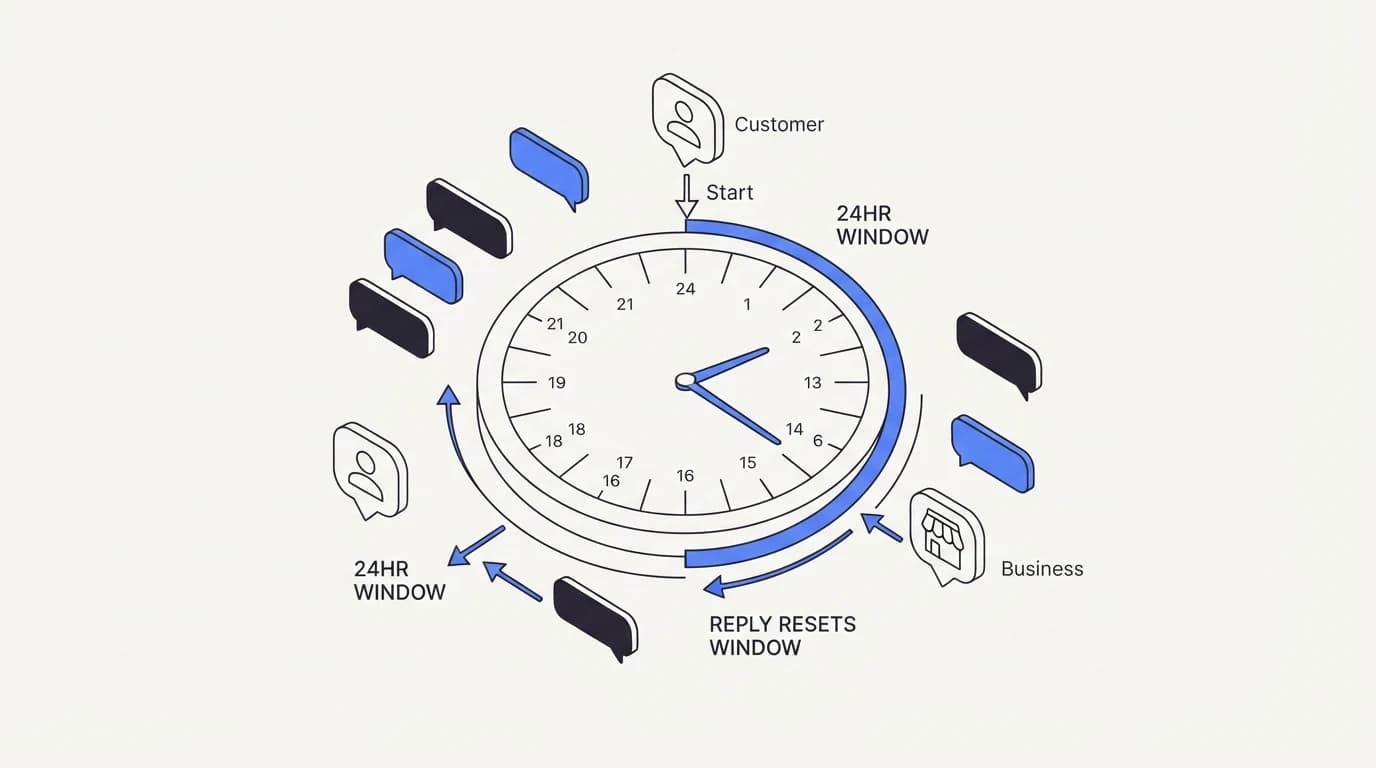
The 24-hour standard messaging window is the single rule that shapes every Instagram DM automation design. Per Meta's own policy documentation, once a user sends your business a message or performs a qualifying action like tapping a call-to-action button, you have up to 24 hours to respond, and messages sent inside that window may contain promotional content (Meta for Developers).
The window resets on every qualifying customer action, not just the first message. If a customer replies at hour 23, the clock restarts and you get another full 24 hours from that reply. This is why an active back-and-forth conversation never actually closes the window as long as the customer keeps responding within a day.
The practical bite comes when the customer goes quiet. If 24 hours pass with no reply from them, standard messaging is no longer available, and Meta's own guidance is explicit that outside the window your options narrow to a small set of approved message tags rather than free-form replies (Meta for Developers). This is not a soft guideline you can quietly ignore; the API itself will reject or restrict messages that fall outside an allowed category.
Instagram and Facebook Messenger share the same underlying window concept but diverge on what you can do once it closes. Messenger Platform offers several extension mechanisms, including one-time notifications for user-requested follow-ups, news messaging for registered publishers, and sponsored messages for paid outreach. None of those are available on the IG Messaging API, which narrows Instagram to message tags alone.
That asymmetry matters for design. A team that builds its escalation flow assuming Messenger-level flexibility and then ports it to Instagram will find features silently missing, because Meta states plainly that some tags are available on both platforms while others apply only to Messenger Platform (Meta for Developers). Design for Instagram's narrower rule set first, and Messenger becomes a superset you can add to later.
The human agent tag and its 7-day extension
The human agent tag is the one meaningful way to extend an Instagram conversation past the 24-hour window. Meta's documentation describes it as letting a human agent respond to a user's message within 7 days, specifically for cases the standard window cannot cover, such as a business being closed over a weekend or an issue that genuinely needs more than a day to resolve (Meta for Developers).
The constraint that matters most for automation is who is allowed to send that tagged message. The human agent tag exists specifically for a real person responding manually, not for an automated system continuing to send scripted replies under cover of the extension. Treating it as a loophole to keep a bot talking past 24 hours is a misuse of the tag as Meta defines it, and misuse of message tags is a policy violation that can put your app's messaging access at risk.
This is why the tag belongs at the exact seam between AI and human support, not inside the AI's own reply logic. When an AI agent cannot resolve a case inside the standard window and a person needs to pick it up days later, the human agent tag is the mechanism that lets that person's message land in the customer's inbox. It is a handoff tool, and the AI to human handoff design pattern applies directly here: a clean escalation with context intact, not a bot pretending to be a person to dodge a policy limit.
Because Instagram lacks the other Messenger-only extensions, the human agent tag is effectively your only lever for anything that spans more than a day. That scarcity should push you toward resolving cases inside the 24-hour window whenever possible, and reserving the tag for the genuine exceptions Meta describes it for, rather than building a workflow that routinely depends on it.
Rules bots versus grounded AI agents on Instagram
 Communicate.so
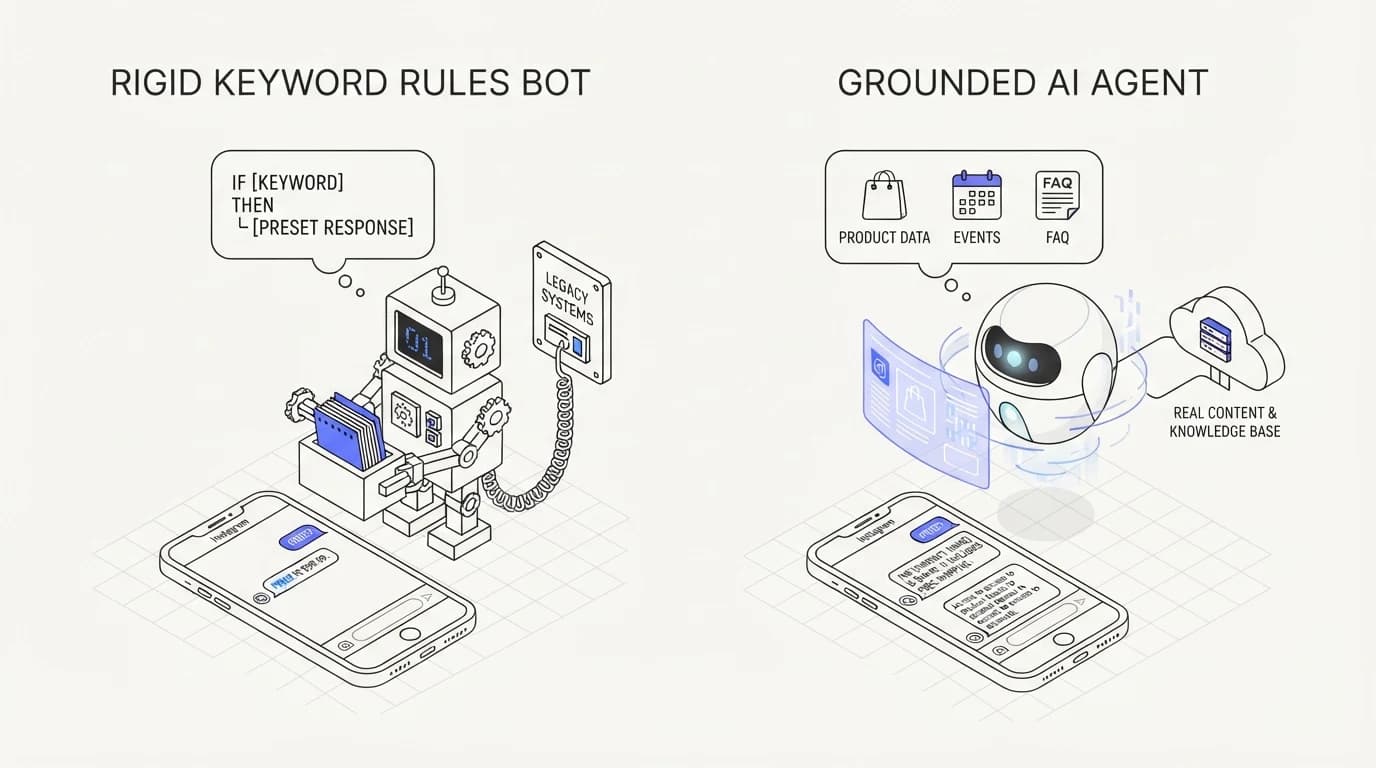
The window pressure changes which kind of automation actually works well on Instagram. A rules bot that only matches keywords tends to misfire on the casual, abbreviated language people use in DMs, and a misfire that eats part of the 24-hour window on a wrong answer is worse than no automation at all, because it delays the moment a human or a better answer could have helped.
A grounded AI agent, one that answers from your actual help content, order data, and policies rather than generating a plausible-sounding guess, has a structural advantage inside a time-boxed window. It can resolve the common cases immediately, in the first message, instead of burning a back-and-forth cycle on clarifying questions a rules bot needs.
Grounding matters even more on Instagram than on a private support inbox, because DMs are quasi-public and screenshots travel. An agent that hallucinates a return policy or invents a discount inside the 24-hour window creates a real customer-facing promise, and reducing AI hallucinations in support is not an abstract quality goal here; it is the difference between a resolved DM and a screenshot circulating with your handle attached.
The other advantage of a grounded agent is honest uncertainty. A rules bot has no concept of not knowing; it either matches a rule or falls silent. A well-built AI agent can recognize when a question falls outside its grounding and hand off immediately, which preserves window time for a human to step in rather than wasting hours on a bot looping through irrelevant canned replies.
| Capability | Keyword rules bot | Grounded AI agent |
|---|---|---|
| Resolves varied phrasing in one reply | ✗ | ✓ |
| Recognizes when it does not know | ✗ | ✓ |
| Answers from real order and policy data | ✗ | ✓ |
| Risk of confidently wrong answers | Low but rigid | Managed by grounding |
| Clean handoff to a human before window closes | ✗ | ✓ |
| Setup effort | Low | Moderate |
Read the rigid-versus-grounded row carefully. A keyword bot is not wrong often, because it usually just fails to match and stays silent, but silence inside a shrinking window is its own failure mode. The row that should worry you most is handoff quality, because a window that closes mid-conversation with no escalation is the outcome every design choice here should prevent.
Designing escalation around the window, not around convenience
 Communicate.so
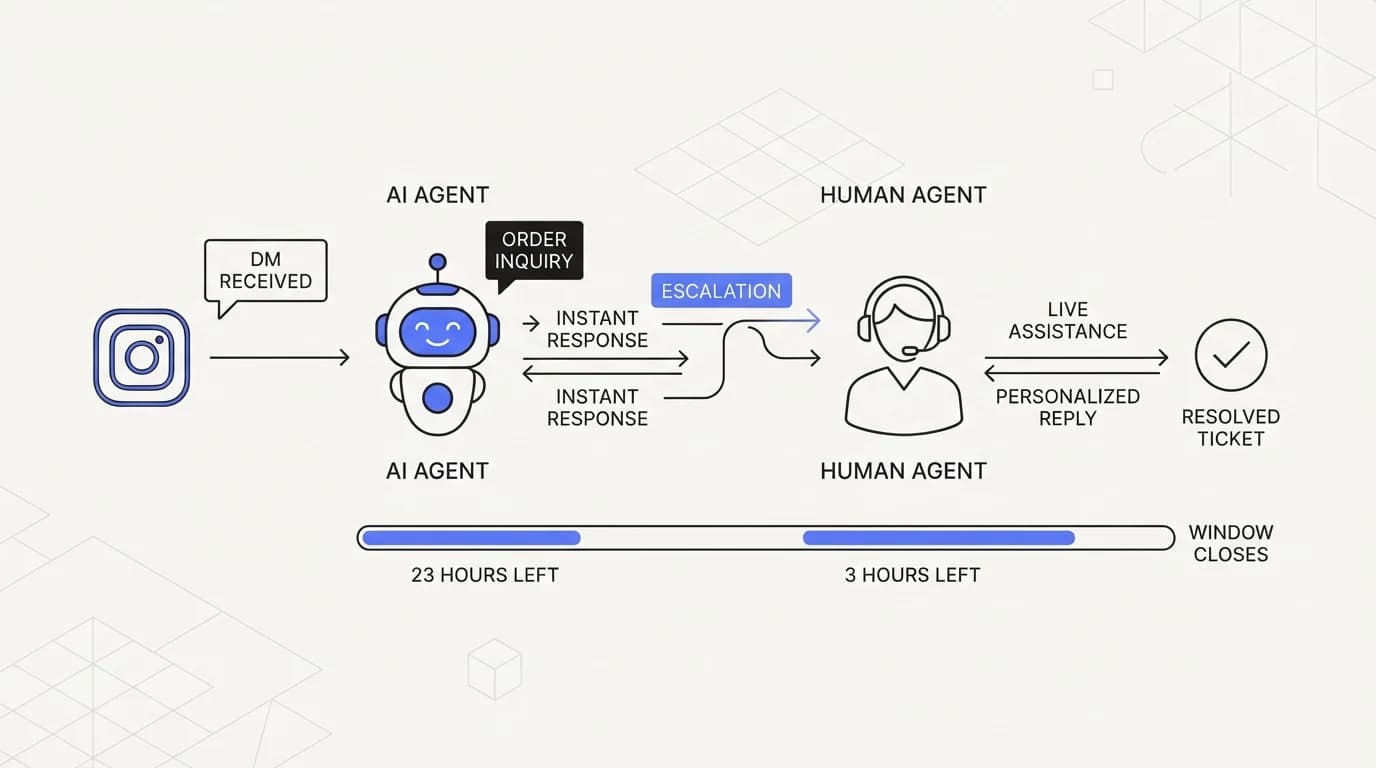
Escalation design on Instagram has to treat the window as the deadline that governs everything else. The common mistake is building an escalation path that assumes unlimited time, the same pattern you would use for email, and then discovering it silently breaks once a case crosses the 24-hour line.
The first design rule is to escalate early rather than late. If an AI agent's confidence is low or the topic sits outside its grounding, hand off to a human with hours of window left, not minutes. A support-escalation-workflow built for a channel with no hard deadline will escalate too slowly for Instagram's constraint.
The second rule is to keep the AI and the human on one surface so the handoff carries full context instead of restarting the conversation. A shared inbox model, where the AI and a person work the same conversation thread, avoids the cold-start problem where a human picks up a DM with no visibility into what the bot already tried, and that cold start alone can burn window time you do not have.
The third rule is to plan explicitly for the case that will not resolve in a day. Rather than letting that case silently fail when the window closes, route it to a queue that flags the human agent tag as the deliberate next step, with a real person taking ownership of sending that follow-up, exactly as Meta intends the tag to be used.
The fourth rule is to measure how much of your available window you are actually using. If your average resolution time on Instagram DMs is close to 24 hours, you are one delayed reply away from a policy problem, and tracking that margin belongs in the same average handle time reduction discipline you would apply to any time-boxed support channel.
Compliance and account risk beyond the window
The 24-hour window is the headline rule, but it is not the only Instagram policy that automation can trip over. Meta requires a Meta App to pass App Review before it gets production-level messaging access, and reviewers check that your use case matches what you declared, not just that your code technically works.
Sending message-tag traffic for a purpose Meta did not intend, such as using the human agent tag for scripted bot replies, is the kind of misuse that can jeopardize your app's access, and the underlying principle is the same one covered in AI agent guardrails: an agent should be scoped tightly to what it is actually approved and grounded to do, and nothing wider.
There is also a data handling dimension. Instagram DMs can carry personal information, order numbers, and sometimes payment-adjacent details, and any AI agent processing that content needs the same data handling discipline you would apply to email or chat. That means access controls, retention limits, and a clear boundary on what the agent is permitted to store or forward.
None of this is exotic, but it is easy to skip when a team is focused on getting automation working at all. Treat Instagram the same way you would treat any channel handling customer data, with the security posture of your support stack applied consistently rather than relaxed because the channel feels casual.
Metrics that matter for Instagram DM support
 Communicate.so
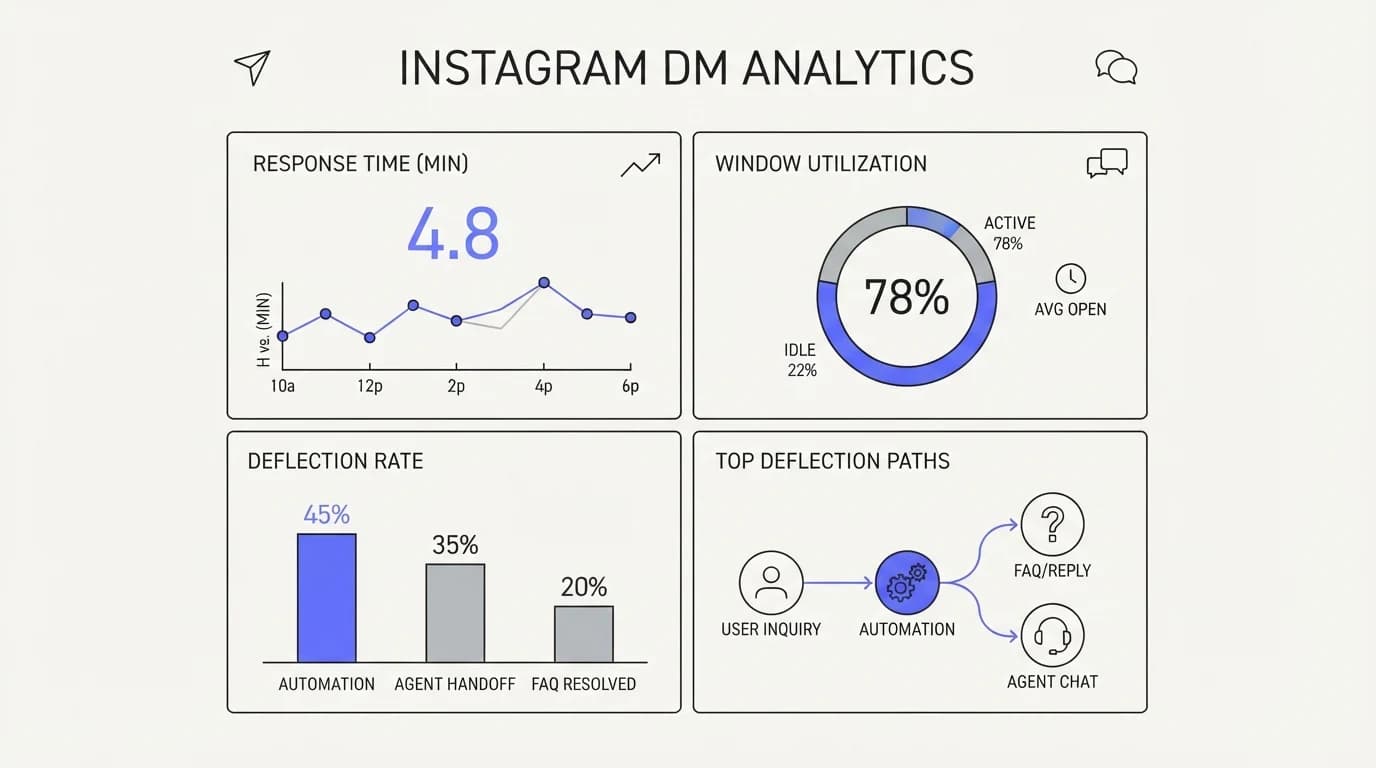
Instagram DM support needs a metric set tuned to a hard deadline, not the open-ended metrics you would track for email. Response time inside the window matters more than average response time across all channels, because a fast reply on Instagram keeps the window open and the conversation alive.
Track window utilization directly: what share of conversations are still open when the 24-hour mark arrives. A rising number here is an early warning that your resolution speed is falling behind your incoming volume, well before it shows up as customer complaints.
Deflection rate still applies, in the sense of how many DMs the AI agent resolves without a human touching them, and it is worth benchmarking against the wider support ticket deflection rate numbers other channels see, since Instagram's compressed, casual message style tends to produce shorter but higher-volume conversations than email.
Finally, track human agent tag usage as its own line item. If that count creeps up as a share of total conversations, it usually means either your AI agent is not resolving enough cases inside the window, or your escalation is triggering too late for a human to close things out before the standard window expires.
Where Communicate fits, honestly
Communicate is a grounded AI support agent that pairs with a shared inbox for human takeover, and it is built around exactly the constraint this guide describes: resolve inside the time you have, and hand off cleanly when you do not know. The live channels today are a web widget, live chat, and email, with in-app messages, analytics, and scoped actions from the same agent and knowledge base.
Here is the honest limit. Communicate does not currently support Instagram, WhatsApp, Messenger, SMS, or voice as native channels, so if Instagram DM automation is a hard requirement today, this is not your tool for that channel yet. The design principles in this guide, grounded answers, honest uncertainty, and clean escalation, apply directly to the channels it does support.
On the model, Communicate runs a single model, gpt-4o-mini through OpenRouter, with response and prompt caching, because grounding and guardrails drive answer quality more than model choice does. Pricing has no free tier; entry is a one-time $1 activation with 100 test credits, detailed on the pricing page, and you can see how the same grounded-agent approach performs on your own content and questions.
If your primary channel is a web widget or email rather than Instagram, the data sources connections and the AI agent itself apply the same window-respecting design logic: answer fast and correctly, or escalate before the customer runs out of patience.
Key takeaways
- Instagram DM automation runs inside Meta's 24-hour standard messaging window, which opens on a customer message and resets on every qualifying reply.
- Instagram supports fewer extension mechanisms than Facebook Messenger; message tags, especially the human agent tag, are effectively your only lever past 24 hours.
- The human agent tag covers up to 7 days but is meant for a real person responding manually, not for an automated system continuing to send scripted replies.
- A grounded AI agent resolves more cases inside the window than a keyword rules bot, and escalates honestly when it does not know rather than looping on irrelevant replies.
- Design escalation to trigger early, keep AI and human on one shared surface, and track window utilization as a leading indicator, not just response time after the fact.
Every specific policy detail in this guide traces back to Meta's own developer documentation, and platform rules change, so confirm current specifics there before you ship. For the wider design pattern of resolving fast and escalating cleanly, the AI to human handoff guide is the right next read.
Frequently asked questions
What is the Instagram 24-hour messaging window?
It is the standard period, defined in Meta's own policy, during which a business can send free-form replies, including promotional content, to a customer after they message you or perform a qualifying action. The window resets every time the customer sends another qualifying message. Once 24 hours pass with no customer action, standard messaging is no longer available, per Meta for Developers.
Can I send a message to a customer after the 24-hour window closes?
Only through an approved message tag, and Instagram's options are narrower than Facebook Messenger's. The human agent tag, meant for a real person continuing a conversation that needs more than a day, extends that specific reply to 7 days. Outside of approved tags, free-form outbound messaging is not available once the standard window closes.
What is the human agent tag and who can use it?
It is a Meta message tag that lets a human agent respond to a user's message within 7 days when the standard 24-hour window cannot cover the case, such as a business being closed for the weekend. It is meant for a real person sending that response manually, not an automated system, according to Meta for Developers.
Does the 24-hour window reset every time the customer replies?
Yes. Every qualifying action from the customer, most commonly sending you a new message, restarts the 24-hour clock from that moment. An active conversation where the customer keeps replying within a day never actually hits the window limit, because each reply extends the deadline forward.
Are one-time notifications available on Instagram?
No. One-time notifications, along with news messaging and sponsored messages, are Messenger Platform features and are not available on the IG Messaging API. Instagram's only mechanism for messaging outside the standard window is message tags, according to Meta for Developers.
Is Instagram DM automation the same as Facebook Messenger automation?
They share the same underlying 24-hour window concept and much of the same API surface, but they are not identical. Messenger Platform has extension options Instagram lacks, so a workflow built assuming Messenger-level flexibility will find features missing when ported to Instagram, particularly around messaging past the standard window.
Can a bot use the human agent tag to keep messaging after 24 hours?
That misuses the tag as Meta defines it. The human agent tag exists for a real person to respond manually on a case that needs more time, not as a workaround for an automated system to keep sending scripted replies. Using it that way risks the kind of policy violation that can affect your app's messaging access.
What happens if my AI agent cannot resolve a DM before the window closes?
The case should escalate to a human before the window closes, ideally with hours of margin rather than minutes, so a person can either resolve it in time or take deliberate ownership of a human agent tag follow-up. This is the same AI to human handoff pattern used across other time-sensitive channels, applied to Instagram's specific deadline.
Do I need Meta App Review to automate Instagram DMs?
Yes. A Meta App needs to pass App Review before it gets production-level access to the messaging APIs, and reviewers check that your declared use case matches what your app actually does. This is a real gate, not a formality, and it is worth reading Meta's current review requirements directly before you build.
Is a rules bot enough for Instagram DM support?
It can handle a narrow set of predictable questions, but keyword matching struggles with the casual, abbreviated phrasing typical of DMs, and a missed match wastes window time doing nothing. A grounded AI agent that answers from real content tends to resolve more cases in a single reply, which matters more on a time-boxed channel than on email.
Why does grounding matter more on Instagram than email?
Instagram DMs are quasi-public in the sense that customers can and do screenshot them, so a confidently wrong answer becomes a shareable artifact with your brand attached, not just an internal mistake. Reducing AI hallucinations in support is a reputational concern here, not only an accuracy metric.
How should I measure Instagram DM support performance?
Track response time inside the window, the share of conversations still open as the 24-hour mark approaches, deflection rate for cases the AI resolves without a human, and human agent tag usage as its own line. A rising open-at-24-hours number is an early warning before it shows up as complaints.
What counts as a qualifying action that opens or extends the window?
The clearest qualifying action is the customer sending your business a message. Meta's documentation also references certain user actions, like tapping specific call-to-action elements, as window-opening events. Confirm the current, exact list of qualifying actions in Meta for Developers before relying on an edge case.
Can I send promotional content in an Instagram DM?
Yes, but only inside the standard 24-hour window, where Meta's policy allows promotional content in replies. Outside the window, promotional messaging is not available through approved message tags, which are meant for specific non-promotional use cases like the human agent follow-up.
Does escalating early hurt my deflection rate?
It can lower the raw percentage the AI resolves alone, but that number is meaningless if cases silently fail when the window closes. A support-escalation-workflow tuned for Instagram should treat a clean handoff with time to spare as a better outcome than a marginally higher deflection number that leaves customers stranded past 24 hours, a trade-off also covered in support escalation workflow.
What data should an Instagram support agent be allowed to access?
Only what it needs to answer accurately and safely: your help content, relevant order or account data, and policy documents connected through data sources. Treat personal information in DMs, including order numbers and any payment-adjacent details, with the same access controls and retention discipline you apply to email or chat.
Can multiple team members handle the same Instagram conversation?
Yes, if your tooling supports it, and it should, because Instagram's time pressure makes collision-free handoffs more important than on a slower channel. A shared inbox model with presence and assignment prevents two people from answering the same DM and keeps the full history visible to whoever picks it up next.
Should every Instagram support flow use AI automation?
Not necessarily. Low volume, highly relationship-driven accounts may be fine with a human answering everything directly. Automation earns its place once volume is high enough that a purely manual team cannot keep replies inside the window consistently, which is exactly the failure mode that starts triggering compliance risk.
What is the biggest mistake teams make automating Instagram DMs?
Designing the escalation flow as if the channel had no deadline, the way you would for email, and discovering only after launch that conversations silently fail once they cross 24 hours. The fix is building the window into the design from the start, not patching it in after the first missed case, following the same discipline as AI agent guardrails.
Where can I read the official Instagram messaging policy?
Meta's own documentation at developers.facebook.com is the authoritative source for the 24-hour window, message tags, and App Review requirements. Platform policy changes over time, so check it directly rather than relying on any third-party summary, including this one, for exact current specifics.