
Discord community support with AI: getting confidence thresholds right
 Communicate.so
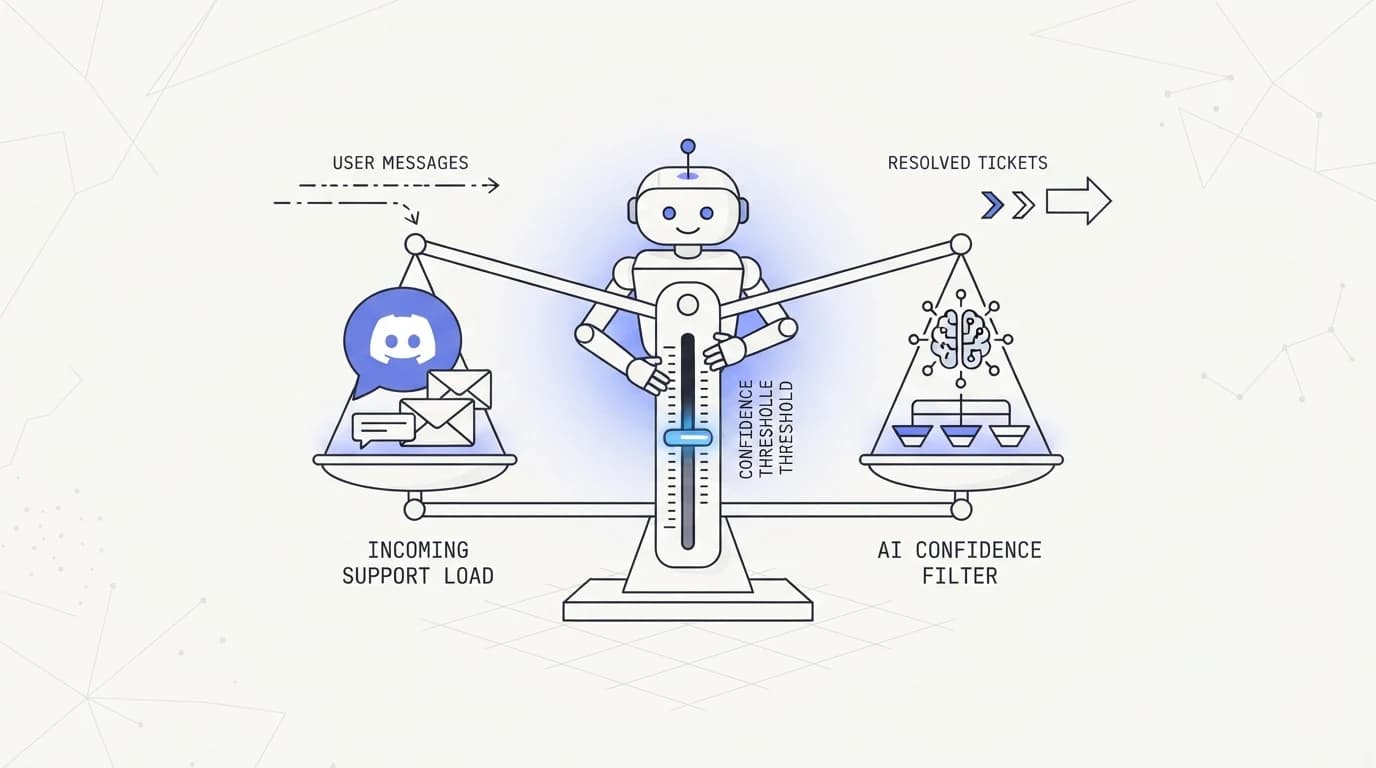
Discord community support with AI explained: why a wrong public answer is permanently searchable, and how confidence thresholds should govern the bot.
TL;DR: Discord community support with AI carries a risk private support channels do not: every answer a bot posts in a public server channel is visible to the whole community and stays searchable indefinitely. A wrong answer in a private inbox is a mistake between you and one customer. A wrong answer in a public Discord channel is a permanent, screenshot-ready artifact other members can find, quote, and act on long after the mistake happened. This guide explains why that changes the design math for AI support bots on Discord, covers the platform mechanics that matter, including Discord's per-route and global API rate limits and its bot verification threshold at 100 servers, and argues for confidence thresholds, an AI agent that answers only when it is grounded and stays quiet or escalates otherwise, as the central design decision rather than an afterthought. All platform specifics here are drawn from Discord's own developer documentation.
A community member asks a technical question in your Discord server's support channel. Your bot answers instantly, confidently, and wrong. By the time someone corrects it, three other members have already quoted the wrong answer to help someone else, and it is sitting in the channel history for anyone to find with a search.
This guide is for the person running that server: a community manager, a founder, or a support lead deciding how much autonomy to give an AI bot in a Discord support channel. It explains what makes Discord structurally different from a private support inbox, what Discord's own developer documentation says about the platform mechanics that affect a bot's behavior, and why confidence thresholds, not raw capability, should be the design centerpiece.
The core argument is simple and worth stating plainly before the details. In private support, an AI agent's wrong answer costs you one unhappy customer and a chance to fix it quietly. In a public Discord channel, the same wrong answer becomes searchable community knowledge, and reducing AI hallucinations in support stops being a quality nicety and becomes the entire design brief.
What Discord community support with AI actually means
Discord community support with AI means deploying a bot, built on Discord's Bot API and Gateway, into a server's support or help channel to answer member questions automatically, either alongside or ahead of human moderators and community managers. For a fast-growing community, this is often the only realistic way to keep response times reasonable once volume outpaces the volunteer or paid staff answering by hand.
The mechanism is a Discord application registered as a bot, connected to the server through OAuth and granted specific permissions, listening to messages through Discord's Gateway and responding through Discord's REST API. Discord's own documentation frames this API surface plainly around message posting, reactions, and channel management, with explicit rate limits governing how fast a bot can act (Discord).
What separates a genuinely useful community support bot from a liability is the same axis as any other channel: does it answer from real, grounded content, or does it generate a plausible-sounding guess. The difference matters everywhere, but it matters more in a channel where the wrong guess does not disappear.
Community support also differs from one-to-one support in a structural way worth naming early. A single answer in a busy Discord channel serves not just the person who asked but everyone who reads the channel later, including through Discord's own search and through screenshots that circulate outside the platform entirely. That amplification is the reason this guide treats Discord as its own design problem rather than a smaller version of live chat vs AI agent.
Why public answers carry more risk than private ones
 Communicate.so
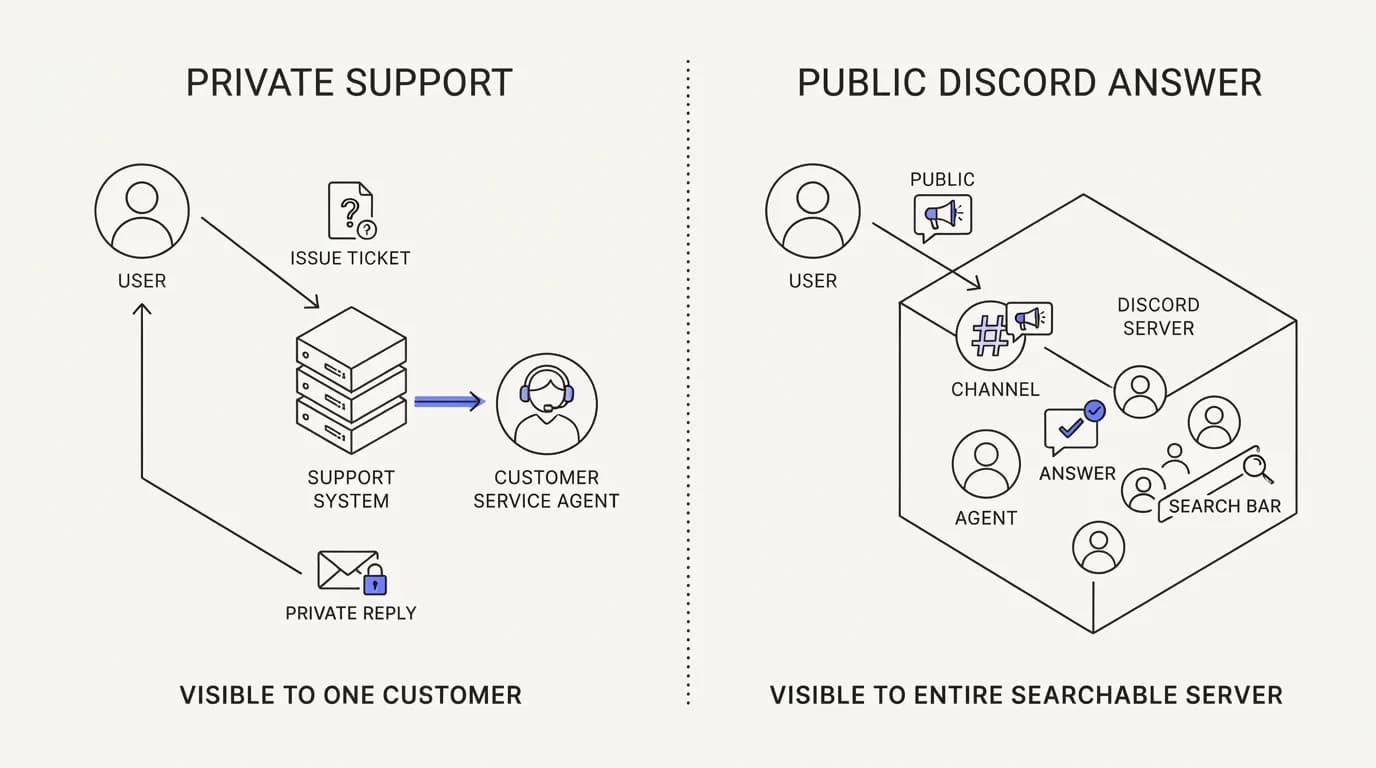
The single fact that should shape every Discord AI support decision is that a public channel answer is permanent and searchable in a way a private ticket reply is not. A wrong answer in an email or a widget chat is a private mistake you can correct before it spreads. A wrong answer in a public Discord channel is immediately visible to everyone currently in the channel and remains visible to anyone who scrolls back or searches later.
This changes the cost-benefit of confident guessing. A support bot that is right 90% of the time and wrong 10% of the time might be a net positive in a private inbox, where each mistake is contained. The same bot in a public community channel spreads that 10% error rate to every member who reads or later finds the wrong answer, and some of them will act on it before anyone corrects it.
Community dynamics compound this. Discord communities are built on peer help; members answer each other's questions constantly, often by finding and repeating something they saw earlier in the channel, including something the bot said. A wrong bot answer does not just mislead one person, it becomes raw material other members unknowingly repeat, spreading further than a single conversation ever could, similar to the reputational exposure covered in the AI agent guardrails guide.
There is also a permanence dimension specific to Discord's design. Message history in a channel persists indefinitely by default, and Discord's own search lets members find old messages by keyword. A confidently wrong answer from six months ago can resurface in a search result today, still carrying the same authority it had when it was first posted, unless someone explicitly corrects or deletes it.
The scale of a large server amplifies all of this further. A community of a few hundred active members reads a support channel very differently than a community of tens of thousands, where a single wrong answer can be seen, quoted, and acted on by orders of magnitude more people before a moderator even notices it happened. Sizing the confidence threshold to your actual community scale, not a generic default, is part of taking this risk seriously rather than treating it as a footnote.
None of this means Discord community support with AI is a bad idea. It means the bar for what the bot is allowed to say without human review needs to be higher than it would be in a private channel, and the mechanism for setting that bar is a confidence threshold, covered next, rather than a blanket policy of always answering or never answering.
Confidence thresholds: the central design decision
 Communicate.so
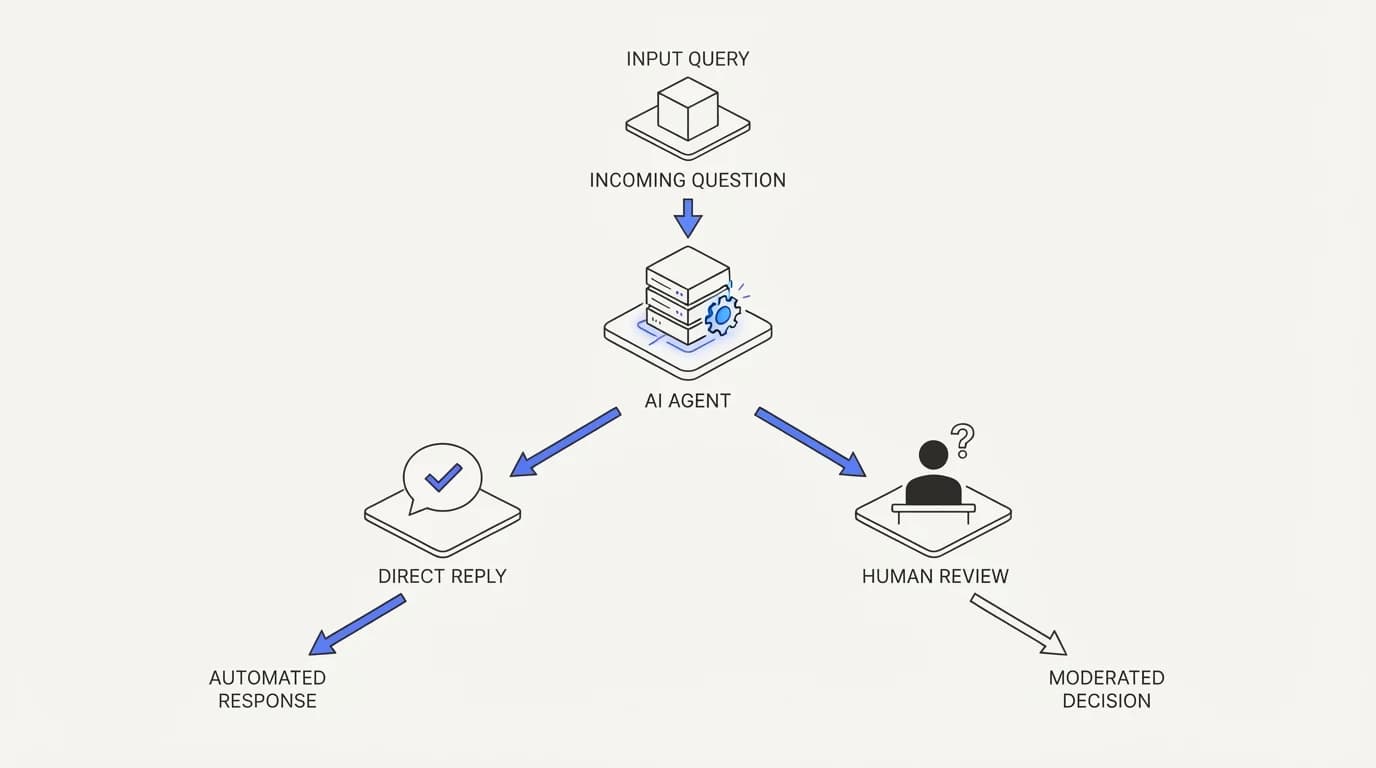
A confidence threshold is the rule that decides whether an AI agent answers a question directly or defers to a human, and on Discord it deserves to be the single most deliberate decision in the whole build. The instinct to make a bot as capable and autonomous as possible is exactly backwards for a public channel, where the cost of overconfidence is public and lasting.
A well-designed threshold ties directly to grounding. If the agent can answer from your documented content with a clear, direct match, it answers. If the question falls outside what it is grounded in, or the match is weak and ambiguous, it should say so openly and either defer to a human moderator or clearly flag the answer as uncertain rather than stating it with the same confidence as a well-grounded reply.
Setting the threshold too low, so it defers almost everything, defeats the purpose of automating at all, since a community with hundreds of members asking overlapping questions still needs the repetitive majority resolved without a human typing each answer by hand. Setting it too high creates the exact public-exposure risk this guide opened with. The right setting sits closer to the conservative end than most teams expect on a first attempt, and it should be revisited as real usage data accumulates rather than locked in before launch.
This is a different posture than most support bots default to. Many are tuned to always produce an answer, because a silent bot looks broken. On Discord, an honest AI agent that says it does not know, or that tags a human moderator, protects the community from a wrong answer entering the searchable record far more than a confident guess ever helps.
The threshold should also account for question type, not just topical match confidence. A factual question about documented behavior, like a feature's default setting, is a good candidate for a direct answer once grounded. A question involving judgment calls, edge cases, or anything with legal or safety implications deserves a lower autonomy ceiling regardless of how confident the underlying retrieval looks.
Tuning this threshold is iterative, not a one-time setting. Reviewing what the bot answered, what it deferred, and where community moderators had to step in and correct something is the feedback loop that keeps the threshold calibrated, the same discipline behind training AI on your help center content in the first place.
| Behavior | Overconfident bot | Threshold-tuned bot |
|---|---|---|
| Answers every question directly | ✓ | ✗ |
| Defers ambiguous questions to a human | ✗ | ✓ |
| Risk of a wrong answer entering searchable history | High | Managed |
| Tunes based on moderator corrections over time | ✗ | ✓ |
| Feels responsive on well-grounded questions | ✓ | ✓ |
| Trusted by moderators to operate with less oversight | ✗ | ✓ |
The row worth sitting with is trust from moderators over time. An overconfident bot earns skepticism fast once it is caught being wrong in public, and moderators start double-checking everything it says, which defeats the purpose of automating in the first place. A threshold-tuned bot that visibly defers when uncertain earns the opposite: moderators trust it more, not less, the longer it runs.
Discord platform mechanics that shape bot design
 Communicate.so
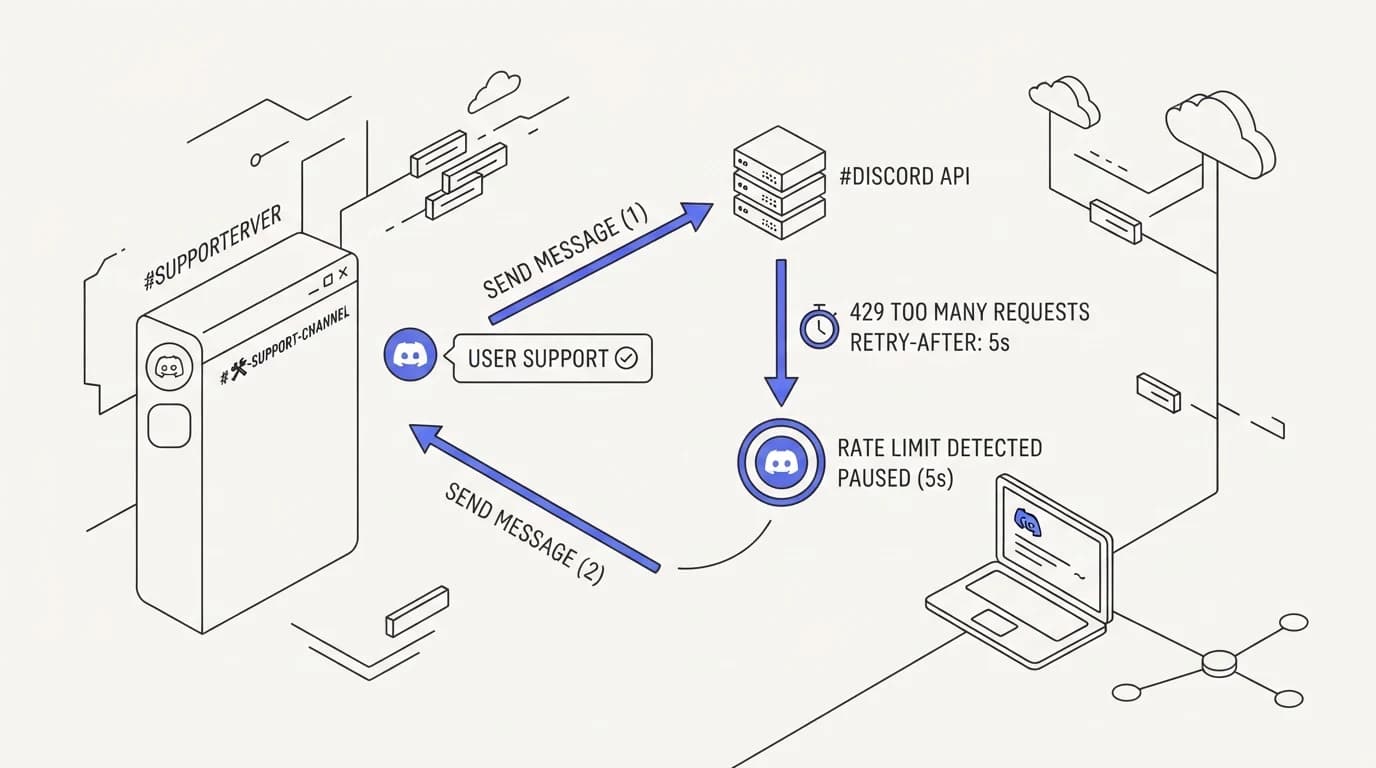
Beyond the confidence question, Discord imposes concrete technical constraints worth understanding before deployment. Discord's own developer documentation states a global rate limit of up to 50 requests per second across most of its API, applied per bot, with additional per-route limits layered on top for specific endpoints (Discord).
Discord's documentation is explicit that these limits should not be hardcoded, since they can change, and that a well-built bot should read the rate-limit response headers dynamically and adjust rather than assuming a fixed number (Discord). For a busy support channel, this matters most during spikes, like a shared incident where many members ask the same question at once, when naive retry logic can trip limits and start dropping replies.
Discord also enforces a verification requirement once a bot joins enough servers, commonly cited around the 100-server mark, at which point Discord's review process applies before the bot can continue scaling. For a single-community support bot this rarely matters, but it is a real constraint if you plan to offer the same bot across multiple communities or as a product.
Permission scoping is the other mechanic worth getting right early. A Discord bot only has the permissions explicitly granted to it in the server, and a support bot should be scoped tightly: read and send messages in designated channels, without broader moderation powers like kicking or banning members, unless that is a deliberate and separately reviewed decision, following the same minimal-scope principle behind AI agent guardrails.
None of these mechanics are exotic, but skipping them tends to produce the same class of bug: a bot that behaves well in testing and then misbehaves under real community load, either by hitting rate limits during a spike or by having more access than the support use case actually needs.
Testing under realistic load matters here specifically because Discord communities spike unpredictably. A single incident, outage, or viral post can turn a normally quiet support channel into a flood of near-identical questions within minutes, and that is exactly the moment a poorly built retry loop, one that ignores Discord's rate-limit headers, can start silently dropping the replies members need most, per Discord.
Metrics for Discord community support
 Communicate.so
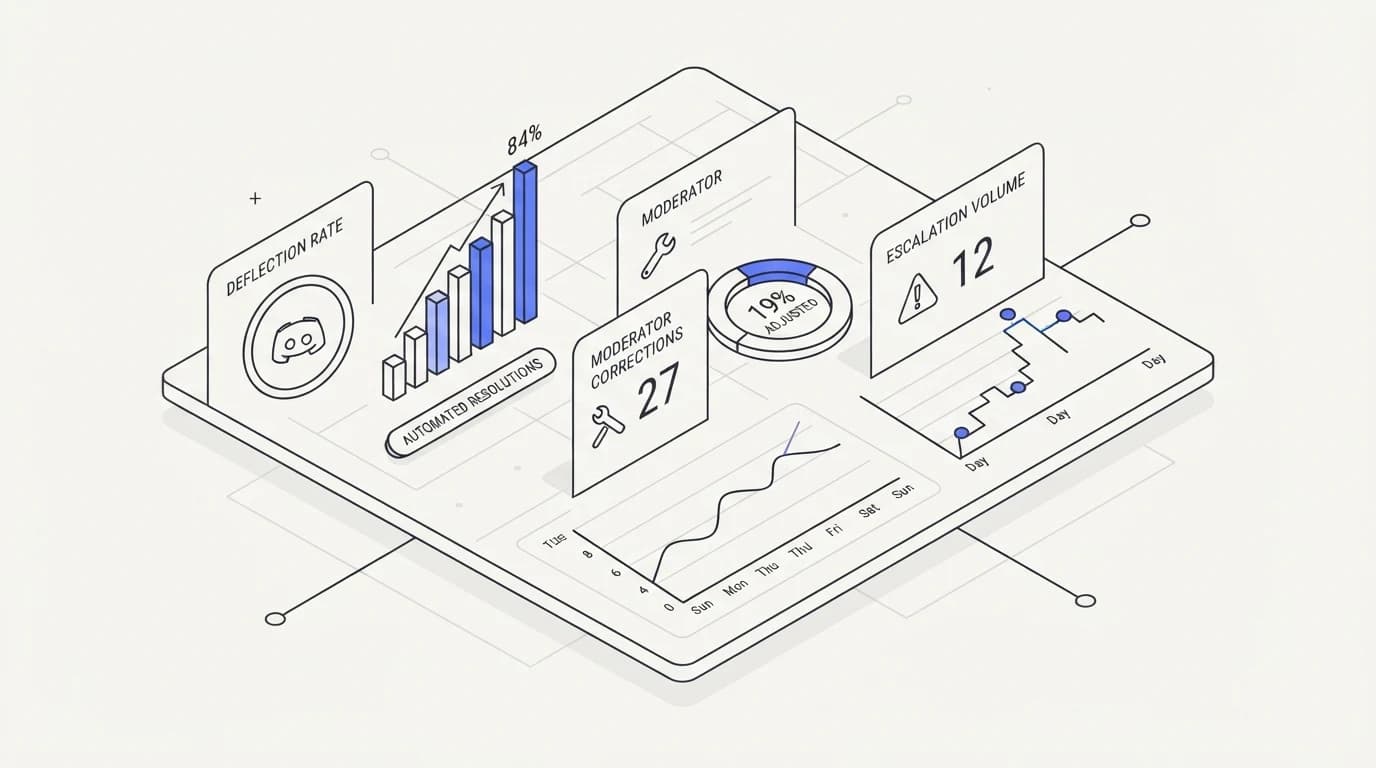
Discord community support needs a metric set that reflects the public-answer risk this guide has been building toward. Deflection rate, the share of questions the bot resolves without a moderator, is a starting point, worth benchmarking against the general support ticket deflection rate numbers other channels see, but it is not the whole picture on a public channel.
Moderator correction count matters more here than in a private channel. Every time a human has to publicly correct something the bot said, that is a signal the confidence threshold let through an answer it should not have, and tracking this number over time is the clearest way to see whether the threshold is calibrated correctly.
Escalation volume, how often the bot defers to a human instead of answering directly, should be read alongside correction count, not against it. A bot with a high deflection rate and a rising correction count is answering too confidently; a bot with a lower deflection rate but a near-zero correction count is calibrated conservatively, which on a public channel is usually the safer failure mode, consistent with the honesty principle behind AI agent guardrails.
Finally, track how often old bot answers get referenced or corrected later, since Discord's searchability means a mistake can resurface long after the original conversation ended. A bot answer that needed correction six months after posting is a different kind of failure than one caught in real time, and it deserves its own visibility.
A useful practice is a weekly or biweekly review of everything the bot answered directly, not just the flagged escalations. Reading through a sample of confident answers alongside the questions that triggered them surfaces threshold problems before a moderator has to catch one live in the channel, and it is a cheap habit compared to the cost of a public correction, similar in spirit to the review cadence behind ai support onboarding checklist practices for any new deployment.
Where Communicate fits, honestly
Communicate is a grounded AI support agent that answers from your connected content and defers when it is not confident, paired with a shared inbox for clean human takeover, which is the same design posture this guide argues for on Discord: confidence-gated answers over blanket autonomy. The live channels today are a web widget, live chat, and email, with in-app messages, analytics, and scoped actions from the same agent and knowledge base.
Here is the honest limit. Communicate does not currently offer a native Discord bot integration, so if Discord is your primary community support surface today, this is not a direct fit for that channel yet. The confidence-threshold and grounding principles in this guide apply directly to how the agent behaves on the channels it does support.
On the model, Communicate runs a single model, gpt-4o-mini through OpenRouter, with response and prompt caching, because grounding and calibrated confidence drive answer quality more than raw model horsepower does. Pricing has no free tier; entry is a one-time $1 activation with 100 test credits, detailed on the pricing page, worth spending on your hardest, most ambiguous real questions before trusting any agent with a public channel.
If your community support currently sits alongside a web widget or email support line, the AI agent and analytics give you visibility into exactly the correction and escalation metrics this guide argues matter most for a public-facing bot.
Key takeaways
- A wrong AI answer in a public Discord channel is permanently searchable and can be repeated by other members, unlike a private support reply that stays contained.
- Confidence thresholds, not raw capability, should be the central design decision: answer directly only when grounded, defer or flag uncertainty otherwise.
- Discord's own developer documentation sets a global rate limit around 50 requests per second, with per-route limits layered on top, and expects apps to read rate-limit headers dynamically rather than hardcoding numbers.
- Bot permissions should be scoped tightly to support-relevant actions, not broad moderation powers, unless that is a separate, deliberate decision.
- Track moderator correction count alongside deflection rate; a bot with a rising correction count is answering too confidently for a public channel.
Every platform mechanic cited in this guide traces back to Discord's own developer documentation, and platform limits change, so confirm current specifics there before you ship. For the design principle underneath confidence thresholds, the AI agent guardrails guide covers the same idea for any public or semi-public support surface.
Frequently asked questions
Why is Discord support riskier than email or chat support?
Because a Discord channel answer is visible to the entire community and stays in searchable channel history indefinitely, unlike a private reply in email or a one-to-one widget chat. A wrong answer can be quoted, repeated by other members, and resurfaced by search long after the original mistake, which is why reducing AI hallucinations in support matters more on this channel than most.
What is a confidence threshold in an AI support bot?
It is the rule that decides whether the bot answers a question directly or defers to a human, based on how well the question matches its grounded content. A well-tuned threshold lets the bot answer clear, documented questions confidently while deferring or flagging uncertainty on anything ambiguous, rather than guessing at everything it is asked.
What are Discord's API rate limits for bots?
Discord's own documentation states a global limit of up to 50 requests per second across most of its API, with additional per-route limits on specific endpoints, and it advises reading rate-limit response headers dynamically rather than hardcoding a fixed number, since limits can change (Discord).
When does Discord require bot verification?
Discord applies a verification process once a bot reaches a server count commonly cited around 100 servers, at which point additional review applies before the bot can continue scaling. For a bot serving a single community, this threshold rarely comes into play.
Should a Discord support bot have moderation permissions?
Generally no, unless that is a deliberate, separately reviewed decision. A support bot should be scoped to reading and sending messages in designated channels, not granted the ability to kick, ban, or otherwise moderate members, following the minimal-scope principle in AI agent guardrails.
How do I know if my confidence threshold is calibrated correctly?
Track moderator correction count alongside deflection rate over time. A rising correction count means the bot is answering too confidently and letting wrong answers through; a near-zero correction count with a reasonable deflection rate suggests the threshold is conservative in the right direction for a public channel.
Can a bot correct a wrong answer after the fact?
It can post a correction or a moderator can edit or delete the original message, but neither fully undoes the exposure if other members already read, screenshotted, or repeated the wrong answer. This is exactly why prevention through a well-tuned confidence threshold matters more than after-the-fact correction on Discord.
Is a keyword-triggered Discord bot enough for community support?
It handles narrow, predictable triggers reasonably well but cannot judge whether it actually knows an answer, which is the core failure mode on a public channel. A grounded AI agent that can recognize the limits of its own knowledge is structurally better suited to a searchable, public surface.
How does Discord differ from a private support inbox for AI risk?
In a private inbox, a wrong answer is contained to one customer and can be corrected quietly. In Discord, the same wrong answer is visible to the whole community immediately and remains searchable indefinitely, which is the central reason this guide treats Discord differently from live chat vs AI agent support design.
What should happen when the bot is not confident in an answer?
It should say so plainly and either tag a human moderator or clearly flag the response as uncertain rather than stating it with the same authority as a well-grounded answer. Silence or an honest deferral protects the community's searchable record far better than a confident guess.
Does a support bot need access to every channel in a server?
No, and it generally should not. Scoping the bot to the specific support or help channels it is meant to operate in, rather than granting broad server-wide access, limits the blast radius of any mistake and follows the same principle covered in AI agent guardrails.
How should I measure success for a Discord support bot?
Deflection rate alone is not enough. Pair it with moderator correction count, escalation volume, and how often old answers get corrected after the fact, benchmarked against the wider support ticket deflection rate context, so you are measuring accuracy under public exposure, not just raw resolution volume.
Can community members abuse a public AI support bot?
Yes, and it is worth planning for. Members can probe a bot with edge-case or adversarial questions to see if they can get it to say something wrong or inappropriate in public, which is another reason a conservative confidence threshold and tight permission scope matter more here than in a private support tool.
What happens if the bot hits a Discord rate limit during a spike?
If it is built to read rate-limit response headers and back off appropriately, as Discord's documentation recommends, it slows down gracefully rather than failing outright. A bot with hardcoded assumptions about limits can start dropping messages or erroring during exactly the high-traffic moments, like a shared incident, when the community needs it most (Discord).
Should every community question go through the AI bot first?
Not necessarily. Some communities route only the designated support channel through the bot and leave general discussion channels untouched, which limits the bot's exposure to ambiguous, off-topic, or adversarial prompts outside its actual purpose.
How is grounding different for a Discord bot than a website chat widget?
The underlying grounding mechanism, answering from real connected content rather than generating a guess, is the same. What differs is the consequence of a gap in that grounding, since a widget chat mistake is private and a Discord mistake is public and persistent, which is why the confidence threshold needs to be tuned more conservatively for the same underlying agent, a distinction covered in training AI on your help center.
Do Discord bots need App Review like some other platforms?
Discord's primary gate is the verification process tied to server count, along with standard developer terms, rather than a pre-launch content review process for every bot the way some other platforms require. Confirm current requirements directly in Discord's developer documentation before scaling a bot across multiple servers.
What is the biggest mistake teams make deploying AI in Discord support?
Optimizing for the bot always having an answer instead of the bot only answering when it actually knows. On a public, searchable channel, an honest deferral protects the community far more than a confident guess, and that trade-off is the entire argument behind treating confidence thresholds, not raw capability, as the central design decision, the same discipline behind AI agent guardrails.
Where can I read Discord's official API documentation?
Discord's developer documentation at docs.discord.com covers rate limits, permissions, and bot behavior directly. Platform specifics change over time, so confirm current details there rather than relying on a third-party summary, including this one.
How often should a Discord support bot be reviewed and retrained?
Treat it as an ongoing process rather than a one-time setup. Regularly reviewing corrected answers, escalated questions, and gaps in the connected content, the same loop covered in training AI on your help center, keeps the confidence threshold and the underlying grounding aligned with what the community is actually asking as it grows and changes.