
Email support automation: what actually works in 2026
 Communicate.so
Email support automation explained: what it can resolve on its own, where thread history breaks bots, and how to automate without losing the human read.
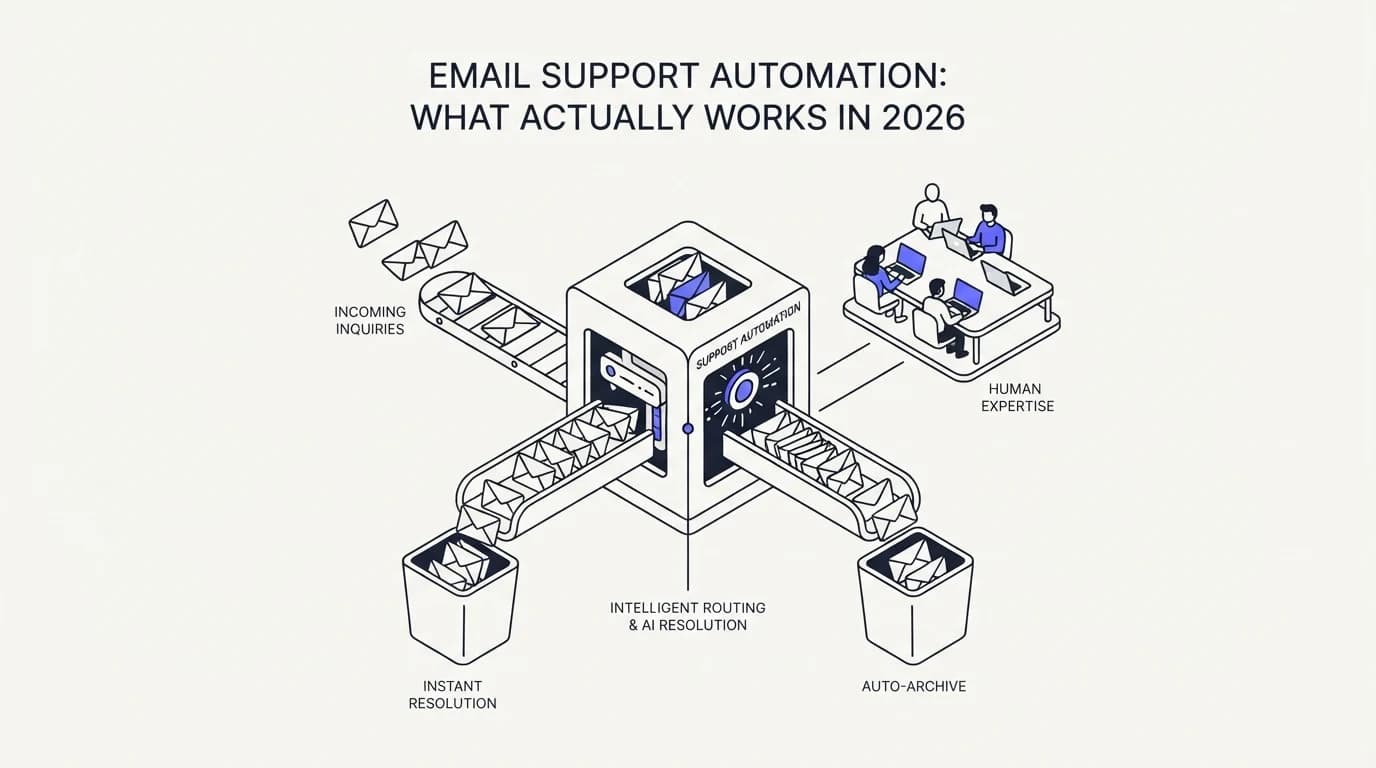
TL;DR: Email support automation means an AI agent reads an inbound message, checks it against your actual documentation and past tickets, and either answers directly or routes it to a person with the right context attached. It is the largest unsolved automation surface in support, because unlike a chat widget that starts a conversation from zero, an email thread carries weeks of history, attachments, and prior promises that a bot has to read correctly before it can safely answer. Zendesk's enterprise customers see a median AI deflection rate of 41.2%, well short of the 80% some vendors market, and the gap between those two numbers is mostly about thread comprehension, not model quality. This guide covers what email automation can resolve without a human, where it breaks on real threads, how to build a workflow that survives forwarded messages and CC chains, and the metrics that tell you whether it is actually working.
Every support team already runs some kind of email automation. Canned replies, autoresponders, and routing rules have existed for two decades, and none of them read the message they are attached to. The newer version of email support automation is different in kind: an AI agent that reads the actual thread, checks it against your documentation, and writes a specific reply, not a template.
This guide is for a support lead who has already automated the easy parts, the out-of-office replies and the ticket tagging, and wants to know what is left. It covers what a grounded agent can resolve in an email thread today, why email is harder to automate than a chat widget, and how a shared inbox changes the failure mode when the agent gets it wrong.
The honest starting point is that email automation is not a solved problem, and any vendor claiming otherwise is describing their best case. Service organizations running AI agents jumped to 66% in 2026, up from 39% in 2025, and 91% of CX leaders report executive pressure to deploy AI according to Salesforce research (DigitalApplied). That pressure is real, and so is the gap between the pitch and what a thread-aware agent can actually carry without human review.
What email support automation actually means
At the simplest level, email support automation is software that reads an inbound message and decides what to do with it without a human touching it first. That decision can be a direct answer, a routing choice, or a flag that says this needs a person. The distinction that matters is whether the software reads the message or just matches a keyword.
Keyword-based autoresponders have existed for years and they still exist inside most helpdesks. They match a subject line or a phrase against a rule and fire a canned reply, which works for exactly the cases the rule author anticipated and fails silently on everything else. A grounded AI agent reads the full message, including the quoted history below it, and generates a reply specific to what was actually asked.
The second distinction is grounding. An ungrounded language model will write a fluent, confident answer whether or not it knows the actual policy, which is dangerous on a channel where the reply becomes a written record. A grounded agent answers from your connected documentation, and when the documentation does not cover the question, it says so instead of guessing.
Grounding is why data sources matter more than model choice for email specifically. An email thread often references a policy, an order number, or a prior conversation that lives in a system the agent has to actually query, not a static FAQ page. The quality of email automation tracks how well the agent can pull the right fact from the right source, not how articulate its sentences are.
The third piece is the handoff. Automation that cannot hand off cleanly to a human is not automation, it is a liability with a friendly interface. A working email automation system knows what it does not know, escalates with the full thread attached, and does not force the customer to repeat themselves to the person who picks it up.
Why email is still the hardest channel to automate
 Communicate.so
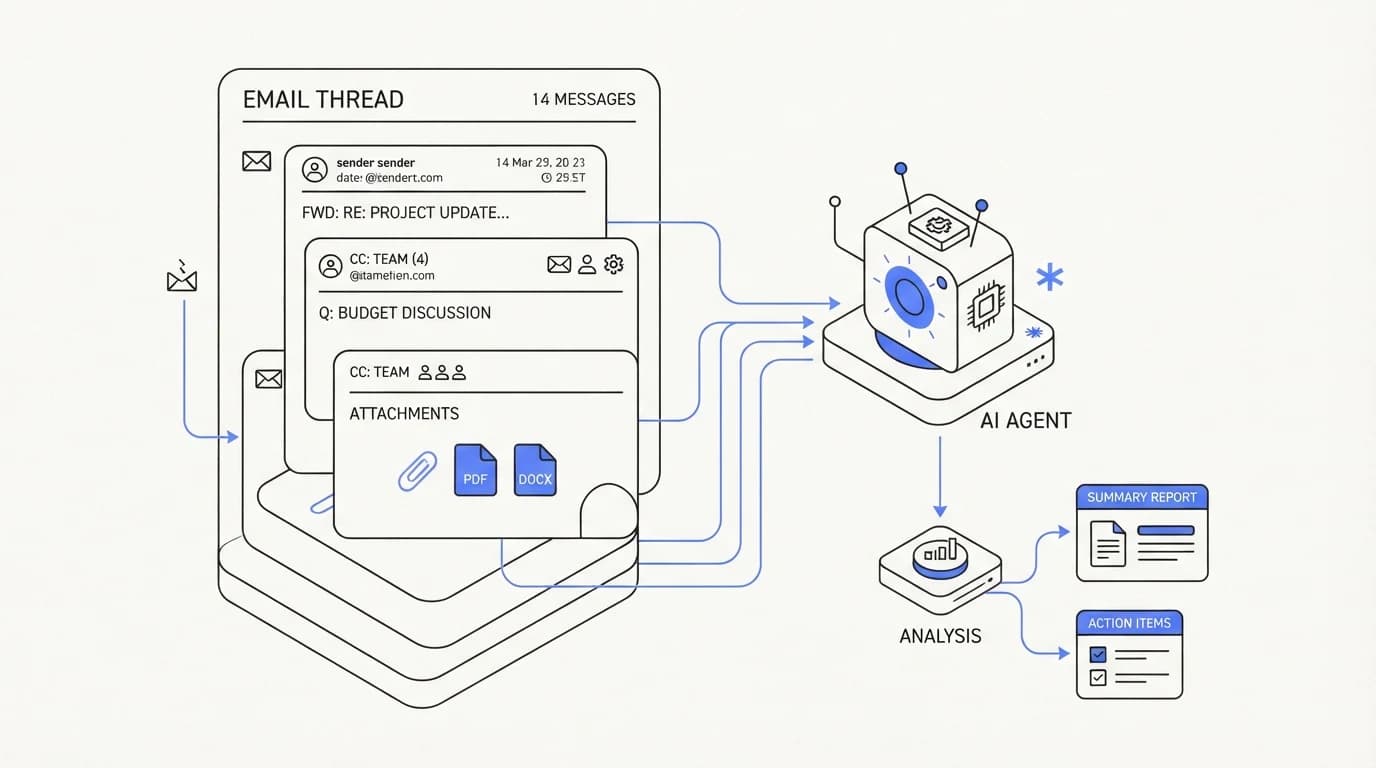
Email is harder to automate than chat because it carries state a chat widget never has to deal with. A chat conversation starts fresh, usually with one customer and one topic. An email thread can span weeks, include three participants, reference an attachment sent on day one, and quote five prior replies below the newest message.
Thread history is the first problem. An agent has to read not just the newest message but the quoted chain beneath it to understand what has already been promised, asked, and answered. Miss that context and the agent either repeats an answer the customer already has or contradicts something a human said earlier in the same thread.
Multi-party threads are the second problem. CC chains put a manager, a vendor, or a second customer contact into a conversation the agent has to read correctly, and a reply that is accurate for one recipient can be wrong or inappropriate for another. This is one reason email automation lags behind 24/7 support automation on channels like chat, where the participant set is simpler.
Attachments are the third problem, and they are common in support email specifically. A customer forwards a screenshot of an error, a PDF invoice, or a CSV of affected records, and an agent that cannot read the attachment is working from an incomplete picture of the actual request.
Latency tolerance is the fourth factor, and it cuts the other way from voice or chat. A customer emailing support does not expect an instant reply the way a chat visitor does, which removes response-speed pressure but adds a different one: because the reply is written and durable, it needs to be right the first time far more than a spoken answer does. The stakes of a wrong written promise are the reason hallucination reduction matters more on email than almost any other channel.
The techniques email automation actually uses
Most working email automation systems combine three techniques, not one. Retrieval finds the relevant documentation, classification decides what kind of request this is, and generation writes the specific reply. The table below breaks out where each technique is strong and where it needs a human backstop.
| Technique | Good for | Weak spot |
|---|---|---|
| Retrieval over documentation | Policy questions, how-to steps, known issues | Fails silently if source docs are stale |
| Thread classification and routing | Sorting billing from technical from sales | Misroutes ambiguous or multi-topic threads |
| Grounded reply generation | Specific answers using account or order data | Confident wrong answer if grounding is missing |
| Attachment parsing | Screenshots, invoices, error logs | Inconsistent across file types and quality |
| Escalation detection | Flagging anger, legal risk, refund disputes | Needs explicit triggers, not general sentiment |
Retrieval is the technique most teams get right first, because it is the closest to a search engine over your help center. The harder work is keeping the source current, because retrieval built on stale documentation just automates the wrong answer faster, a problem the RAG for customer support approach exists specifically to manage through freshness and source scoping.
Classification decides where a thread goes, and it is deceptively simple to get slightly wrong. A message that mentions both a billing question and a feature request needs a decision about which one drives routing, and most systems pick whichever keyword appears first rather than which one the customer actually cares about.
Generation is where most of the visible quality difference between vendors lives, but it is also the technique most sensitive to everything upstream of it. A well-tuned generation model writing from bad retrieval still produces a fluent, wrong answer, which is why generation quality alone is a poor way to evaluate an email automation vendor.
Where email automation breaks on real threads
 Communicate.so
The failure modes on email are specific and worth naming before you deploy. Orgs reporting a negative consequence from generative AI rose from 44% in 2024 to 51% in 2025 (CMSWire), and email is where a bad answer becomes a written, forwardable record.
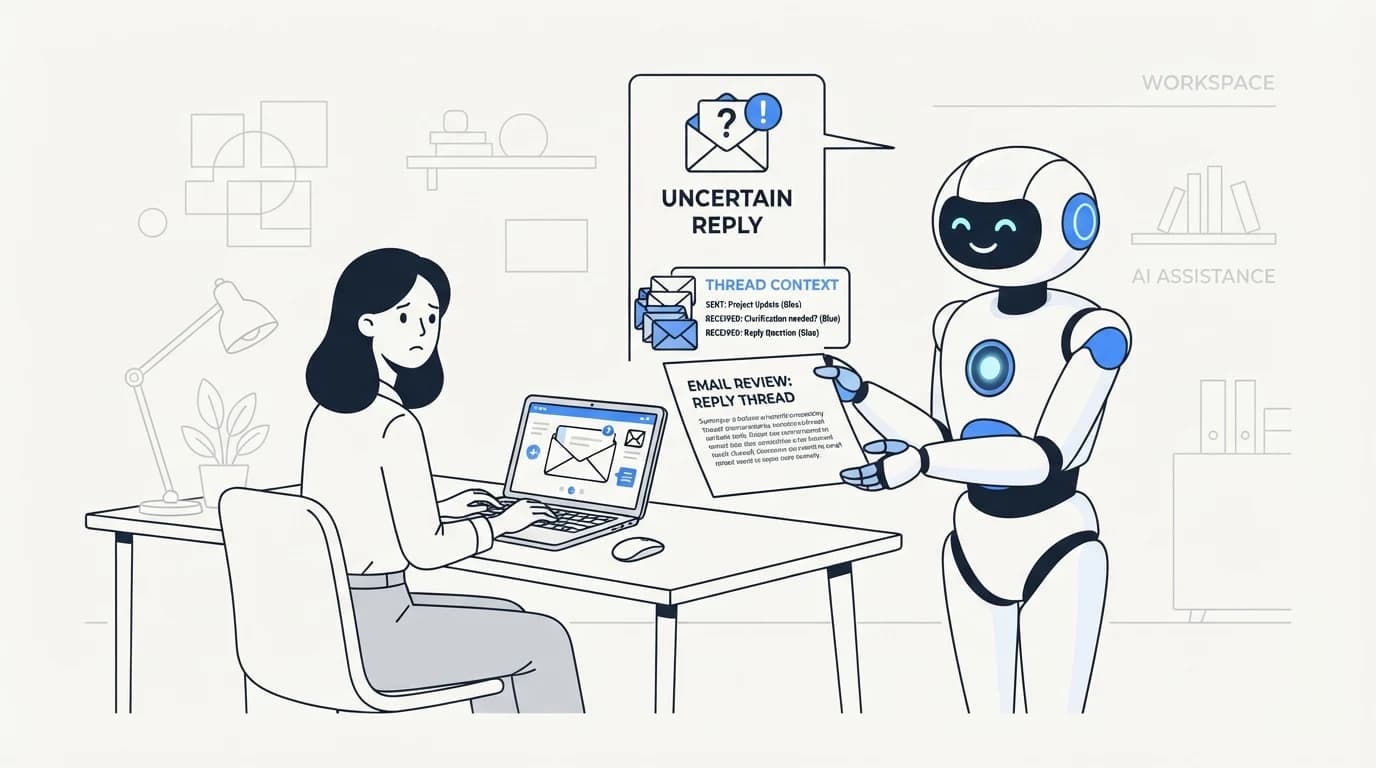
The most common failure is answering the wrong turn of the thread. A customer asks a follow-up question that only makes sense in light of a message from three replies earlier, and an agent that only reads the latest message answers a question nobody actually asked in the current turn.
The second failure is stale-policy answers, where the agent retrieves a document that used to be accurate. A support tool cited a downgrade policy in February 2026 that did not exist (SocialIntents), and the fix was not a smarter model, it was tighter control over which sources the agent is allowed to cite from and how recently they were verified.
The third failure is tone mismatch on emotionally charged threads. An email that has escalated to frustration or a refund dispute needs either a careful human tone or an explicit escalation, and an agent tuned for neutral efficiency can read as dismissive at exactly the moment a customer is angriest.
Twig's review of common complaints about AI support tools found hallucinated answers, no clear escalation path, robotic tone, missing context awareness, and poor integration ranking as the top five (Twig). Every one of those complaints maps directly onto an email-specific failure mode: thread context, escalation, and tone are exactly where email automation goes wrong first.
Building an email automation workflow that survives real threads
 Communicate.so
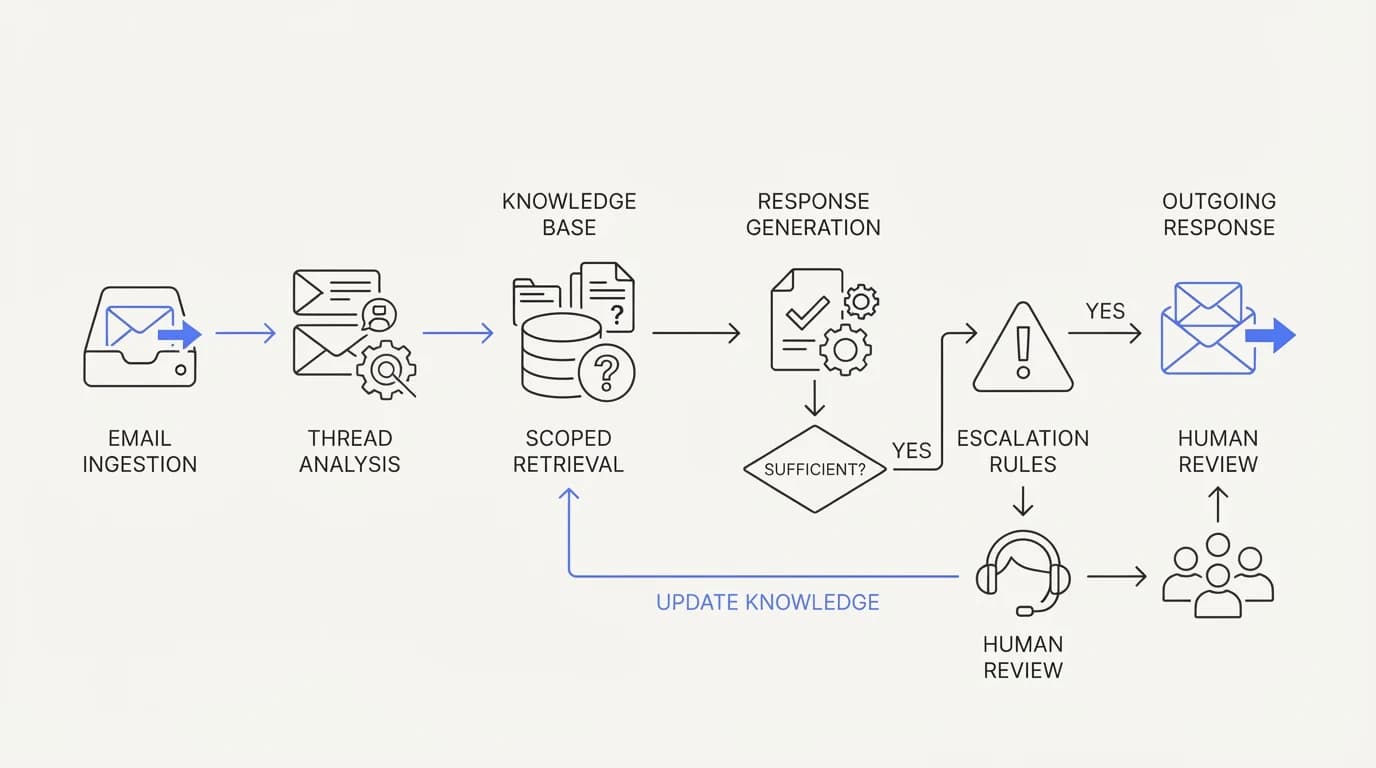
A workflow that survives real threads treats the thread as the unit of context, not the message. That single design decision determines whether the agent reads the full conversation before replying or just the newest line, and it is the difference between a system that feels aware and one that feels amnesiac.
Start by feeding the agent the full thread on every turn, quoted history included, not just the newest inbound message. This costs more in context and processing than a single-message design, and it is the baseline requirement for a reply that does not contradict something already said earlier in the same conversation.
Next, scope retrieval to sources you actually trust and keep current. An agent trained on your help center content is only as reliable as that content is fresh, and a quarterly review of source accuracy catches drift before a customer does.
Set explicit escalation triggers rather than relying on general confidence scores. Refund disputes, legal language, repeated frustration, and anything mentioning a competitor or a public complaint should route to a human by rule, not by hoping the model senses the stakes on its own.
Design the handoff so a human sees the whole thread and the agent's reasoning, not just the latest message. A shared inbox that holds the AI and the human on one surface avoids the cold restart that happens when an escalation drops into a separate ticket system with none of the context that got it there, the same problem covered in the AI to human handoff guide.
Finally, close the loop on corrections. When a human overrides an AI draft, that correction should update the source of truth the agent draws from, not just fix the one email. Otherwise the same mistake recurs on the next similar thread.
Metrics that tell you if email automation is working
 Communicate.so
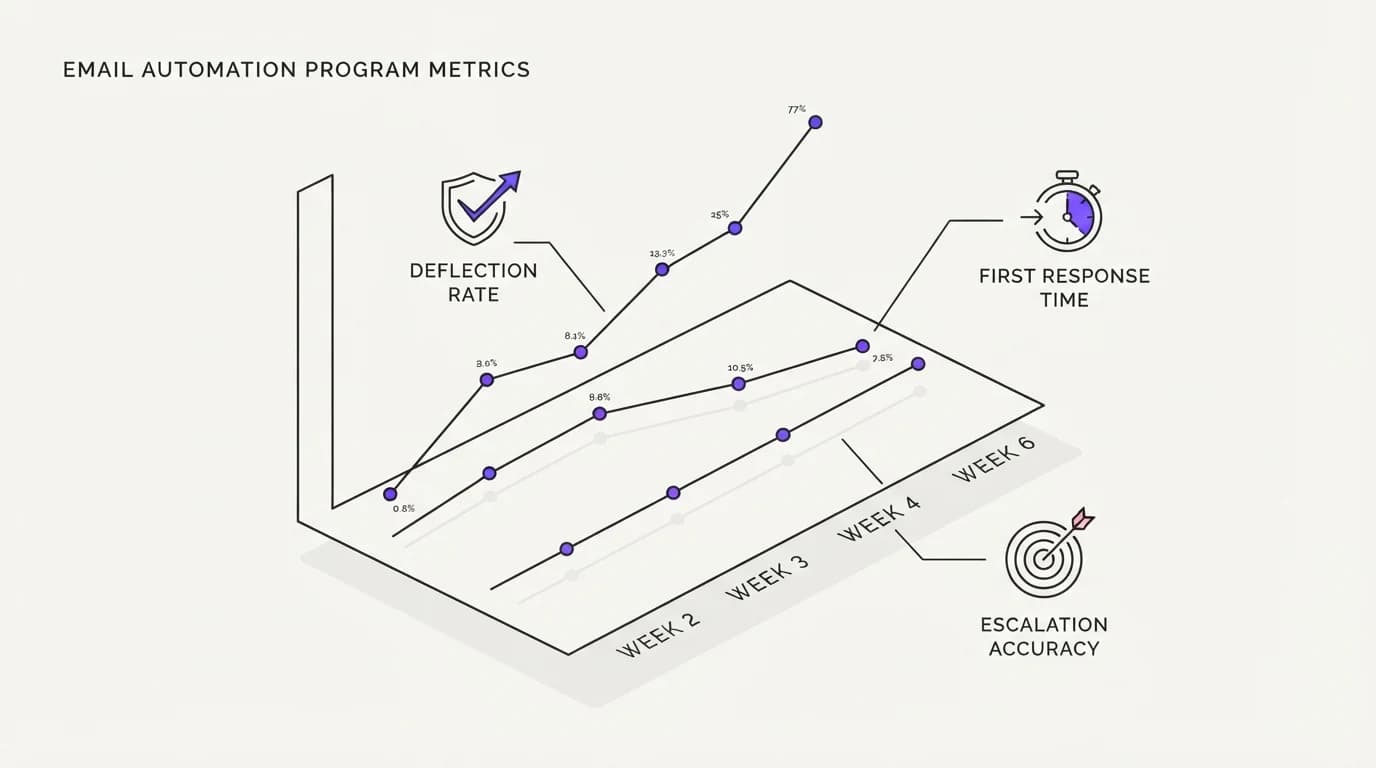
Deflection rate is the headline metric, and it is also the most gamed one. Zendesk's own enterprise customers see a median AI deflection rate of 41.2%, while some vendors market claims as high as 80% (Lorikeet). The gap is usually a difference in how deflection is counted, not a difference in underlying capability.
A more honest deflection number distinguishes a fully resolved thread from one where the customer simply stopped replying. Silence is not resolution, and a metric that counts both the same way will always look better than the customer's actual experience.
Time-to-value matters too. Deflection rates run 45 to 60% in year one and climb to 65 to 75% once a program matures (HappySupport), which means a team judging email automation on its first month is judging it before the source content and escalation rules have had time to settle. This mirrors the broader pattern covered in support ticket deflection rate, where the trajectory matters more than the launch-week number.
Escalation accuracy is the metric teams skip and should not. It measures how often the agent correctly identifies a thread it cannot safely answer versus how often it either escalates something it could have handled or, worse, answers something it should have escalated.
First response time still matters on email even without chat-level urgency, because 89% of customers expect a reply within an hour and only 37% of companies currently meet that bar (EmailAnalytics). Sub-one-hour responses hold 71% customer retention against 48% for replies that take a full day, a 23 point gap that email automation exists specifically to close, a dynamic explored further in cut first response time.
Where Communicate fits, honestly
Communicate is a grounded AI agent paired with a shared inbox that includes email as one of its live channels alongside a web widget and live chat. The agent reads the full thread, answers from connected content, and hands off cleanly with full history when it is unsure, which is the specific workflow this guide describes as the survivable version of email automation.
Here is what it does without embellishment. Email, the web widget, live chat, in-app messages, analytics, and scoped actions all run from the same agent and the same knowledge base, so a policy answer given in email matches the one given in chat. There is no WhatsApp, Messenger, SMS, or voice channel today, so if any of those is a hard requirement it belongs in a separate evaluation.
On the model, Communicate runs a single model, gpt-4o-mini through OpenRouter, with response and prompt caching. That choice is deliberate: the guardrails, source scoping, and escalation rules described in this guide drive email answer quality far more than which model generates the sentences, a claim covered more broadly in customer support automation.
On pricing, there is no free tier. A one-time $1 activation confirms you are a real person and includes 100 test credits, then usage runs on credits from there, detailed on the pricing page. Spend the test credits against your messiest real threads, the ones with three participants and a forwarded attachment, before trusting it on live traffic.
The honest limits: Communicate is GDPR-ready but not certified, holds no SOC 2, HIPAA, or ISO 27001, runs in a single region, and does not offer SSO, a posture detailed on the security page. It supports TOTP two-factor authentication, encryption at rest, and workspace isolation. If you run a regulated operation that requires formal certification, that gap should factor into your decision now, not after go-live.
Key takeaways
- Email support automation means an agent reads the full thread, grounds its reply in real documentation, and escalates cleanly, not a keyword-matched autoresponder.
- Email is harder to automate than chat because threads carry history, multiple participants, and attachments that a single-message design cannot see.
- Retrieval, classification, generation, and attachment parsing each have distinct failure modes, and generation quality alone does not predict a good outcome.
- Deflection claims vary widely by how they are counted; a median enterprise deflection rate of 41.2% is a more honest anchor than an 80% marketing claim.
- A shared inbox that keeps the AI and a human on one surface avoids the cold restart that ruins most escalations after automation fails.
Ready to see how a thread-aware AI agent handles your real email volume? Start with a one-dollar account activation that includes 100 test credits, connect your documentation to the AI agent, and run it against your ugliest actual threads before it touches live traffic.
Frequently asked questions
What is email support automation?
Email support automation is software that reads an inbound support email, including its thread history, and either answers it directly from grounded documentation or routes it to the right person with context attached. It differs from older autoresponders because it reads the actual message rather than matching a keyword to a template. A working system pairs retrieval, classification, and generation with a clean handoff into a shared inbox for anything it cannot safely resolve.
Can AI fully automate email support?
Not fully, and any claim that it can should be treated with skepticism. Enterprise deflection rates run around 41% on average, with mature programs reaching 65 to 75% after a year or more of tuning. The realistic goal is resolving the repetitive majority of email volume and escalating the rest cleanly, not eliminating the human role.
Why is email harder to automate than live chat?
Email threads carry state that chat rarely does: quoted history spanning weeks, multiple CC participants, and attachments like screenshots or invoices. A chat conversation usually starts fresh with one customer and one topic, while an email agent has to correctly read everything that came before to avoid repeating or contradicting a prior reply, a gap covered in 24/7 customer support AI.
What is a good email deflection rate?
Zendesk's enterprise customers see a median AI deflection rate of 41.2%, and vendor claims of 80% deflection should be checked against how deflection is actually counted (Lorikeet). Deflection also climbs with maturity, running 45 to 60% in year one and 65 to 75% once a program has had time to settle.
How does an AI agent read a long email thread?
A properly built agent is fed the full thread on every turn, including quoted replies beneath the newest message, not just the latest line. This lets it track what has already been promised or asked earlier in the conversation. Systems that only read the newest message tend to repeat answers or contradict a prior reply, which is one of the most visible failure modes on email specifically.
What happens when the AI cannot answer an email?
A well-built system escalates to a human with the full thread and its own reasoning attached, rather than dropping a bare message into a queue. Communicate does this inside a shared inbox so the AI and the human share one surface, and the AI to human handoff carries context instead of forcing the customer to repeat themselves.
Does email automation reduce hallucinations compared to chat?
No, if anything the stakes are higher, because a written email reply is a durable, forwardable record. Orgs reporting a negative GenAI consequence rose from 44% in 2024 to 51% in 2025 (CMSWire), and email is exactly where a confidently wrong answer does the most damage. Reducing hallucinations matters as much or more on this channel than any other.
Can AI handle attachments in support emails?
Some systems can parse screenshots, PDFs, and invoices attached to a support email, but capability varies widely across file types and image quality. This is a specific capability to test directly with your own real attachments before deployment, since it is rarely marketed clearly and often overstated in vendor demos.
How do I know if my email automation is actually working?
Look past the headline deflection number and check escalation accuracy, meaning how often the agent correctly identifies a thread it cannot handle versus wrongly answering or wrongly escalating. Also separate genuine resolution from customer silence, since a thread where the customer simply stopped replying is not the same as one that was actually resolved, a distinction covered in support ticket deflection rate.
What is the difference between email automation and a helpdesk autoresponder?
An autoresponder matches a rule, usually a keyword or subject line pattern, and fires a fixed template regardless of what the message actually says. Email automation with a grounded AI agent reads the specific message and thread, checks it against real documentation, and writes a reply tailored to that request. The autoresponder cannot answer a question it was not explicitly programmed for; a grounded agent can.
Should small support teams automate email first, or chat?
Chat is usually the easier starting point because conversations are shorter and carry less history, which makes early mistakes cheaper and easier to catch. Email automation benefits from launching after the team has tuned source content and escalation rules on a simpler channel first, then extending the same grounded agent into email through a shared AI agent and knowledge base.
Does email automation work with forwarded threads and multiple participants?
It can, but this is one of the weakest points across the market. A reply accurate for the original sender can be wrong or inappropriate once a manager or a second customer contact is CC'd into the same thread. Test this specifically with your own multi-party threads rather than trusting a vendor demo built on a clean, single-participant example.
How long does it take to see results from email automation?
Meaningful deflection usually shows up within the first month, but mature performance takes longer. Programs commonly see 45 to 60% deflection in year one, climbing to 65 to 75% once source content and escalation rules have been refined (HappySupport). Judging an email automation program on its first two weeks tends to undersell what it becomes after tuning.
Can email automation integrate with a shared inbox?
Yes, and this is the design pattern this guide recommends over a separate bot bolted onto a helpdesk. Communicate runs email, live chat, and a web widget through the same shared inbox, so an escalated email lands in the same place a human already works, with the same context and history intact.
What data sources does email automation need to be accurate?
It needs current, scoped access to whatever actually contains the answer: help center articles, policy documents, order or account systems, and prior resolved tickets. An agent grounded in stale or incomplete data sources will answer fluently and incorrectly, which is a worse outcome than declining to answer at all.
Is email automation safe for regulated industries?
It depends entirely on the compliance posture of the specific vendor, not on email automation as a category. Communicate is GDPR-ready but not certified, and holds no SOC 2, HIPAA, or ISO 27001 today, a posture detailed on the security page. A regulated business with formal certification requirements should confirm those specifics before committing to any vendor.
Does email automation replace the need for a support team?
No. Even mature programs deflect 65 to 75% of volume, which leaves a meaningful share of email that genuinely needs a person, along with every escalation the agent correctly declines to handle. The realistic outcome is a smaller team handling higher-value work, not an empty inbox.
How does email automation handle angry or upset customers?
This is one of the channel's hardest problems, and it needs explicit rules rather than general sentiment detection. A working setup routes refund disputes, legal language, and repeated frustration to a human by rule, because robotic tone at exactly the wrong moment is one of the top complaints customers report about AI support tools (Twig).
Can I test email automation before it touches real customers?
Yes, and you should, ideally against your actual worst threads rather than clean synthetic examples. With Communicate, a one-time $1 activation includes 100 test credits meant for exactly this: running the agent against forwarded messages, multi-party CC chains, and attachments before it ever sees live traffic, using the pricing page as the entry point.
What is the biggest mistake teams make automating email support?
Judging the system on generation quality, meaning how fluent the sentences sound, instead of on retrieval accuracy and escalation discipline. A model that writes beautifully from a stale or wrong source produces a confident, wrong answer, which is a worse outcome for a written channel like email than a stiffer reply that is actually correct, a pattern covered in reduce AI hallucinations in support.