
AI support agent: build vs buy, priced honestly
 Communicate.so
The real cost of a DIY n8n support agent, including maintenance, evals, and on-call, compared against buying a managed AI support agent.
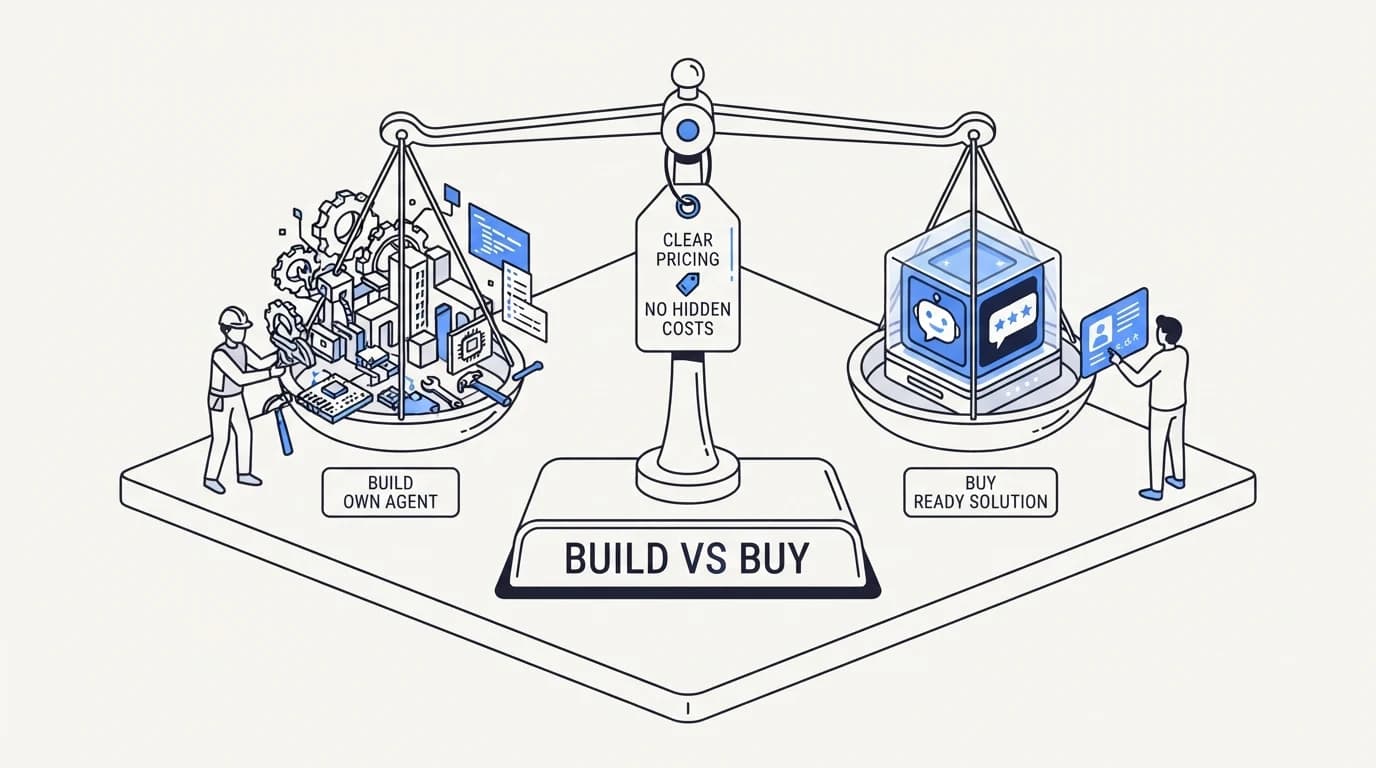
TL;DR: Build vs buy for an AI support agent looks like a cost question and is actually a maintenance question. A weekend spent wiring an agent in n8n or a similar low-code tool produces a working demo fast, and that speed is real. The cost that does not show up in the demo is the ongoing work: updating prompts when the product changes, running evaluations against a growing ticket set, handling model provider changes, and covering on-call when the agent gives a wrong answer at 2am. This guide prices both paths using a concrete team size and ticket volume, names what a DIY build actually requires past the first month, and states plainly where buying a managed agent like communicate.so wins and where a custom build is still the right call.
A wave of builders have posted working AI support agents assembled entirely in n8n over the past few months, and the pattern is genuine: a node-based workflow tool, a vector store, and an LLM API key can produce something that answers real customer questions inside a weekend. The demo is not the lie. The lie is comparing that weekend against a vendor's monthly price as if the weekend is the whole cost.
This guide walks through the true cost of both paths for a team handling a realistic ticket volume, not a demo's ten test messages. If you have not yet decided whether you need an agent at all, start with how to build an AI customer support agent, which covers the underlying architecture either path requires.
What a DIY build actually requires in month one
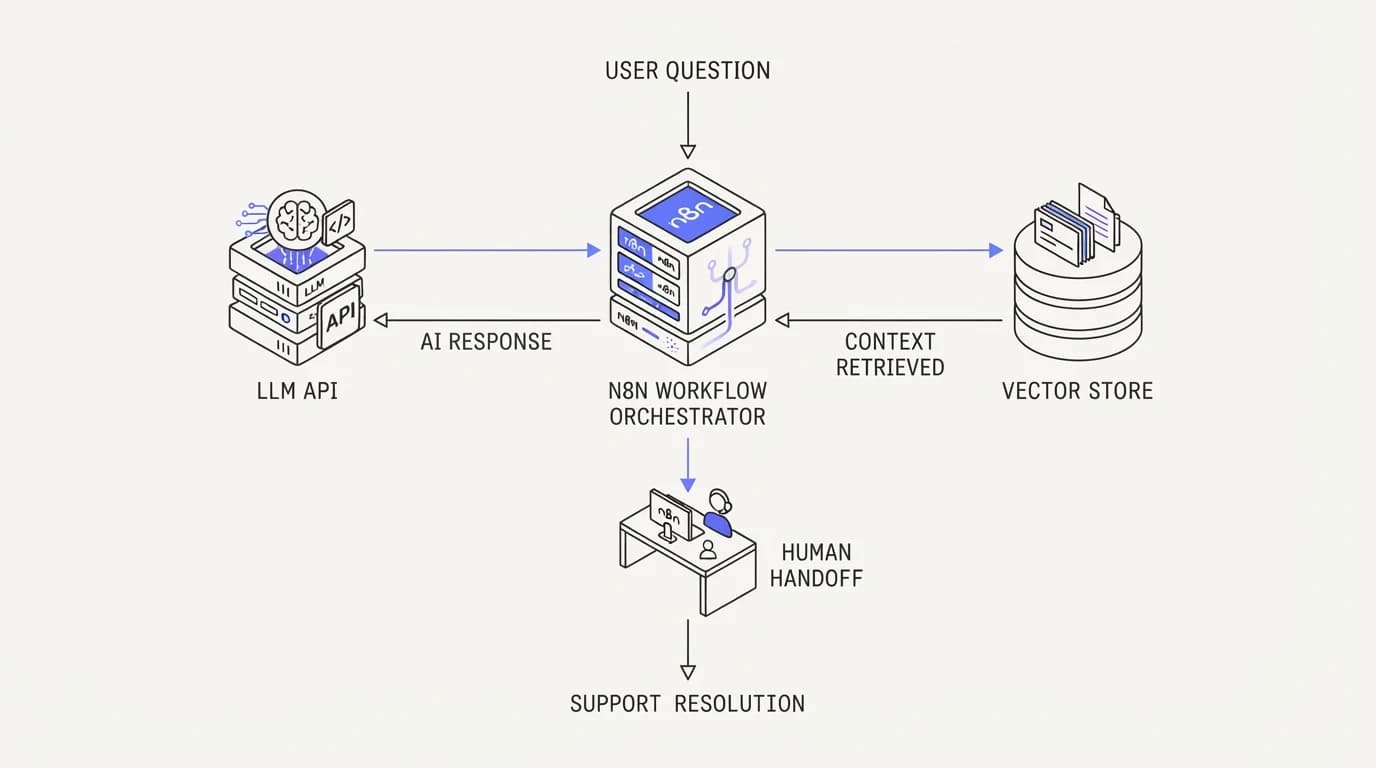
A working v1 needs a workflow orchestrator, an LLM API connection, a vector database or search index over your help content, and a way to route unresolved conversations to a human. Tools like n8n, Make, or a custom script can wire these together without much code, and a motivated engineer can have a working prototype answering test questions within a few days.
What the prototype does not have yet is a retrieval strategy tuned to your actual content, a system prompt hardened against the specific ways customers phrase real questions, or any measurement of how often it gives a wrong or unhelpful answer. Those three gaps are invisible in a demo and expensive in production.
Building retrieval that actually works requires structuring your knowledge base for machine consumption, not just human reading. The knowledge base structure for AI guide covers the chunking and metadata work this step requires, and it is not a one-time task. Every new help article or product change requires re-indexing.
 Communicate.so
The maintenance cost nobody puts in the demo
A support agent is not a project with an end date. Every week, someone updates a pricing page, ships a feature, or changes a policy, and the agent's grounding data has to reflect that change or it starts giving outdated answers with full confidence.
A DIY build assigns this maintenance implicitly to whoever built it, usually an engineer who now owns an unofficial second job. That person has to notice when product changes should trigger a knowledge base update, make the update, and verify the agent picked it up correctly, none of which happens automatically in a hand-wired workflow.
Reducing confident wrong answers is an ongoing discipline, not a setting you configure once. The reduce AI hallucinations in support guide covers the citation and refusal rules a production agent needs, and every one of those rules needs periodic review as the underlying model or content changes.
Evaluation: the step most DIY builds skip entirely
A demo answering ten curated questions correctly says nothing about how the agent handles the next thousand real customer messages, which include typos, multi-part questions, and edge cases the builder never thought to test.
A serious evaluation practice means building a golden set of real historical tickets with known correct answers, then running the agent against that set every time the prompt, model, or retrieval logic changes. The AI agent evaluation and testing approach describes building this golden set from 200 real tickets, which is the minimum size that catches most regressions.
Most DIY builds skip this step because it is not visible in a demo and does not block a first launch. It becomes visible three months later, when a prompt tweak meant to fix one problem silently breaks five others, and nobody notices until a customer complains.
On-call: who answers when the agent breaks at 2am
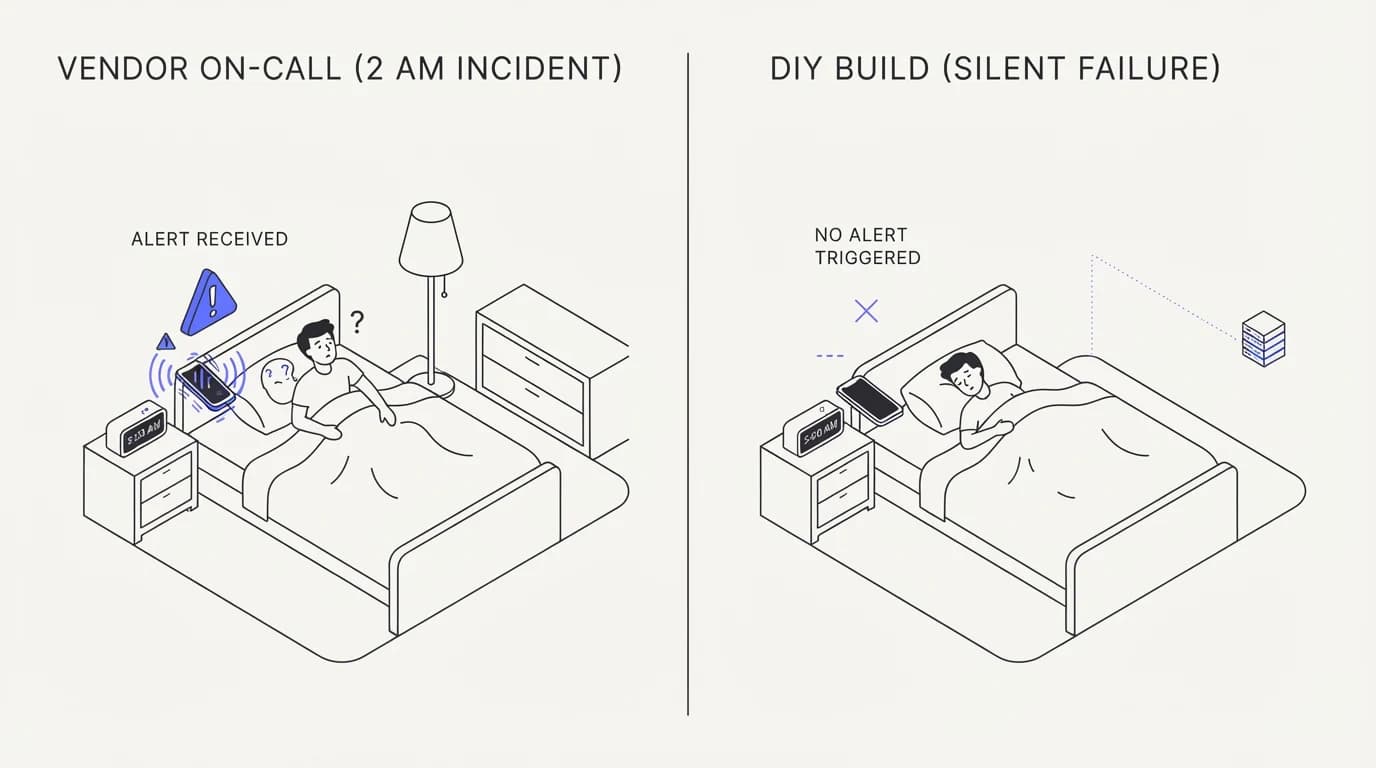
A hosted vendor has an incident response process, a status page, and an engineering team on call when their infrastructure fails. A DIY build running on a workflow tool has whoever built it, and that person is not on call in any formal sense.
When the LLM provider has an outage, when the vector database returns empty results, or when a webhook silently stops firing, a DIY agent can fail quietly rather than loudly. Customers get no response, or worse, a stale cached response, and the team finds out from a complaint rather than a monitoring alert.
Building real monitoring, alerting, and an on-call rotation for a support agent is its own project, on top of the agent itself. Teams that skip this step are choosing to find out about failures from angry customers instead of from a dashboard, which is a real cost even though it never appears on an invoice.
 Communicate.so
Pricing both paths against a real team
Take a support team handling 5,000 tickets a month with two engineers who could spend time on a DIY build instead of their primary roadmap. A realistic build-and-maintain estimate runs 15 to 25 engineering hours in month one, then 4 to 8 hours a month ongoing for content updates, prompt fixes, and monitoring.
At a loaded engineering cost of roughly $75 to $120 an hour, a conservative estimate, that ongoing maintenance alone runs $300 to $960 a month before counting LLM API usage, vector database hosting, and the opportunity cost of engineering time not spent on the product. The full breakdown of loaded cost per ticket, including these hidden categories, is in AI customer support cost.
A managed agent's monthly price is visible and fixed, or scales predictably with volume depending on the plan. It replaces the maintenance hours, not just the initial build, because the vendor absorbs prompt tuning, retrieval quality, model updates, and monitoring as part of the product rather than as a project the buying team has to staff.
| Cost category | DIY build | Managed vendor |
|---|---|---|
| Initial build time | 15-25 engineering hours | Hours, mostly configuration |
| Ongoing maintenance | 4-8 hours a month, indefinitely | Included in subscription |
| Evaluation and regression testing | Team must build this from scratch | Vendor-owned |
| Incident response and on-call | Whoever built it, informally | Vendor SLA |
| Cost visibility | Variable, spread across tools and time | Fixed or predictable per plan |
| Model provider changes handled for you | ✗ | ✓ |
| Grounds answers in your live data sources | ✓ with ongoing work | ✓ by default |
Where a DIY build is genuinely the right call
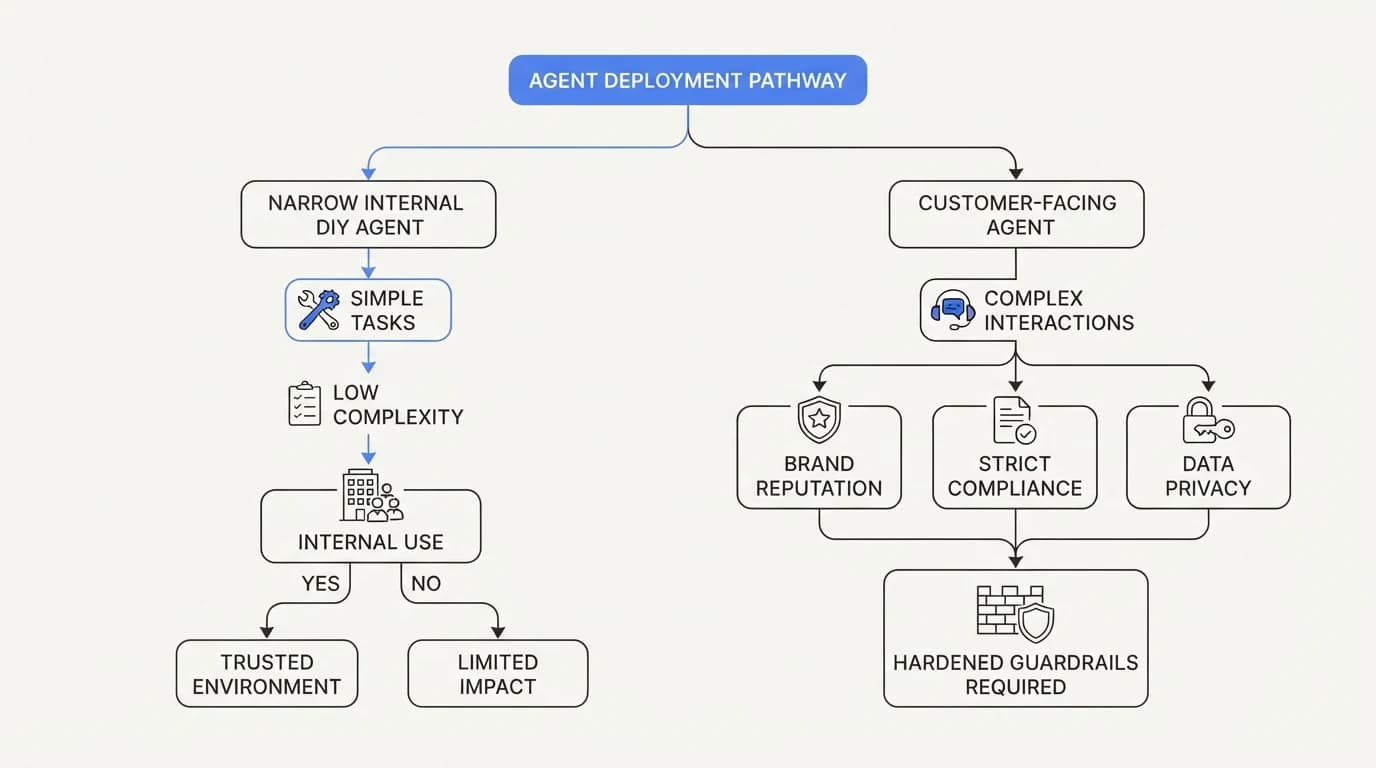
A team with a dedicated platform engineer, low ticket volume, and a narrow, well-defined use case can run a DIY build efficiently, especially if the engineer treats maintenance as an ongoing responsibility rather than a one-time project.
A DIY build also makes sense when the support workflow needs a custom action the market has not built yet, such as a proprietary internal system integration no vendor supports out of the box. In that case, building the connector yourself is the only option regardless of the rest of the stack.
A narrow internal tool, built and owned by an engineer who already maintains other internal automations, spreads the maintenance cost across work that person was doing anyway. That math changes once the agent becomes customer-facing and mistakes have a direct cost in trust, at which point the case for a hardened, evaluated system strengthens. See AI agent guardrails for what customer-facing hardening actually requires.
 Communicate.so
Where buying wins, plainly stated
Buying wins when the team does not want to staff ongoing maintenance as a permanent line item, when ticket volume is high enough that evaluation and monitoring matter, and when the agent needs to act on customer data through actions rather than just answer questions. Building safe write actions, with idempotency and confirmation logic, is a harder engineering problem than most DIY builds account for.
Buying also wins on speed to a trustworthy production state. A managed vendor has already run evaluation, hardening, and incident response processes across many customers, which a first-time DIY build has not had the chance to do yet.
Communicate.so is built around this tradeoff directly: it grounds answers in connected data sources without requiring a team to build and maintain the retrieval pipeline, evaluation suite, and on-call process themselves. The cost shows up as a predictable subscription instead of a variable, hard-to-track engineering line item.
A decision checklist before you start building
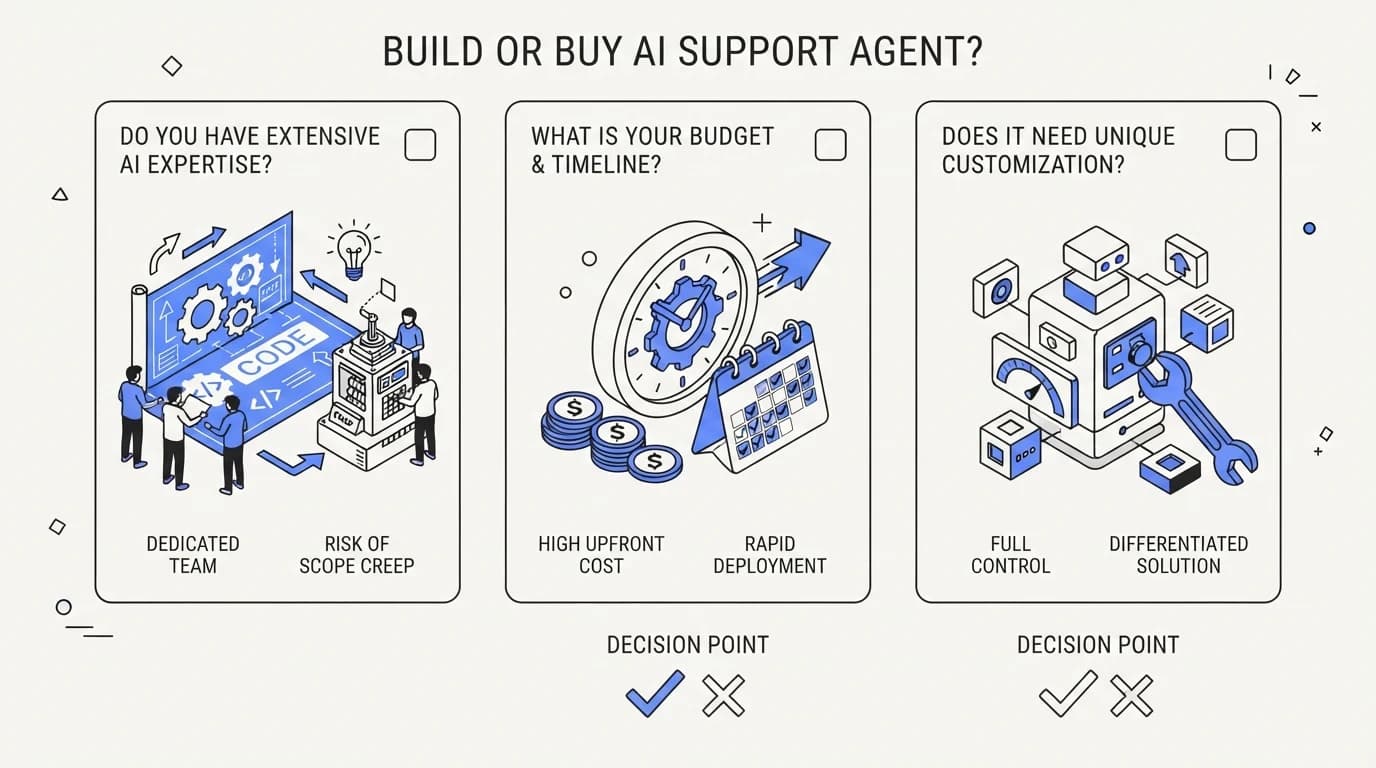
Answer three questions honestly before choosing a path. First, who on the team owns ongoing maintenance for the next 12 months, by name, not by department. Second, what happens to support quality during the two weeks that person is on vacation or leaves the company.
Third, what is the real hourly cost of the engineering time this project consumes, measured against what that same engineer would otherwise build. A DIY agent that costs less on paper but consumes a senior engineer's roadmap time for a quarter is not actually the cheaper option.
 Communicate.so
A hybrid path that some teams choose
Some teams do not pick a single path outright. They buy a managed agent for the core knowledge-answering workload and build a narrow, internal-only DIY tool for one specific integration the vendor does not support yet, keeping the DIY surface area small on purpose.
This hybrid approach works because the risky, customer-facing part of the workload sits on a hardened platform, while the DIY component stays internal and low-stakes until it proves itself. A team considering this path should still apply the same evaluation discipline described in AI agent evaluation and testing to the DIY portion, even though it is smaller in scope.
The failure mode to watch for is scope creep, where a narrow internal DIY tool quietly becomes customer-facing over a few months without ever getting the hardening a customer-facing system needs. Set an explicit boundary on what the DIY component is allowed to touch, and revisit that boundary on a fixed schedule rather than letting it drift.
How to run a fair build vs buy trial before committing
The cleanest way to settle this decision is not a spreadsheet estimate, it is a time-boxed trial. Give the DIY team two weeks to build a working prototype against a sample of last month's real tickets, and give a managed vendor a parallel trial against the same sample.
Score both on the same three measures: accuracy against a golden set of known-correct answers, time to first working version, and total hours the team spent, including time spent debugging rather than building. A trial framed this way surfaces the maintenance burden early instead of after a quarter of production use.
Most teams that run this kind of parallel trial discover the DIY path is faster to a demo and slower to a trustworthy production state, which lines up with the maintenance math above. The AI support agent implementation guide covers structuring a trial like this with a real rollout plan attached, rather than leaving it as an open-ended pilot.
The compliance and security work a DIY build owns alone
A managed vendor typically maintains a security program covering encryption, access control, and incident response across its entire customer base, reviewed on a recurring schedule by people whose job is exactly that review. A DIY build inherits whatever security practices the engineer who built it happens to apply, which varies widely by individual and by how much time pressure they were under.
This gap matters more once the agent touches customer data directly, such as order history or account details, rather than just public help center content. A team building a DIY agent that reads sensitive customer data should budget real time for access control, audit logging, and data retention policy, the same categories covered in a vendor's security documentation, except built and maintained entirely in house.
Regulatory exposure compounds this. A support agent operating in a regulated industry, or handling data covered by GDPR or similar frameworks, needs a documented basis for how it processes and retains customer data, and that documentation has to stay accurate as the system changes, which is its own ongoing maintenance category most DIY estimates miss entirely.
What a first production incident actually costs
The first time a DIY agent gives a confidently wrong answer in production is instructive, because it reveals whether anyone actually built the monitoring to catch it. Many teams discover the failure from a customer complaint on social media rather than from an internal alert, which is a reputational cost on top of the direct cost of the wrong answer.
Recovering from that incident means tracing why the agent gave the wrong answer, whether it was a stale document, a bad retrieval match, or a prompt that failed to handle an edge case, then fixing the root cause and verifying the fix against the rest of the golden set so the fix does not introduce a new regression elsewhere.
A managed vendor has typically already hardened against the most common failure classes across many customers, which is exactly what a first-time DIY build has not had the chance to do. The guardrail patterns in AI agent guardrails exist because these failure classes repeat across teams, not because any single team is uniquely careless.
Budgeting the real first-year cost side by side
Put concrete numbers next to each other for a team handling 5,000 tickets a month. A DIY build costs roughly 20 engineering hours upfront and 6 hours a month ongoing, at a loaded rate of $100 an hour, which comes to about $2,000 upfront and $7,200 across a first year of maintenance, before counting infrastructure and LLM usage costs that add several hundred dollars more a month.
A managed subscription at a comparable ticket volume typically lands in a predictable monthly range disclosed upfront, without a separate line item for engineering time, incident response, or evaluation tooling, because those are bundled into the product rather than staffed separately by the buying team.
The two totals can end up close in raw dollars, which is why the decision usually comes down to a different question: does the team want that cost paid in engineering hours it could spend elsewhere, or in a subscription line item finance can forecast. Neither answer is universally correct, but only one of them is visible on a budget spreadsheet without a manager first tracking down how many hours engineering actually spent. The AI customer support cost guide has a fuller worksheet for running this comparison against your own numbers.
What changes at 20,000 tickets a month instead of 5,000
The maintenance math shifts once volume grows past a small team's comfortable range. A DIY agent handling 20,000 tickets a month sees far more edge cases per week than one handling 5,000, which means the golden set needs to be larger, prompt regressions surface faster, and the cost of a bad answer multiplies across more customers before anyone notices the pattern.
At that volume, the ongoing maintenance estimate of 4 to 8 hours a month understates reality significantly. Teams operating DIY agents at this scale commonly report closer to a half-time role dedicated to prompt tuning, content updates, and incident response, which changes the cost comparison from a side project into a real headcount decision.
A managed vendor's pricing typically scales with volume in a disclosed, predictable way at this size, while a DIY team's informal maintenance arrangement usually breaks down first, since the person who built it was never meant to spend half their week on it. This is the point where most teams that started DIY seriously evaluate a platform like communicate.so for the core workload, even if they keep a narrow DIY tool for one specialized internal need.
Documenting the decision so it survives a team change
Whichever path a team picks, write down why. A short document explaining the ticket volume at decision time, the engineering hours estimated for the DIY path, and the vendor quotes considered for the buy path gives the next person who inherits this decision the context to revisit it fairly instead of guessing.
This matters most for the DIY path, because the person who built it usually carries undocumented knowledge about why certain prompt decisions or retrieval quirks exist. A short internal runbook, covering what the golden set contains and how to add to it, reduces the risk that the whole system becomes unmaintainable the day that person moves to a different project, a risk covered in more depth in AI agent guardrails.
A decision record also protects against re-litigating the same debate every time a new engineer joins the team and wonders why support runs on a hand-wired workflow instead of a name-brand vendor, or the reverse question from a new hire who assumes the vendor bill could be replaced by a weekend project. Both questions get answered faster with a written record than with a fresh round of Slack debate.
Frequently asked questions
How long does a DIY n8n support agent take to build?
A working prototype answering simple questions can be built in a few days by one engineer familiar with n8n and LLM APIs. A production-ready version, with retrieval tuned to real content and basic evaluation, typically takes several weeks of focused work, not a weekend.
What is the biggest hidden cost in a DIY build?
Ongoing maintenance. The initial build is a fixed, one-time cost. Keeping the agent accurate as products, policies, and content change is a recurring cost that has no natural end date and rarely gets budgeted upfront.
Can a small team realistically maintain a DIY support agent?
Yes, if one person owns it explicitly and the team accounts for 4 to 8 hours a month of ongoing work as a real, recurring commitment rather than something squeezed into spare time.
Do managed AI support agents cost more than a DIY build?
The subscription price is often higher than the sticker price of a DIY tool stack, but a fair comparison includes the engineering hours a DIY build consumes every month, which frequently exceeds the gap in subscription cost.
What happens if the engineer who built a DIY agent leaves the company?
Institutional knowledge about the workflow, prompt decisions, and edge cases usually leaves with that engineer, unless the build was documented thoroughly. This is a real operational risk that a managed vendor absorbs as part of its own team continuity.
Is n8n a good tool for building a support agent?
n8n is a capable workflow orchestrator and works well for wiring together an LLM, a vector store, and a helpdesk API. It does not include built-in evaluation tooling, so a team using it still needs to build that layer separately, as covered in AI agent evaluation and testing.
How do I estimate the true cost of a DIY build before starting?
Estimate initial build hours, then multiply expected ongoing monthly hours by 12 to get a first-year maintenance estimate, and add loaded engineering cost per hour to both. Compare that total against a full year of a managed vendor's subscription.
Does a managed vendor lock me into their platform?
Data portability varies by vendor and should be confirmed before signing. Ask specifically whether conversation history and knowledge base connections can be exported if you switch providers later.
What ticket volume justifies buying instead of building?
There is no universal threshold, but teams handling more than a few thousand tickets a month typically find that evaluation and monitoring overhead alone justifies a managed platform, since the cost of an undetected regression scales with volume.
Can I start with a DIY build and migrate to a managed vendor later?
Yes, and it is a common path. A DIY build can validate that AI support is worth investing in before a team commits to a vendor contract, as long as the team is honest that the DIY version is a proof of concept, not a permanent production system.
What is a golden set and why does it matter for build vs buy?
A golden set is a curated collection of real historical tickets with verified correct answers, used to test whether prompt or model changes improve or regress agent accuracy. Building one is essential for either path, but DIY teams frequently skip it.
How do model provider changes affect a DIY build?
When an LLM provider updates or deprecates a model, a DIY build's prompts and retrieval logic often need re-tuning to maintain the same quality, work a managed vendor typically absorbs as part of ongoing product maintenance.
Does buying mean giving up customization?
No. A managed platform like communicate.so still lets a team configure data sources, tone, and escalation rules. What it removes is the requirement to build the underlying retrieval and evaluation infrastructure from scratch.
What is the risk of skipping evaluation entirely?
Without evaluation, a team has no way to detect a regression until a customer notices, which means quality problems surface as complaints rather than as caught issues before release.
How much does LLM API usage cost for a mid-size support team?
Usage cost depends heavily on ticket volume, context length, and model choice, and it compounds with retrieval and caching decisions. The AI customer support cost guide walks through building this estimate with real inputs rather than a rule of thumb.
Is a DIY agent less secure than a managed one?
Not inherently, but a DIY build inherits whatever security practices the team applies manually, while a managed vendor typically has a dedicated security program covering the whole customer base. Review the vendor's security documentation directly rather than assuming either path is safer by default.
What should I ask a vendor to prove they handle maintenance well?
Ask how often they update retrieval logic in response to customer content changes, how they run regression testing before shipping prompt changes, and what their incident response process looks like when an answer goes wrong.
Can a build-vs-buy decision be reversed without losing data?
It depends on the vendor's export options and the team's own record-keeping during a DIY phase. Confirm data export terms before signing a contract, and keep your own copy of the knowledge base content regardless of which path you choose.
What is the single biggest mistake teams make in this decision?
Comparing a DIY weekend build against a vendor's monthly price without pricing in ongoing maintenance, evaluation, and on-call. The fair comparison is total cost of ownership over 12 months, not week one against month one.
How do I know if my team already has the skills to maintain a DIY build?
Look for prior evidence, not intent: has this engineer maintained a production system with an on-call rotation before, and has the team already built any kind of regression test suite for another part of the product. A team with no prior experience running production infrastructure on call tends to underestimate this category the most.