
Custom GPT for customer support: where the ceiling is
 Communicate.so
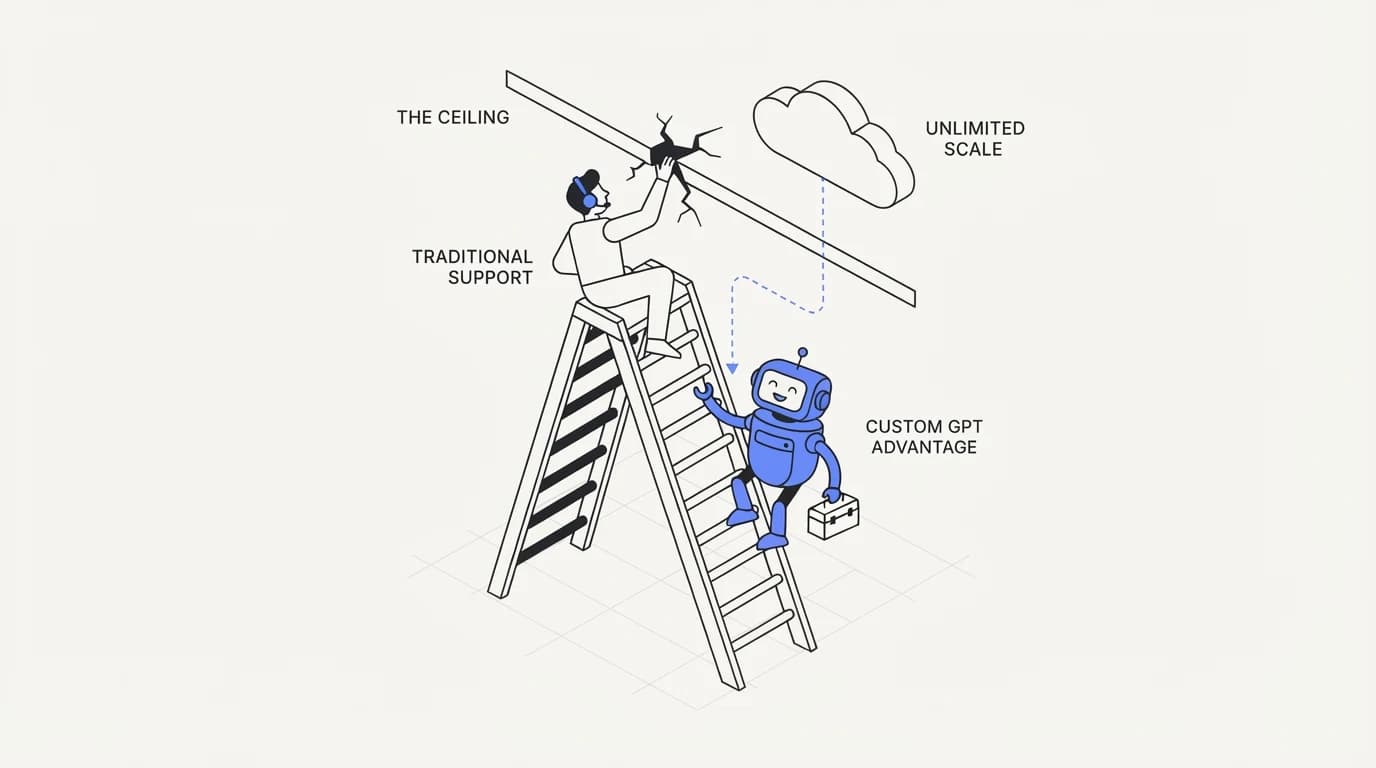
A Custom GPT cannot see your ticket history, cannot act on a customer account, and cannot escalate. Here is exactly what crossing that ceiling requires.
TL;DR: A Custom GPT built in ChatGPT can answer questions from uploaded documents in a chat window, and that is close to the full extent of what it does for customer support. It has no memory of a specific customer's ticket history, no ability to look up an order or account, no native handoff to a human agent, and no way to sit inside your existing support channels like email or a website widget. This guide names the exact ceiling a Custom GPT hits, why each limitation exists structurally rather than as a missing setting, and what building past that ceiling actually requires, including where a purpose-built agent like communicate.so picks up where a Custom GPT stops.
A Custom GPT is easy to build and that ease is exactly why teams reach for it first. Upload a PDF of your FAQ, write a short instruction, publish it, and within twenty minutes you have something that answers customer questions in a chat interface. The question this guide answers is what happens after that twenty minutes, when a real customer asks something a document dump cannot handle.
This is not an argument that Custom GPTs are bad. It is a map of where the tool's design stops matching what customer support actually requires, and what building past that point looks like, whether you build it yourself or use a platform designed for the job like communicate.so.
What a Custom GPT actually is under the hood
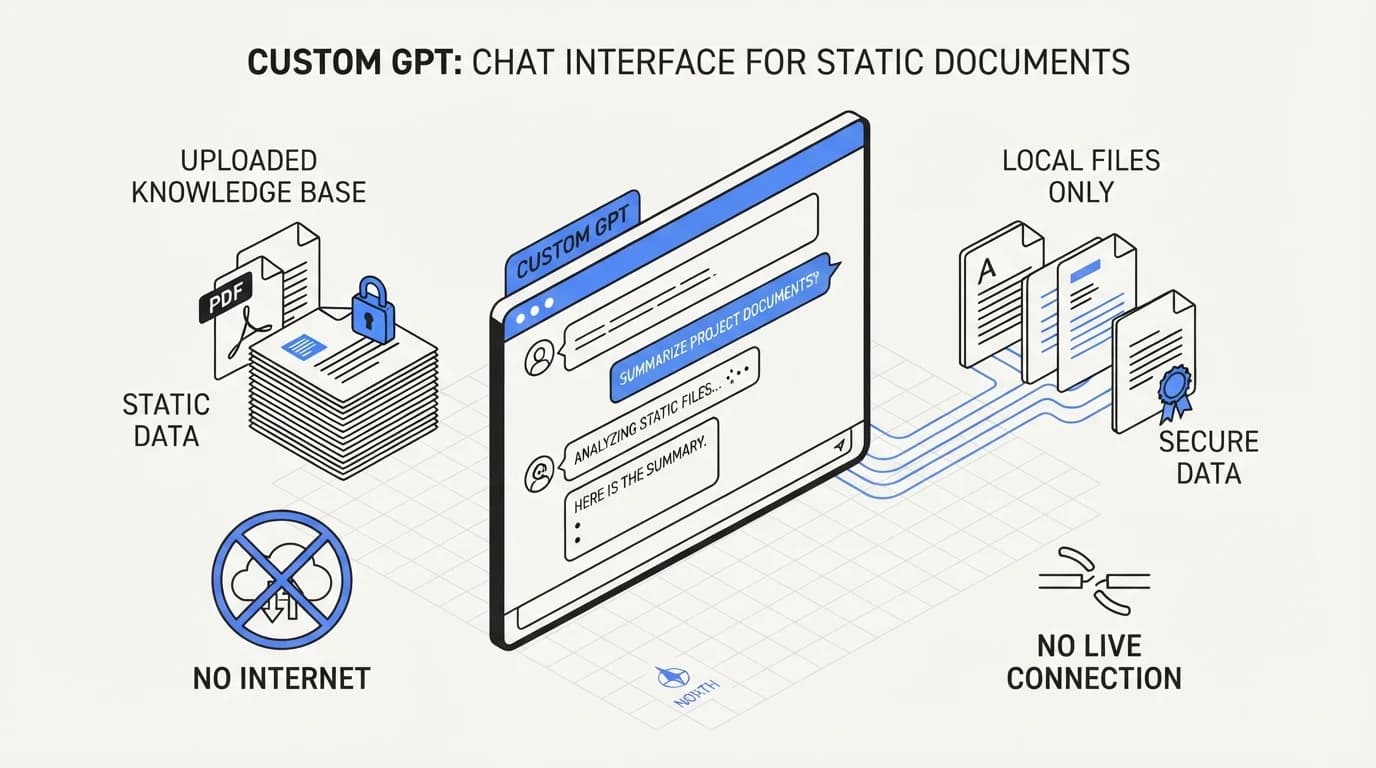
A Custom GPT is a configuration layer on top of a general-purpose model: a system prompt, a set of uploaded files it can search, and optionally a small number of external actions defined through an API schema. It runs inside ChatGPT's own interface by default.
The files a Custom GPT searches are treated as static context. There is no live connection to a database, no real-time sync with your help center, and no automatic re-indexing when a document changes unless someone manually re-uploads it.
That static nature is the root of most limitations that follow. A Custom GPT is a knowledge tool with a chat wrapper, not a support system, and the gap between those two things is exactly what a purpose-built agent like the one described in how to build an AI customer support agent is designed to close.
 Communicate.so
Ceiling one: no memory of a specific customer
A Custom GPT has no concept of who is talking to it. Every conversation starts from the same uploaded documents and the same system prompt, with no lookup against a specific customer's account, plan, or ticket history.
This means a customer asking why their order has not shipped gets a generic answer about shipping policy, not a specific answer about their order, because the Custom GPT has no way to query an order system in the first place.
Answering account-specific questions requires connecting the agent to live, per-customer data, not a static document. The data sources a real support agent needs go well beyond a help center PDF, including order systems, subscription status, and prior ticket history.
Ceiling two: no ability to act
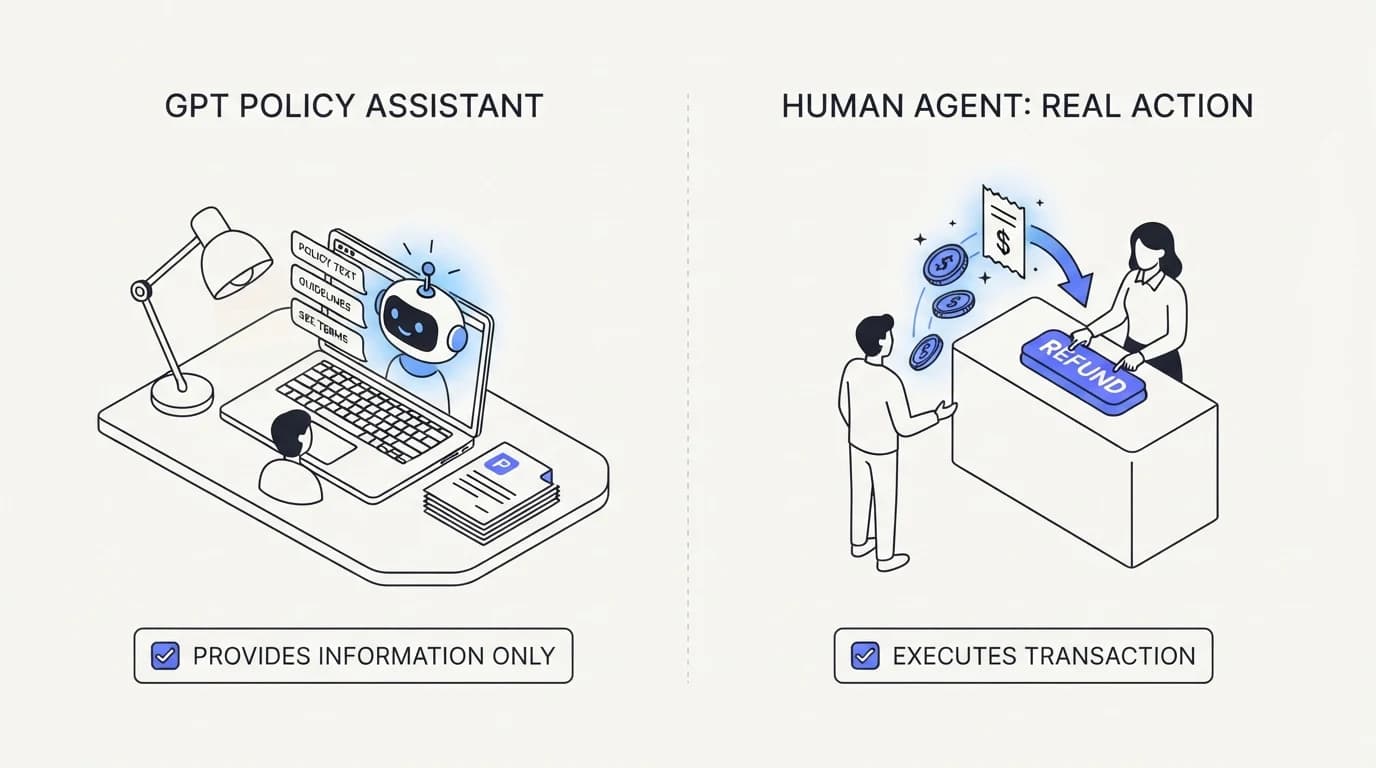
A Custom GPT can be configured with actions through an API schema, but building a safe write action, one that issues a refund, updates a subscription, or cancels an order, requires careful engineering around confirmation, idempotency, and permission scope that most teams do not build inside a Custom GPT's action configuration.
Most Custom GPTs used for support stay read-only in practice, answering questions but never touching a system of record. The step from answering to doing safely is a substantial engineering problem in its own right, covered in the AI agent actions API approach, which treats every write action as something requiring explicit confirmation and a bounded blast radius.
A support team that wants an agent to actually resolve a ticket, not just describe the policy for resolving it, needs that action layer. A Custom GPT alone stops at description.
 Communicate.so
Ceiling three: no native escalation
When a Custom GPT does not know an answer, it says so in the chat window and the conversation typically ends there. There is no built-in path to route that conversation to a human support agent, no ticket creation, and no notification to a team.
A real support operation needs the failure path designed as carefully as the success path. The AI human handoff support approach treats escalation as core functionality, not an afterthought, because a customer left with no next step after a failed AI answer is worse off than a customer who got no AI answer at all.
Building this yourself around a Custom GPT means wiring a separate notification system, a ticket creation step, and a way to hand the conversation history to whoever picks it up, none of which the Custom GPT platform provides natively.
Ceiling four: no presence outside the ChatGPT interface
A Custom GPT lives inside ChatGPT's own interface, or optionally the ChatGPT app store. It does not sit on your website, in your email inbox, or inside your existing support channels without significant custom engineering to bridge it there.
Customer support has to meet customers where they already are: a website chat widget, an email thread, or a messaging channel like WhatsApp. The embed widgets approach puts the agent directly where a customer is already looking, which a Custom GPT was not built to do.
| Capability | Custom GPT | Purpose-built support agent |
|---|---|---|
| Answers from uploaded documents | ✓ | ✓ |
| Live, per-customer account lookup | ✗ | ✓ |
| Safe write actions with confirmation | ✗ requires custom build | ✓ |
| Native escalation to a human agent | ✗ | ✓ |
| Embeds on your website or email | ✗ requires custom build | ✓ |
| Auto re-indexes on content change | ✗ manual re-upload | ✓ |
| Conversation-level audit trail | ✗ limited | ✓ |
Ceiling five: no evaluation or accuracy monitoring
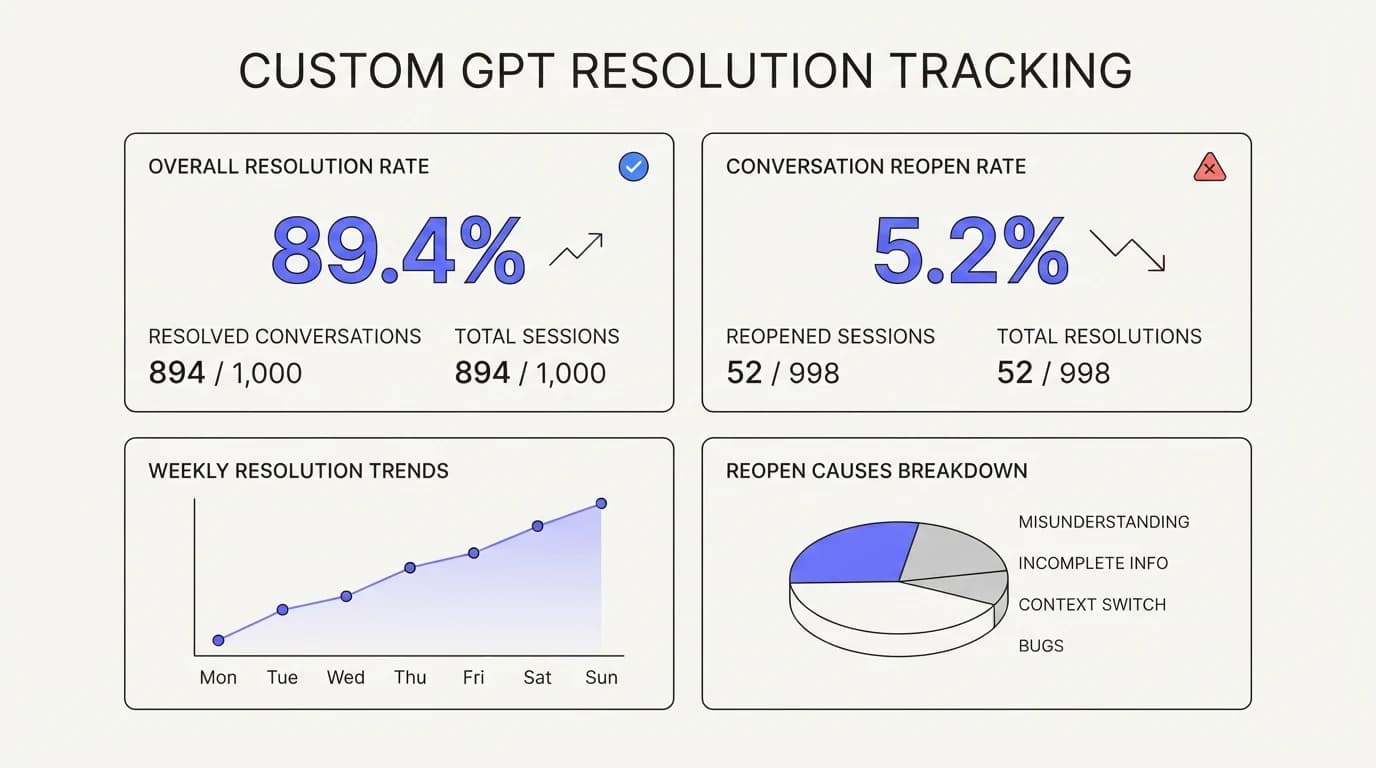
A Custom GPT has no built-in way to measure how often it answers correctly across a real volume of customer questions. There is no dashboard showing resolution rate, no reopen tracking, and no systematic way to catch a regression after a prompt edit.
Without that measurement, a team is flying blind on whether the tool is actually helping or quietly giving wrong answers to a share of customers. The AI agent evaluation and testing discipline of building a golden set and regression testing every change has no equivalent inside the Custom GPT product.
 Communicate.so
When a Custom GPT is actually the right tool
A Custom GPT is a reasonable choice for a low-stakes, internal, or early-stage use case: a proof of concept before committing budget to a full build, an internal tool answering employee questions from a wiki, or a narrow FAQ bot on a low-traffic page where a wrong answer has limited consequence.
It is also a fast way to validate that customers actually want to ask an AI questions before investing in a more capable system. If nobody uses the Custom GPT, that is useful information before a bigger investment.
The honest limit is customer-facing production support at real volume, where account-specific answers, safe actions, and a reliable escalation path stop being nice-to-haves and start being the difference between a helpful tool and a liability. That is the point at which a platform purpose-built for support, like communicate.so, starts to earn its cost over a Custom GPT's convenience.
What crossing the ceiling actually requires
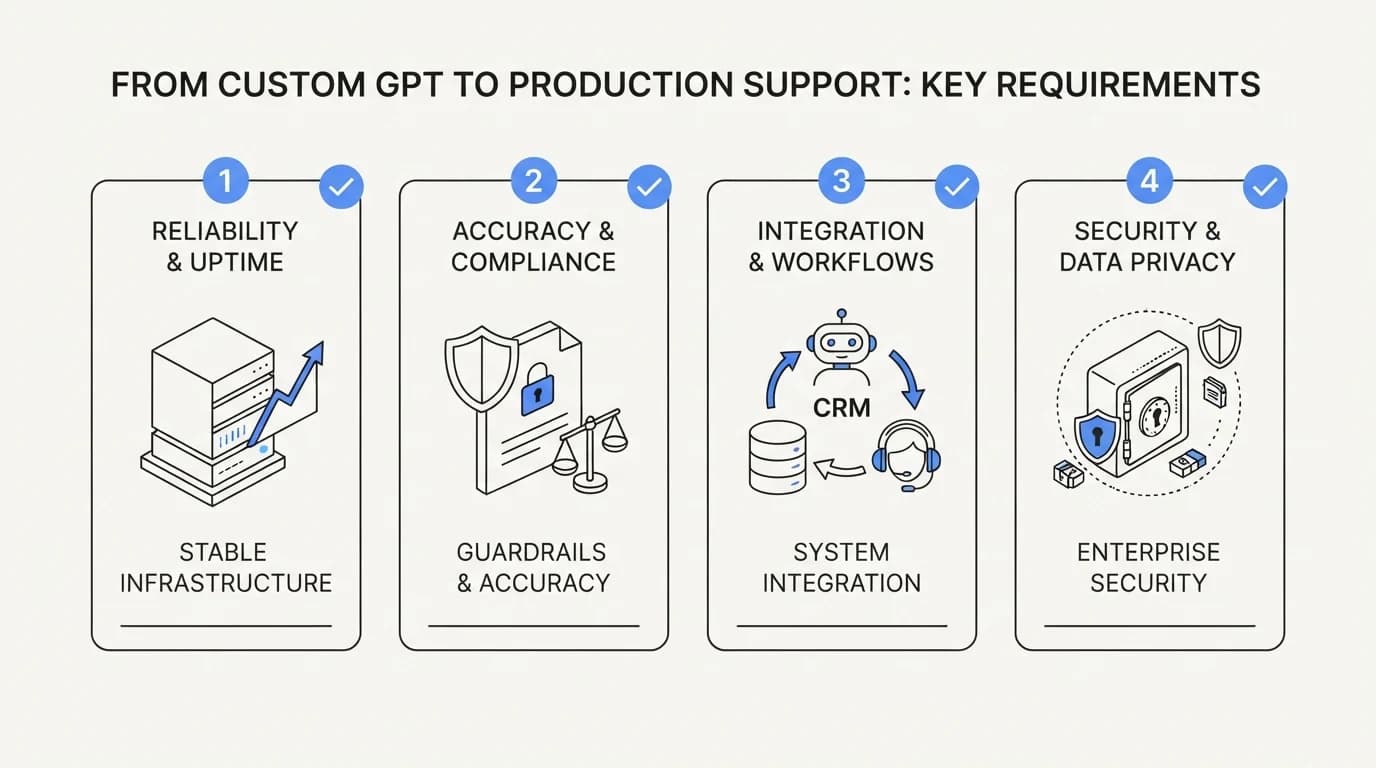
Moving past a Custom GPT means connecting live data sources instead of static uploads, building or adopting an actions layer with confirmation logic, designing an escalation path that hands off full context, and putting an evaluation practice in place before launch, not after a customer complaint.
None of these steps are exotic engineering, but together they represent real work that a Custom GPT's twenty-minute setup deliberately skips. A team should treat that work as the actual cost of production customer support AI, not an optional upgrade.
 Communicate.so
A worked example: a customer asking about a late order
Send a Custom GPT the message a real customer would send: my order 4471 has not arrived, where is it. Without a custom action wired to an order system, the Custom GPT has no way to look up order 4471 at all, and it will answer with general shipping policy language instead of an actual status.
A purpose-built agent connected to the same order system looks up 4471 directly, sees it is in transit with a specific carrier and expected date, and answers with that specific information, or escalates automatically if the order shows an exception state like a failed delivery attempt.
The difference is not model quality. Both systems can use the same underlying language model. The difference is entirely about what data the model can see at the moment it answers, which is the structural gap covered throughout this guide and the reason data sources matter more than prompt wording for this class of question.
Why teams keep reaching for a Custom GPT anyway
The appeal is real and worth naming honestly. A Custom GPT requires no procurement process, no vendor contract, and no engineering sprint to get a first version live, which matters enormously for a team trying to test an idea before asking for budget.
It also requires no new login for the team building it, since it lives inside a ChatGPT account most technical teams already have. That familiarity lowers the activation energy to try AI-assisted support at all, which has genuine value even with all the ceilings described above.
The mistake is not building a Custom GPT. The mistake is treating a twenty-minute prototype as production infrastructure without budgeting the additional work described in this guide, a mistake covered from the build side more broadly in AI support agent build vs buy.
How to tell your Custom GPT has hit its ceiling
Watch for three signals. Customers start asking questions the Custom GPT answers generically when they clearly wanted an account-specific answer, which shows up as repeated follow-up messages asking to speak to a human.
Second, the team starts manually re-uploading documents on a recurring basis just to keep answers current, which is a sign the static-file model has become a bottleneck rather than a convenience. Third, customers start asking the Custom GPT to actually do something, like cancel an order or update an address, and it cannot.
Any one of these signals on its own is tolerable. All three together mean the tool has moved from prototype to a real support surface without the infrastructure a real support surface needs, and it is time to evaluate a platform built for that, such as communicate.so.
What a Custom GPT gets right that is worth keeping
The fast iteration loop is genuinely valuable. A support lead can rewrite the system prompt, swap a document, and test the change immediately, without a deployment pipeline or an engineering sign-off, which is a fast way to learn what kind of questions customers actually ask before locking in a more permanent architecture.
That same iteration speed is worth preserving even after a team moves to a production platform. A support lead who spent a week tuning a Custom GPT's instructions has already done useful discovery work: which phrasings confuse the model, which topics need clearer source documents, and which questions come up constantly but were not in the original FAQ.
Bringing that discovery work into a production build, rather than starting from zero, shortens the path to a working agent considerably. The prompt structure and refusal language covered in support agent prompt engineering builds directly on the same instincts a Custom GPT experiment develops, just with the guardrails a customer-facing system needs.
The gap between a demo and a customer's actual first message
A Custom GPT demo usually gets tested with clean, well-formed questions typed by the person who built it. A real customer's first message is rarely that clean: it arrives mid-frustration, references an order number without context, or asks two unrelated questions in the same sentence.
Static document search inside a Custom GPT handles a clean, single-topic question reasonably well. It handles a messy, multi-part, emotionally charged message far less predictably, because there is no conversation-level memory carrying context from one exchange to the next within a support workflow, and no confidence signal telling a human when the AI's read on the message was uncertain.
This gap is exactly why a golden set built from real historical tickets, not hypothetical clean questions, is the only honest way to evaluate whether a support AI setup is ready for production traffic, a discipline detailed in AI agent evaluation and testing. A Custom GPT that looks impressive against ten curated test messages can perform very differently against the first hundred real ones.
A migration path from Custom GPT prototype to production agent
The first step is not throwing away the prototype. Export the system prompt and the list of uploaded documents, since both represent real work already done, and both carry directly into a production build as a starting point rather than a blank page.
The second step is connecting live data sources in place of the static uploads, starting with whichever data source the prototype's failures pointed to most often, such as order status or account plan details. This is usually the single most impactful change to make first, because it closes the most common ceiling customers actually hit.
The third step is building the escalation path before adding write actions, since a reliable handoff to a human protects customers from every remaining gap while the rest of the system matures. Only after escalation is solid does adding a write action, through something like an AI agent actions API, make sense, because a write action without a safety net compounds the cost of a mistake instead of just describing it.
The fourth step is standing up evaluation before opening the new system to full customer traffic, using the golden set built from the prototype's real conversation history. Skipping straight to production without this step means the team repeats the same blind spot the Custom GPT had, just with a more capable set of tools attached to it.
What a support lead should tell engineering before this migration starts
Engineering needs specifics, not a general request to build an AI agent. Bring the list of the ten most common question types the Custom GPT prototype handled well, the five it handled badly, and the three data sources customers asked about that the prototype could not reach at all.
That level of detail turns a vague request into a scoped project with a clear definition of done, and it comes directly out of the prototype phase rather than requiring separate discovery work. Teams that skip this step and ask engineering to build a support agent from scratch typically re-derive the same requirements the Custom GPT already surfaced, which wastes the exact head start the prototype was supposed to provide. The AI support agent implementation guide walks through turning this kind of scoped requirement list into a rollout plan.
How a Custom GPT compares against a purpose-built widget on your site
A Custom GPT lives behind a login inside ChatGPT, which means a customer has to leave your website and open a separate app to use it, unless a team builds a custom bridge. That extra step alone removes most casual customers who would have asked a question if the answer box was already open on the page they were viewing.
A support widget embedded directly on a website or inside a product removes that friction entirely, since the customer never leaves the context where the question came up. The embed widgets approach also carries page-level context automatically, such as which plan the customer is on or which page triggered the question, none of which a standalone Custom GPT chat window can see without custom engineering.
This distribution gap compounds the account-lookup and action gaps described earlier. Even a Custom GPT with perfect answers loses most of its value if customers cannot reach it at the moment they need it, which is why placement and access matter as much as answer quality in a real support deployment.
A team weighing this tradeoff should count actual customer behavior, not intent. Look at how many visitors currently click through to a separate help center tab versus how many would ask a question if the answer box were already open on the page. That number, more than any feature comparison, tells you whether the distribution gap is costing real resolved conversations.
Cost comparison across a full year of real usage
A Custom GPT's cost stays tied to a ChatGPT subscription tier, which can look inexpensive at first glance since it does not scale per conversation the way many dedicated AI support vendors bill. That flat structure hides the cost that does scale: the engineering time spent bridging it into other channels, building any custom actions, and manually keeping its documents current as the business changes.
Add up a realistic year: subscription cost stays flat, but a team that wants the widget embedding, account lookups, and escalation logic described throughout this guide ends up paying for that work in engineering hours regardless of the flat subscription price underneath it. The comparison only looks favorable to the Custom GPT if a team never builds the missing pieces, which means it never becomes a real production support system in the first place.
A managed platform folds that engineering cost into its subscription price upfront, which is why the sticker price comparison between a Custom GPT and a dedicated vendor understates the true cost difference once a team accounts for everything a Custom GPT does not include out of the box. The AI customer support pricing breakdown covers building this full comparison with real numbers instead of headline subscription costs.
The fair question to ask a finance stakeholder is not which tool costs less on the invoice, but which total cost, including the engineering hours nobody tracks against a project code, the team is actually comfortable carrying for the next twelve months of customer support.
Frequently asked questions
Can a Custom GPT answer questions about a specific customer order?
Not without a custom action connected to your order system, which most Custom GPT support setups do not build. Out of the box, it answers only from uploaded documents with no per-customer context.
Is a Custom GPT free to build and run?
Building one requires a ChatGPT Plus, Team, or Enterprise subscription depending on distribution needs, and usage is included in that subscription rather than billed separately per conversation, unlike most dedicated support AI vendors.
Can I embed a Custom GPT on my website?
Not natively. Embedding requires building a custom bridge using the API, which duplicates much of the engineering work a dedicated embed widgets product already handles.
Does a Custom GPT know when to escalate to a human?
It can be instructed to say it does not know an answer, but it has no native mechanism to create a ticket, notify a team, or hand off conversation history to a human agent.
How often does a Custom GPT need its documents updated?
As often as the underlying content changes, and the update is manual. There is no automatic re-indexing when your help center or policy pages change, which means stale answers unless someone remembers to re-upload.
Can a Custom GPT issue a refund or cancel a subscription?
Only if you build a custom action with careful permission scoping and confirmation logic, which is a nontrivial engineering task. The AI agent actions API approach covers what that safety layer needs to include.
Is a Custom GPT good enough for a small business FAQ page?
For a low-traffic FAQ where wrong answers carry limited consequence, yes, a Custom GPT can be a reasonable starting point before investing in a more capable system.
How does a Custom GPT compare to a RAG-based support agent?
A Custom GPT does a simplified form of retrieval over uploaded files, similar in concept to RAG but without the tuning, chunking discipline, or live data connections a dedicated RAG for customer support implementation includes.
Can multiple team members manage a Custom GPT together?
Yes, within a ChatGPT Team or Enterprise workspace, multiple people can edit and publish a Custom GPT, though there is no built-in shared inbox or conversation assignment system for handling customer replies as a team.
Does OpenAI provide analytics on Custom GPT usage?
Limited usage data is available at the workspace level for Enterprise accounts, but there is no per-conversation resolution rate, reopen tracking, or accuracy dashboard built for support use cases specifically.
What happens if a Custom GPT gives a wrong answer to a customer?
Nothing happens automatically. There is no flagging system, no audit trail surfaced to a support team, and no way to know the wrong answer occurred unless the customer reports it separately.
Can a Custom GPT read a customer's previous support tickets?
No, unless a custom action is built to query your ticketing system directly, which requires the same engineering investment as any other live data connection.
Is it safe to upload customer data into a Custom GPT's knowledge files?
Uploading static reference content like policies is different from uploading live customer data, which raises data handling and retention questions. Review OpenAI's enterprise data terms directly, and compare against a vendor's dedicated security documentation before deciding where sensitive data should live.
Can a Custom GPT support multiple languages?
The underlying model handles multiple languages reasonably well, but there is no dedicated multilingual support tooling, such as language-specific escalation routing, built into the Custom GPT product.
How long does it take to build a basic Custom GPT?
A simple version, uploading a handful of documents and writing a system prompt, can be built in under an hour. Getting it to answer accurately across a real range of customer questions takes longer and involves iterating on the prompt and documents.
Does a Custom GPT replace a helpdesk?
No. It has no ticketing, no shared inbox, no SLA tracking, and no routing rules. It functions purely as a conversational answer tool, not a support operations system.
Can a Custom GPT integrate with Slack or WhatsApp?
Not natively. Bridging a Custom GPT into another messaging channel requires custom API work, since the product is designed to run inside ChatGPT's own interface by default.
What is the fastest path from a Custom GPT prototype to production support?
Treat the Custom GPT as a proof of concept that validates customer interest, then move the actual production workload to a platform that connects live data sources, supports safe actions, and includes escalation and evaluation by default, such as communicate.so.
Does a Custom GPT get more expensive as ticket volume grows?
Cost stays tied to the ChatGPT subscription tier rather than scaling per conversation, which can look cheap at low volume but does not include the operational tooling that becomes necessary at higher volume.
Should a startup start with a Custom GPT before buying a support platform?
Starting with a Custom GPT to validate demand for AI-assisted answers is reasonable, as long as the team treats it explicitly as a prototype and sets a volume or complexity threshold at which it moves to a production-grade platform.